DEK INFINITY USER MANUAL.pdf.pdf - 第10页
INFINITY 0$&+,1( 352*5$ 00,1* 67$*(& /2$ '$352' 8&7),/( 1.8 User Manual Software Version 7 Start Up 1. Pre ss the Power button, the following window is displayed: 2. Using the stylus select…
INFINITY
0$&+,1(352*5$00,1*
67$*(&/2$'$352'8&7),/(
Software Version 7 User Manual 1.7
STAGE 2C - LOAD A PRODUCT FILE
Using Pocket Off Line Editor
Introduction Two versions of the
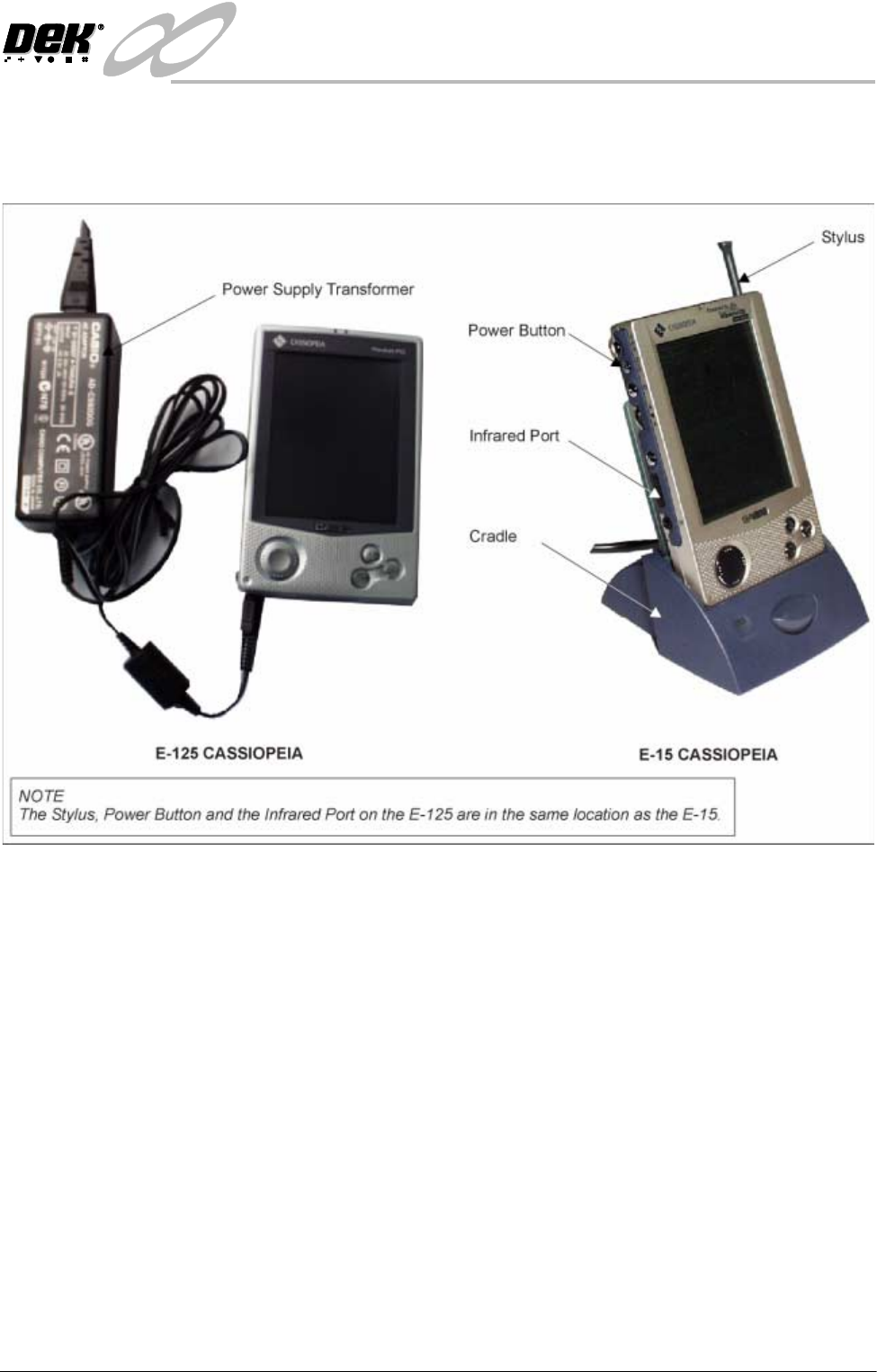
CASSIOPEIA are used as the Pocket Off Line Editor.
Earlier machines were shipped with the E-15 palm size PC. Current machines
are shipped with the E-125 pocket PC. This procedure details the following:
• Downloading a product file from the printing machine
• Editing a product file in the Pocket Off Line Editor
• Uploading a product file from the Pocket Off Line Editor
For information on the Management Information Viewer refer to the House
Keeping chapter of this manual.
For information on the other functions of the E-15 palm size PC refer to the
Getting Started with the CASSIOPEIA (Hardware Manual) and the Palm-size
PC User’s Guide, supplied with the unit.
For information on the other functions of the E-125 pocket PC refer to the
Hardware Manual and Pocket PC User’s Guide, which are both included as PDF
files on the CASSIOPEIA CD-ROM, supplied with the unit.
INFINITY
0$&+,1(352*5$00,1*
67$*(&/2$'$352'8&7),/(
1.8 User Manual Software Version 7
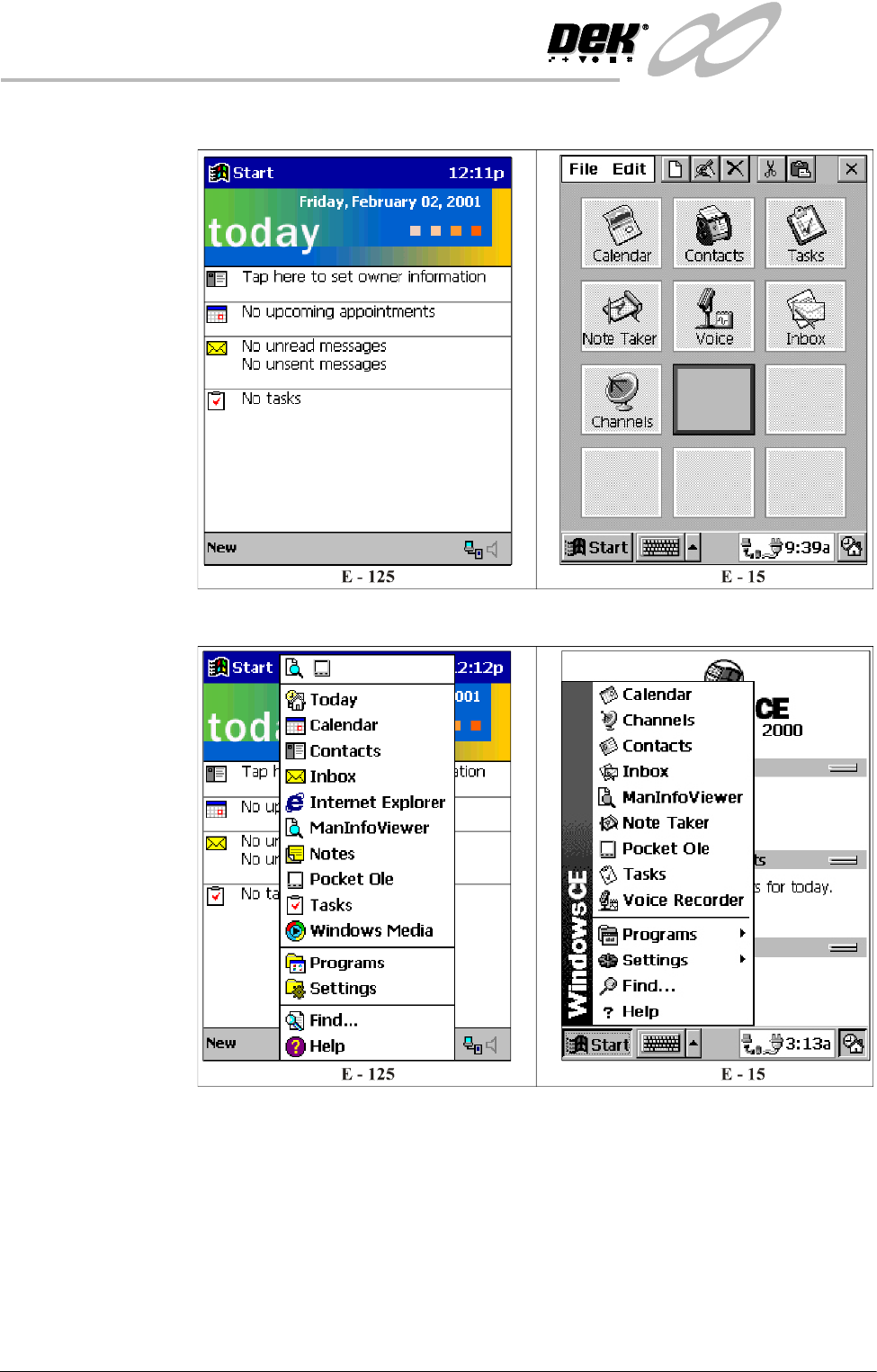
Start Up 1. Press the Power button, the following window is displayed:
2. Using the stylus select Start, the following menu is displayed:
INFINITY
0$&+,1(352*5$00,1*
67$*(&/2$'$352'8&7),/(
Software Version 7 User Manual 1.9
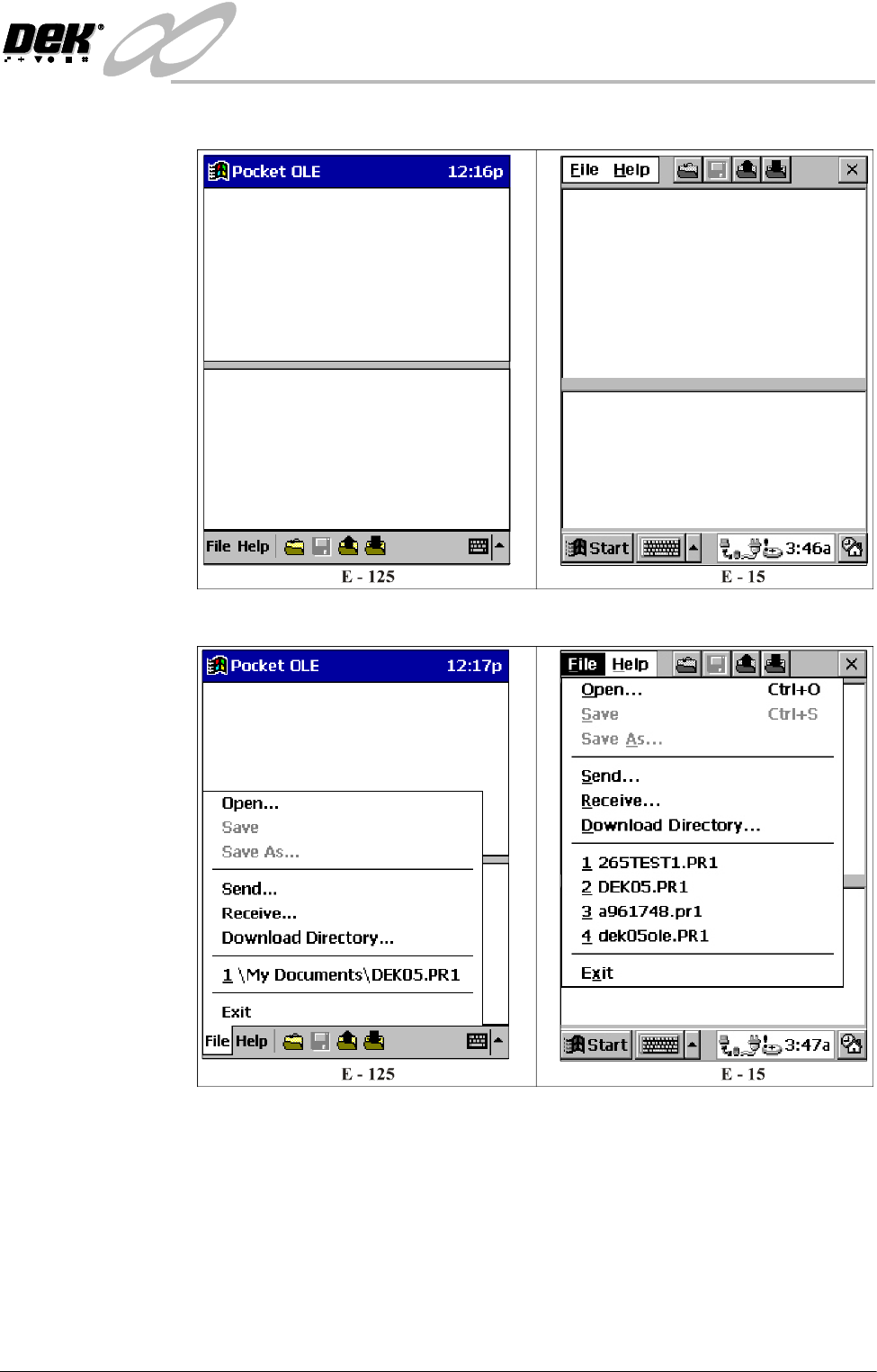
3. Select Pocket Ole, the following window is displayed:
4. Select File, the following menu is displayed: