DEK INFINITY USER MANUAL.pdf.pdf - 第11页
INFINITY 0$&+,1 (352*5 $00,1* 67$*( &/2$ '$352' 8&7),/( Soft ware Ver sion 7 User Manual 1.9 3. Select Pocket Ole , the f ollowing window is displayed: 4. Select File , the following menu i…
INFINITY
0$&+,1(352*5$00,1*
67$*(&/2$'$352'8&7),/(
1.8 User Manual Software Version 7
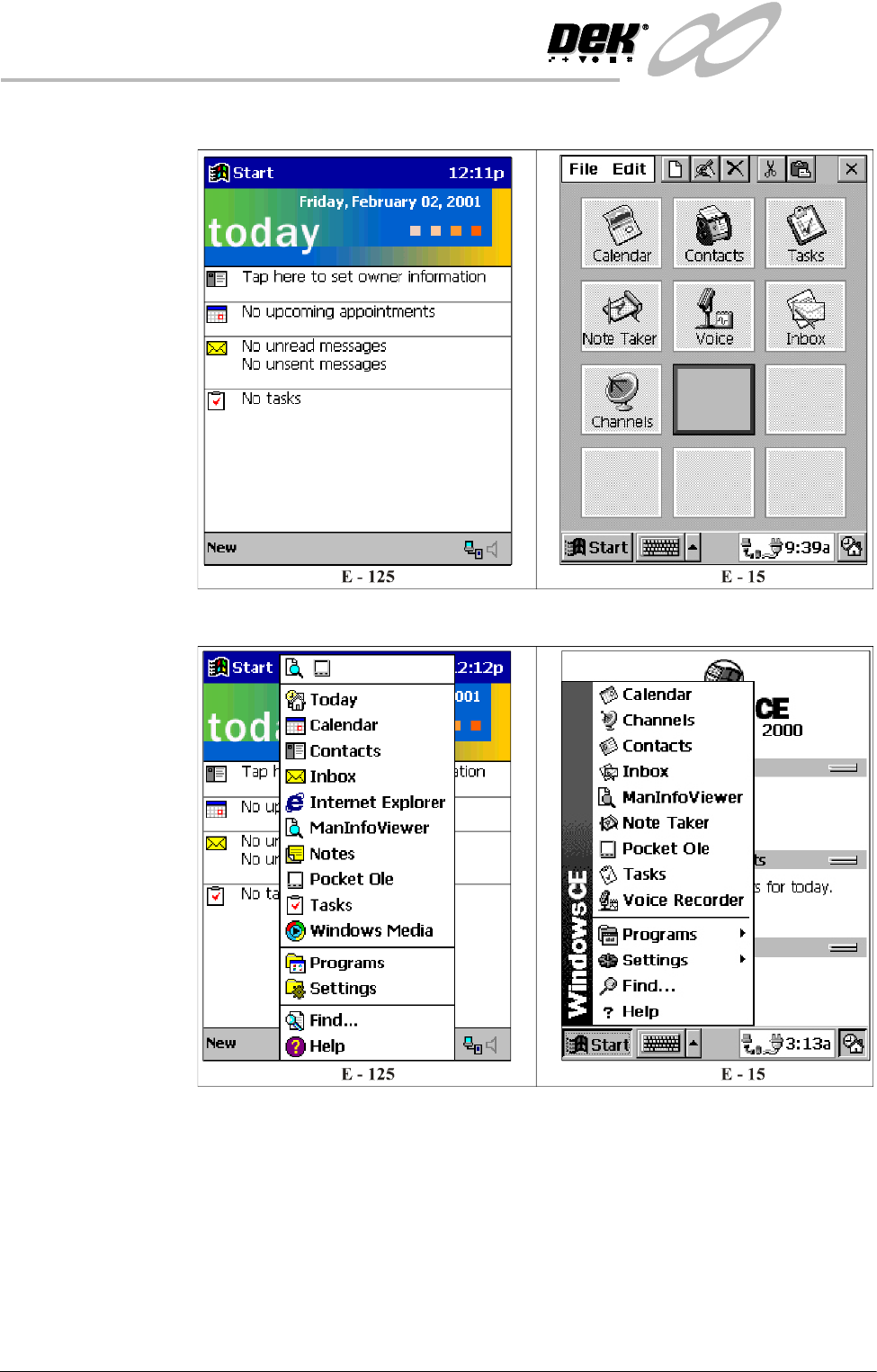
Start Up 1. Press the Power button, the following window is displayed:
2. Using the stylus select Start, the following menu is displayed:
INFINITY
0$&+,1(352*5$00,1*
67$*(&/2$'$352'8&7),/(
Software Version 7 User Manual 1.9
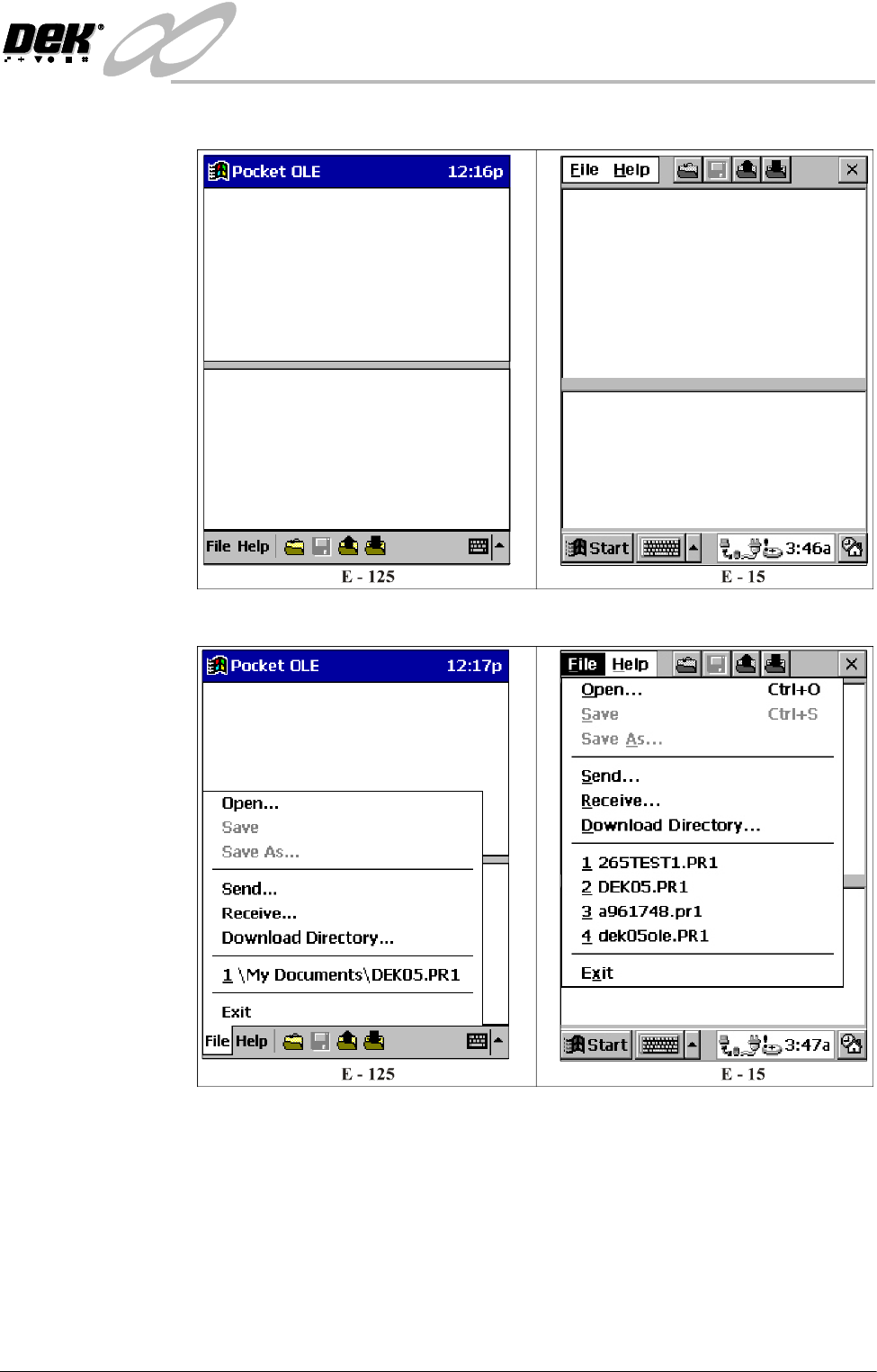
3. Select Pocket Ole, the following window is displayed:
4. Select File, the following menu is displayed:
INFINITY
0$&+,1(352*5$00,1*
67$*(&/2$'$352'8&7),/(
1.10 User Manual Software Version 7
Downloading a
Product File
To download a product file from the printing machine to the Pocket Off Line
Editor, proceed as follows:
1. Ensure the Start Up Section has been carried out.
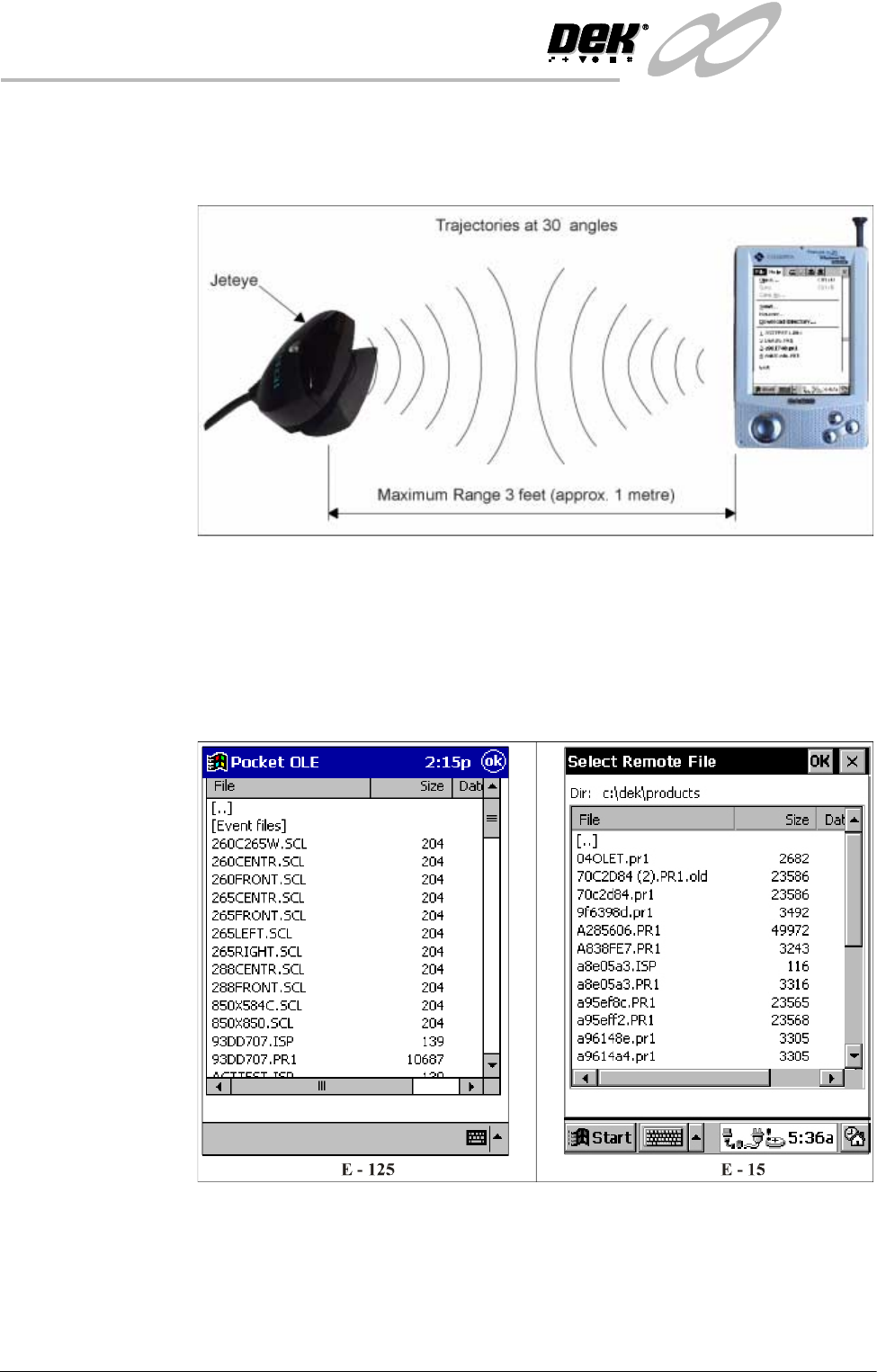
2. With reference to the above figure, aim the infrared port of the Palm-size PC
at the Jeteye.
NOTE
The CASSIOPEIA shown is the E-15, but the information is also valid for the
E-125.
3. Select Receive, the following window is displayed:
4. Select the required product file from the list.