DEK INFINITY USER MANUAL.pdf.pdf - 第14页
INFINITY 0$&+,1( 352*5$ 00,1* 67$*(& /2$ '$352' 8&7),/( 1.12 User Manual Software Versi on 7 7. Once the download is complete the following window is displayed: 8. Select OK to return to th…
INFINITY
0$&+,1(352*5$00,1*
67$*(&/2$'$352'8&7),/(
Software Version 7 User Manual 1.11
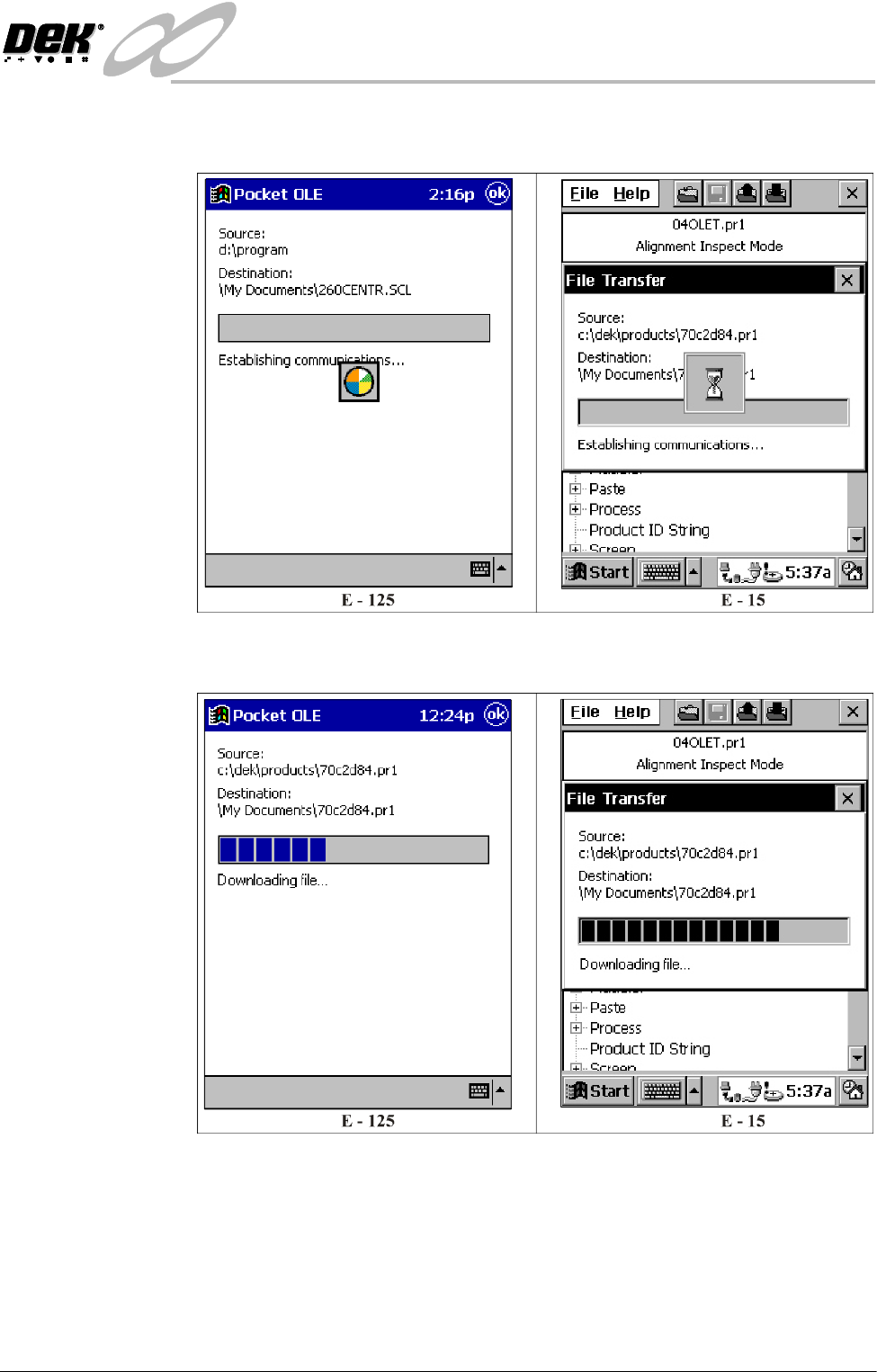
5. Select OK, the following window is displayed whilst the Pocket Off Line
Editor establishes communications with the printing machine.
6. Once communications are established the following window is displayed
whilst the selected product file is downloaded:
INFINITY
0$&+,1(352*5$00,1*
67$*(&/2$'$352'8&7),/(
1.12 User Manual Software Version 7
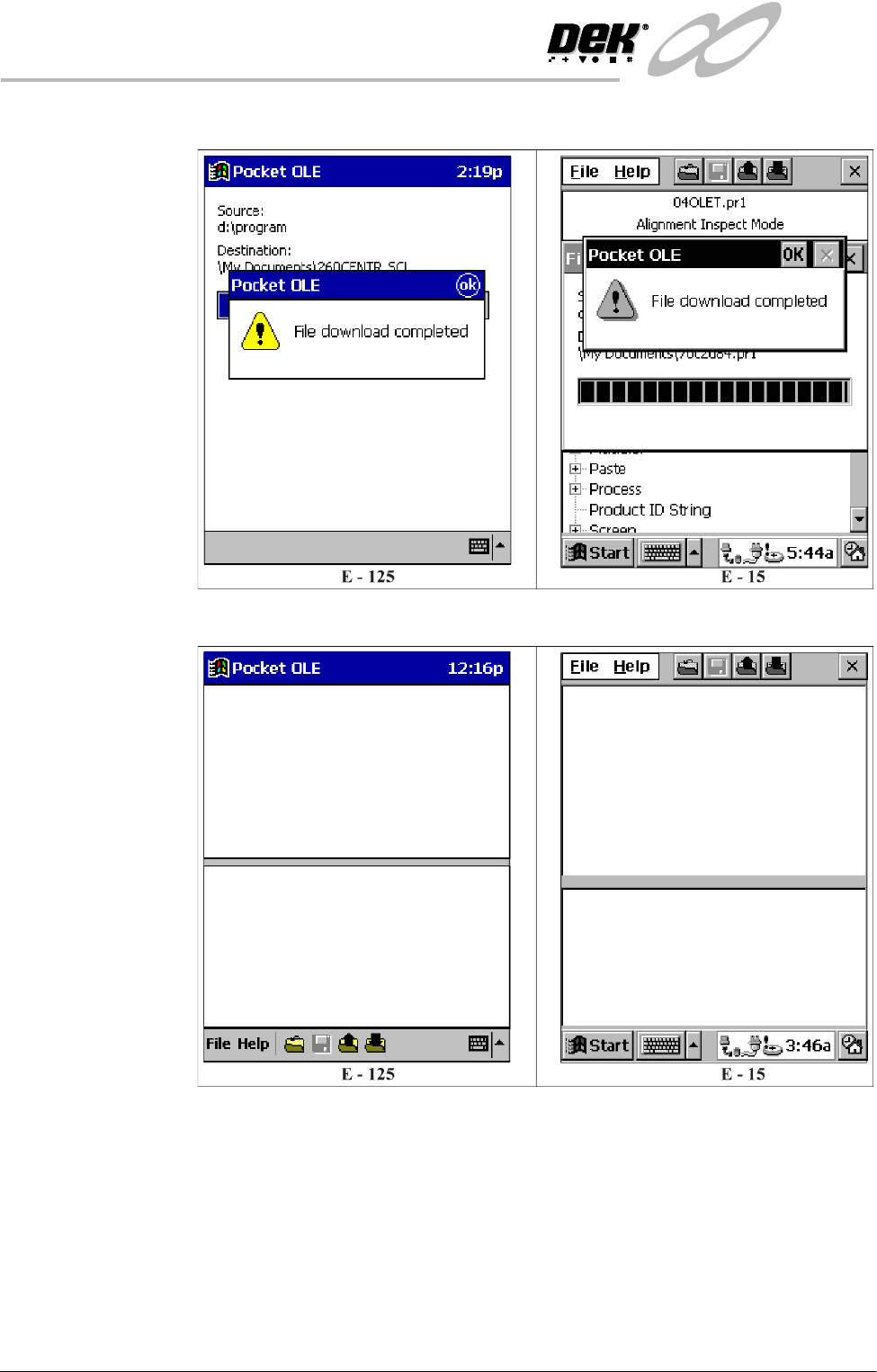
7. Once the download is complete the following window is displayed:
8. Select OK to return to the main menu.
INFINITY
0$&+,1(352*5$00,1*
67$*(&/2$'$352'8&7),/(
Software Version 7 User Manual 1.13
Editing a Product
File
To edit a product file on the Pocket Off Line Editor, proceed as follows:
NOTE
Before a product file can be edited, it must first be downloaded from the printing
machine, see the Downloading a Product File Section.
1. Ensure the Start Up Section has been carried out.
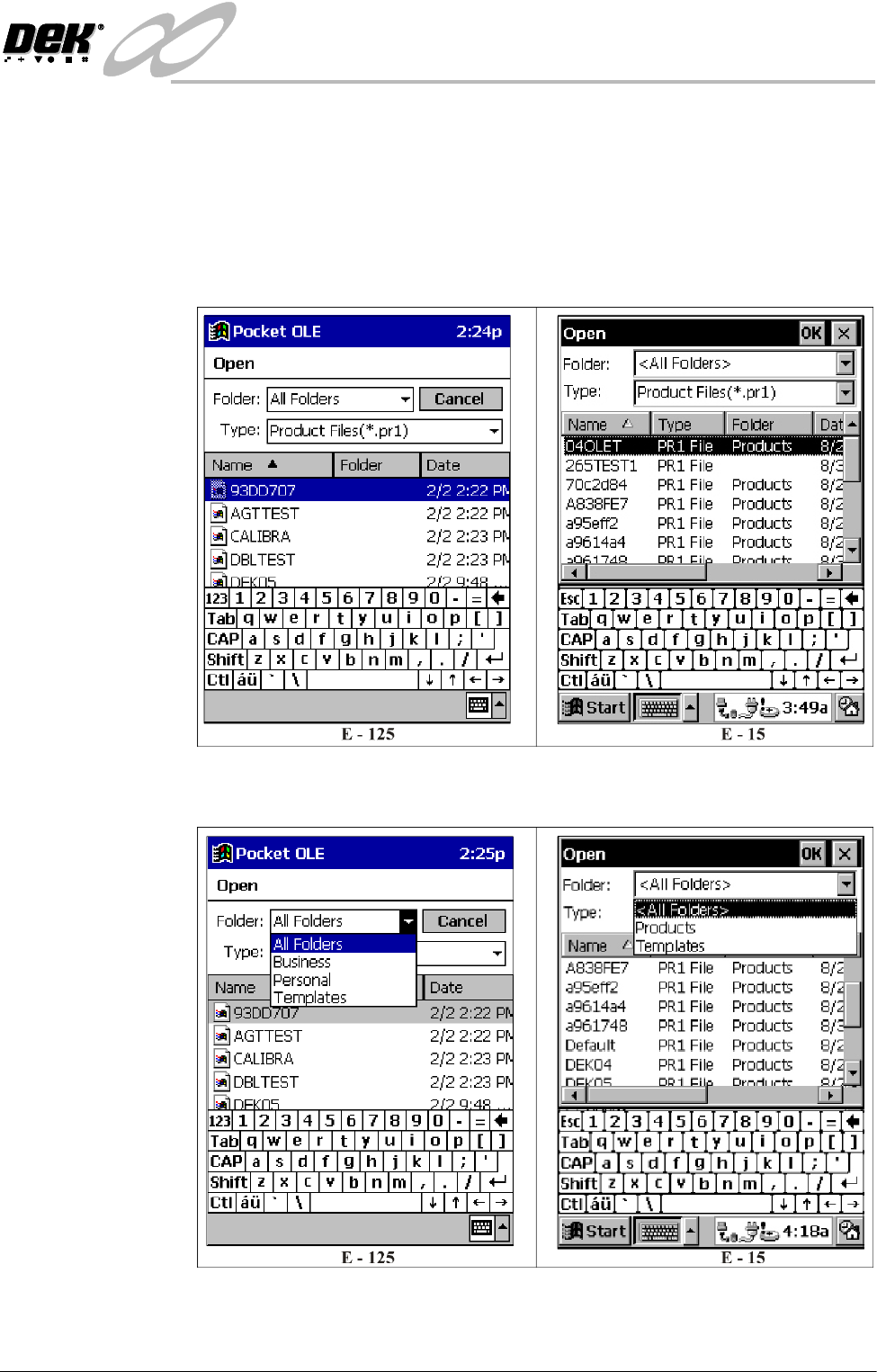
2. Select Open from the File menu, the following window is displayed:
3. Ensure Folder: is set to All Folders for the E-125 and to <All Folders> for
the E-15.
4. Select the required product file for editing.