DEK INFINITY USER MANUAL.pdf.pdf - 第146页
INFINITY 6(735()(5(1 &(6 35()(5(1&(6 2.20 User Manual Software Versi on 7 NOTE Although this function can be set to Behind Rail with the following, the setting would have no affect and the camera is always moved…
INFINITY
6(735()(5(1&(6
35()(5(1&(6
Software Version 7 User Manual 2.19
Run on Delay This parameter sets a delay of up to one second for the print station belts to stop
once the board is detected at the camera board stop. Effectively this prevents
any board ’bounce back’ which may occur when belt speeds are high.
Parameter settings for run on delay are:
NOTE
This parameter is for the High Throughput Conveyor option only.
Remote Board Stop Sets whether the remote board stop facility is to be used, options are:
Fiducial Finder This parameter is used, while Feature Licensing asserts that use of Fiducial
Finder 2 is authorized, to specify which fiducial finder is to be used, options are:
Auto Fiducial
Setup
This parameter sets whether the facility to automatically learn fiducials is to be
used, options are:
Camera Idle
Position
This parameter sets whether the camera is moved to behind the rails or home
during the print cycle, options are:
Minimum Maximum Default
0.000 Sec 1.000 Sec 0.100 Sec
Options Default
Not Fitted Not Fitted
Fitted
Options Default
FF1 FF2
FF2
Options Default
Enabled Enabled
Disabled
Options Default
Home Home
Behind Rail
INFINITY
6(735()(5(1&(6
35()(5(1&(6
2.20 User Manual Software Version 7
NOTE
Although this function can be set to Behind Rail with the following, the setting
would have no affect and the camera is always moved to home:
• Snuggers Fitted
• Boards Over 250mm
With Camera Idle Position highlighted, selecting either Incr. or Decr. to change
the parameter to Behind Rail displays the following window and menu bar:
The Continue Change key closes the warning window and the Camera Behind
Rail event is recorded.
The Reset To Home key closes the warning window and the Camera Idle
Position is set to Home.
Unload Board Start This parameter sets whether the board is unloaded from the rails as soon as the
board has separated from the stencil, while the table is still being lowered or
when the board is at transport height, options are:
NOTE
Although this function can be set to Separation with the following, the setting
would have no affect and the board is unloaded from the rails only when the table
has reached transport height:
• Tooling Hardware set to Vac for Flex
• 2D Inspection Enabled
• SPC Output
Camera Behind Rail Warning
The CAMERA HOME POSITION is set to 'Behind
Rail'
Ensure that no tooling pins or other
obstructions are on the table behind the
rear rail, as these could cause damage to
the camera.
This option will only have an effect for
boards that are less than 250mm wide.
Continue
Change
Reset
To Home
Options Default
Transport Transport
Separation
INFINITY
6(735()(5(1&(6
35()(5(1&(6
Software Version 7 User Manual 2.21
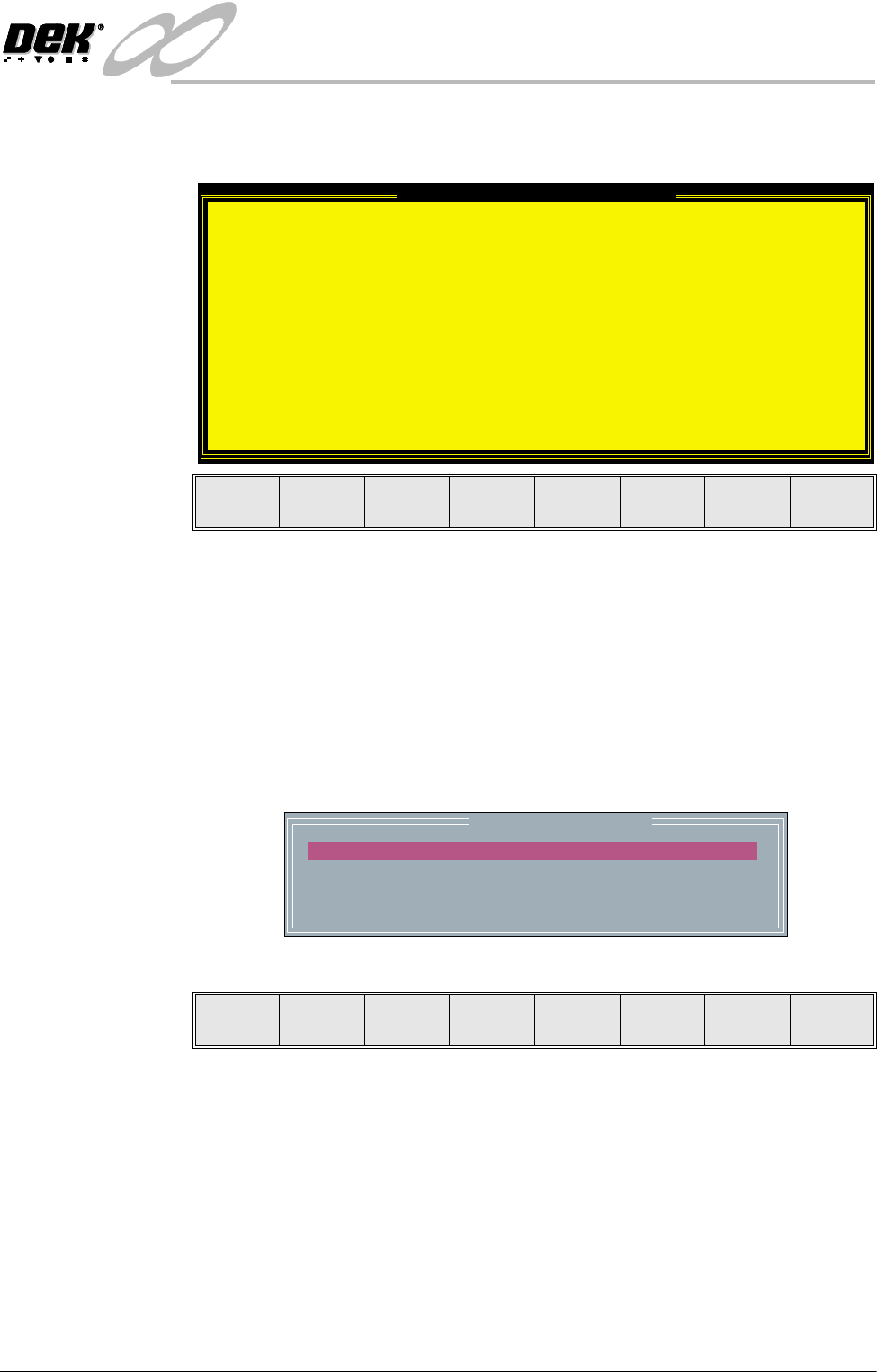
With Unload Board Start highlighted, selecting either Incr. or Decr. to change
the parameter to Separation displays the following window and menu bar:
The Continue Change key closes the warning window and the Unload Board
Start event is recorded.
The Reset To Trans key closes the warning window and the Unload Board Start
is set to Transport.
SPC Port
Configuration
This preference allows the user to set the configuration of the SPC port output
rate and data format.
Selecting the Incr. or Decr. buttons whilst this preference is highlighted opens
a further parameter window.
The menu bar changes to:
The Next and Previous keys move the cursor between the parameters.
The Incr. and Decr. keys change the value of the highlighted parameter.
The Exit key returns to the set preferences menu.
Unload Board Speedup Warning
The UNLOAD BOARD SPEEDUP option is set to
'Separation'
With this option enabled it should be noted
that there is only a minimal clearance
between the underside of the board and any
tooling being used, while the board is being
unloaded.
This option must not be used for boards that
are populated on the underside, as this
could damage the boards.
This option cannot be used with HTC
printers.
Continue
Change
Reset
To Trans.
SPC CONFIGURATION
BAUD RATE
WORD LENGTH
PARITY
STOP BITS
:
:
:
:
38400
8
None
1
Next Previous Incr. Decr. Exit