DEK INFINITY USER MANUAL.pdf.pdf - 第16页
INFINITY 0$&+,1( 352*5$ 00,1* 67$*(& /2$ '$352' 8&7),/( 1.14 User Manual Software Versi on 7 5. Select OK , the following window is displayed whilst the product file is load ed: 6. Once the…
INFINITY
0$&+,1(352*5$00,1*
67$*(&/2$'$352'8&7),/(
Software Version 7 User Manual 1.13
Editing a Product
File
To edit a product file on the Pocket Off Line Editor, proceed as follows:
NOTE
Before a product file can be edited, it must first be downloaded from the printing
machine, see the Downloading a Product File Section.
1. Ensure the Start Up Section has been carried out.
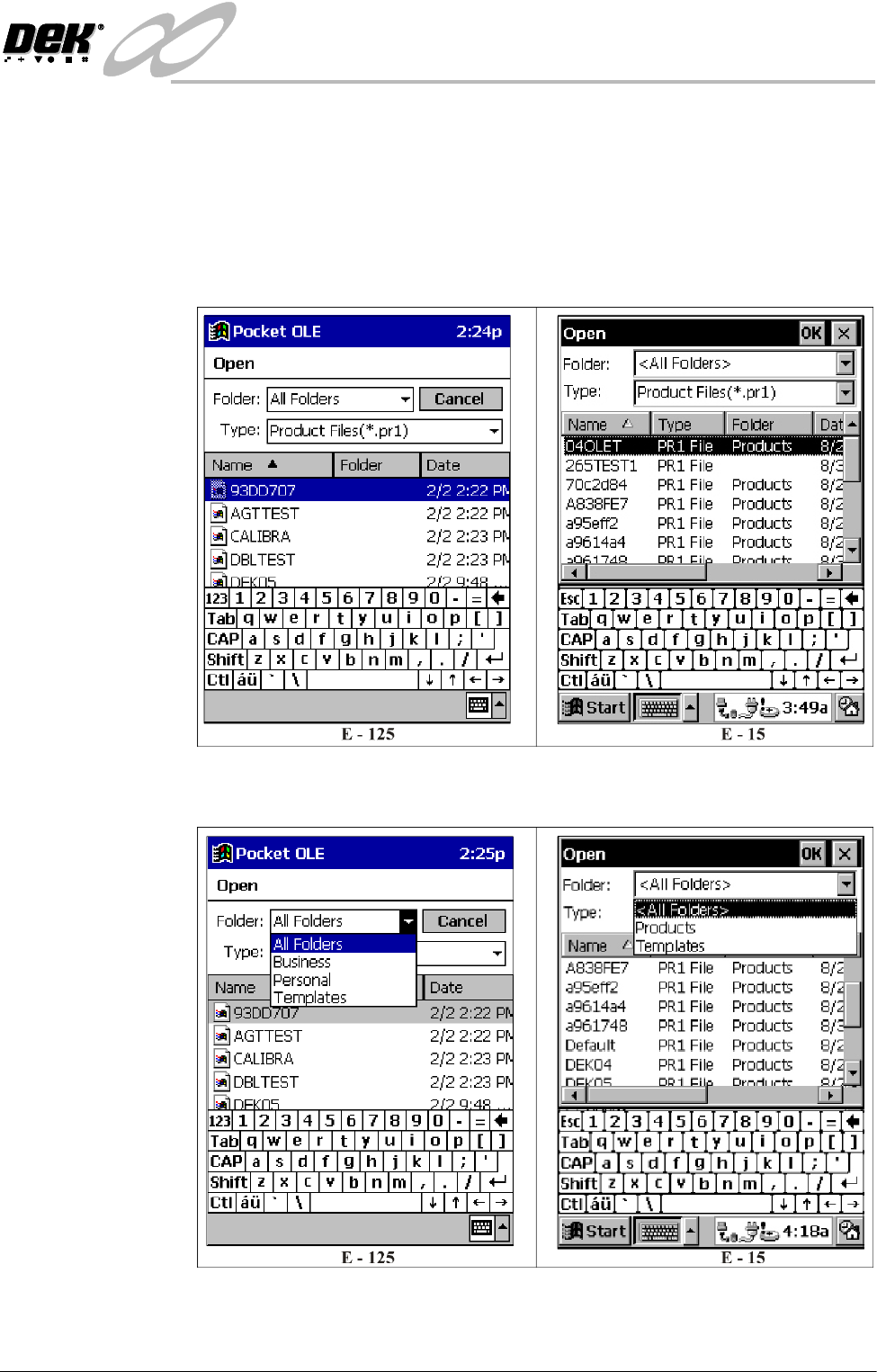
2. Select Open from the File menu, the following window is displayed:
3. Ensure Folder: is set to All Folders for the E-125 and to <All Folders> for
the E-15.
4. Select the required product file for editing.
INFINITY
0$&+,1(352*5$00,1*
67$*(&/2$'$352'8&7),/(
1.14 User Manual Software Version 7
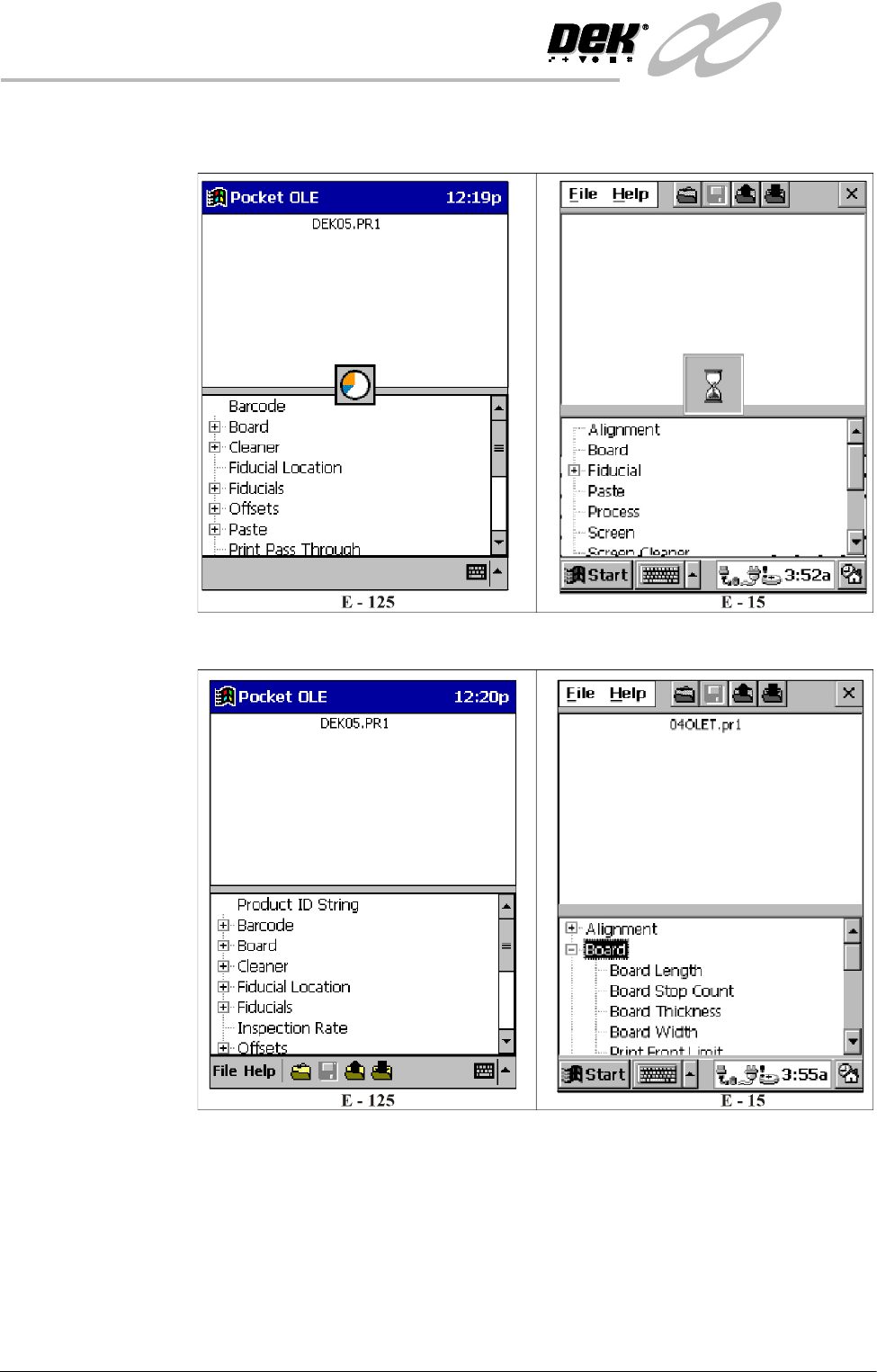
5. Select OK, the following window is displayed whilst the product file is
loaded:
6. Once the product file is loaded the following window is displayed:
The product files parameters are displayed in a tree format in the bottom half
of the window.
INFINITY
0$&+,1(352*5$00,1*
67$*(&/2$'$352'8&7),/(
Software Version 7 User Manual 1.15
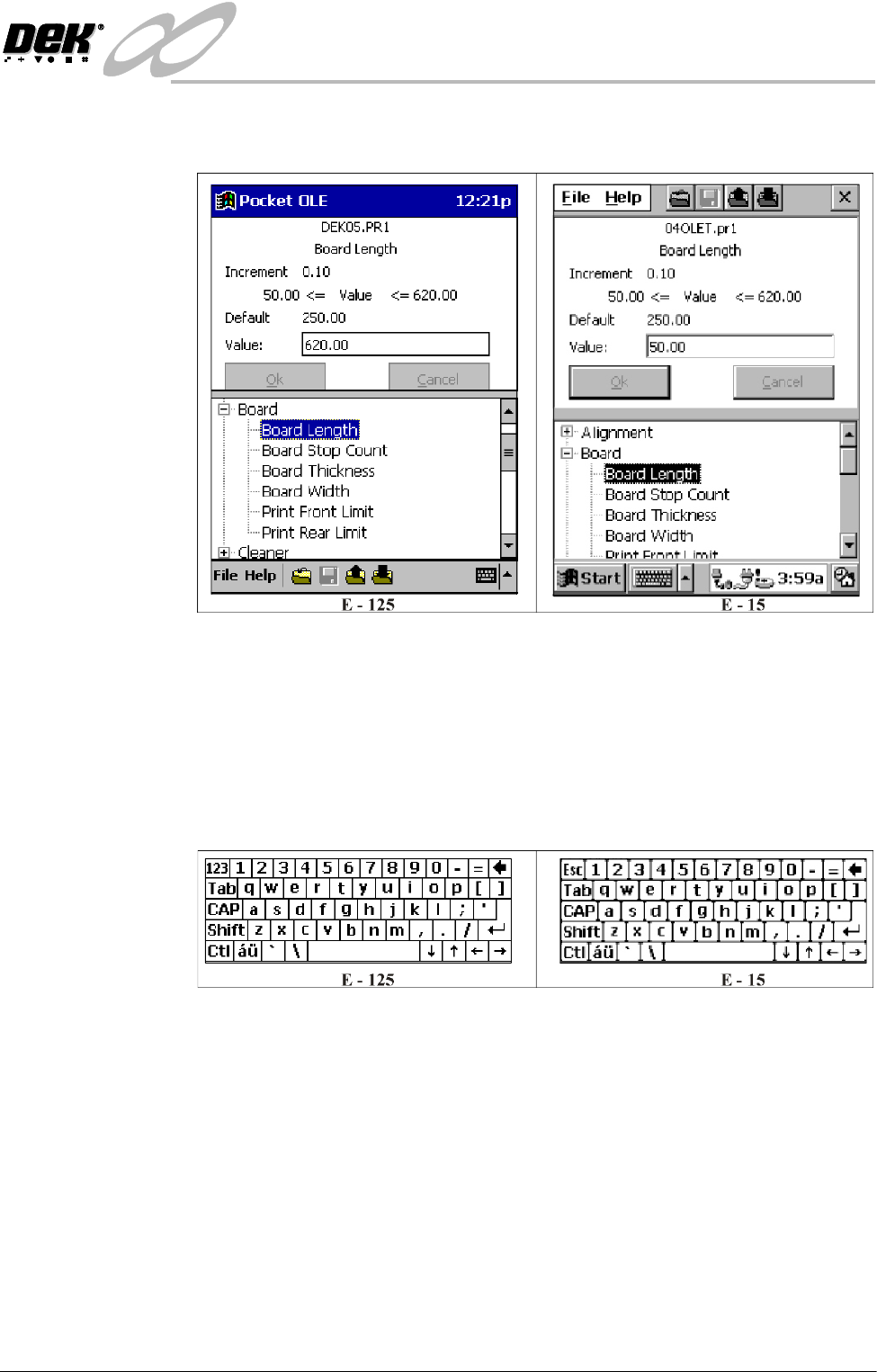
7. Select the parameter to be edited by scrolling down the parameter list and
highlighting the required parameter.
Once selected, the parameters title and the increment, minimum, maximum,
default and current values are displayed in the top half of the window.
8. Swipe across the current value to highlight it.
9. For parameters like fiducial shape that have a type rather than a numeric
value, a drop down menu is displayed allowing selection. For parameters
with numeric values carry out Steps 10-12.
10.Select the Keyboard to open the keyboard window.
11. Enter the new value using the keyboard. Select OK.
12.Select the Keyboard to close the keyboard window, giving access to the
parameter list.
13.Repeat Steps 8-12 for all parameters that require editing.