DEK INFINITY USER MANUAL.pdf.pdf - 第230页
INFINITY +286(.((3,1 * 0$1$* (0(17 ,1)250$7,21 9,(:(5 7.20 User Manual Software Versi on 7 Opening A File T o open a data file on the pa lm size PC, proceed as follows: 1. Ensure the Start Up section has been carried …
INFINITY
+286(.((3,1*
0$1$*(0(17,1)250$7,219,(:(5
Software Version 7 User Manual 7.19
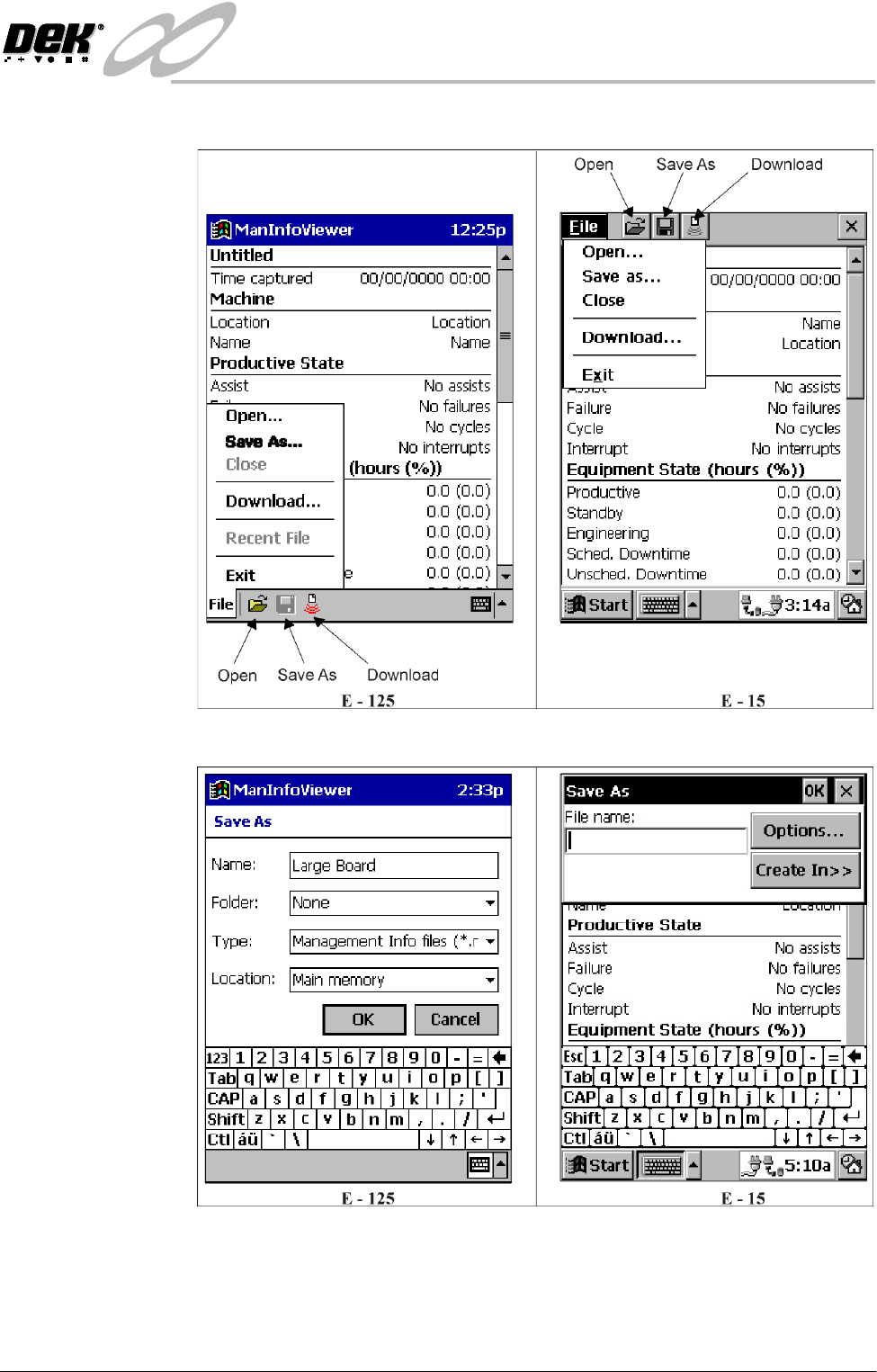
Saving A File 1. Select File, the following window is displayed:
2. Select Save As, the following window is displayed:
3. With the stylus enter a file name using the keyboard and select OK.
Confirmation is sought if overwriting an existing file.
The file is given a .man extension unless specified otherwise.
INFINITY
+286(.((3,1*
0$1$*(0(17,1)250$7,219,(:(5
7.20 User Manual Software Version 7
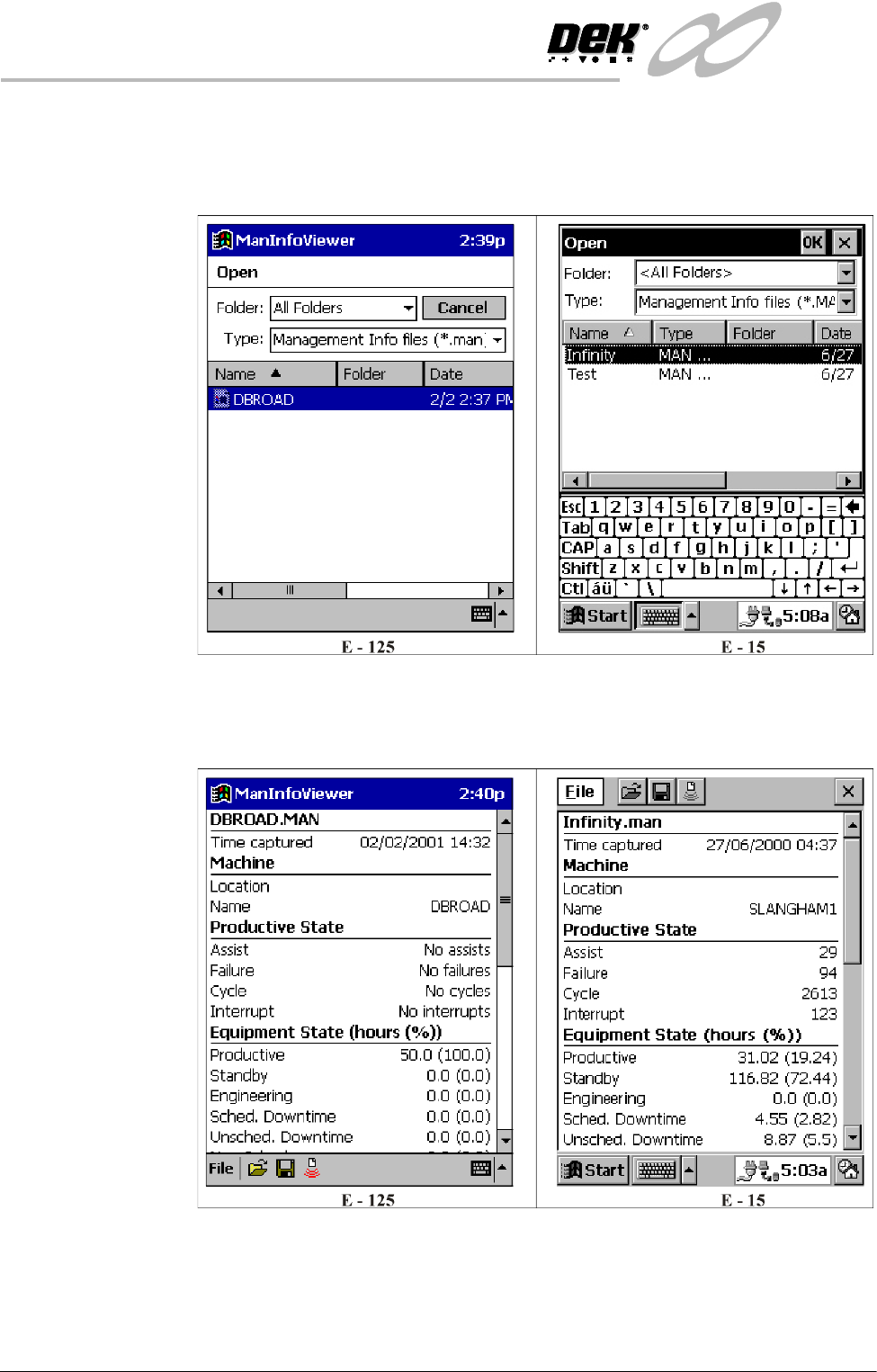
Opening A File To open a data file on the palm size PC, proceed as follows:
1. Ensure the Start Up section has been carried out.
2. Select Open, the following window is displayed:
3. Using the stylus highlight the required file.
4. On the E-15 only select OK, a window of the following form, automatically
on the E-125, is displayed:
5. Use the scroller on the right to view all the data. A complete list of all the
data is shown in the Download section.
INFINITY
+286(.((3,1*
0$1$*(0(17,1)250$7,219,(:(5
Software Version 7 User Manual 7.21
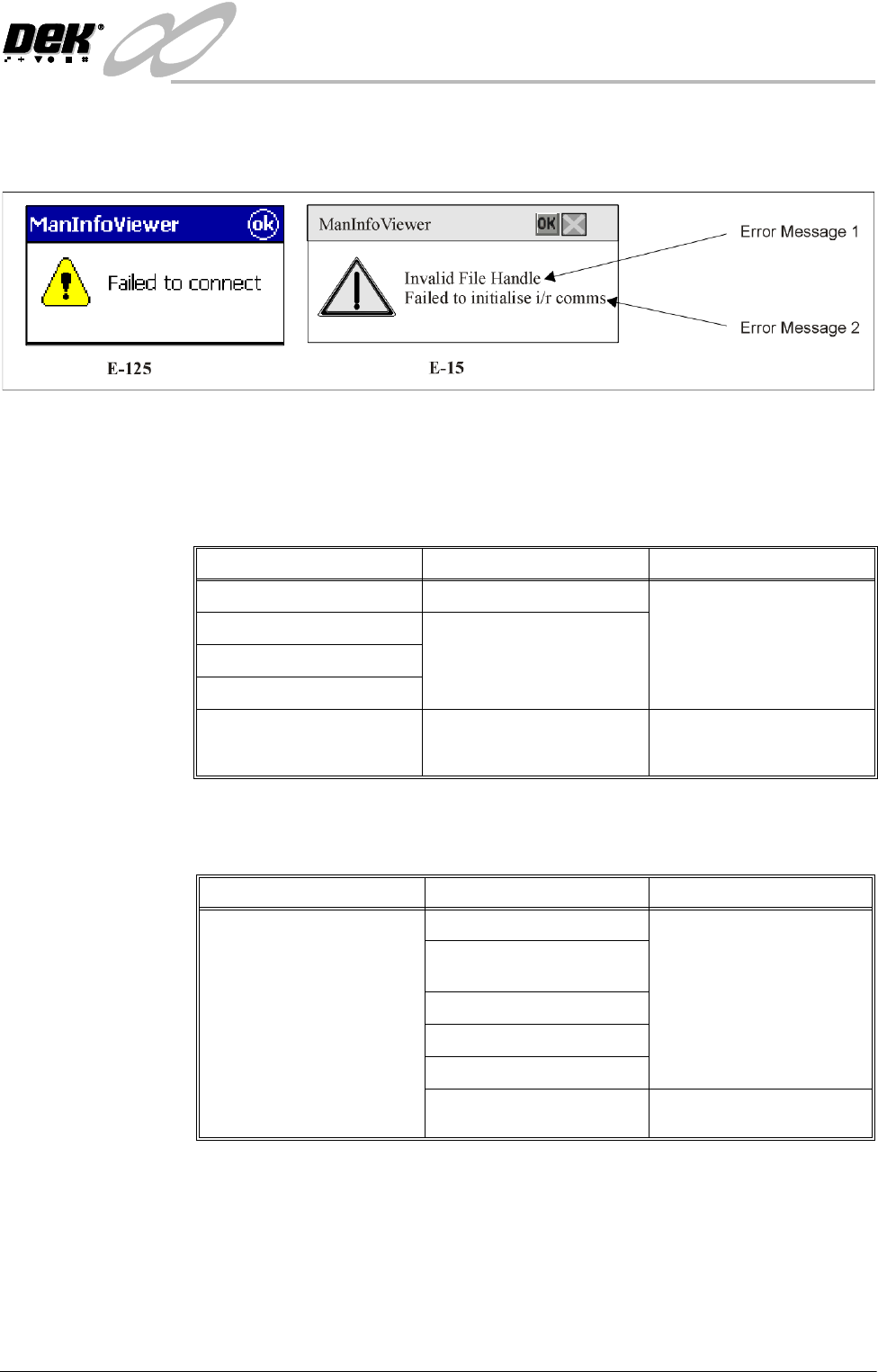
Error Messages Error messages can occur during downloading or analysis. Error messages are
displayed in the following format:
NOTE
Not all error conditions contain 2 error messages.
Downloading The following table lists the possible downloading error messages and the
recovery actions:
Analysis The following table lists the possible analysis error messages and the recovery
actions:
NOTE
If all the above actions fail to produce a result, contact DEK Customer Support.
Error Message 1 Error Message 2 Actions
Failed to initialize i/r comms N/A
Invalid File Handle Retry Download.
Failed to get port settings Failed to initialize i/r comms Reset Handheld.
Failed to connect Reinstall Handheld Software.
Download failed N/A Retry.
Restart the printer.
Reinstall handheld printer.
Error Message 1 Error Message 2 Actions
Failed to load event file
Event File Not Recognized Ensure printer is logging
events.
The server has reported an Event File Not Found Delete the event file.
error with the analysis: Failed to open event file Restart the printer.
General Failure
Data Not Ready, Please Try
Later
Retry download.