DEK INFINITY USER MANUAL.pdf.pdf - 第290页
INFINITY &21680$ %/(5(3/ (1,6+0(1 76 3$67(/2$ ',1* 9.6 User Manual Software Version 7 To E n t e r P a s t e Dispense Parameters From the Status Page 1. Press Setup (F6). 2. Press Edit Data (F3). The following…
INFINITY
&21680$%/(5(3/(1,6+0(176
3$67(/2$',1*
Software Version 7 User Manual 9.5
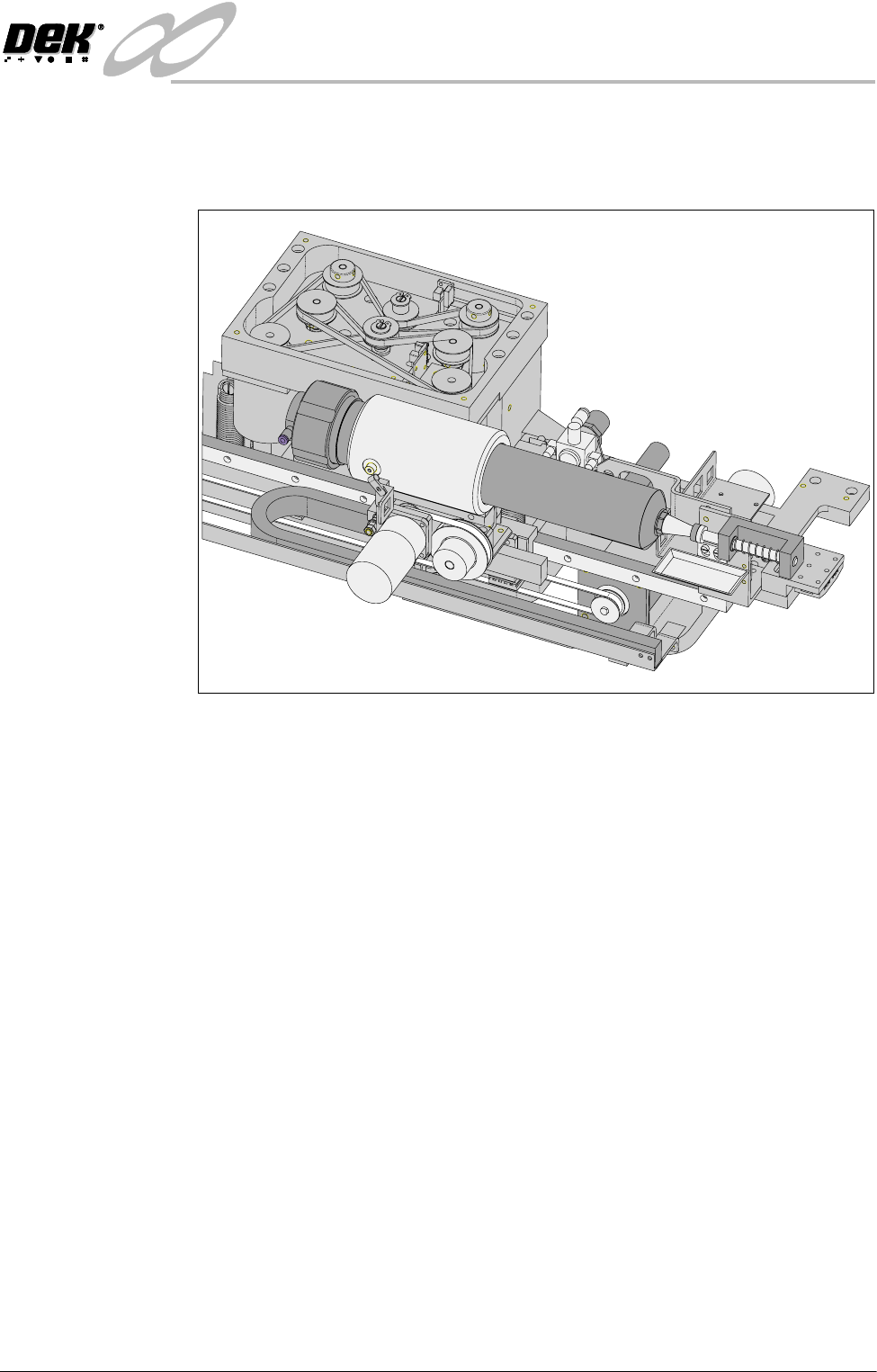
Auto Dispense An alternative to manual loading of solder paste to the screen is given with the
provision of an automatic paste dispenser. This is mounted to the rear of the
print carriage.
The paste dispenser uses either a 1 Kg or 500g cartridge. The 500g cartridge
requires the fitting of a sleeve which is an option. This enables any loading of
paste to be carried out without the need for the operator to handle the paste.
A slug inside the cartridge, travels down the cartridge as the paste is used. A
proximity sensor fitted to the side of the dispenser detects the metal content of
the paste. When the cartridge is empty the sensor initiates a ‘Print Medium
Low. Please Replenish’ warning window to the operator.
Programming into a
Product File
The paste dispense parameters can be setup when editing a product file for a new
product, although it may be more convenient to set these after the product has
been run for a while and paste requirements have been determined.
The parameters to be edited that affect the operation of the paste dispenser are:
Paste Dispense Rate:
This determines the frequency of the cycling of the paste dispenser. The setting
is gauged by running the product and noting the number of prints before paste
replenishment is required. This can be set to any number between 0 to 100 in
increments of 1.
Paste Dispense Speed:
This determines the speed at which the paste dispenser travels across the screen
and hence the amount of paste which is dispensed. This parameter needs to be
set in conjunction with the Paste Dispense Rate. This can be set to any number
between 10mm/s and 100mm/s in increments of 1mm/s.
INFINITY
&21680$%/(5(3/(1,6+0(176
3$67(/2$',1*
9.6 User Manual Software Version 7
To Enter Paste
Dispense Parameters
From the Status
Page
1. Press Setup (F6).
2. Press Edit Data (F3).
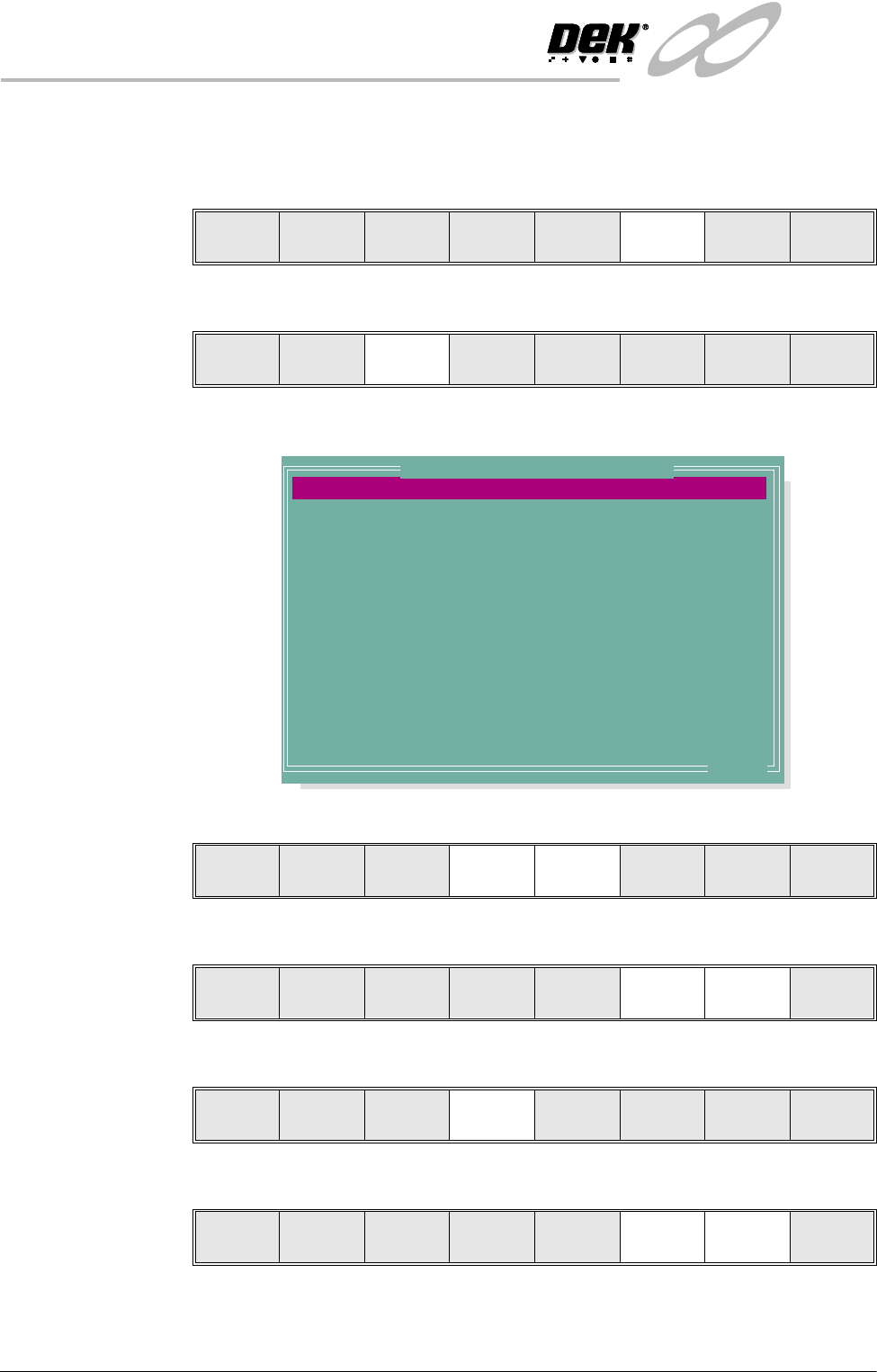
The following window is displayed:
3. Using the Next and Previous keys (F4 - F5) select the Paste Dispense Rate.
4. Using the Incr. and Decr. keys (F6 -F7) set the required rate.
5. Using the Next key (F4) select the Paste Dispense Speed.
6. Using the Incr. and Decr. keys (F6 - F7) set the required speed.
Run Head
Paste
Load
Clean
Screen
Adjust Setup Monitor Maint.
Mode
Load
Data
Edit
Data
Setup
Squeegee
Change
Screen
Change
Tooling
Change
Language
Exit
PASTE DISPENSE RATE
PASTE DISPENSE SPEED
PASTE WITH BOARD
ALTERNATE DISP
ALTERNATE DISP RATE
SCREEN CLEAN MODE 1
SCREEN RATE 1
SCREEN CLEAN MODE 2
SCREEN CLEAN RATE 2
CLEAN AFTER KNEAD
CLEAN AFTER DOWNTIME
CLEAN AFTER
DRY CLEAN SPEED
WET CLEAN SPEED
0
10
DISABLED
CENTRE
0
NONE
0
NONE
0
NONE
NONE
15
40
40
Prts
mm/s
Disp Cyc
Prts
Prts
minutes
mm/s
mm
.. more
Edit Current Process Parameters
Save Next Previous Incr. Decr. Exit
Save Next Previous Incr. Decr. Exit
Save Next Previous Incr. Decr. Exit
Save Next Previous Incr. Decr. Exit
INFINITY
&21680$%/(5(3/(1,6+0(176
3$67(/2$',1*
Software Version 7 User Manual 9.7
7. Press Exit (F8).
8. Press Exit (F8).
Dispensing Paste at
Random Intervals
The operator can cycle the paste dispenser at random intervals and before a print
run in addition to any preprogrammed cycles.
To load paste prior to a print run:
1. Press Paste Load (F3).
2. Press Auto Dispense (F1).
3. If the paste dispenser has sufficient paste the dispenser carries out an
automatic dispense, go to Step 13. If the paste dispenser is low on paste a
warning window is displayed. The warning window varies, depending on
the setting of the consumable action option in set preferences. If the set
preference is set to warn, continue with Step 4. If the set preference is set to
pause or suspend go to Step 8.
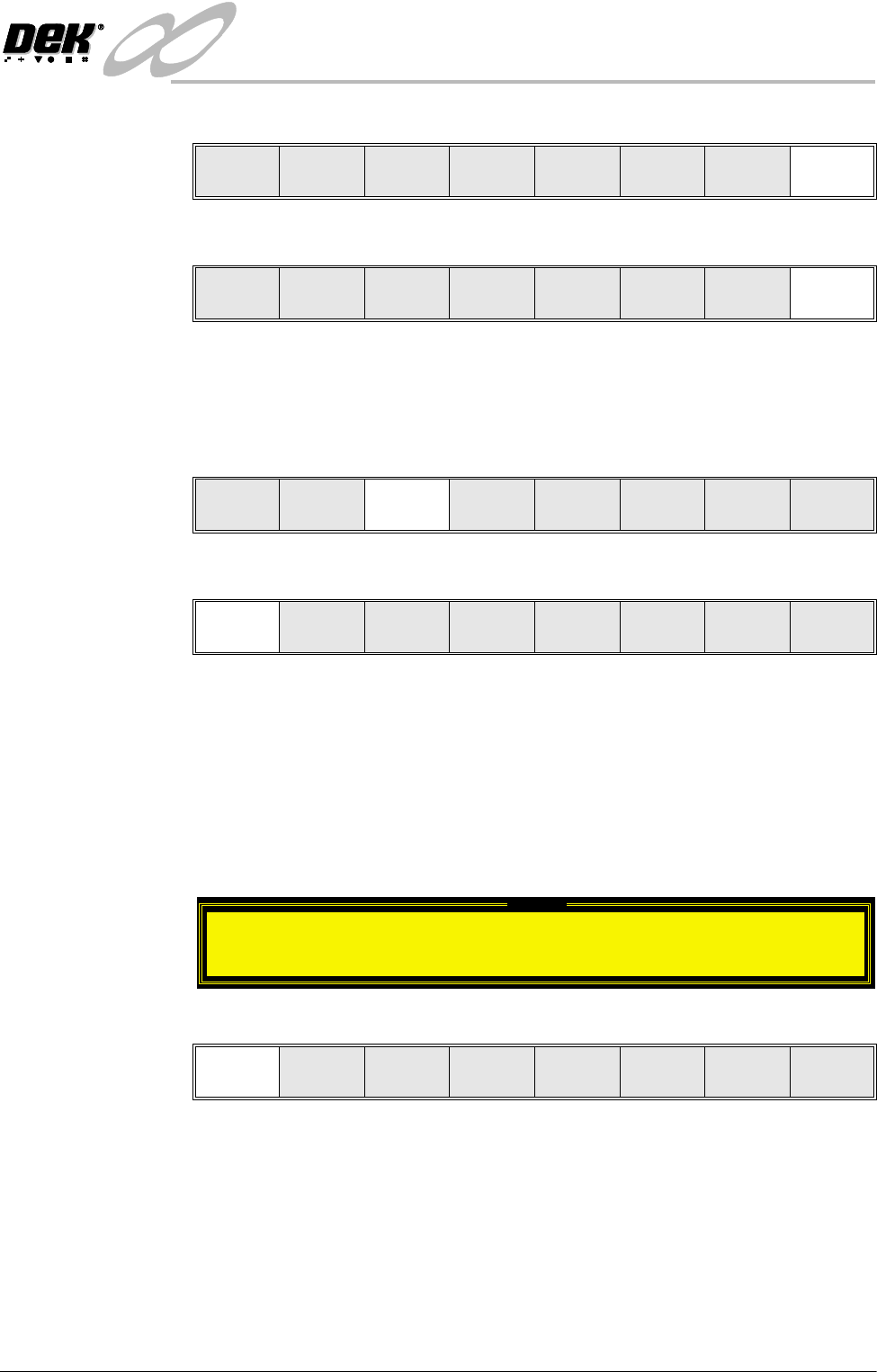
4. If the set preference is set to warn, the tricoloured beacon shows amber/green
and the following window is displayed:
5. Select Confirm (F1).
6. To replace the paste cartridge carry out the Fitting a New Paste Cartridge
procedure, later in this section.
7. Repeat Steps 1, 2 and 13.
Save Next Previous Incr. Decr. Exit
Mode
Load
Data
Edit
Data
Setup
Squeegee
Change
Screen
Change
Tooling
Change
Language
Exit
Run Head
Paste
Load
Clean
Screen
Adjust Setup Monitor Maint.
Auto
Dispense
Manual
Load
Load
Cart.
Print
Directn
Exit
Warning
Print Medium Low. Please replenish.
Confirm