DEK INFINITY USER MANUAL.pdf.pdf - 第299页
INFINITY &21680$ %/(5( 3/(1,6+0(1 76 %/8(81' (56&5 ((1&/($1 (5 Soft ware Ver sion 7 User Manual 9.15 BLUE UNDERSCREEN CLEANER Provision is made on the printer for automatic underscreen cleaning. This …
INFINITY
&21680$%/(5(3/(1,6+0(176
3$67(/2$',1*
9.14 User Manual Software Version 7
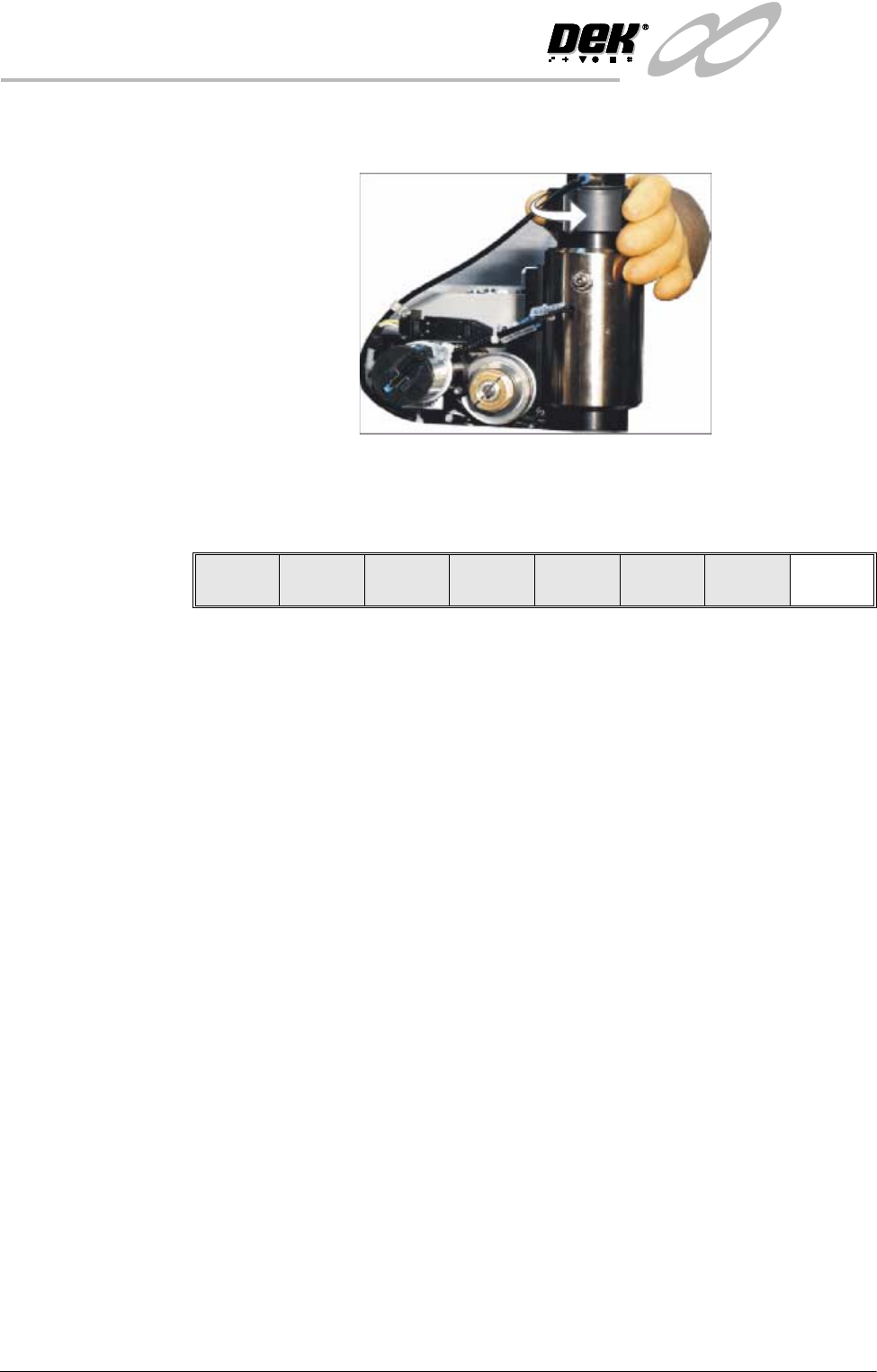
7. Screw the end cap onto the dispenser finger tight. Ensure the pneumatic
fitting on the cap is facing towards the rear of the machine.
8. Close the front printhead cover.
9. Press the System button.
10.Press Exit (F8).
Auto
Dispense
Manual
Load
Load
Cart.
Print
Directn
Exit
INFINITY
&21680$%/(5(3/(1,6+0(176
%/8(81'(56&5((1&/($1(5
Software Version 7 User Manual 9.15
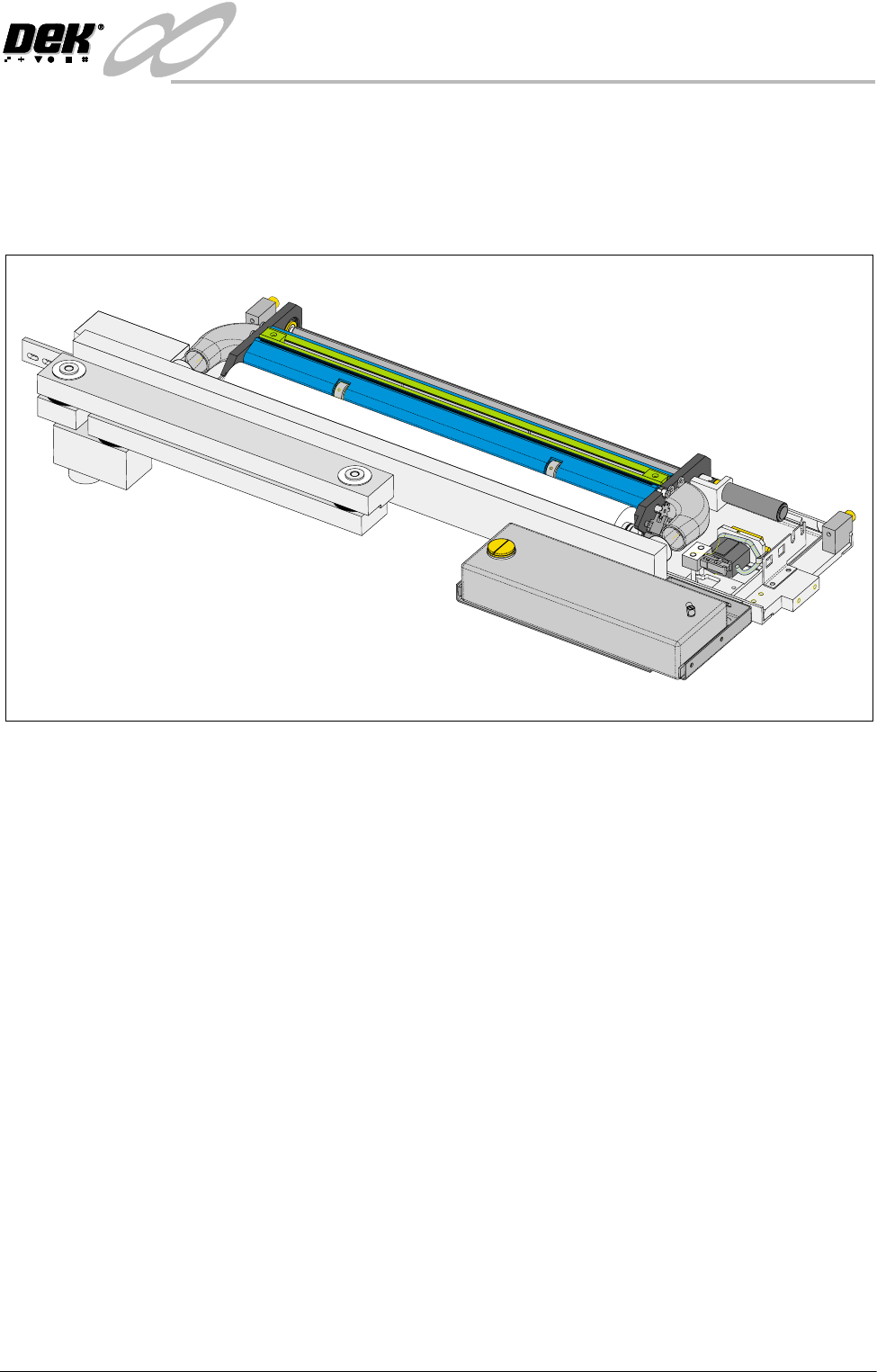
BLUE UNDERSCREEN CLEANER
Provision is made on the printer for automatic underscreen cleaning. This is
carried out using a lint free paper roll which can be dry or wetted with an
appropriate solvent. A combination of wet and dry wipes can be programmed.
The cleaning options can be programmed into a particular product file so that
they take place at pre-programmed intervals or they can be selected, directly
from the MMI, to take place at the operators discretion.
Programming
Operation
The screen clean parameters can be setup when editing a product file, while
setting up a new product. It may be more convenient to set these after the
product has been setup and printed and screen cleaning requirements have been
decided upon.
The parameters to be edited that affect the operation of the underscreen cleaner
are:
Clean Screen Rate:
This parameter sets the number of print cycles between the cycling of the
underscreen cleaner. This can be set at any number between 0 to 200 in
increments of 1.
Clean Screen Modes:
These parameters determine the modes of operation for the screen cleaner. Each
mode can have a cleaning sequence with up to six sweeps, each of which can be
set to VAC, DRY, WET or NONE.
INFINITY
&21680$%/(5(3/(1,6+0(176
%/8(81'(56&5((1&/($1(5
9.16 User Manual Software Version 7
Sweeps set with NONE option cause no action to be taken during the sequence.
For example, the settings:
DRY, NONE, NONE, DRY, NONE, WET and
DRY, DRY, WET, NONE, NONE, NONE
Both carry out two consecutive operations, directly followed by one WET
cleaning operation.
The default setting is NONE for all six steps.
Solvent Advice The following solvents MUST NOT be used in the underscreen cleaner. How-
ever, this list is not complete and does not mean that any solvent not mentioned
is compatible, with DEK machines.
• Rosstech 106FE
• Rosstech 162 ND
• Acetone
DEK are continuously evaluating alternative solvents. If you require a particular
solvent to be used, but are unsure of its suitability for DEK machines, please
contact the DEK Customer Support Group.
NOTE
Rosstech 147FD is used within DEK manufacturing division and has been found
to be compatible with DEK underscreen cleaner units.
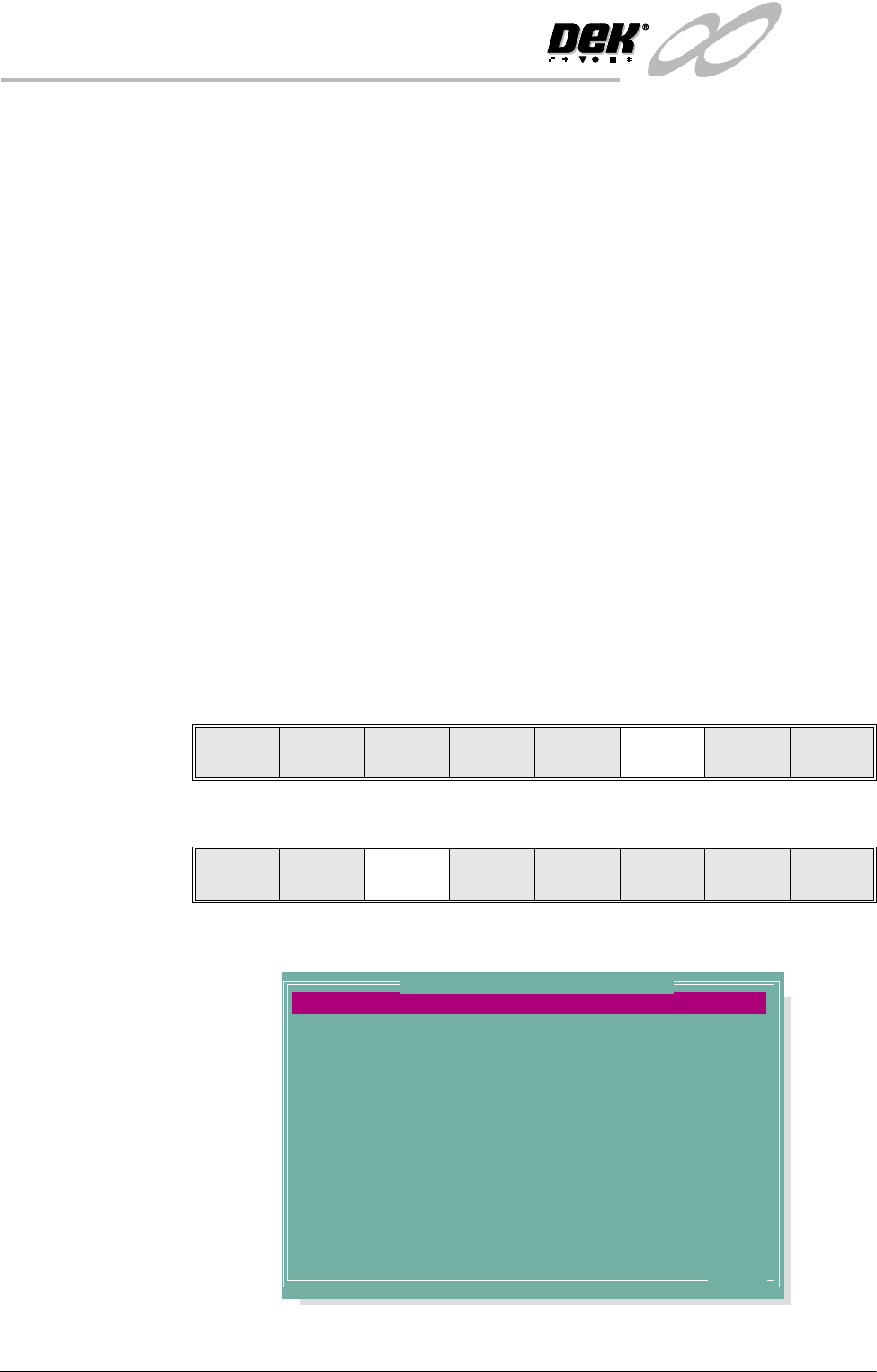
1. Press Setup (F6).
2. Press Edit Data (F3).
The following window is displayed:
Run Head
Paste
Load
Clean
Screen
Adjust Setup Monitor Maint.
Mode
Load
Data
Edit
Data
Setup
Squeegee
Change
Screen
Change
Tooling
Change
Language
Exit
PASTE DISPENSE RATE
PASTE DISPENSE SPEED
PASTE WITH BOARD
ALTERNATE DISP
ALTERNATE DISP RATE
SCREEN CLEAN MODE 1
SCREEN RATE 1
SCREEN CLEAN MODE 2
SCREEN CLEAN RATE 2
CLEAN AFTER KNEAD
CLEAN AFTER DOWNTIME
CLEAN AFTER
DRY CLEAN SPEED
WET CLEAN SPEED
0
10
DISABLED
CENTRE
0
NONE
0
NONE
0
NONE
NONE
15
40
40
Prts
mm/s
Disp Cyc
Prts
Prts
minutes
mm/s
mm
.. more
Edit Current Process Parameters