DEK INFINITY USER MANUAL.pdf.pdf - 第308页
INFINITY &21680$ %/(5(3/ (1,6+0(1 76 %/8(81'(5 6&5(( 1&/($1 (5 9.24 User Manual Software Versi on 7 6. Slide the contaminated cleaner paper from the paper roll shaft. Dispose of the contami nated clea…
INFINITY
&21680$%/(5(3/(1,6+0(176
%/8(81'(56&5((1&/($1(5
Software Version 7 User Manual 9.23
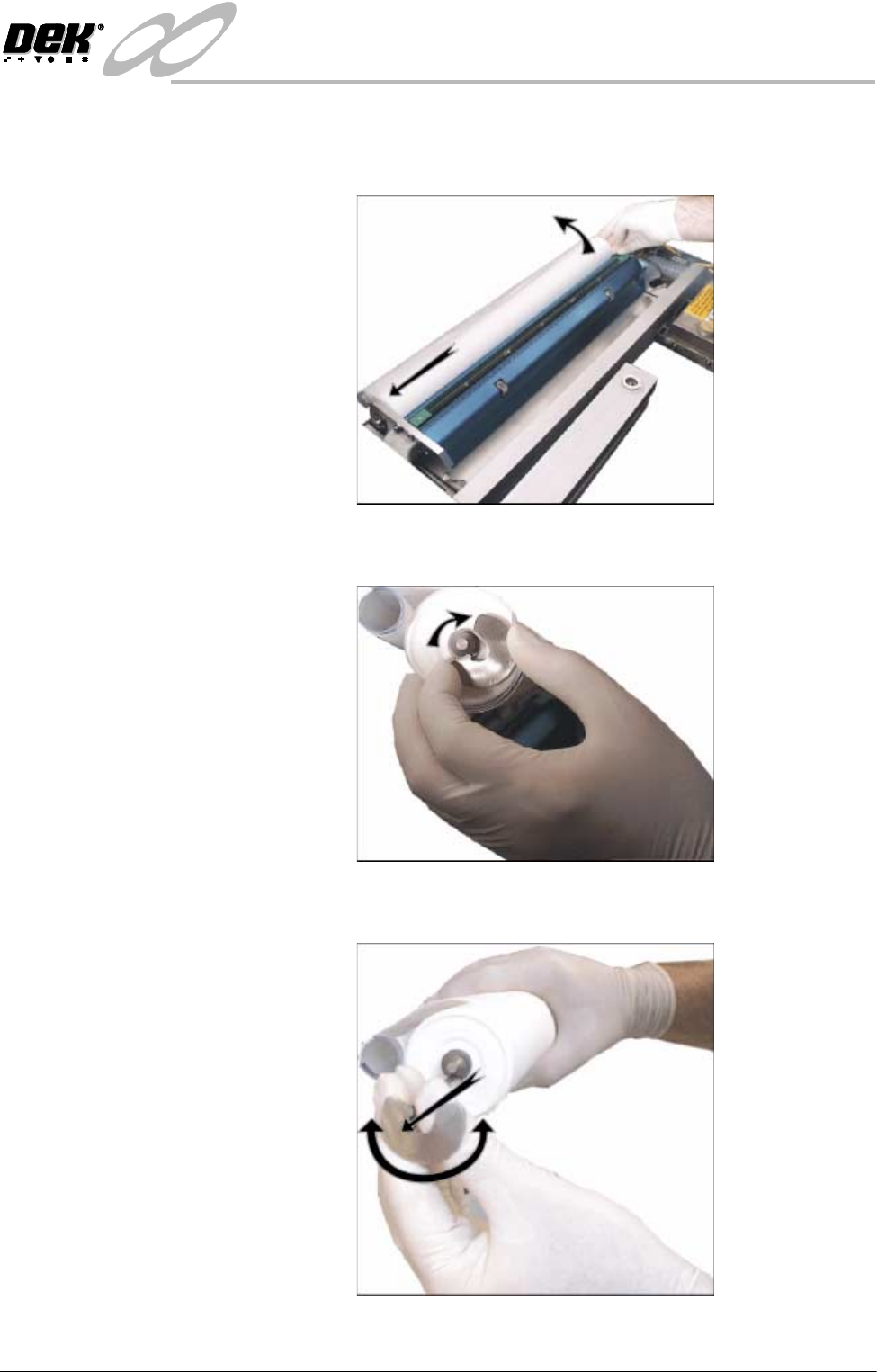
3. Remove the take up roll from the rear of the unit by easing the roll to the left
against spring pressure, until the right hand end is clear of the motor drive
spindle in the right hand end plate. Lift the take up roll clear of the unit.
4. Rotate the left hand flange a quarter turn to the right to unlock the paper roll
rod from the paper roll shaft.
5. Rotate the paper roll end flange a quarter turn to the left and right, whilst
gently pulling the rod clear of the paper roll.
INFINITY
&21680$%/(5(3/(1,6+0(176
%/8(81'(56&5((1&/($1(5
9.24 User Manual Software Version 7
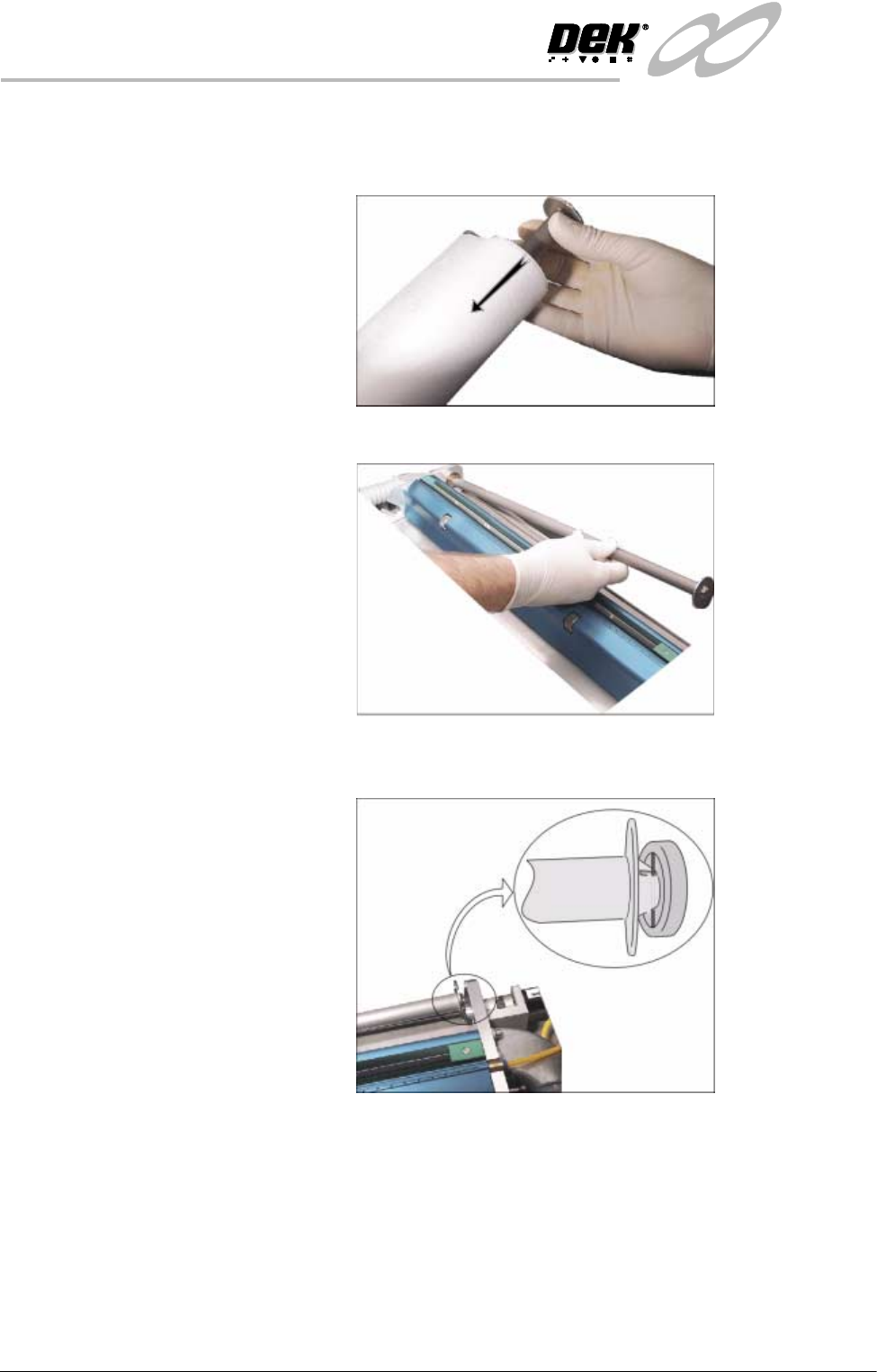
6. Slide the contaminated cleaner paper from the paper roll shaft. Dispose of
the contaminated cleaner paper in accordance with manufacturers’ recom-
mended disposal instructions.
7. Fit the left hand shaft end into the cleaner left hand end plate.
8. Locate the right hand end of the paper roll shaft into the motor drive spindle
ensuring that the shaft is correctly seated.
INFINITY
&21680$%/(5(3/(1,6+0(176
%/8(81'(56&5((1&/($1(5
Software Version 7 User Manual 9.25
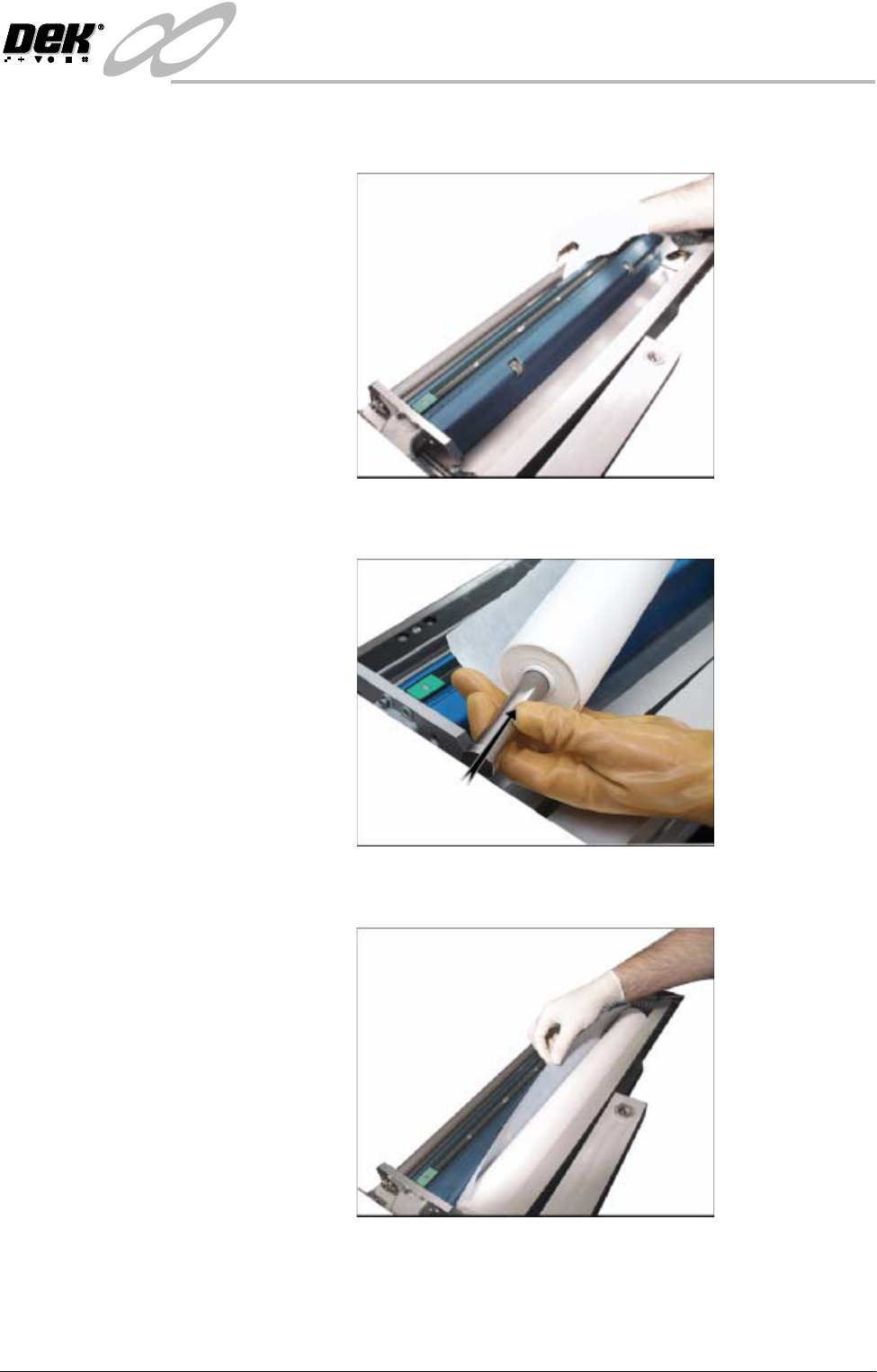
9. Rotate the paper roll shaft until the groove is at 45° to the horizontal, facing
towards the top rear printhead cover of the machine.
10.Refit the paper spindles to both ends of the new paper roll. Ensure both faces
of the new paper roll are flush.
11. Install the new clean paper roll at the front of the unit, ensure the paper is
routed from underneath the roll towards the rear of the unit.