DEK INFINITY USER MANUAL.pdf.pdf - 第318页
INFINITY &21680$ %/(5(3/ (1,6+0(1 76 9257(;81' (56&5 ((1&/($ 1(5 9.34 User Manual Software Versi on 7 Solvent Re plenishment W ARNIN G RECOMMENDED SOL VENTS. ANY SOL VENTS USED MUST COM PL Y WITH LOCA…
INFINITY
&21680$%/(5(3/(1,6+0(176
9257(;81'(56&5((1&/($1(5
Software Version 7 User Manual 9.33
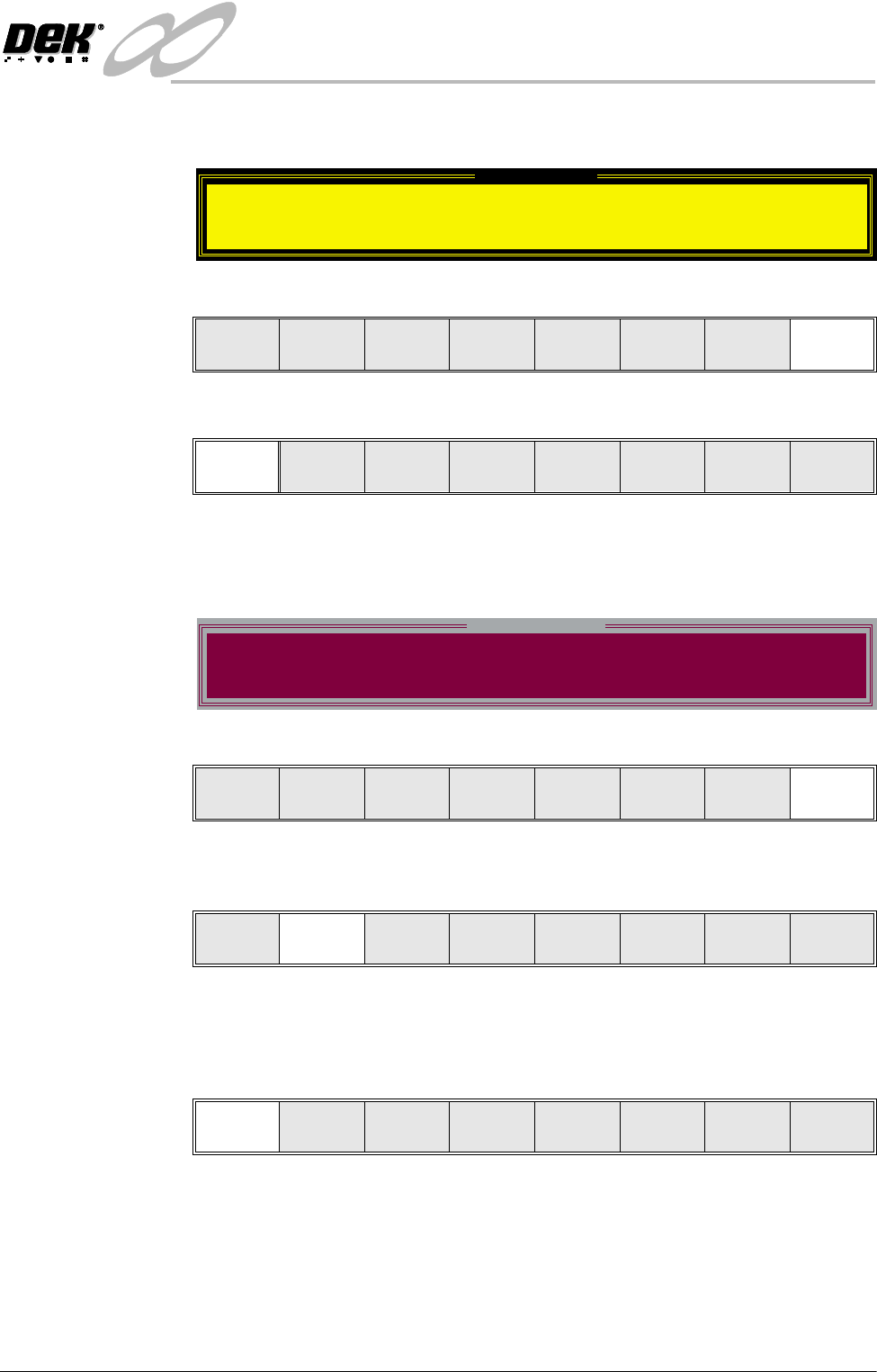
11. If the set preference is set to pause, the tricoloured beacon shows red and the
following window is displayed:
12.Select Defer (F8). The print run continues.
13.Select End Run (F1).
14.Go to Step 17.
15.If the set preference is set to suspend, the tricoloured beacon shows red and
the following window is displayed:
16.Select End Run (F8).
17.Press Head (F2). The message ‘Raise Head using 2-button Control’ is
displayed.
18.Raise the printhead using two button control.
19.Fit the head prop.
20.Select Confirm (F1).
Pause on Warning
Vortex cleaning cassette expired. Please replace.
Defer
End
Run
Stop
Cycle
Paste
Load
Clean
Screen
Adjust
Knead
Paste
Suspend on Warning
Vortex cleaning cassette expired. Please replace.
End
Run
Run Head
Paste
Load
Clean
Screen
Adjust Setup Monitor Maint.
Confirm
INFINITY
&21680$%/(5(3/(1,6+0(176
9257(;81'(56&5((1&/($1(5
9.34 User Manual Software Version 7
Solvent Replenishment
WARNING
RECOMMENDED SOLVENTS. ANY SOLVENTS USED MUST COMPLY WITH
LOCAL ENVIRONMENTAL GUIDELINES. DEK RECOMMEND USING SOLVENTS
THAT ARE ENVIRONMENTALLLY FRIENDLY, IE CFC FREE AND WATER BASED.
SOLVENTS USED MUST HAVE FAST EVAPORATION RATES AND FLASHPOINT
SPECIFICATIONS GREATER THAN 39ºC.
WARNING
SOLDER PASTE AND SOLVENTS. WHEN USING OR HANDLING ANY SOLDER
PASTE OR SOLVENT FORMULATION THE MANUFACTURERS’ RECOMMEND
SAFETY PRECAUTIONS MUST BE STRICTLY ADHERED TO.
WARNING
PROTECTIVE CLOTHING. APPROVED PROTECTIVE CLOTHING SHOULD BE
WORN BY SOLDER PASTE AND SOLVENT HANDLERS AT ALL TIMES TO
ELIMINATE FUME INHALATION, EYE CONTACT, SKIN CONTACT AND
INGESTION.
WARNING
SOLVENT SOLUTION. DO NOT MIX SOLVENT SOLUTIONS. FLUSH THE
SOLVENT TANK THOROUGHLY WHEN CHANGING TO A DIFFERENT SOLVENT
SOLUTION.
WARNING
SOLVENT SPRAY. THE UNDERSCREEN CLEANER SPRAYS A FINE JET OF
SOLVENT SOLUTION ON TO THE CLEANER. APPROVED PROTECTIVE
CLOTHING SHOULD BE WORN.
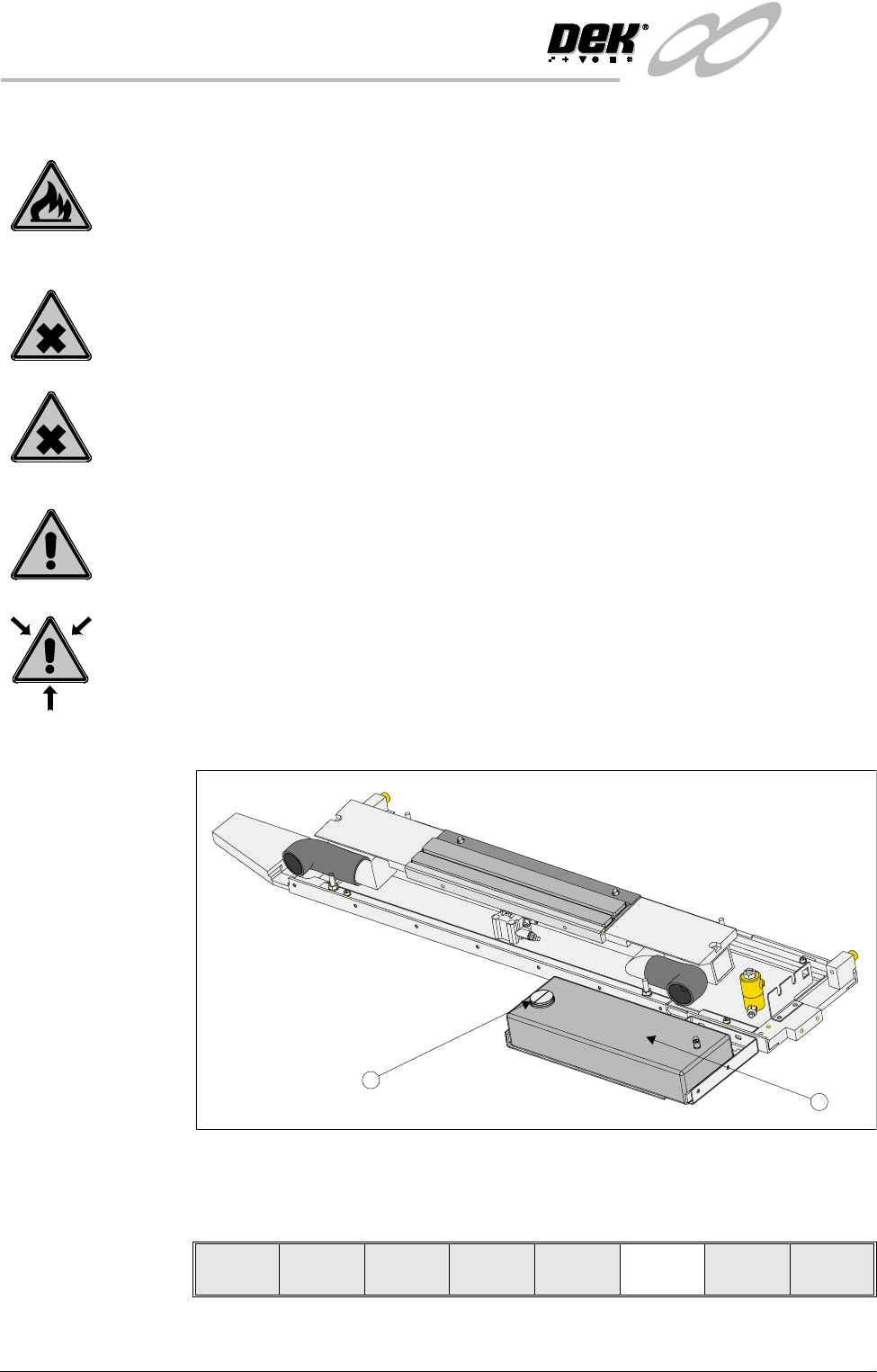
1. Remove the solvent tank cap (1) from the solvent tank (2).
2. Using a suitable container refill the tank and replace the cap.
3. Press Prime Solvent (F6). The message ‘Press the two button control
buttons to prime solvent.’ is displayed.
1
2
Lower
Head
Board
Clamps
Prime
Solvent
Exit
INFINITY
&21680$%/(5(3/(1,6+0(176
9257(;81'(56&5((1&/($1(5
Software Version 7 User Manual 9.35
4. Prime the solvent using the two button control.
5. Press Lower Head (F2).
6. Remove the head prop.
7. Select Confirm (F1).
8. Lower the printhead using two button control.
9. Close the front printhead cover.
10.Press the System button.
Cleaning Cassette Replenishment
WARNING
PROTECTIVE CLOTHING. APPROVED PROTECTIVE CLOTHING SHOULD BE
WORN BY SOLDER PASTE AND SOLVENT HANDLERS AT ALL TIMES TO
ELIMINATE FUME INHALATION, EYE CONTACT, SKIN CONTACT AND
INGESTION.
WARNING
FLAMMABLE. THE USED VORTEX CLEANING CASSETTE AND VORTEX FILTER
CASSETTE CONTAIN RESIDUES OF UNDERSCREEN CLEANER FLUID AND
SOLDER PASTE. OBSERVE MANUFACTURERS’ RECOMMENDED DISPOSAL
INSTRUCTIONS.
NOTE
The cleaning cassettes come in different sizes, ensure the correct size is replaced.
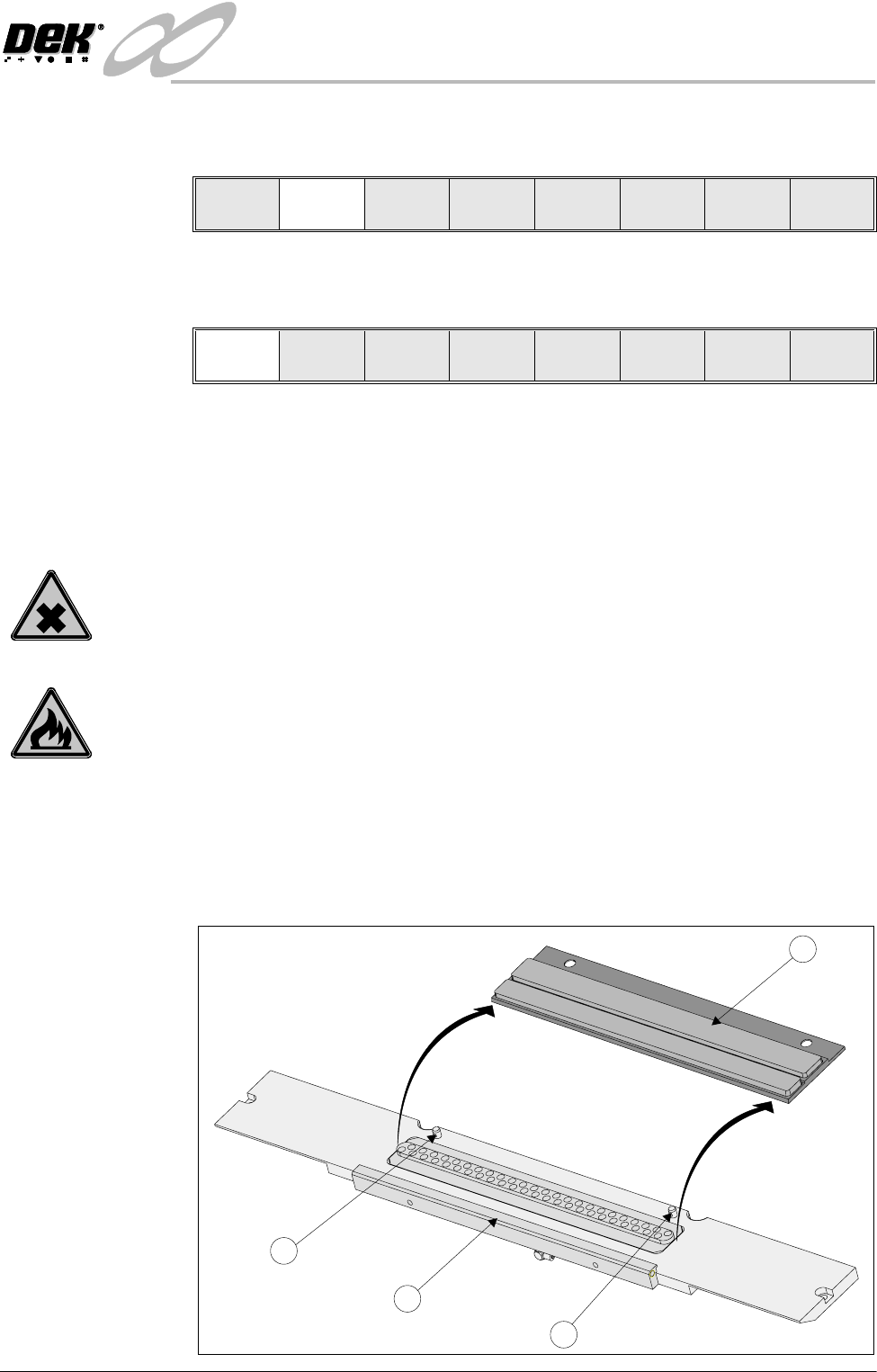
1. Carefully lift the cleaning cassette (1) clear of the two pip pins (2) and slide
out from beneath the solvent bar (3).
Lower
Head
Board
Clamps
Prime
Paper
Prime
Solvent
Exit
Confirm Cancel
1
2
2
3