DEK INFINITY USER MANUAL.pdf.pdf - 第333页
INFINITY &21680$ %/(5( 3/(1,6+0(1 76 352)/2: Soft ware Ver sion 7 User Manual 9.49 6. Release the latch on the front of the pressure mechanism and raise the mechanism forwards and upwards to engage the spring lockin…
INFINITY
&21680$%/(5(3/(1,6+0(176
352)/2:
9.48 User Manual Software Version 7
Retention System
Replacement
Due to wear over prolonged periods, it is necessary to replace the wiper foils and
skis. An obvious indication of blade deterioration is print medium left deposited
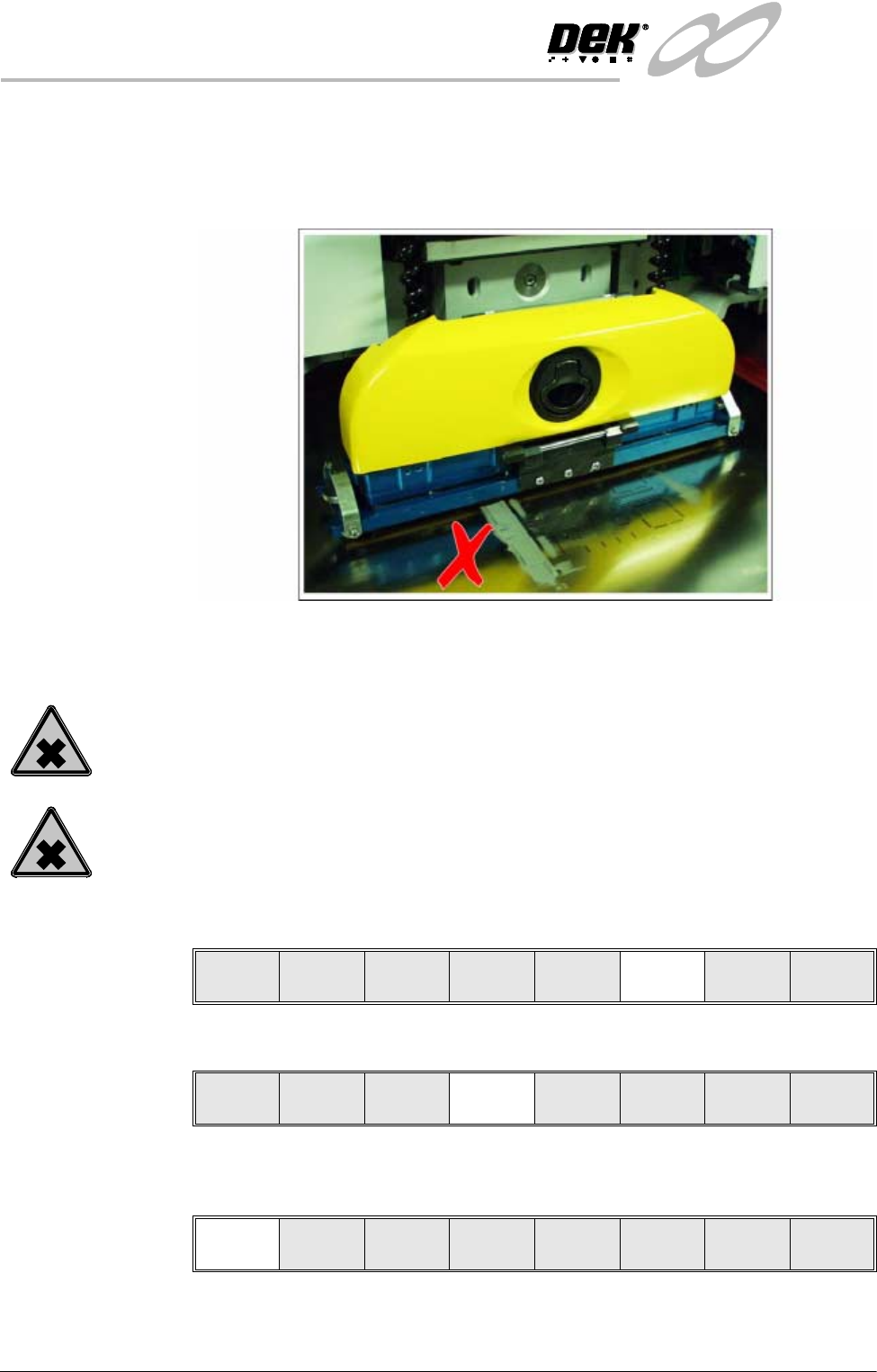
on the screen after a print cycle, an example of this indication is shown in the
figure below.
Figure 9-1 Example Of Proflow Wiper Wear
Replace the wipers and skis as follows:
WARNING
SOLDER PASTE AND SOLVENTS. WHEN USING OR HANDLING ANY SOLDER
PASTE OR SOLVENT FORMULATION THE MANUFACTURERS’ RECOMMEND
SAFETY PRECAUTIONS MUST BE STRICTLY ADHERED TO.
WARNING
PROTECTIVE CLOTHING. APPROVED PROTECTIVE CLOTHING SHOULD BE
WORN BY SOLDER PASTE AND SOLVENT HANDLERS AT ALL TIMES TO
ELIMINATE FUME INHALATION, EYE CONTACT, SKIN CONTACT AND
INGESTION.
1. Press Setup (F6).
2. Press Setup ProFlow (F4).
3. Press Change ProFlow (F1). The message ‘Replace ProFlow Cover then
Close Cover and Press Continue’ is displayed.
4. Open the front printhead cover.
5. Fit the cover to the underside of the ProFlow transfer head unit.
Run Head
Paste
Load
Clean
Screen
Adjust Setup Monitor Maint.
Mode
Load
Data
Edit
Data
Setup
ProFlow
Change
Screen
Change
Tooling
Change
Language
Exit
Change
ProFlow
Load
Cassette
Prime
ProFlow
Exit
INFINITY
&21680$%/(5(3/(1,6+0(176
352)/2:
Software Version 7 User Manual 9.49
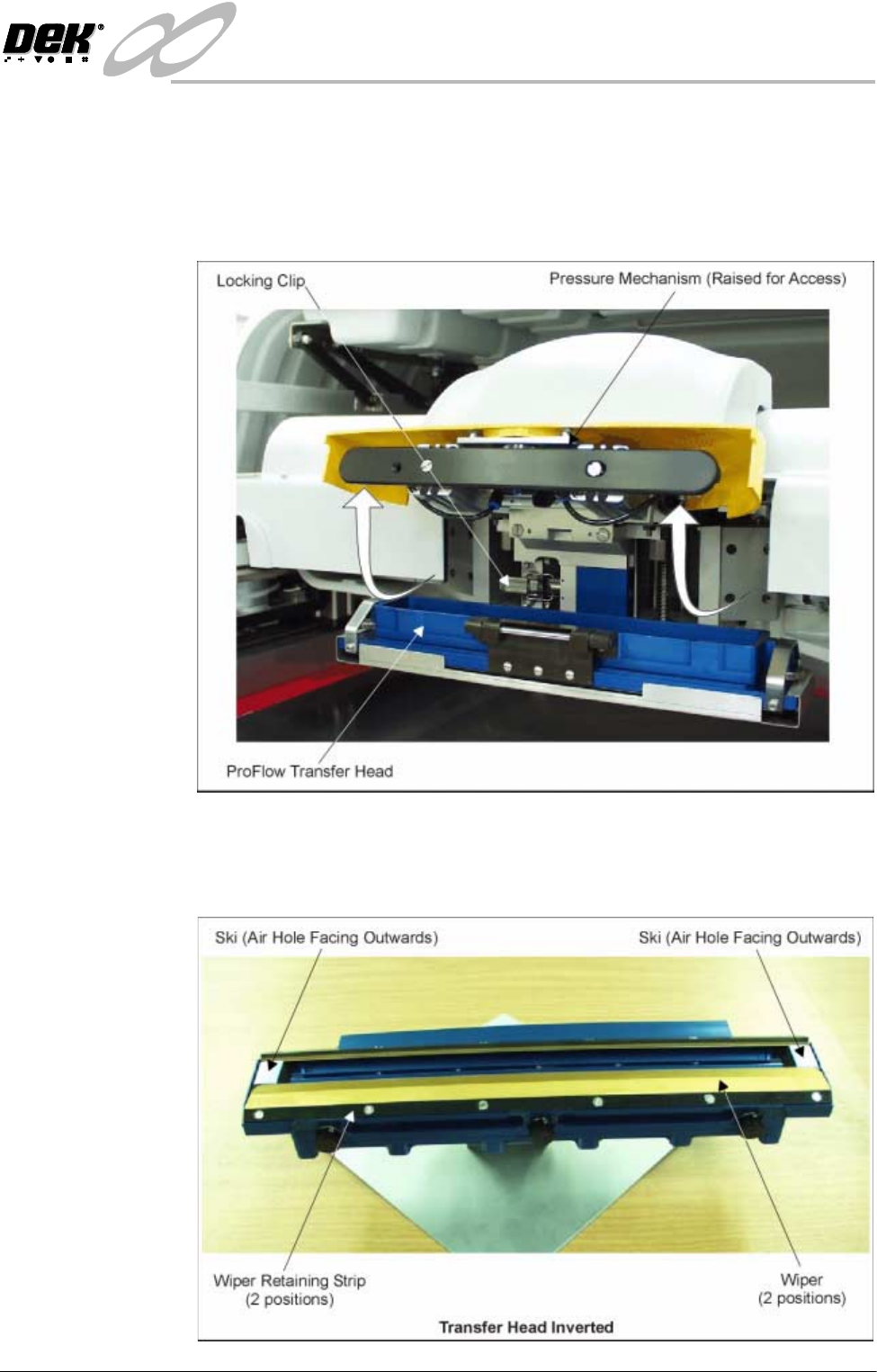
6. Release the latch on the front of the pressure mechanism and raise the
mechanism forwards and upwards to engage the spring locking device.
7. Open the locking clip securing the transfer head to the pressure mechanism
and carefully slide the transfer head out and away from the pressure mecha-
nism.
8. Invert the ProFlow transfer head and place onto the maintenance stand
(provided with the equipment).
9. Remove the cover from the ProFlow transfer head unit.
INFINITY
&21680$%/(5(3/(1,6+0(176
352)/2:
9.50 User Manual Software Version 7
10.Carefully remove the wipers by loosening the six screws securing each wiper
retaining strip. Dispose of damaged wipers in accordance with local
authority guide lines.
11. Carefully remove both skis. Dispose of damaged skis in accordance with
local authority guide lines.
12.Prior to fitting replacement items ensure the area around the wipers and skis
is free from print medium.
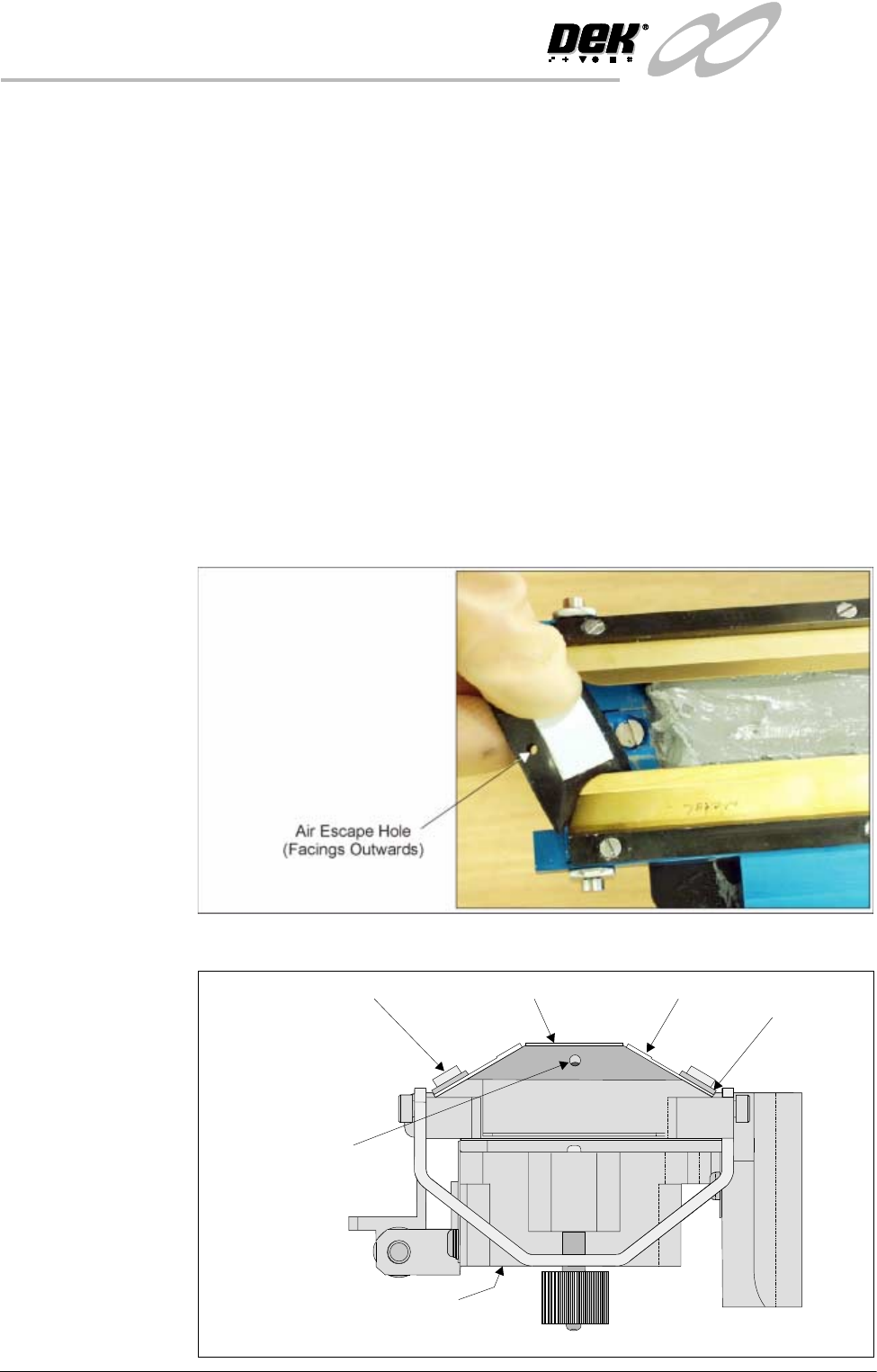
13.Fit replacement wipers into position ensuring both wipers are fully home
against the wiper securing screws.
NOTE
If fitting stepped etched wipers, ensure that the stepped edge of each wiper
is facing outwards (wiper example in figure below refers).
14.Fully tighten the wiper retaining strip screws.
15.Slide each ski between the wipers until they are flush with the ends of the
wipers, (ensure the air escape hole on each ski faces outwards of the unit,
figure below refers.)
16.Fit the cover.
Ski
Ski Air Escape Hole
Wiper
ProFlow Transfer Head (Inverted)
Wiper
Retaining Strip
Inverted Transfer Head (End View)
Wiper Securing Screw