DEK INFINITY USER MANUAL.pdf.pdf - 第338页
INFINITY &21680$ %/(5(3/ (1,6+0(1 76 352)/2: 9.54 User Manual Software Versi on 7 8. Fit the transfer head unit to the maintenance stand and remove the ba se cover . 9. Using the recharging unit with long nozzle, fi…
INFINITY
&21680$%/(5(3/(1,6+0(176
352)/2:
Software Version 7 User Manual 9.53
NOTE
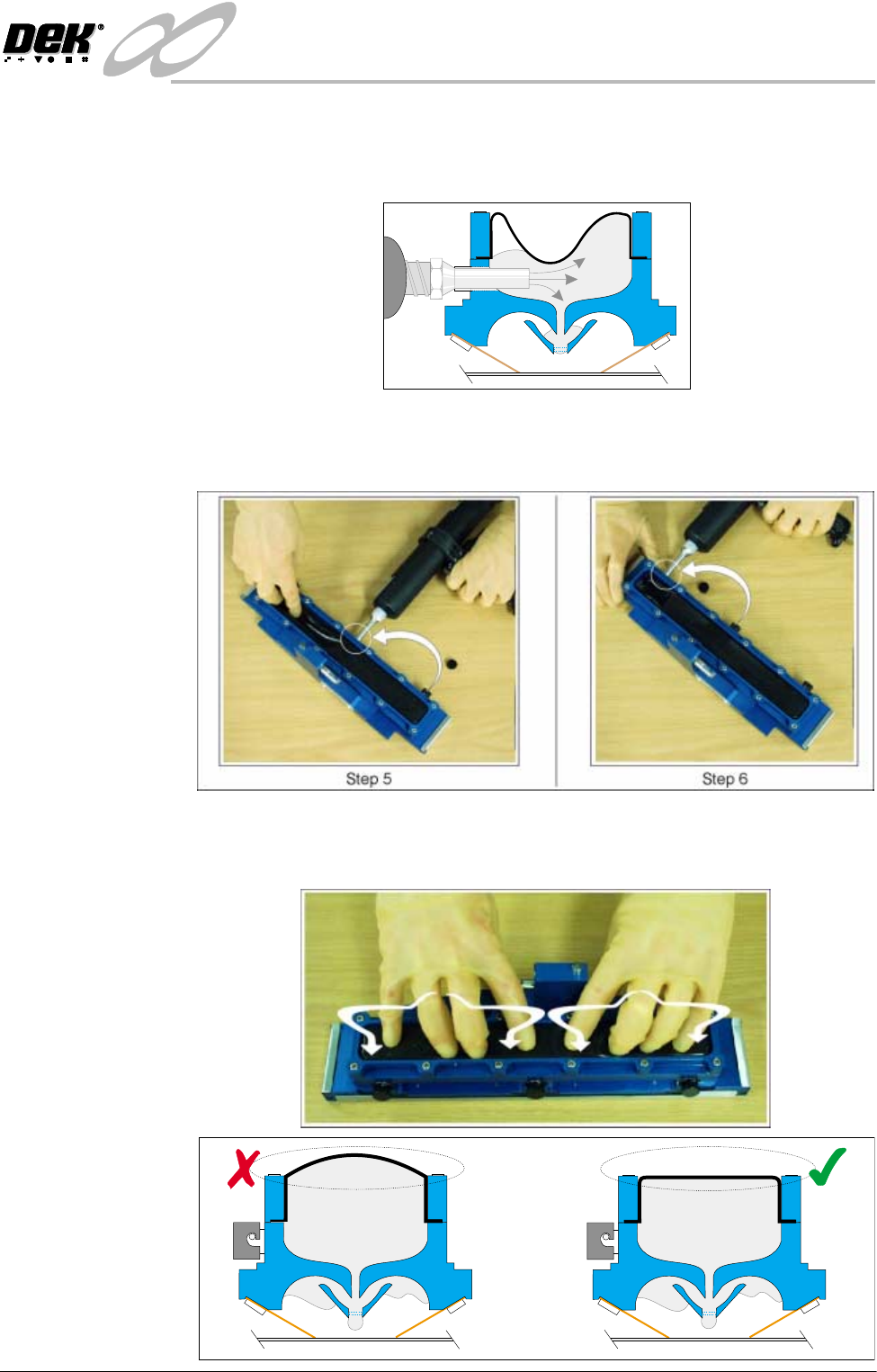
Prior to completion, slowly retract the nozzle from the filling hole to avoid
creation of air bubbles within the paste fill.
5. Move the recharging unit to the centre filling port, and repeat Step 4.
6. Move the recharging unit to the last filling port and repeat Step 4 until the
void is full.
7. Knead the transfer head diaphragm so that the paste is dispersed evenly along
it’s length. The top of the diaphragm must be flat (not ballooned upwards).
Figures below refers.
INFINITY
&21680$%/(5(3/(1,6+0(176
352)/2:
9.54 User Manual Software Version 7
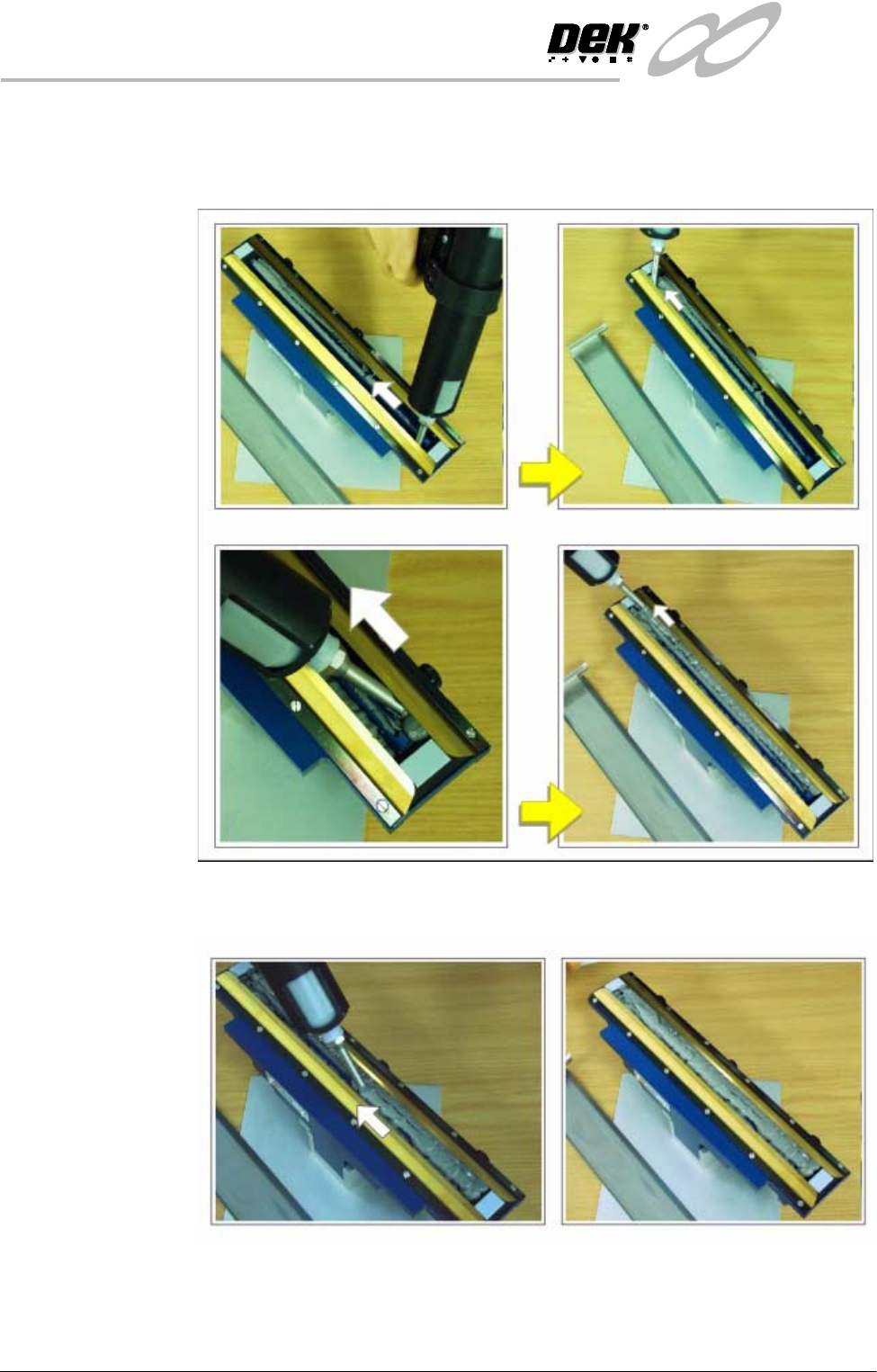
8. Fit the transfer head unit to the maintenance stand and remove the base cover.
9. Using the recharging unit with long nozzle, fill the length of each side of the
unit, behind the wiper units, (Figure below refers).
10.Apply the paste along the length of the centre, between the wipers, filling
paste level with the wiper blade edges, (Figure below refers).
INFINITY
&21680$%/(5(3/(1,6+0(176
352)/2:
Software Version 7 User Manual 9.55
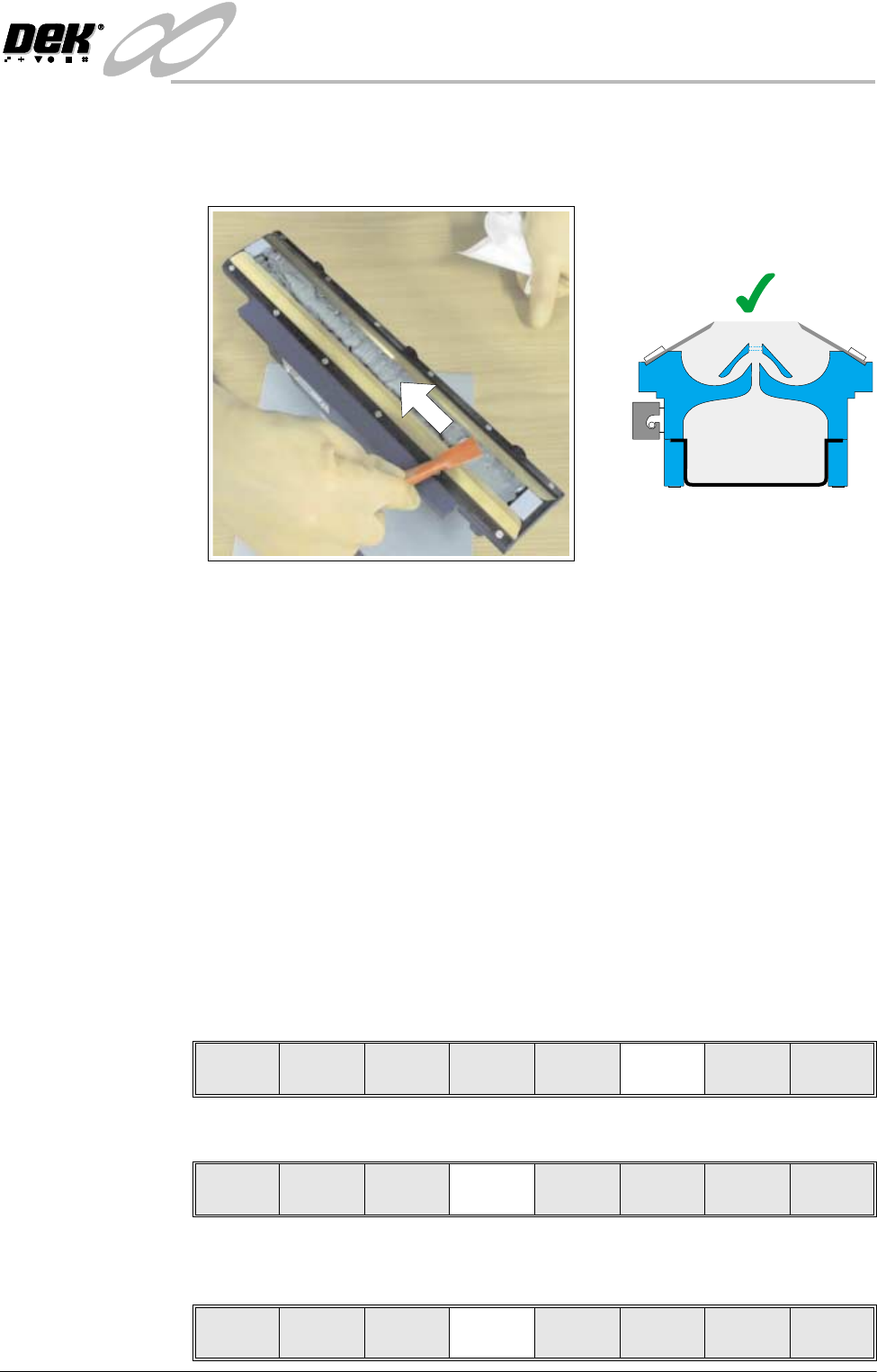
11. Using a spatula, smooth and level the paste to the height of the blades.
NOTE
Pack any excess paste on the spatula between the blades.
12.If necessary clean the wiper blades and skis so that they are not contaminated
with paste.
NOTE
For effective cleaning, DEK recommend the use of IPA impregnated wipes
(Part No.141150).
13.Fit cover to the unit.
14.Fit the transfer head unit to the ProFlow pressure mechanism on the machine.
(Refer to ProFlow Chapter in the Technical Reference Manual for detailed
information on unit removal/fitting.)
The transfer head can be replenished prior to and during a print run.
Prior to a Print Run The transfer head can be replenished prior to selecting Run.
1. If the ProFlow unit is in the home position continue with Step 2. If the
ProFlow unit is in the contact position go to Step 20.
2. Select Setup (F6).
3. Select Setup ProFlow (F4).
4. Select Load Cassette (F4). The message ‘Has the ProFlow unit’s base
cover been removed?’ is displayed.
=
Run Head
Paste
Load
Clean
Screen
Adjust Setup Monitor Maint.
Mode
Load
Data
Edit
Data
Setup
ProFlow
Change
Screen
Change
Tooling
Change
Language
Exit
Change
ProFlow
Load
Cassette
Exit