DEK INFINITY USER MANUAL.pdf.pdf - 第57页
INFINITY 0$&+,1 (352*5 $00,1* 67$*( ()2 50)/(;722/,1 * Soft ware Ver sion 7 User Manual 1.55 14. Remove t he hea d prop. 15. Se lect Confirm (F1). 16. Lower the printhead using two button control. 17. Close th…
INFINITY
0$&+,1(352*5$00,1*
67$*(()250)/(;722/,1*
1.54 User Manual Software Version 7
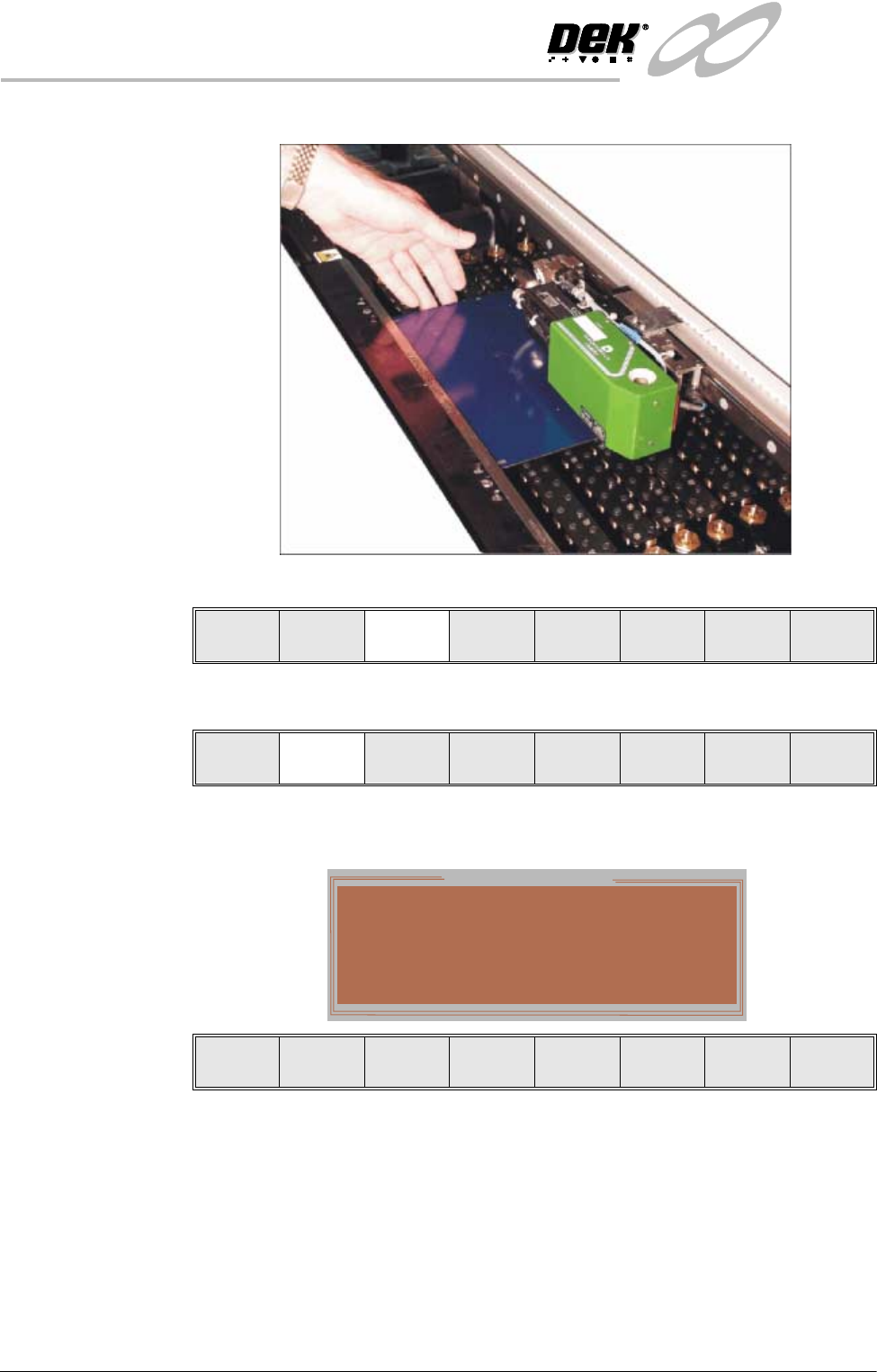
11. Slide a board along the rails to abut the board stop.
12.Select Board Clamps (F3) to close the clamps.
13.Select Lower Head (F2).
The following window and menu bar is displayed:
Adjust
Lower
Head
Board
Clamps
Set
Stop
Adjust
Lower
Head
Board
Clamps
Set
Stop
Hazardous Operation
The head is about to be lowered
Remove the Head Prop and confirm that
everyone is standing clear.
Confirm Cancel
INFINITY
0$&+,1(352*5$00,1*
67$*(()250)/(;722/,1*
Software Version 7 User Manual 1.55
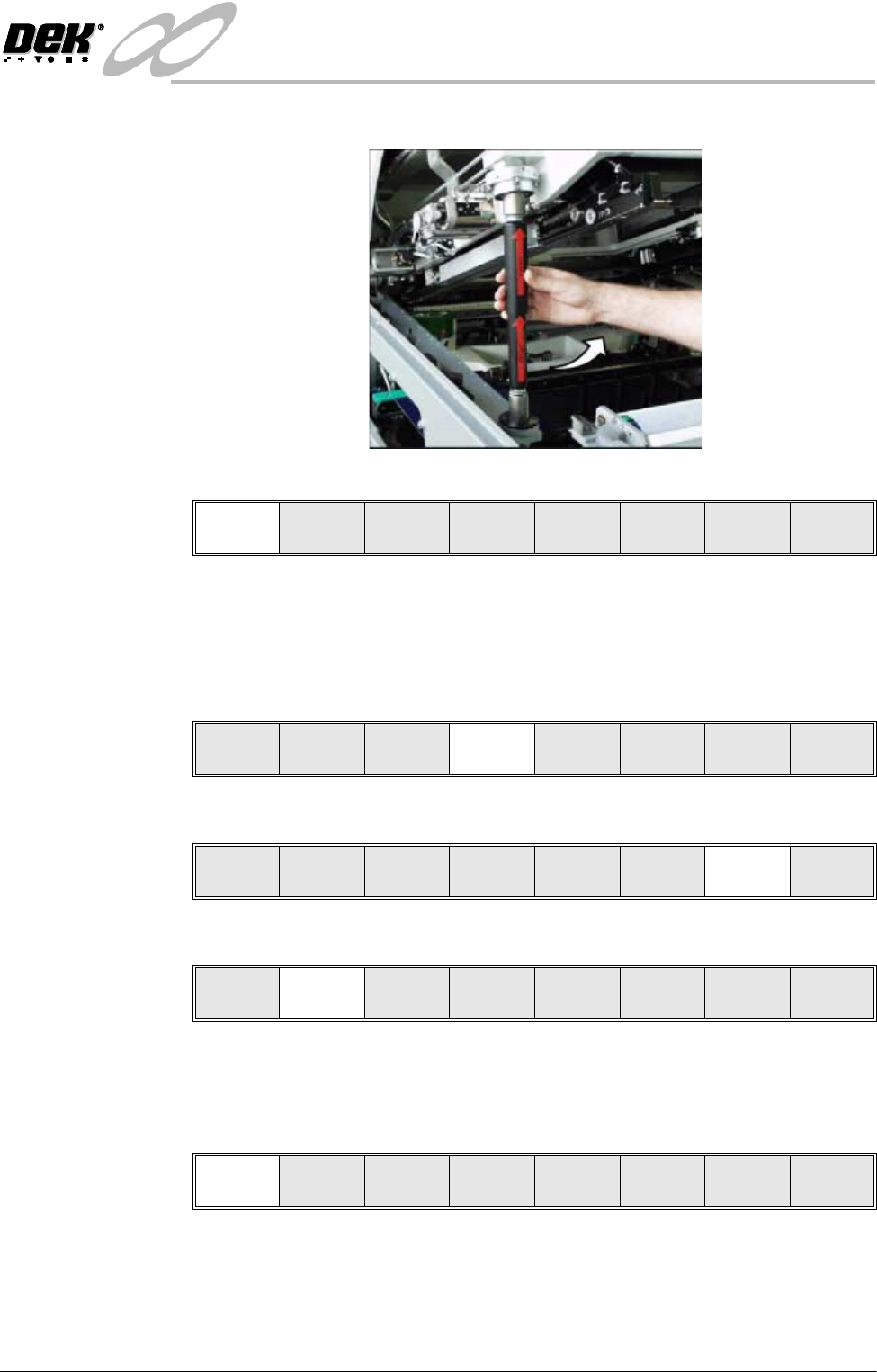
14.Remove the head prop.
15.Select Confirm (F1).
16.Lower the printhead using two button control.
17.Close the front printhead cover.
18.Press the System button.
19.Select Home Camera (F4).
20.Select Print Height (F7).
21.Select Raise Head (F2).
22.Raise the printhead using two button control.
23.Fit the head prop.
24.Press Confirm (F1).
Confirm Cancel
Adjust
Raise
Head
Remove
Cleaner
Home
Camera
Full
Width
Load
Width
Print
Height
Exit
Adjust
Raise
Head
Remove
Cleaner
Board
Stop
Full
Width
Load
Width
Print
Height
Exit
Raise
Head
Home
Position
Exit
Confirm
Lower
Head
INFINITY
0$&+,1(352*5$00,1*
67$*(()250)/(;722/,1*
1.56 User Manual Software Version 7
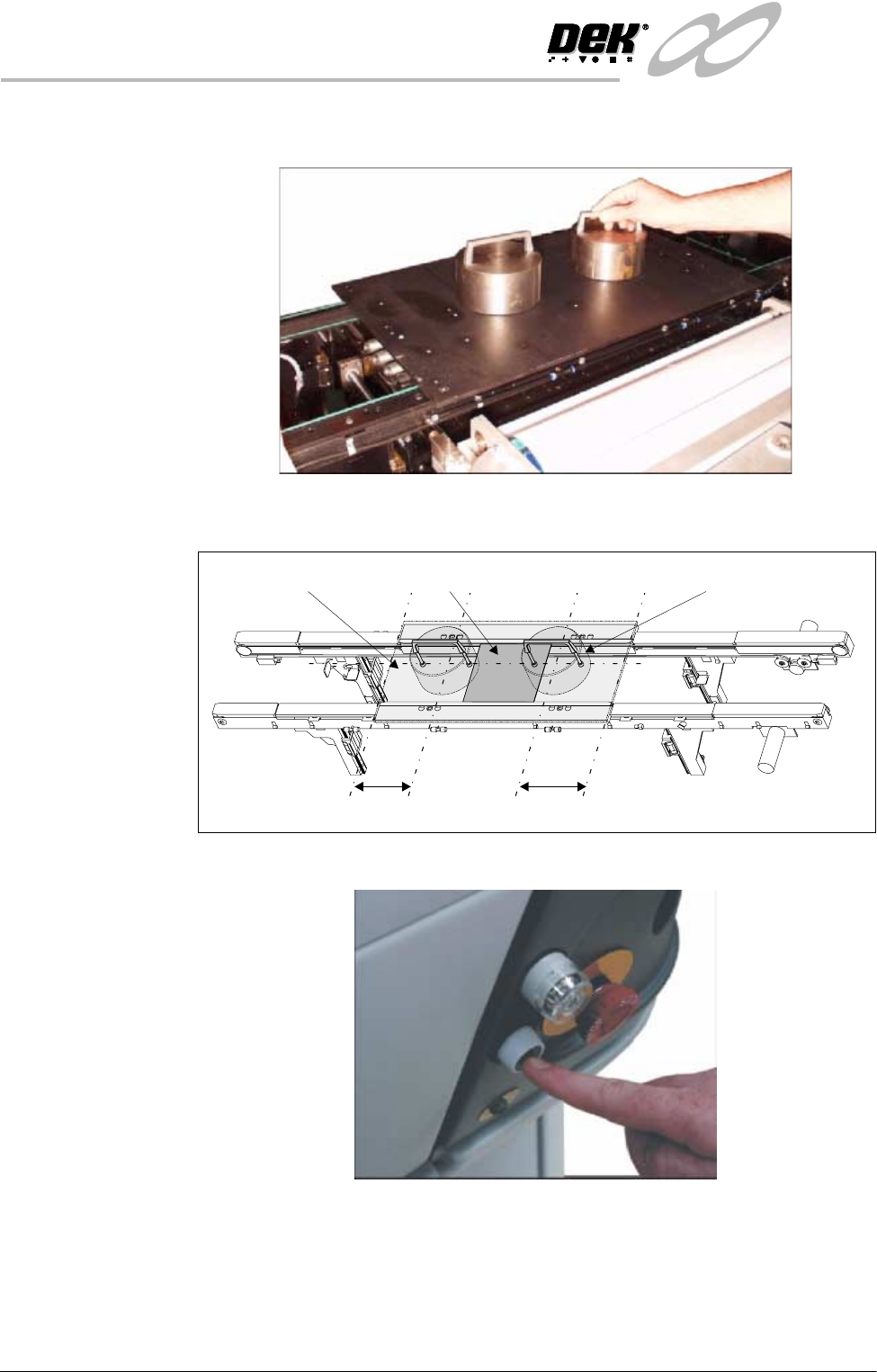
25.Place the FormFlex setup plate centrally over the tooling modules and rails
and place the weights on top of the setup plate.
26.Align the weights along the centre line in the Y axis and one third of the plate
length in the X axis.
27.Press the operator switch on the front of the machine covers.
C/L
1/3
1/3
BoardSetup Plate Weight (in 2 positions)