ASM_Guide To Adhesive Dot Dispensing_Stinger_en_0321_online.pdf - 第48页
2 STINGER, A GUIDE TO ADHESIVE DOT DISPENSING 2.4 PRODUCT CHANGEOVER 48 GUIDE TO ADHESIVE DOT DISPENSING STINGER 03/2021 There are two process types for purging - Standard Purge Process and Automatic Purge Process. The s…
2 STINGER, A GUIDE TO ADHESIVE DOT DISPENSING
2.4 PRODUCT CHANGEOVER
GUIDE TO ADHESIVE DOT DISPENSING STINGER 03/2021 47
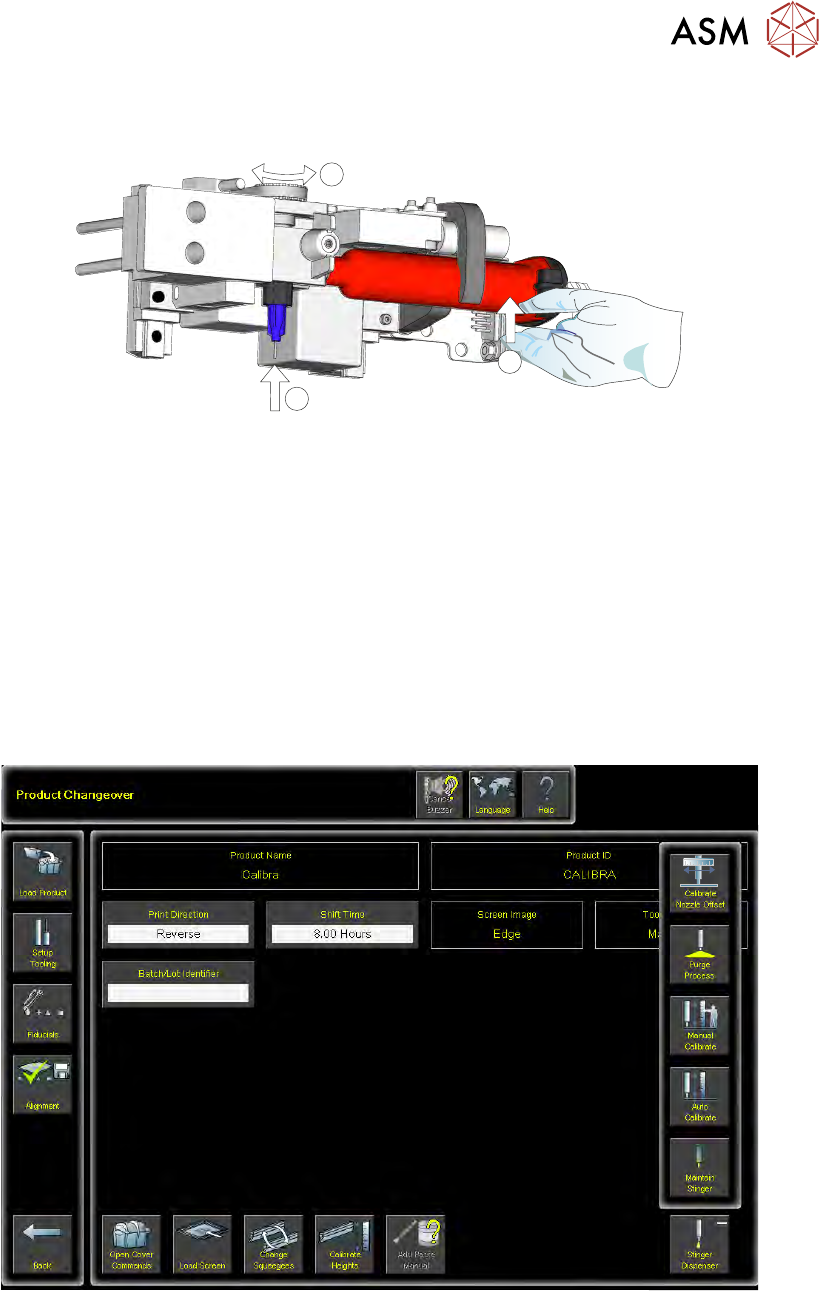
13. Lift the assembly: auger, nozzle, syringe and air connector, up toward the auger drive gear.
Align the syringe with the ‘C’ clamp (2).
1
1
2
14. The auger engages with the square shaft of the drive motor, rotate the exposed portion of the
drive belt at the same time pushing the complete assembly upward, ensuring that it is in the
fully up position (1).
15. Check that the whole assembly is secure in the ‘C’ clamp.
16. Refit the in-line air connection.
17. Tighten the plastic auger clamp screw. Do not over tighten.
18. Remove the nozzle dust cap. Ensure that the nozzle assembly is in line with auger valve and
not bent or at an angle.
19. Select Load Board and load the calibrated test product as described in the Software Interface
section of this manual.
20. Navigate to the Product Changeover page.
21. Select Unload Screen.
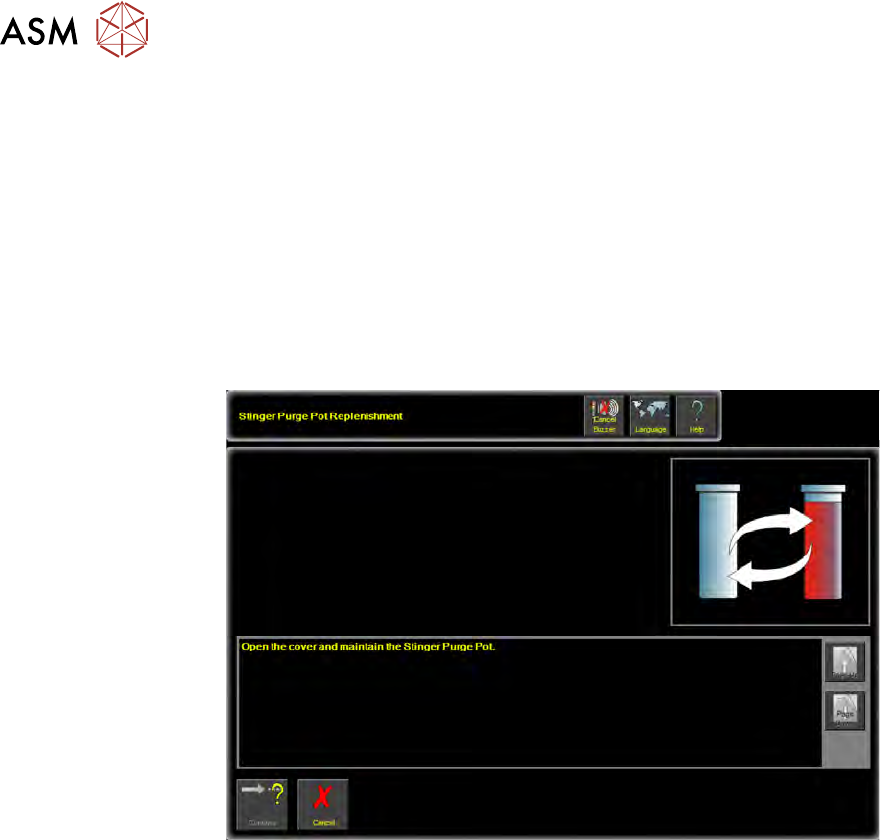
22. Select Stinger Dispenser. An extended menu is shown.
23. Select Purge Process. The camera axis drives to the centre of the board.
2 STINGER, A GUIDE TO ADHESIVE DOT DISPENSING
2.4 PRODUCT CHANGEOVER
48 GUIDE TO ADHESIVE DOT DISPENSING STINGER 03/2021
There are two process types for purging - Standard Purge Process and Automatic Purge Process.
The standard process provides the facility to dispense material, directly onto the calibrated test
product, for an indefinite amount of time. This purges air pockets from the dispense head, or it is
used to empty a dispense head of material. The automatic process allows the purge to be carried
out at a purge station. The purge station also has a nozzle wipe facility.
The automatic purge process is used when a complete system purge is required; either at the start
or at the end of a production batch. As this process requires a large volume of material to be
purged, a purge station is used to collect it.
Purge station consumable monitoring is turned on in Maintenance\Machine Setup\Options
\Stinger Options\Stinger Consumable Monitoring.
When the pot is full an action panel is displayed reminding the user to replenish the pot.
NOTE
In product changeover, where hardware has been replaced, the laser unit needs to be recalibrated.
It is advised to carry out the manual calibration of Stinger heights, see appendix, prior to performing
the automatic calibration.
2 STINGER, A GUIDE TO ADHESIVE DOT DISPENSING
2.4 PRODUCT CHANGEOVER
GUIDE TO ADHESIVE DOT DISPENSING STINGER 03/2021 49
2.4.3.1 Replacing the Wiper Pad; Removing the Waste Container
WARNING
BOARD CLAMPS. EXTREME CARE MUST BE EXERCISED WHEN WORKING IN
THE TOOLING AREA OF THE MACHINE TO AVOID INJURY. THE FOILS ON THE
FRONT AND REAR BOARD CLAMPS ARE VERY SHARP.
MANDATORY
TOXIC SUBSTANCES MAY BE PRESENT. SAFETY GLOVES MUST BE WORN.
MANDATORY
TOXIC SUBSTANCES MAY BE PRESENT. EYE PROTECTION MUST BE WORN.
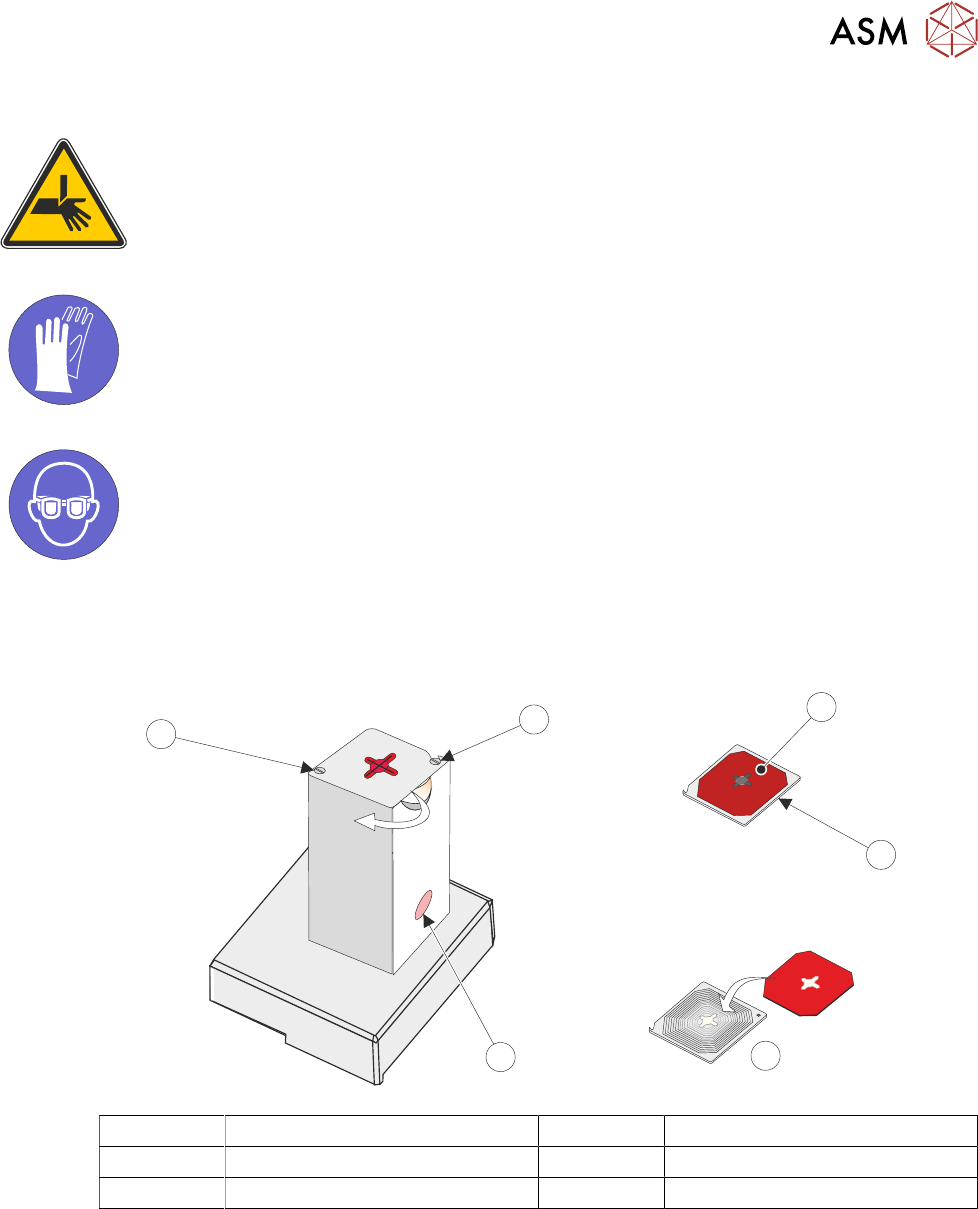
The lid is fixed with two captive shoulder screws, when in the locked position it engages a hook
mechanism. Underneath the lid there are two ball bearings that engage a dimple in the lid to
provide the lock. The lid can be opened by swivelling it as shown by the arrow in the graphic.
1
2
4
5
6
3
1 Wiper Pad 4 Waste Container
2 Lid (as viewed from underside) 5 Captive Screw
3 Replace 6 Hook Screw
1. Swivel the lid in the rotate direction shown, inwards away from the board clamps.
2. The waste container can now be removed, emptied, cleaned and replaced.
3. Remove the used wiper pad and replace with new.
4. Rotate the lid and wiper assembly back into position until it locks in place.
NOTE
The unit can be fitted to either the right hand or the left hand side of the rising table. The lid is de-
signed such that it swivels in towards the centre of the machine. The lid can be fitted correctly for
either left hand or right hand usage; simply fix it to the opposite screw locations to those shown, i.e.
the hook screw becomes the captive screw.