CP7 training(6.0) (1).pdf - 第123页
FK-9F98-27 CP-7 Series T raini ng T ext for Service Engineers Edition 6.0 Chapter 9, Miscellaneous Adjustments [1/6] Chapter 9 Miscellaneous Adjustment s 9.1 Backup pin Adjustment 1. Set the height of the Backup pins as …

FK-9F98-27 CP-7 Series Training Text for Service Engineers
Edition 6.0 Chapter 8. Placement [2/2]
11. If the data from PAM is within tolerance, use the [Wide] camera and check the placements to
ensure they are within tolerance.
12. Finally, copy the X/Y Placing offset Calibration Data from nozzle No.1 and paste at nozzle positions:
2,3,4,5,6.
PAM Tolerance Values
∆ X ∆Y
≤+/– 15 (1/1000mm)
∆ Q
≤+/– 200 (1/1000Deg.)
3 sig. X/Y
≤ 49 (1/1000mm)
3 sig. Q
≤ 990 (1/1000Deg.)
6 sig. X/Y
≤ 98 (1/1000mm)
6 sig. Q
≤ 1980 (1/1000Deg.)
X/Y Max
≤ +/– 60 (1/1000mm)
X/Y Min
≤ +/– 60 (1/1000mm)
(Minimum allowable CPK value = 1.333)
Note 1: The above figures represent tolerances for new machines. Due to many factors, it
may be difficult to achieve the same results with older equipment.
Note2: When running machine PAM, refer to the PAM Operation Manual in the
“Supplemental Information” at the back of this manual.
Fuji Machine Mfg. Co., Ltd. (Okazaki)
SMT Equipment Quality Assurance Dept.
CS Section
8-2
FK-9F98-27 CP-7 Series Training Text for Service Engineers
Edition 6.0 Chapter 9, Miscellaneous Adjustments [1/6]
Chapter 9 Miscellaneous Adjustments
9.1 Backup pin Adjustment
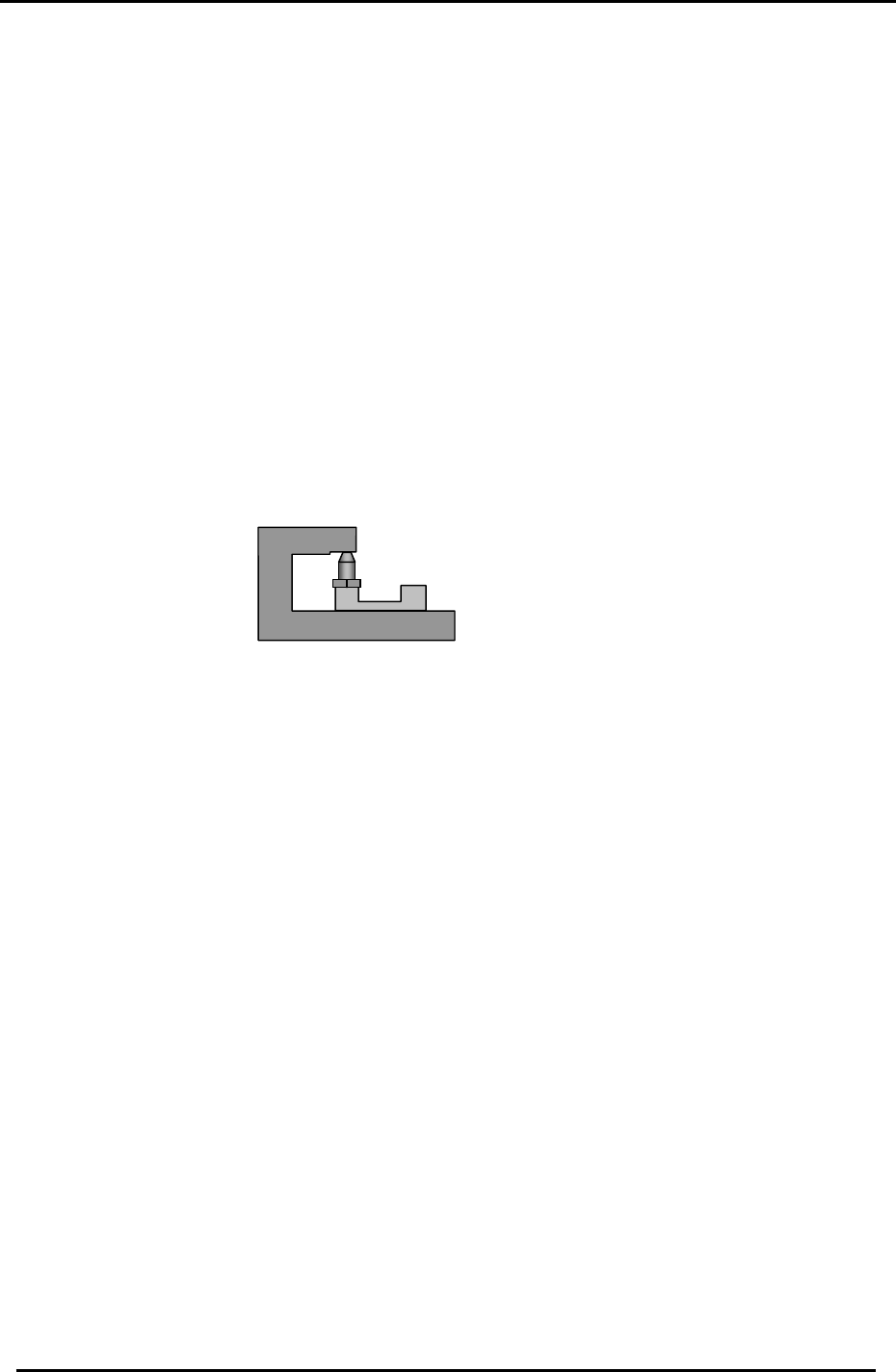
1. Set the height of the Backup pins as specified below.
<Required Jigs>
CP732/733E Backup pin Jig (Jig No. DCPJ0650)
CP742/743(M)E Backup pin Jig (Jig No. DGPJ0450)
CP732/733E Vacuum backup pin Jig (Jig No. DCPJ0661)
CP742/743(M)E Vacuum backup pin Jig (Jig No. DGPJ0460)
Adjust the CP7 Series backup pin height using the appropriate jig.
CP-732/733E Backup pin 26+/-0.05mm
CP-742/743(M)E Backup pin 37+/-0.05mm
CP-732/733E Vacuum backup pin 29+/-0.05mm
CP-742/743(M)E Vacuum backup pin 37+/-0.05mm
Figure 1
Clamp the Fuji096 PCB to the table. Check for any gaps between the bottom surface of the
PCB and the top of the pin.
Note: Check the backup pin height close to the reference and movable rails. (The middle part
of the board may be warped.)
Fuji Machine Mfg. Co., Ltd. (Okazaki)
SMT Equipment Quality Assurance Dept.
CS Section
9-1
FK-9F98-27 CP-7 Series Training Text for Service Engineers
Edition 6.0 Chapter 9, Miscellaneous Adjustments [2/6]
9.2 Air / Vacuum Pressure Sensor Calibration
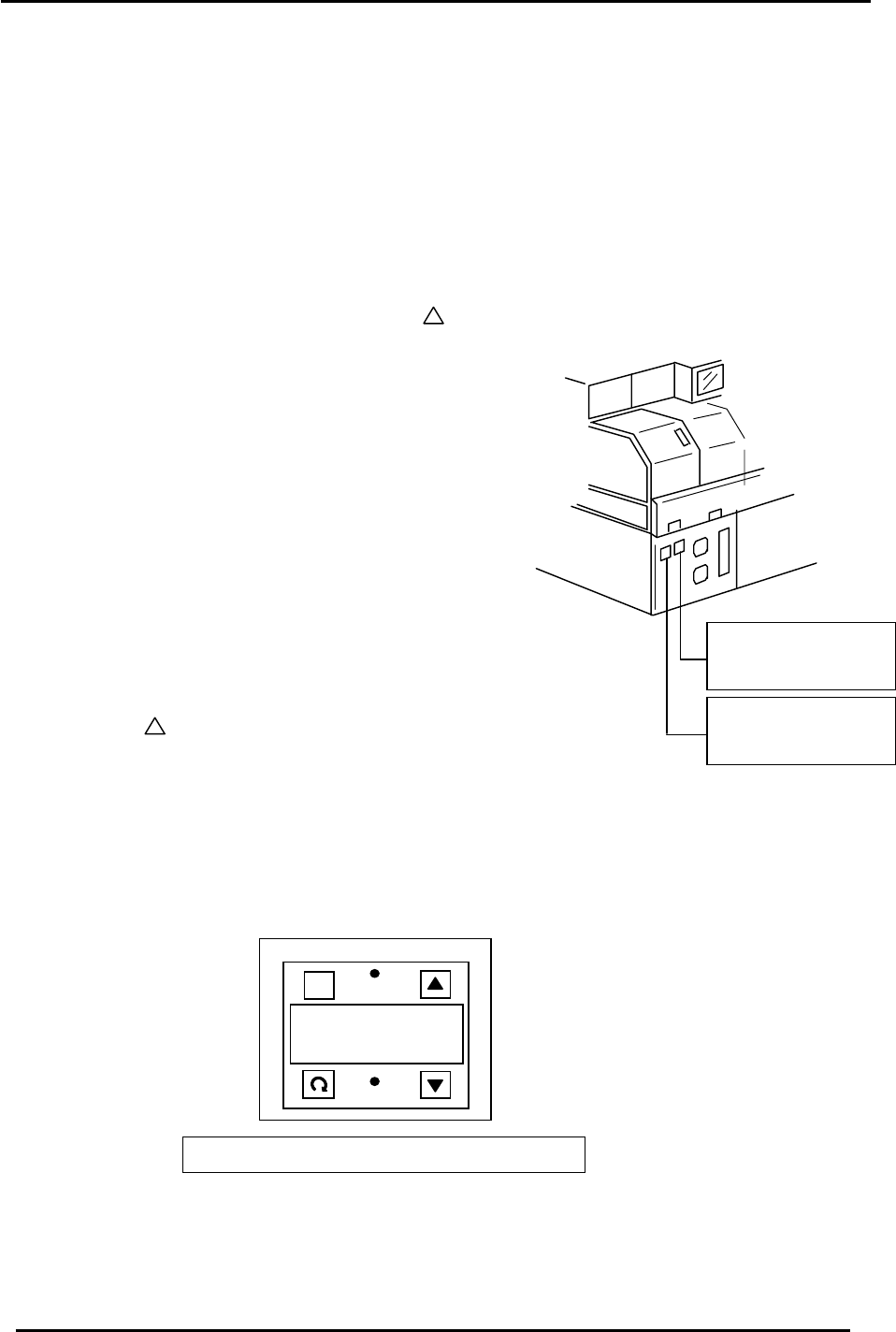
There are two air pressure sensors located at the rear left side of the machine.
The left sensor monitors the positive pressure (compressed air) flowing to the machine
The right sensor monitors the vacuum pressure when the nozzle vacuum is turned on.
9.2.1 Positive Pressure Sensor Parameter setting
Set the parameters for the Positive Pressure Sensor (left ) as follows:
1. Unlock the sensor by pressing the A+ keys simultaneously.
2. Set to F-4. (Press and hold the circular arrow.)
Figure 2
Positive Pressure
Sensor
Negative pressure
sensor
3. Set to no. (Press the circular arrow once.)
4. Set to 2.5. (Press the circular arrow once.)
5. 2-C (Press the circular arrow once.)
6. H; 0.60 (Press the circular arrow twice.)
7. L; 0.40 (Press the circular arrow once.)
8. P; 0.00 (Press the circular arrow once.)
9. Press the circular arrow once.
10. Lock the sensor (LOC) by pressing the
A + keys simultaneously.
9.2.2 Negative Pressure Sensor Parameter setting
Apart from steps 7 and 8 above, all other settings are the same as
listed for the positive pressure sensor.
Substitute the H and L values at steps 7 and 8 as follows:
H: -101.3
OUT2
A
.5 0 1
OUT1
A
P-40ZA
KEYENCE
L: - 40.0
Close u
p
view of the sensor dis
p
la
y
p
anel
Figure 3
Fuji Machine Mfg. Co., Ltd. (Okazaki)
SMT Equipment Quality Assurance Dept.
CS Section
9-2