CP7 training(6.0) (1).pdf - 第125页
FK-9F98-27 CP-7 Series T raini ng T ext for Service Engineers Edition 6.0 Chapter 9, Miscellaneous Adjustments [3/6] 9.3 D-axis Cover Inst allation Install the 2 D-axis covers as follows: 1. After inst allation, verify t…
FK-9F98-27 CP-7 Series Training Text for Service Engineers
Edition 6.0 Chapter 9, Miscellaneous Adjustments [2/6]
9.2 Air / Vacuum Pressure Sensor Calibration
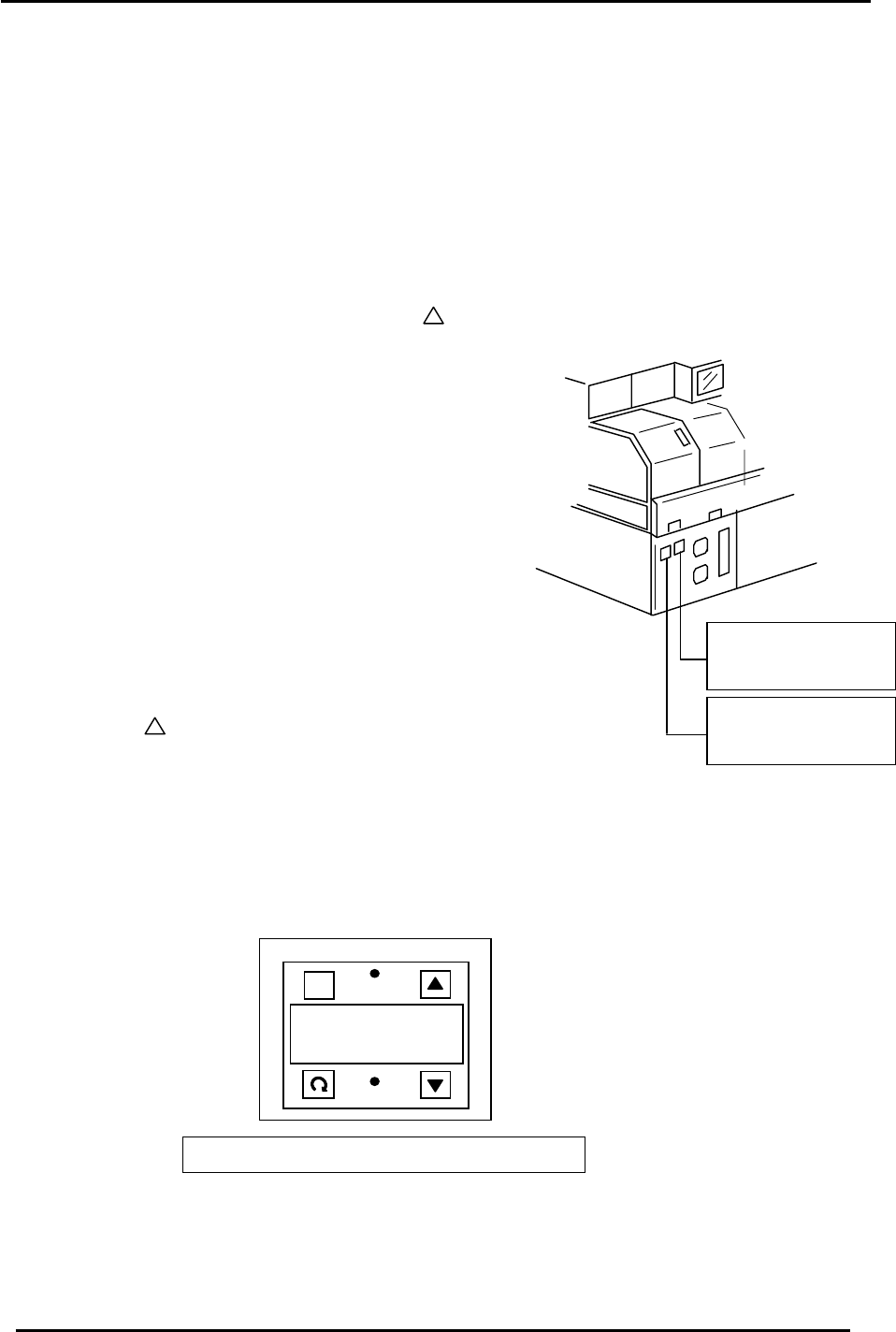
There are two air pressure sensors located at the rear left side of the machine.
The left sensor monitors the positive pressure (compressed air) flowing to the machine
The right sensor monitors the vacuum pressure when the nozzle vacuum is turned on.
9.2.1 Positive Pressure Sensor Parameter setting
Set the parameters for the Positive Pressure Sensor (left ) as follows:
1. Unlock the sensor by pressing the A+ keys simultaneously.
2. Set to F-4. (Press and hold the circular arrow.)
Figure 2
Positive Pressure
Sensor
Negative pressure
sensor
3. Set to no. (Press the circular arrow once.)
4. Set to 2.5. (Press the circular arrow once.)
5. 2-C (Press the circular arrow once.)
6. H; 0.60 (Press the circular arrow twice.)
7. L; 0.40 (Press the circular arrow once.)
8. P; 0.00 (Press the circular arrow once.)
9. Press the circular arrow once.
10. Lock the sensor (LOC) by pressing the
A + keys simultaneously.
9.2.2 Negative Pressure Sensor Parameter setting
Apart from steps 7 and 8 above, all other settings are the same as
listed for the positive pressure sensor.
Substitute the H and L values at steps 7 and 8 as follows:
H: -101.3
OUT2
A
.5 0 1
OUT1
A
P-40ZA
KEYENCE
L: - 40.0
Close u
p
view of the sensor dis
p
la
y
p
anel
Figure 3
Fuji Machine Mfg. Co., Ltd. (Okazaki)
SMT Equipment Quality Assurance Dept.
CS Section
9-2
FK-9F98-27 CP-7 Series Training Text for Service Engineers
Edition 6.0 Chapter 9, Miscellaneous Adjustments [3/6]
9.3 D-axis Cover Installation
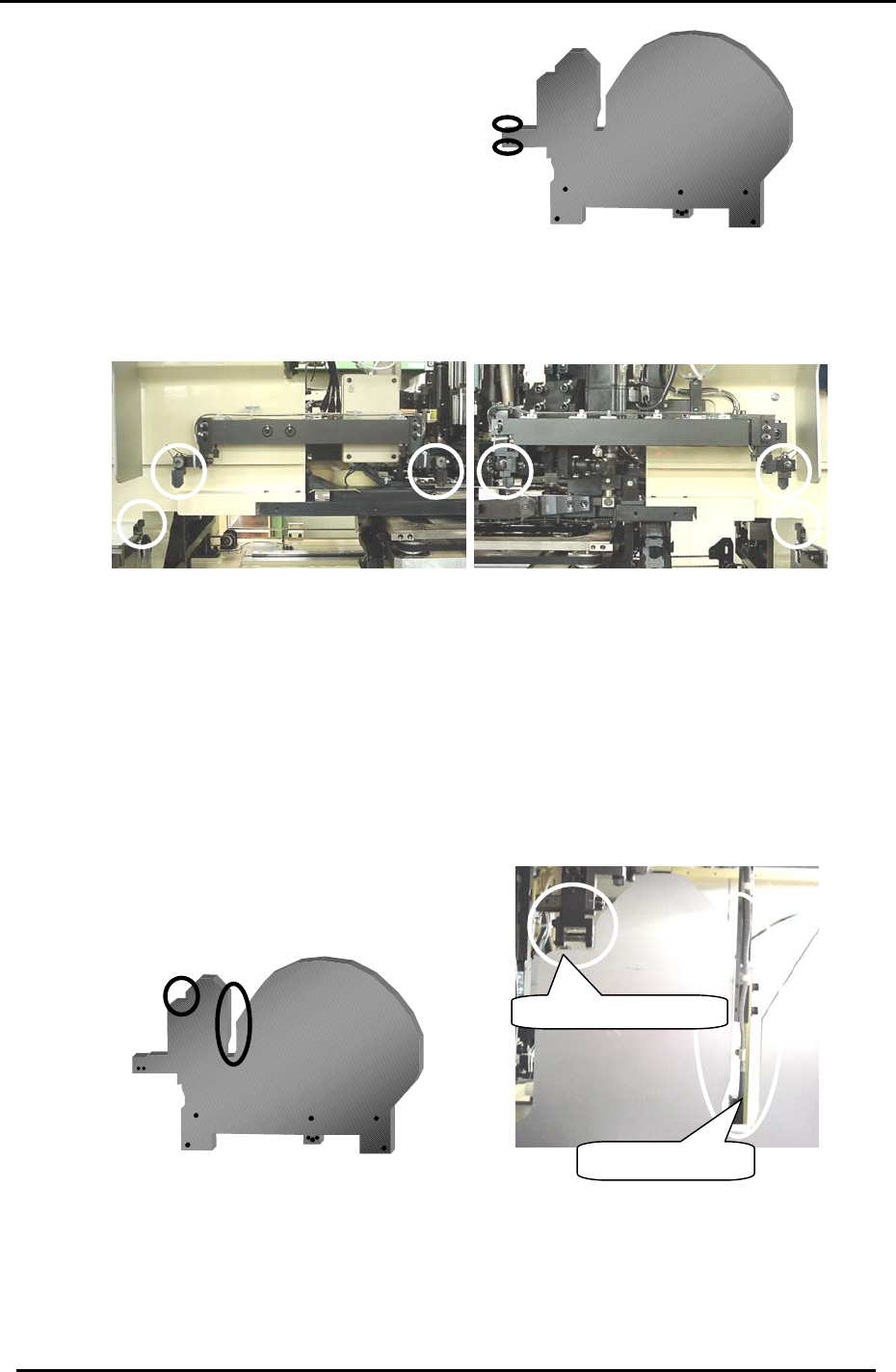
Install the 2 D-axis covers as follows:
1. After installation, verify that there is no interference between the pallet cover and the 6 sensors
as indicated in Fig. 4.
Figure 4
2. Inch the D-axis to move the pallet cover near the 1
st
station.
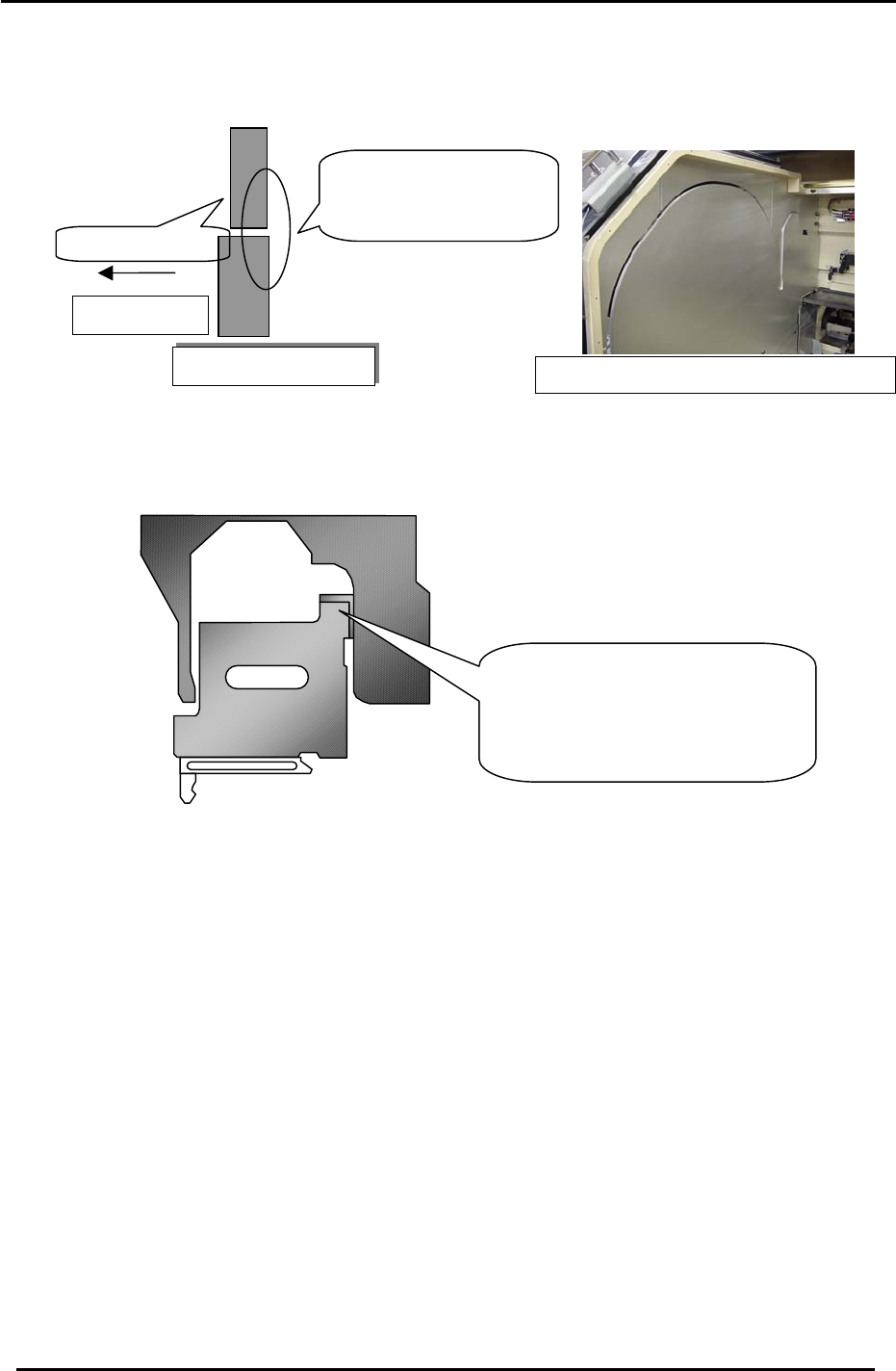
Note: Verify that there is no interference between the Pallet cover, Tape End sensor and the N
times feeding bracket as indicated in Fig.5.
T
a
p
e End senso
r
N times feedin
g
BKT
Figure 5
Fuji Machine Mfg. Co., Ltd. (Okazaki)
SMT Equipment Quality Assurance Dept.
CS Section
9-3
FK-9F98-27 CP-7 Series Training Text for Service Engineers
Edition 6.0 Chapter 9, Miscellaneous Adjustments [4/6]
3. Park the D-axis pallets, align the D-axis pallet cover and D-axis escape position
aluminum plate as indicated in Fig.6.
4. Install as spacer jig on the D-axis, and adjust as indicated in Fig.7.
5. After adjustment, move the D-axis and verify that nothing interferes with the D-axis
pallet covers.
Cross- Section
Plates ali
g
n toward center of machine
Figure 7
Figure 6
Adjust the clearance between the
D-axis (at the escape position) and
the cover using a spacer jig.
(Jig No.: Z9526ADCPJ8640)
Pallet Side
Adjust the plates to
align toward the
center of the machine
.
D
-ax
i
s cover
Fuji Machine Mfg. Co., Ltd. (Okazaki)
SMT Equipment Quality Assurance Dept.
CS Section
9-4