CP7 training(6.0) (1).pdf - 第128页
FK-9F98-27 CP-7 Series T raini ng T ext for Service Engineers Edition 6.0 Chapter 10. Options [1/6] Chapter 10 Options 10.1 Part s Thickness Confirmation Sensor Adjustment The part s thickness sensor is an option designe…
FK-9F98-27 CP-7 Series Training Text for Service Engineers
Edition 6.0 Chapter 9, Miscellaneous Adjustments [5/6]
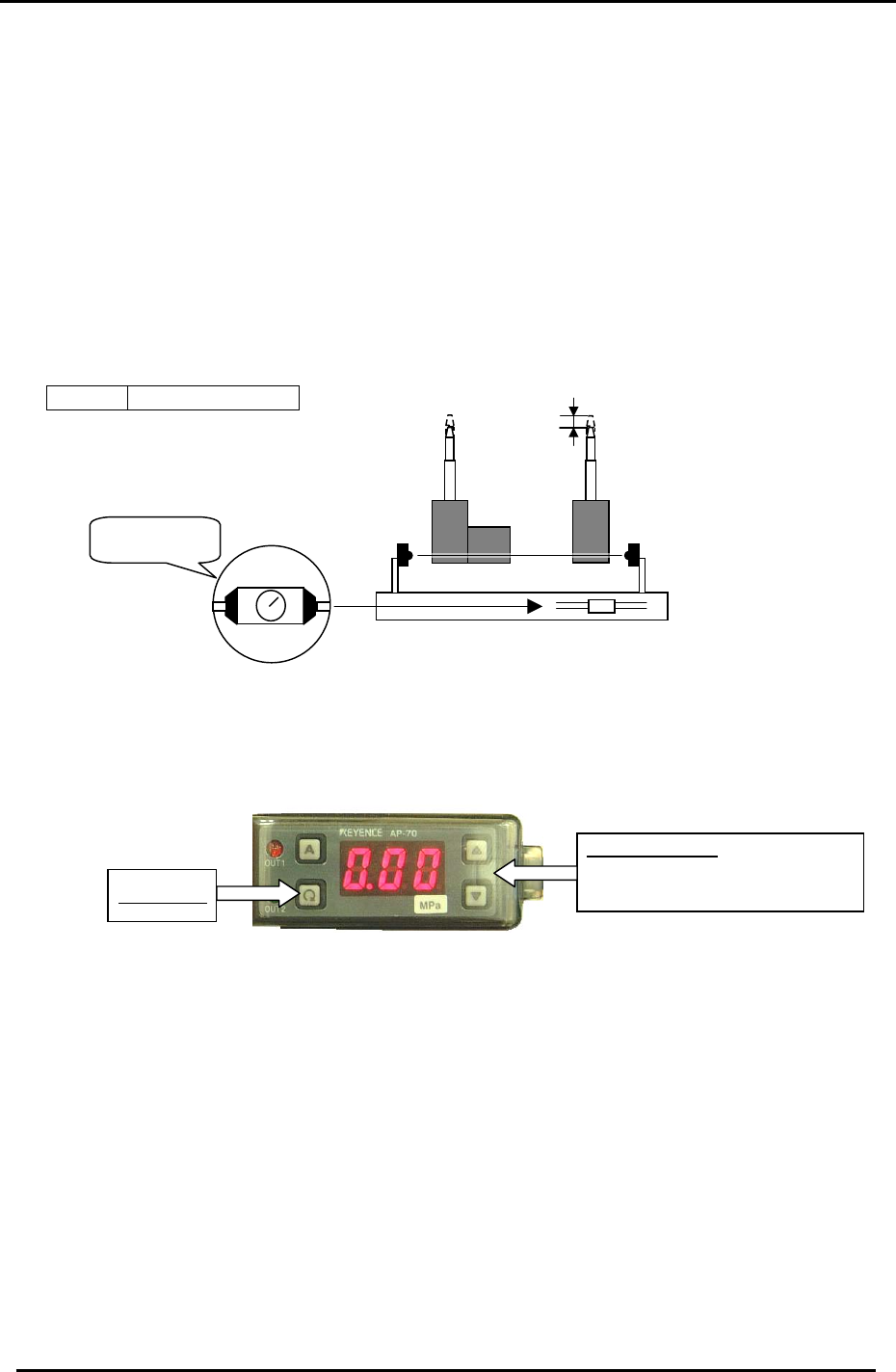
9.4 PCB Set Check Sensor Adjustment (CP-742/743(M)E)
1. Adjust the sensor BKT so that the light axis comes to the center of the reference pin
and secondary pin block hole.
2. Set the sensor so it turns OFF when both the reference and adjustable pins move
down 1.0 to 1.5mm.
3. As for the adjustable pin, the sensor should react at maximum, mid and minimum
pitches. Make sure that the green LED is always ON.
4. Check the sensor reaction in I/O
< I/O Æ Standard I/O Æ IN>
X059 PCB SET OK
1.0 to 1.5 mm
Figure 8
Set to MAX.
MIN
MAX
9.5 Oil Pressure Sensor Amp Adjustment
Up & Down Keys
To change setting values and set
output levels.
Setting Key
Follow the directions below to set the sensor amp operating parameters:
1. Press and hold the “A” key and Up arrow (▲)simultaneously to unlock the amp. (UNL)
2. Press and hold the setting key for 3 sec and set the pressure display to AP6.
3. Press the setting key to set the display to F-4.
4. Press the setting key to set the display to con.
5. Press the setting key twice to display H.
6. Press the up/down to set the high value to H 0.40.
7. Press the setting key twice to display L .
8. Press the up/down to set the low value to L 0.20.
9. Press the setting key to display P 000.
10. Press the setting key to view the current pressure value.
11. Press and hold the “A” key and Up arrow (▲) simultaneously to lock the amp. (LOC)
Fuji Machine Mfg. Co., Ltd. (Okazaki)
SMT Equipment Quality Assurance Dept.
CS Section
9-5
FK-9F98-27 CP-7 Series Training Text for Service Engineers
Edition 6.0 Chapter 10. Options [1/6]
Chapter 10 Options
10.1 Parts Thickness Confirmation Sensor Adjustment
The parts thickness sensor is an option designed to provide more reliable placement by measuring the
parts thickness and nozzle length to determine the level of abrasion on the nozzle tips plus check the
part pick-up condition.
By periodically measuring the nozzle length, any nozzle abrasion can be reflected in the pick-up height
data, and any nozzles exceeding a specified level of abrasion can be automatically skipped, with
nozzle exchange guidance issued to the operator.
By measuring the thickness of parts held on the nozzles, the results are fed back to the pick-up height
for consistency of pressure on the parts at pick-up. Any parts exceeding the specified tolerance will
cause an error and are automatically skipped. This feature is particularly effective in the monitoring of
the pick-up status of microchips such as 0603’s (in. 0201’s) for slanted and “tombstone” pick-ups.
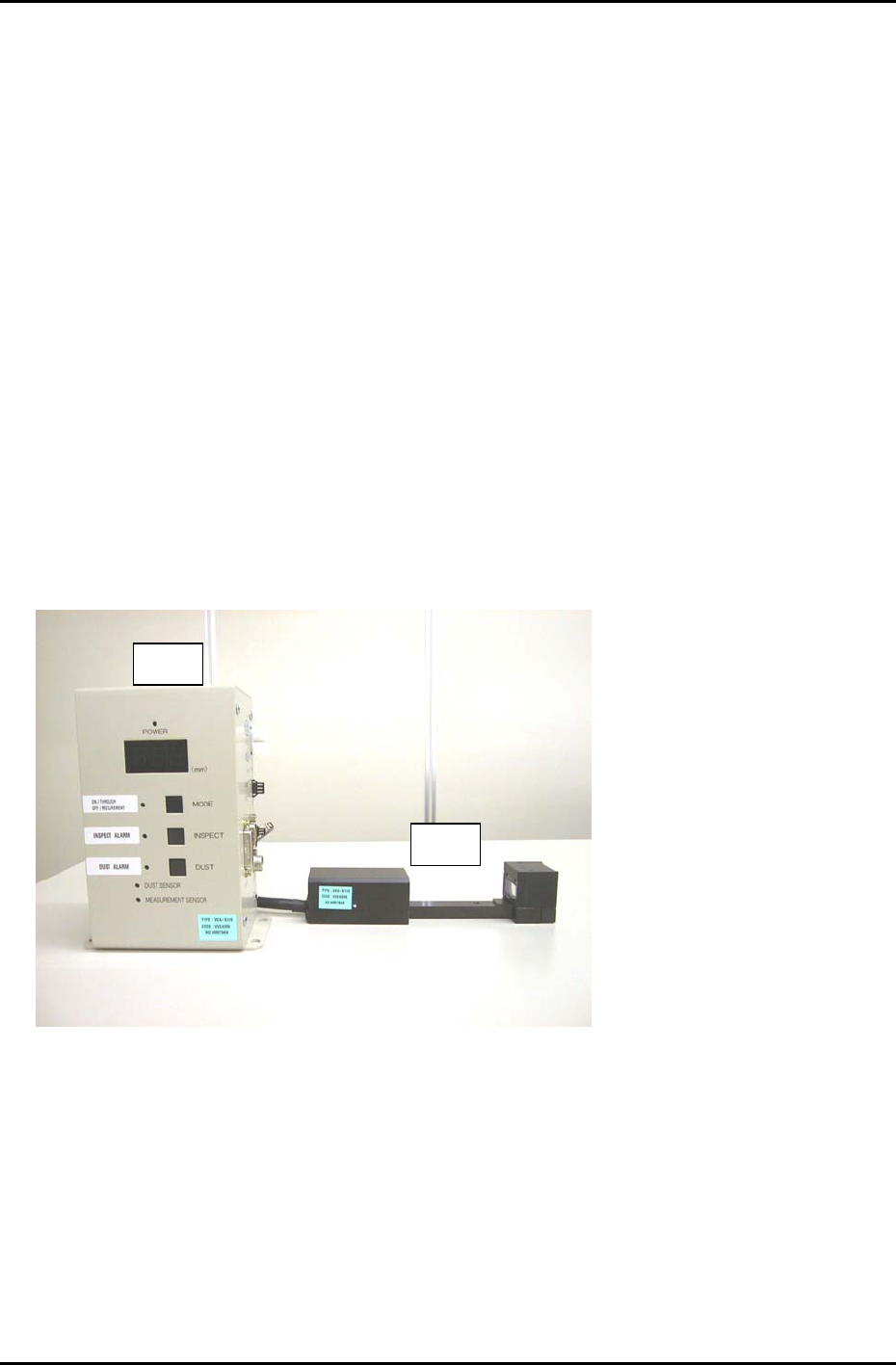
The parts thickness confirmation sensor system is comprised of the following parts.
• Controller Unit (# 1)
• Sensor Head (# 2)
• Compatible m/c control software version (V1.17 or later).
# 2
# 1
Figure 1
Fuji Machine Mfg. Co., Ltd. Okazaki
SMT Equipment Quality Assurance Dept.
CS Section
10-1
FK-9F98-27 CP-7 Series Training Text for Service Engineers
Edition 6.0 Chapter 10. Options [2/6]
10.1.1 Machine Setting
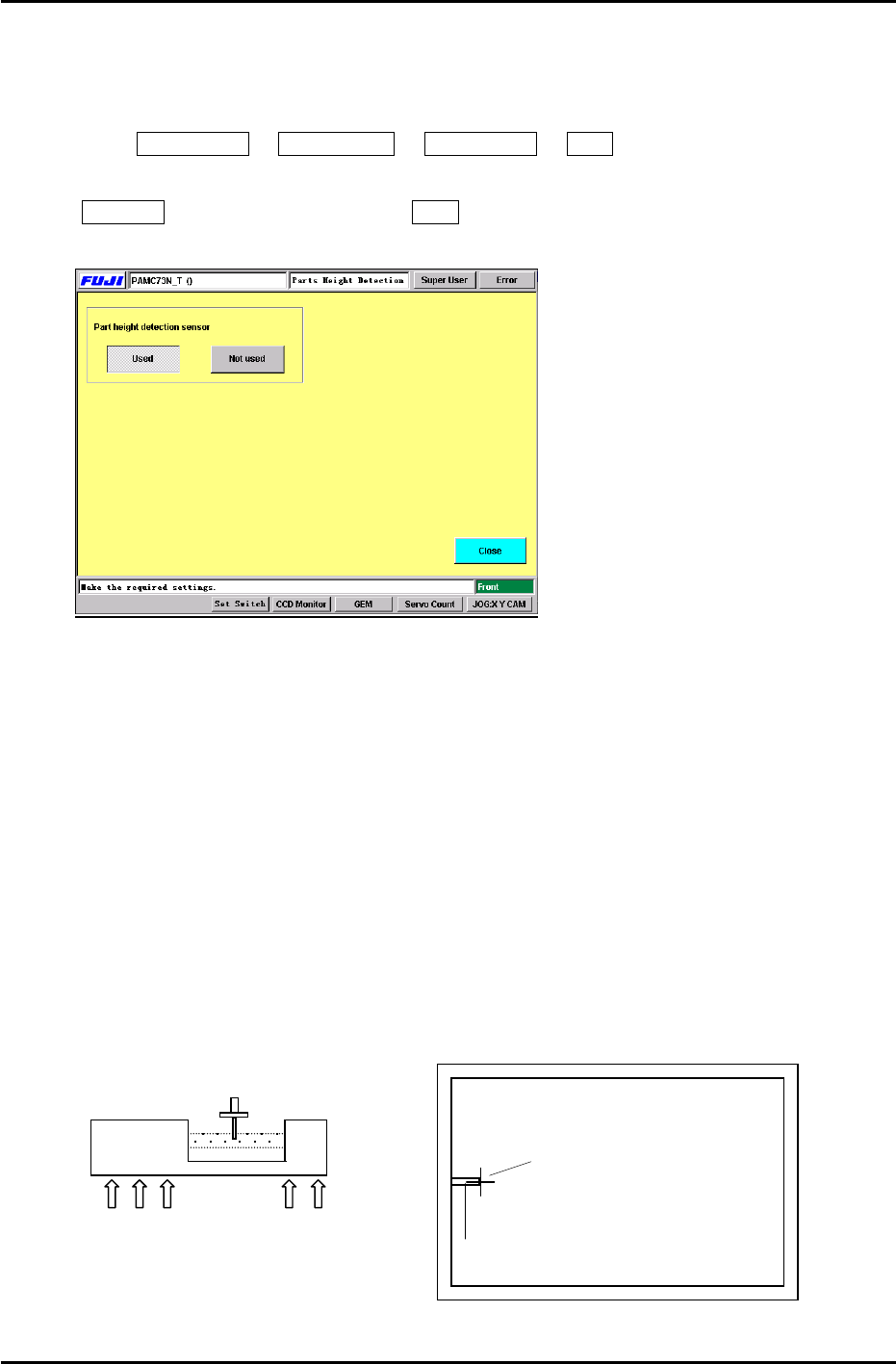
To enable the “Parts Height” check function, enter the following commands:
Press: Maintenance Æ Configuration Æ Parts Height Æ Used
Note: When re- installing the system software, the default setting is automatically set to
Not Used. Therefore, be sure to set to Used after installing the system software.
Figure 2
10.1.2 Sensor Head Alignment
Follow the procedure below in order to align the nozzle and sensor head appropriately.
1. Connect a portable TV monitor to the output jack on the right side of the controller unit.
2. Place the ”A” shaft at the 6
th
station [parts thickness confirmation sensor] with a 0.7mm
nozzle and set the cam angle to 197 degrees.
3. To display the nozzle image on the monitor, press: [MODE](LED ON) on the sensor amplifier.
Loosen the 5 mounting bolts (Fig.3) for the sensor head (under the cutter plate) and adjust so
the nozzle appears at the left side center of the monitor. (Fig.4)
4. Tighten the mounting bolts using a 3.9Nm torque wrench.
5. Press [MODE] once more Æ [INSPECT], the crosshairs will appear on the display, check
the nozzle center position. Repeat step 3 if the nozzle image is not centered properly.
Nozzle Image
Portable Monitor
Crosshairs
Sensor Head
5 x 3mm Mounting Bolts
Figure 3
Figure 4
Fuji Machine Mfg. Co., Ltd. Okazaki
SMT Equipment Quality Assurance Dept.
CS Section
10-2