CP7 training(6.0) (1).pdf - 第56页
FK-9F98-27 CP-7 Series T raini ng T ext for Service Engineers Edition 6.0 Chapter 4. S tation Adjustment [7/28] 6. Set the sensor amp to D-ON. Figure 12 7. Set the mode switch to SET . 8. Press the tuning button once whe…
FK-9F98-27 CP-7 Series Training Text for Service Engineers
Edition 6.0 Chapter 4. Station Adjustment [6/28]
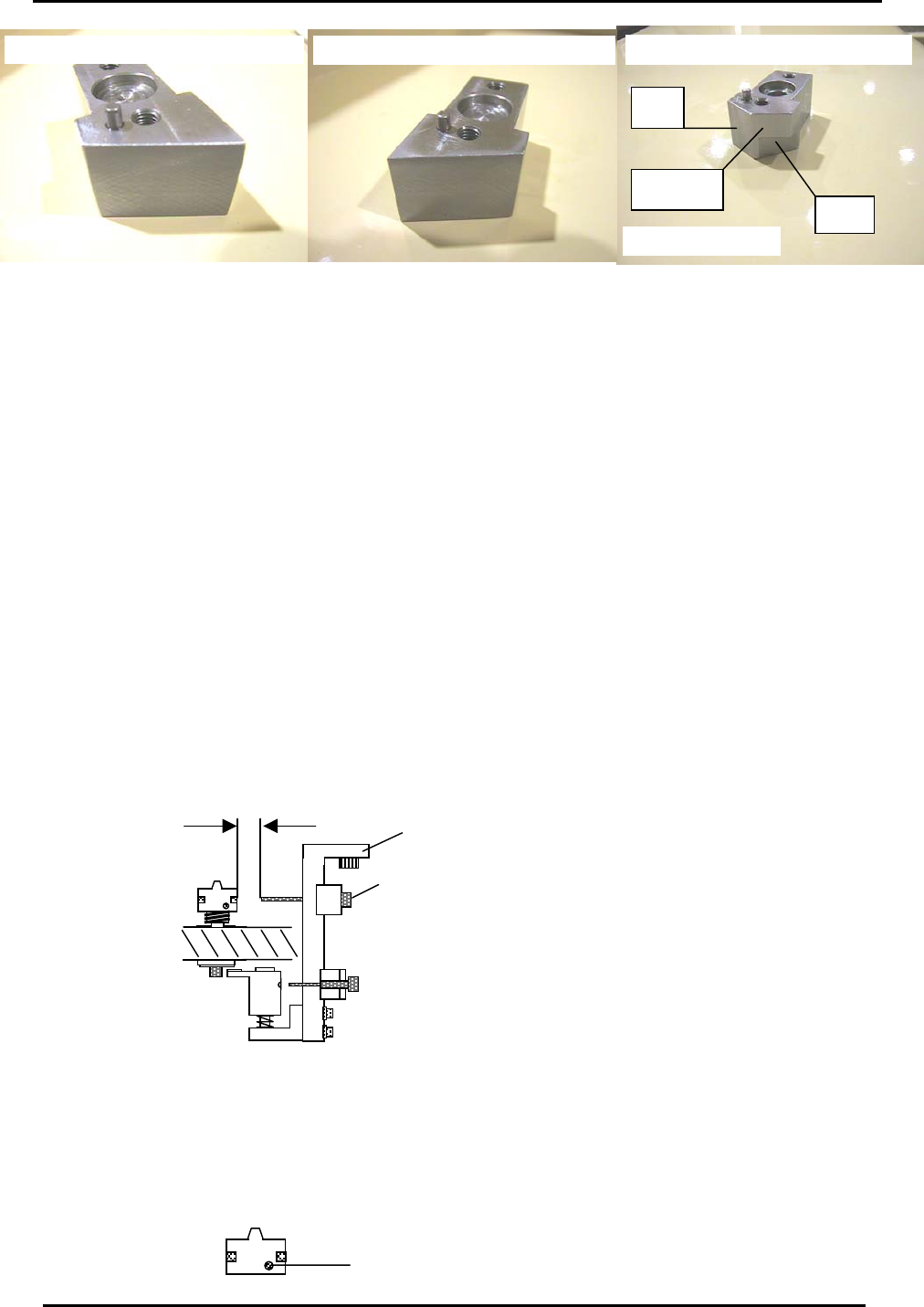
Common Jig for stations 2, 3, 8 and 10
Jig No. ADCPJ8232
FQ
PQ + RQ
RQ and PQ Ori
g
in Ji
g
. Ji
g
No DCPJ0200
St 3
FQ Ori
g
in Position Ji
g
. Ji
g
No DCPJ0200
Figure 10
4. Confirm that the ”A “ shaft assembly is properly aligned, then place the relevant jig on shaft A.
5. The origin position of each station should be measured at 200 degrees. When rotating the cam
with a jig attached, ensure the jig does not interfere with neighboring shafts.
6. Use a dial gauge on the X or D axis to find the origin position of PQ, FQ & RQ. The origin position
Calibration Data should be within 0 +/- 500 pulses. At first, rotate the axis to zero pulses and then
align with the jig.
7. Once the origin position is established, input the Calibration Data by performing the following
commands:
Press: [Maintenance] → [Calibration] → [Origin Pos Offset] → [PQ], [FQ], or [RQ] → [Set].
8. Finally, receive the Calibration Data to the host PC.
4.7 10
th
Station Origin Position Sensor Adjustment
1. Select a shaft with an average stroke amount (mid-shaft).
2. Set a gap of 5mm between the nozzle origin sensor and the clutch head by moving the fiber
sensor in or out.
Nozzle O
5mm
ri
g
in Senso
r
Bracket 1
Figure 11
3. Set the RQ pulse count to the RQ Original Position as measured in step 4.6.
4. Engage the mid-shaft with the 10
th
station at 200 degrees.
5. Align the fiber sensor beam in the center of the nozzle origin hole by adjusting bracket 1.
A
li
g
n in the cente
r
Fuji Machine Mfg. Co., Ltd. (Okazaki)
SMT Equipment Quality Assurance Dept.
CS Section
4-6
FK-9F98-27 CP-7 Series Training Text for Service Engineers
Edition 6.0 Chapter 4. Station Adjustment [7/28]
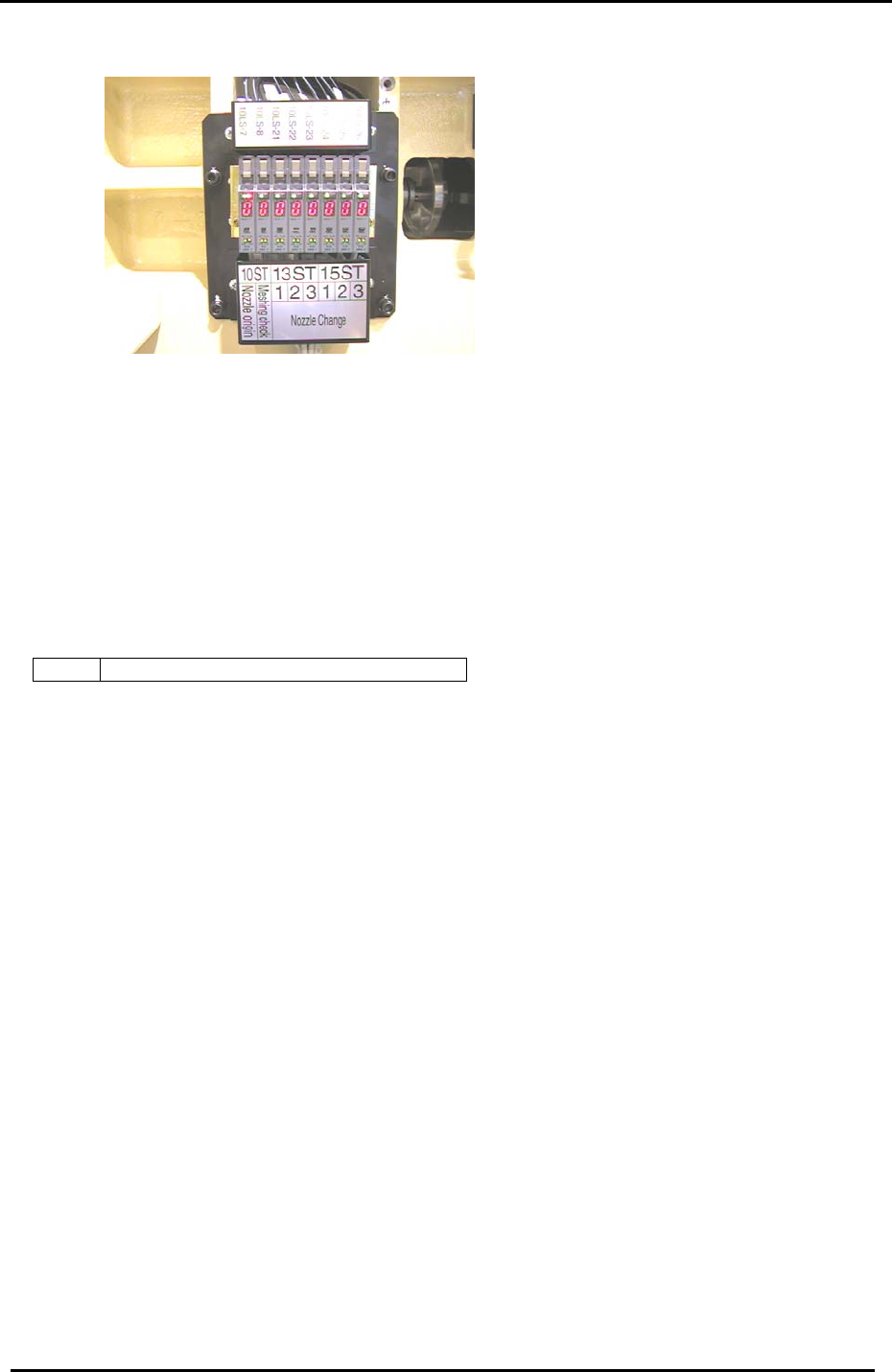
6. Set the sensor amp to D-ON.
Figure 12
7. Set the mode switch to SET.
8. Press the tuning button once when the beam is in the center of the nozzle origin hole.
9. Rotate the shaft until the beam is away from the hole and focused on the clutch itself. Press the
tuning button one more time and set the mode switch to run.
10. Check to confirm that the amplifier reads 0 when the beam is focused on the center of the hole
and 9 when focused elsewhere on the clutch.
11. Confirm sensor operation using the I/O:
<I/O → Standard → IN>
X039 ST10 NOZZLE CLUTCH ORIGIN POS.
Fuji Machine Mfg. Co., Ltd. (Okazaki)
SMT Equipment Quality Assurance Dept.
CS Section
4-7
FK-9F98-27 CP-7 Series Training Text for Service Engineers
Edition 6.0 Chapter 4. Station Adjustment [8/28]
4.8 10
th
Station Clutch Engagement Check Sensor
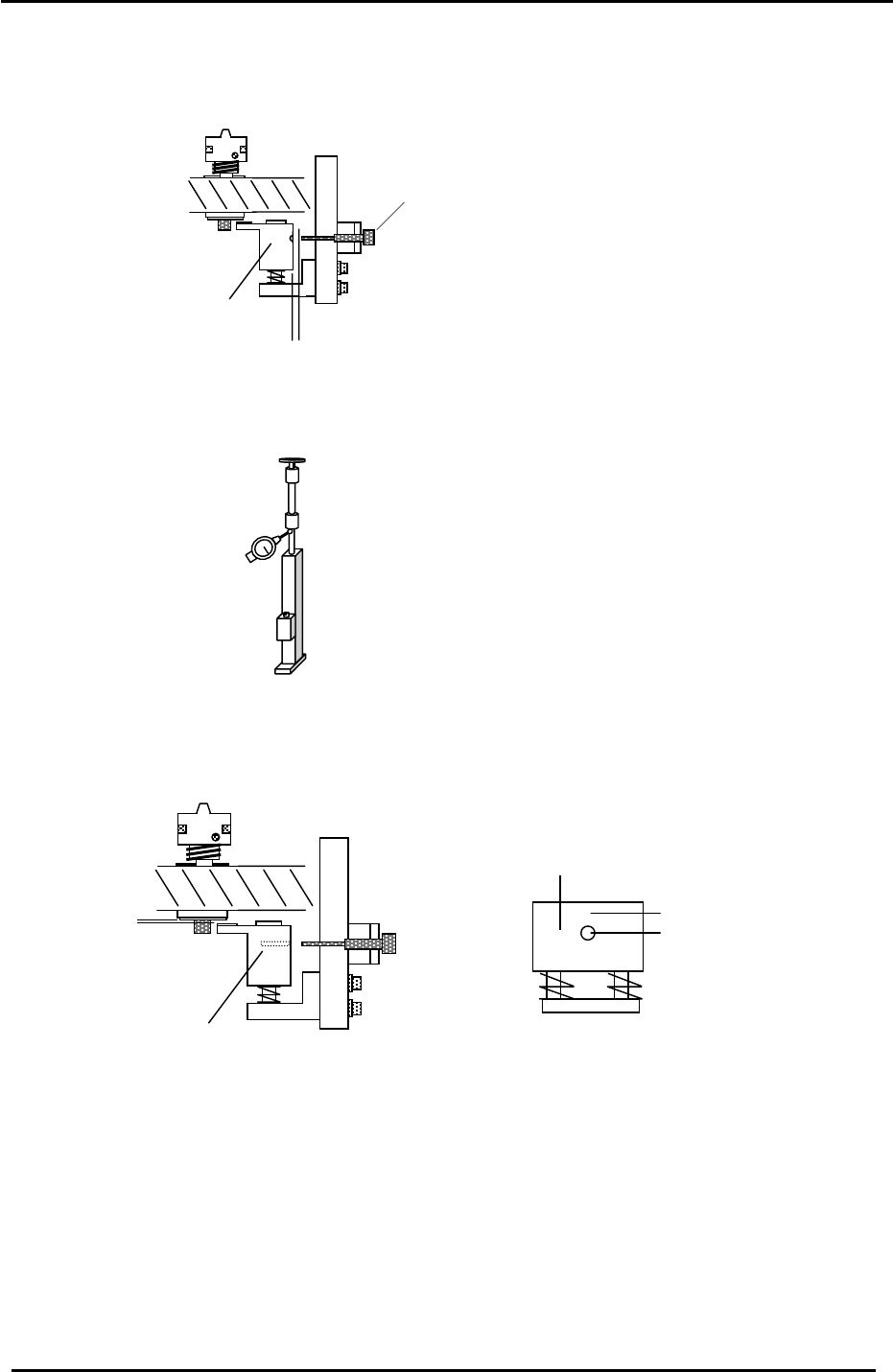
1. Set the clearance between the fiber sensor and the meshing check block to 1mm.
2. Set a dial gauge on the low-shaft as illustrated in the diagram below:
Meshing Check Block
Meshing Check Sensor
1mm
Figure 13
3. Set the clearance between the clutch underside (when it is properly engaged) and the meshing
check block to 0.2mm by adjusting bolts “A” shown in figure 14. Measure the clearance by
depressing the shaft until you feel it make contact with the meshing check block.
Meshing Check Block
“A”
Figure 14
0.2mm
Meshing Check Block
A
mplifier displays 9 here
A
mplifier displays 0 here
4. Adjust the fiber sensor bracket so that the sensor aligns with the through hole in the meshing
check block.
5. Set the sensor amplifier to L-ON and set the mode switch to SET.
6. Make sure the shaft is correctly engaged, then press the tuning button once; (at this point the
beam is centered in the hole).
7. Disengage the shaft from the 10
th
station clutch so that the top of the shaft and the station clutch
are not aligned. Press the tuning button one more time; (at this point the beam is focused above
the hole).
Fuji Machine Mfg. Co., Ltd. (Okazaki)
SMT Equipment Quality Assurance Dept.
CS Section
4-8