222085 Issue 1 - Horizon APiX Appendix Manual.pdf - 第14页
OPERATOR APPENDIX TRI COLOUR BEACON Chapter Issue 1 June 15 Appendi x to Micron Technical Manuals 1.3 TRI COLOUR BEACON The beacon indicates the operational st atus of the machine: Beacon Colou r Operationa l St atus Mac…
OPERATOR APPENDIX
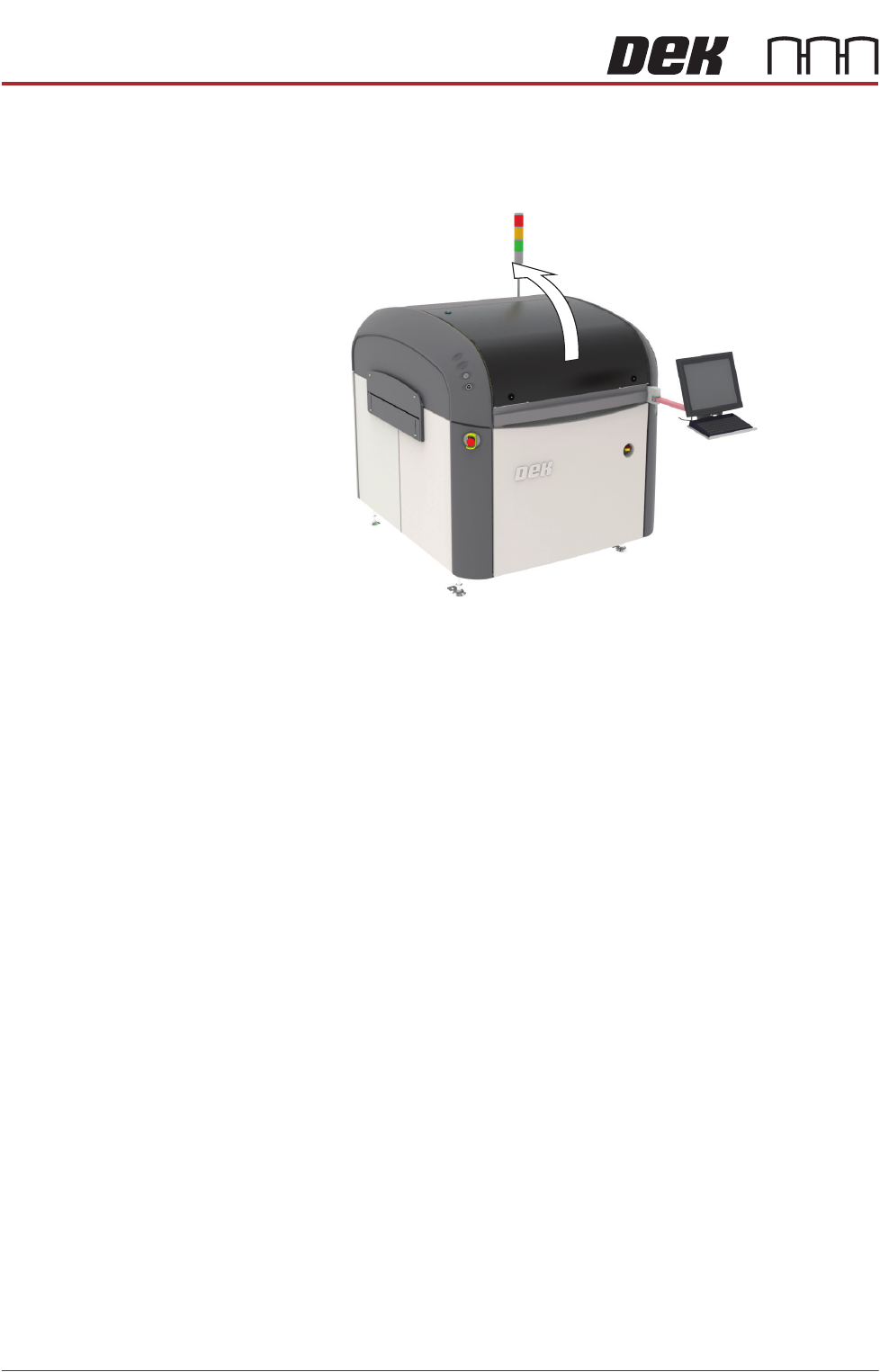
PRINTHEAD COVER
1.2 Appendix to Micron Technical Manuals Chapter Issue 1 June 15
PRINTHEAD COVER
Raising the printhead cover suspends operation of the machine to allow the
operator safe access to the tooling area.
Safety Devices The safety devices designed into this machine are for the protection of all
operator and maintenance personnel. ASM strongly recommend safety
devices are never overridden.
OPERATOR APPENDIX
TRI COLOUR BEACON
Chapter Issue 1 June 15 Appendix to Micron Technical Manuals 1.3
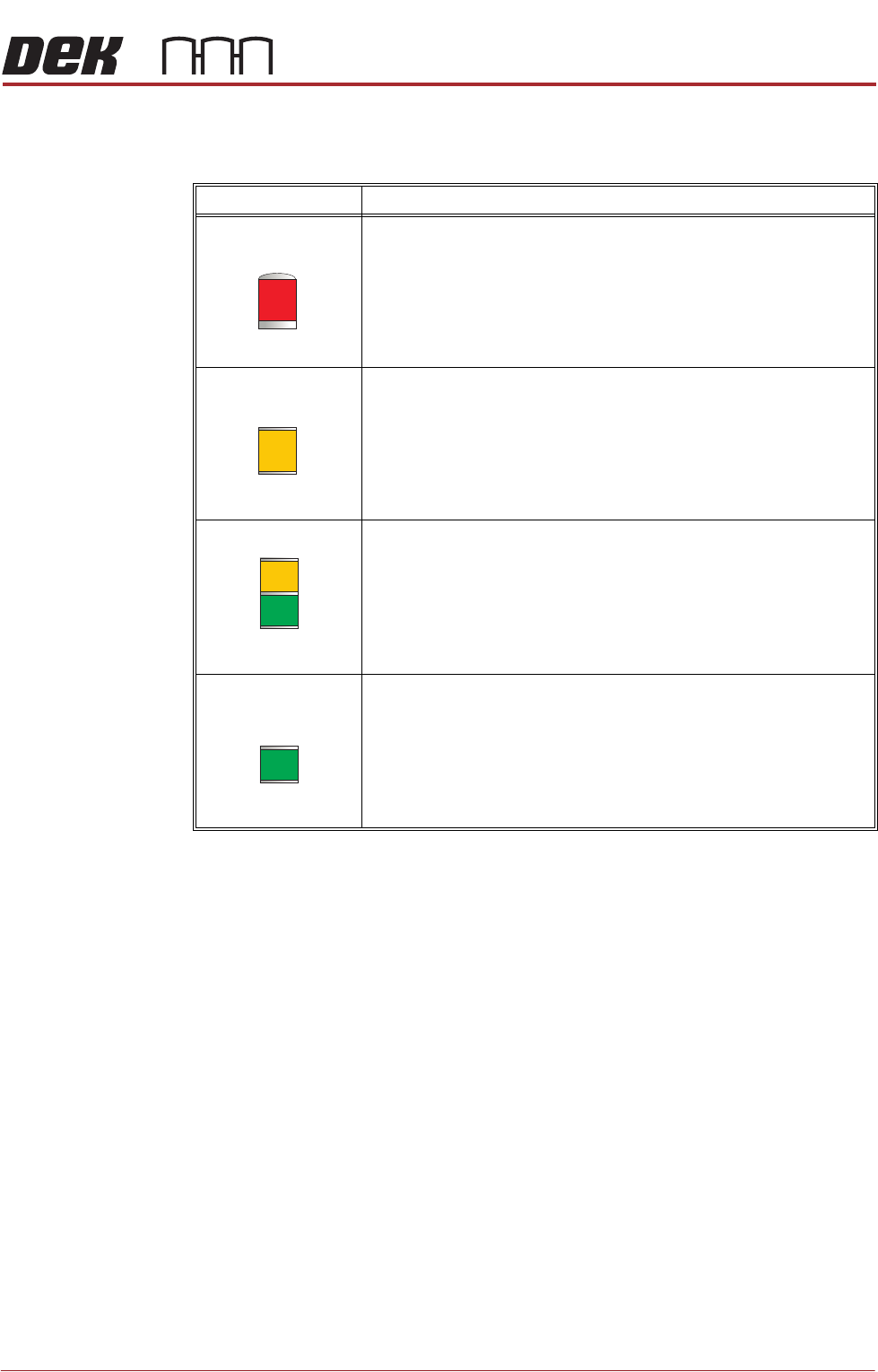
TRI COLOUR BEACON
The beacon indicates the operational status of the machine:
Beacon Colour Operational Status
Machine is not operational
System power is down
Error message displayed
Paste cartridge is low
Paper roll is empty
Solvent tank level is low
Machine is not in a ready state
Machine is initialising
Machine is in set up mode
Machine is in maintenance mode
Machine requires operator attention
Paste cartridge is low
Paper roll is low
Solvent tank level is low
Machine is operational
Machine is waiting in a ready state
OPERATOR APPENDIX
MACHINE OVERVIEW
1.4 Appendix to Micron Technical Manuals Chapter Issue 1 June 15
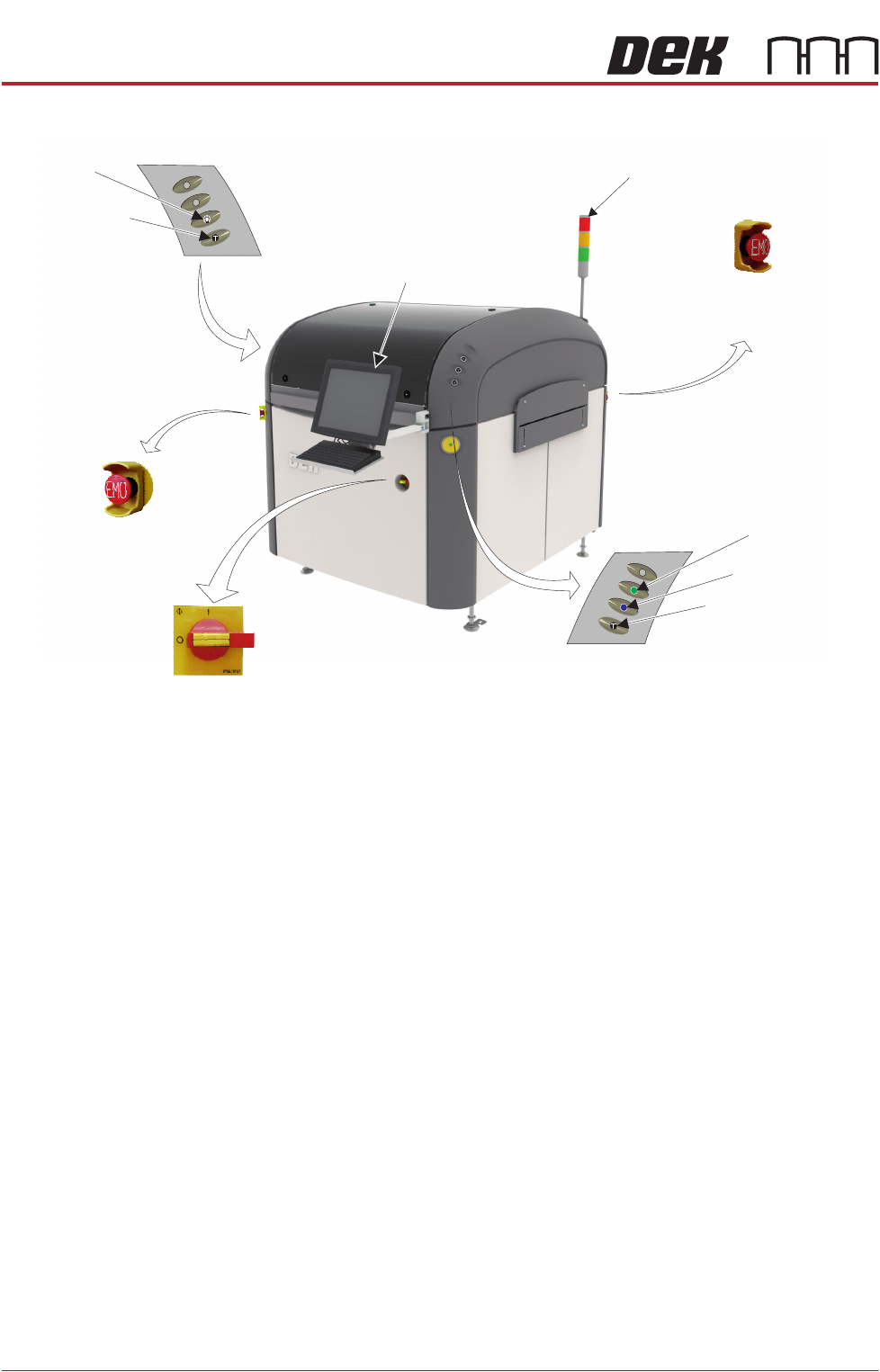
MACHINE OVERVIEW
NOTE
The monitor could be sited on either side of the machine front panel, dependant
on customer confguration. The front panel EMO button is always sited on the
opposite front panel to the monitor (i.e. monitor sited left-hand front panel - EMO
button sited right-hand front panel).
Tricolour Beacon
Monitor
Emergency
Machine Off Button
Emergency Machine Off Button
(at rear of machine)
View on Front of Machine
Two Button Control
Internal Light
Two Button Control
Mains Isolator
System Button
Start Button