TR7600 SIII_Operation_en_v_2_0_2 - 第20页
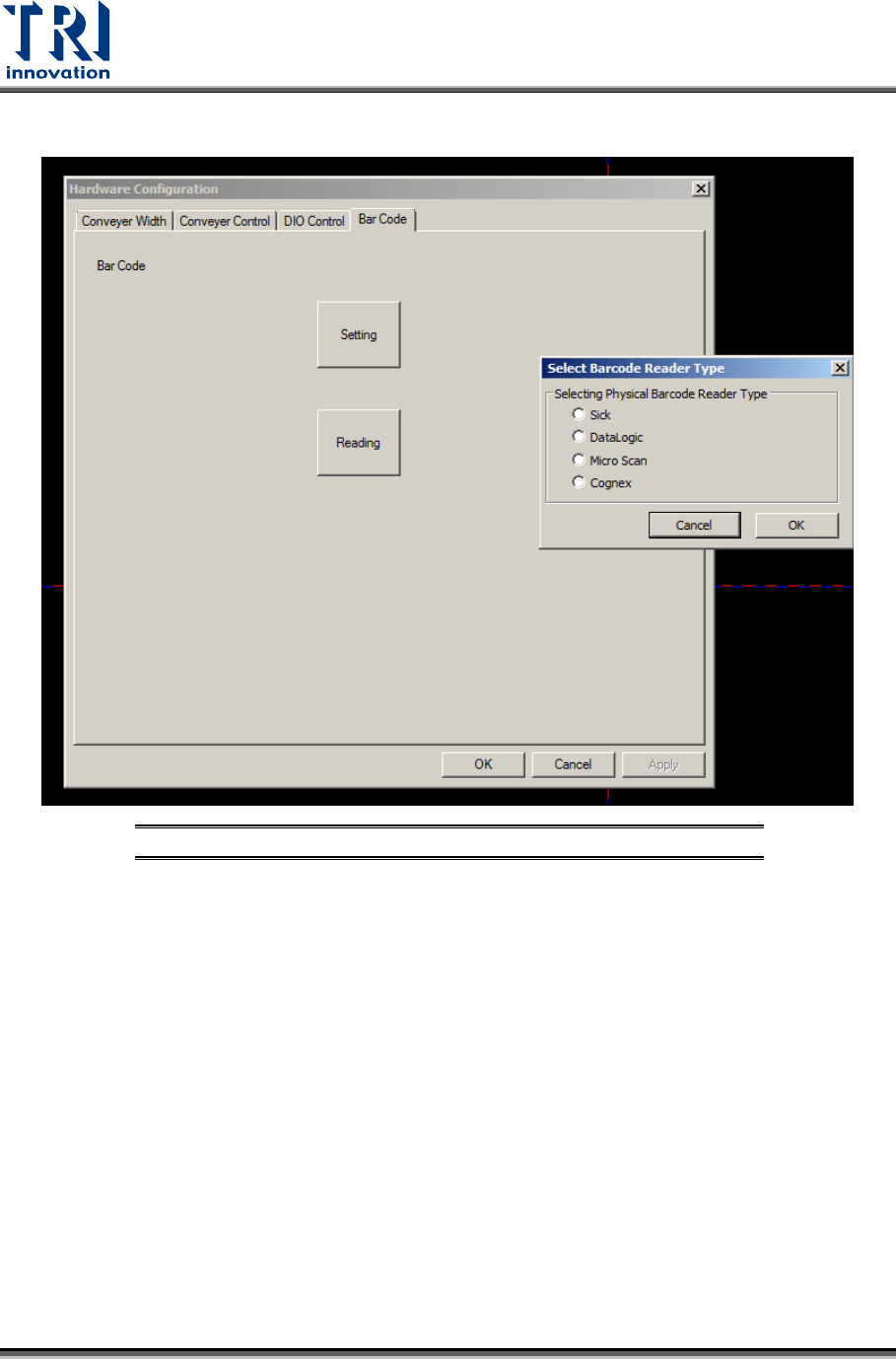
Test Research, Inc. 12 TR7600 SI II Series User G uide – Op eration 2) Barcode scanner para meters can be set in [Uti lity/Hardware Configuration/Barcode]. Figure 18: Barcode Setting
Test Research, Inc.
TR7600 SIII Series User Guide – Operation 11
2.7 Other Settings
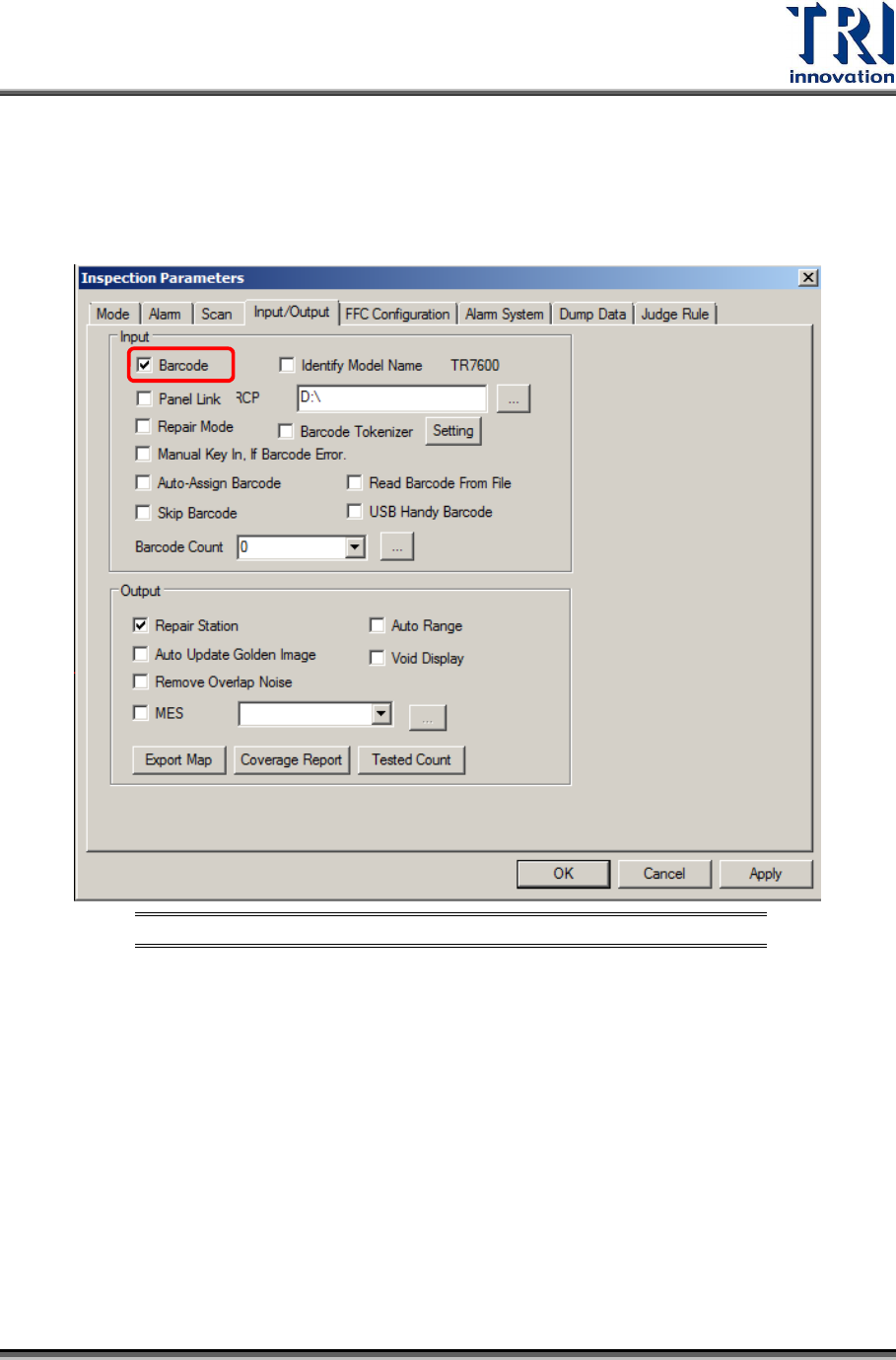
2.7.1 Enable Barcode Reader
1) Checking [Inspect/Parameters/Input/Output/Enable Barcode] enables the fixed barcode
to scan barcodes.
Figure 17: Enable Barcode
Test Research, Inc.
12 TR7600 SIII Series User Guide – Operation
2) Barcode scanner parameters can be set in [Utility/Hardware Configuration/Barcode].
Figure 18: Barcode Setting
Test Research, Inc.
TR7600 SIII Series User Guide – Operation 13
2.7.2 Link to Repair Station and MES
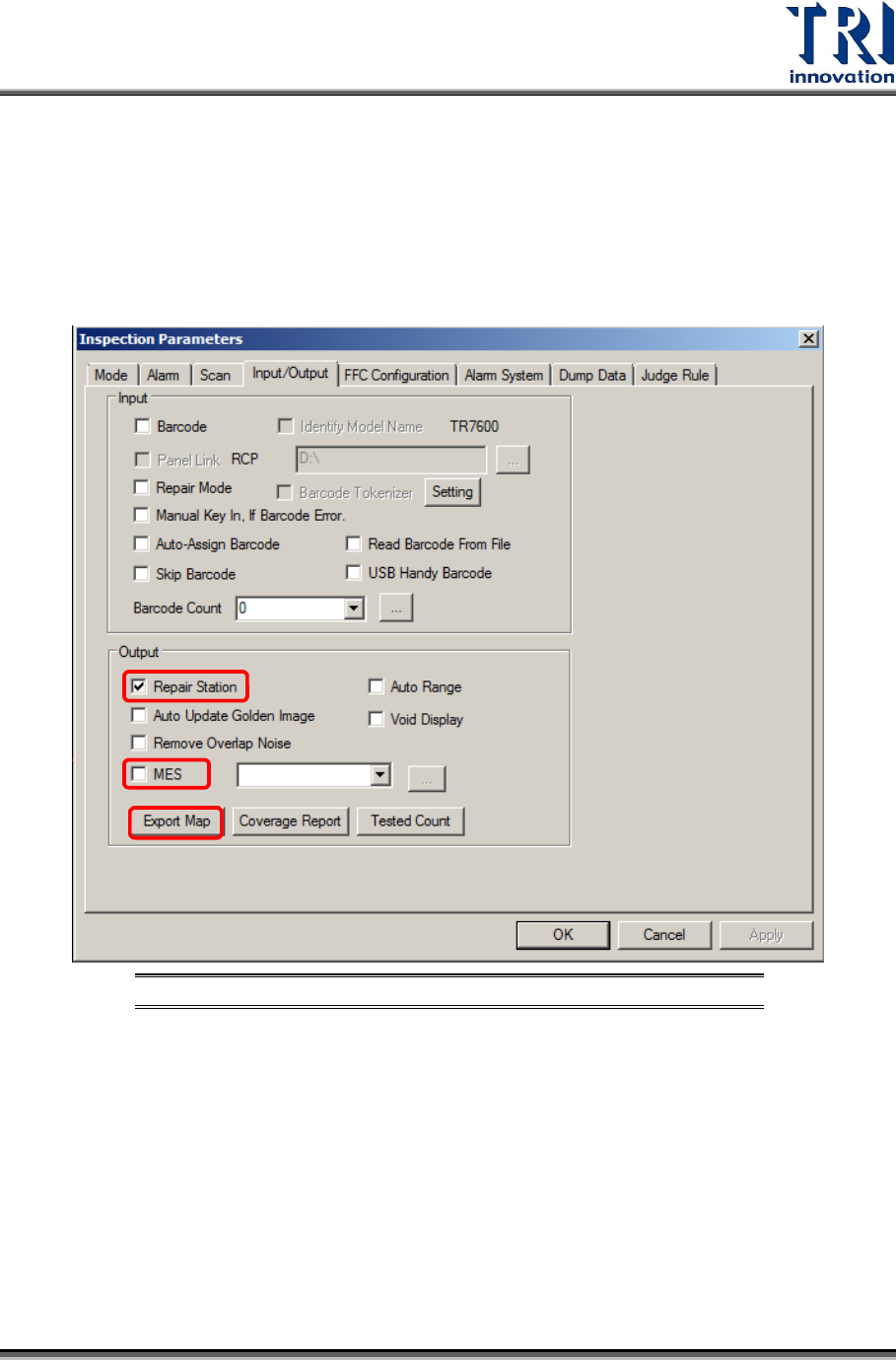
1) Check [Inspect/Parameters/Input/Output/Enable Repair Station], and then click [Export
map] to transfer the golden images to the Repair Station.
i. Repair Station Setting: Machine will export inspection result to RS through the “file
path” you set and buy-off by repair station.
ii. MES Setting: Machine is able to export MES file to the position you want.
Figure 19: Enable Repair Station and MES