00196577-03 JG S-Feeder Care Test Station EN.pdf - 第11页
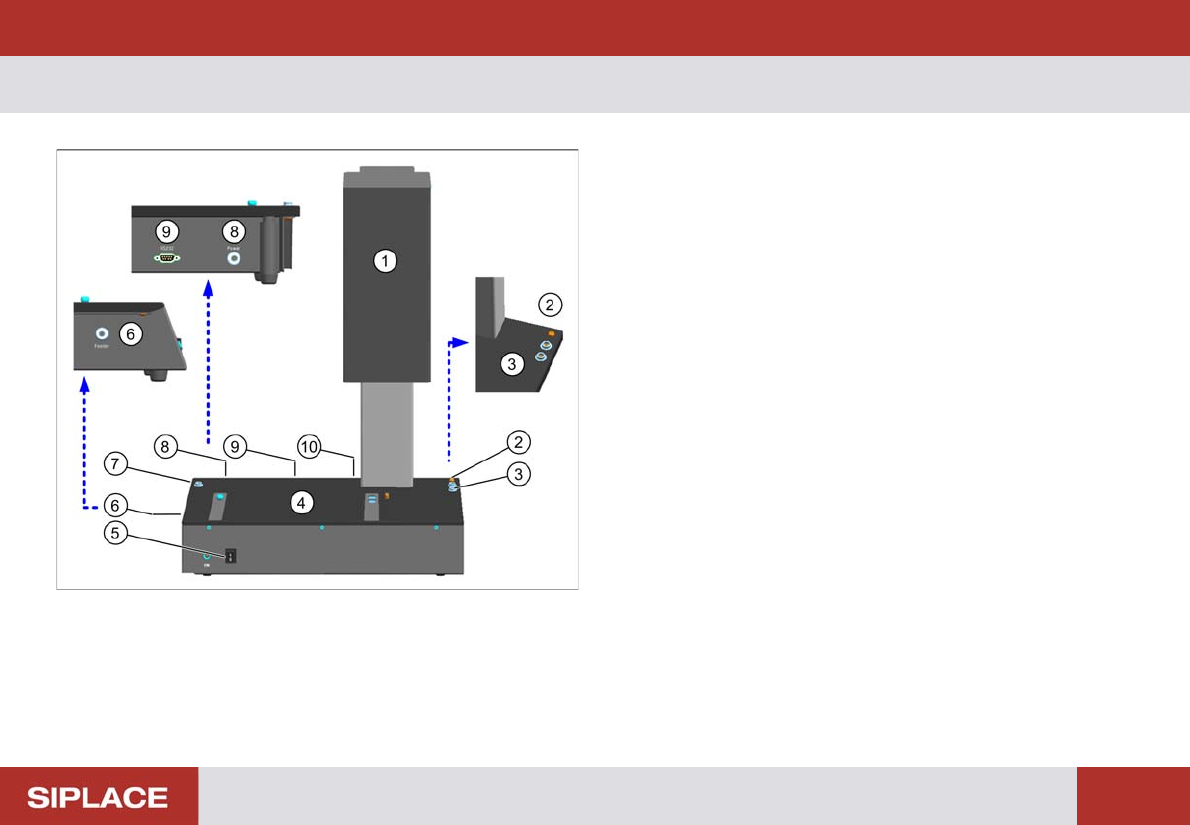
Introduction – Overview of Devices 11 – O v e r v ie w o f D e v ic e s S-Feeder Checking Device 1. Camera tower 2. Connection for device ground 3. Connection for ESD wristband 4. Contac t surfa ce for feeder 5. ON / OFF…
Introduction – Safety Instructions
10
CAUTION
Moving the testing device
Always carry the testing device by holding on to it at the left and right of the housing! The device for visual testing
(camera tower) is sensitive and NOT suitable for carrying the testing device.
Introduction – Overview of Devices
11
– Overview of Devices
S-Feeder Checking Device
1. Camera tower
2. Connection for device ground
3. Connection for ESD wristband
4. Contact surface for feeder
5. ON / OFF switch
6. Connection for feeder
7. Connection for ESD wristband
8. Connection for power supply
9. Serial port for communication
10. USB camera cable
Introduction – Contact Surface
12
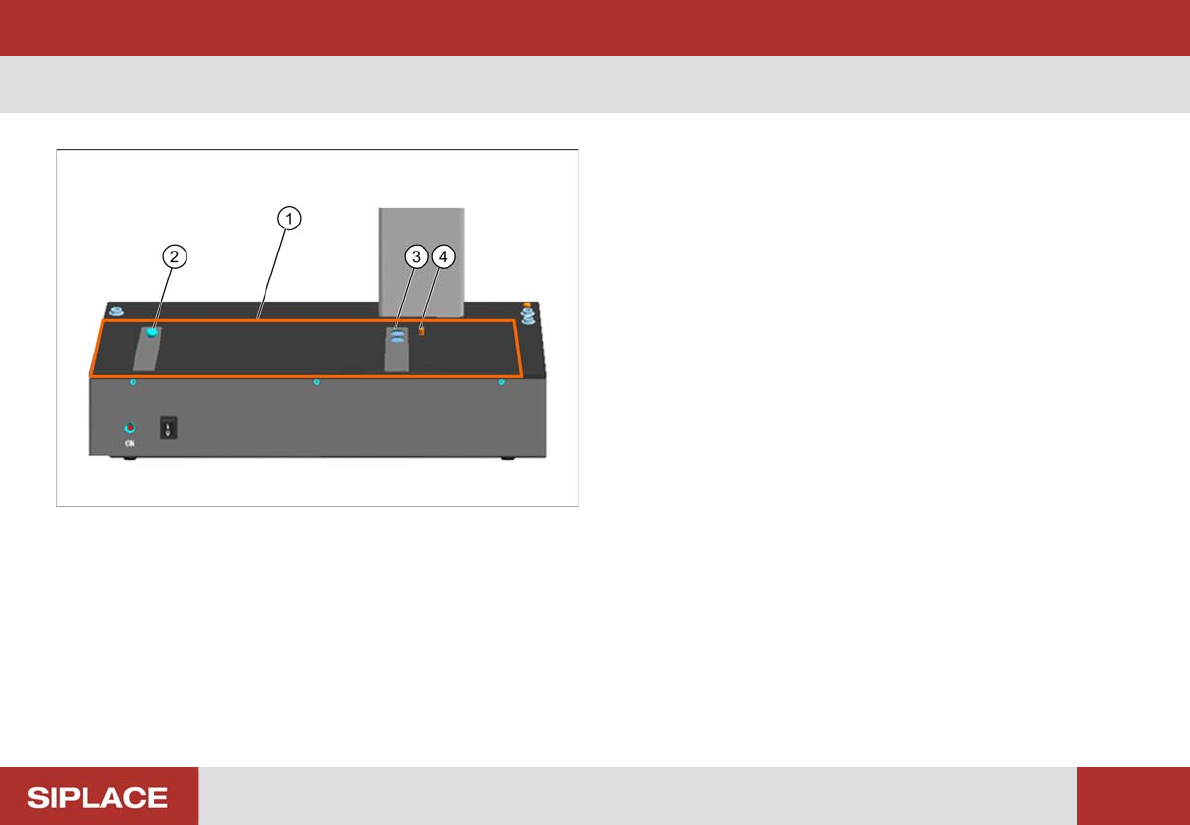
– Contact Surface
1. Contact surface for feeders
2. Calotte for positioning and fixing the feeder or the cali-
bration standard
3. Magnets for fixing the feeder or the calibration standard
4. Centering pin for positioning the feeder or the calibration
standard