00196577-03 JG S-Feeder Care Test Station EN.pdf - 第12页
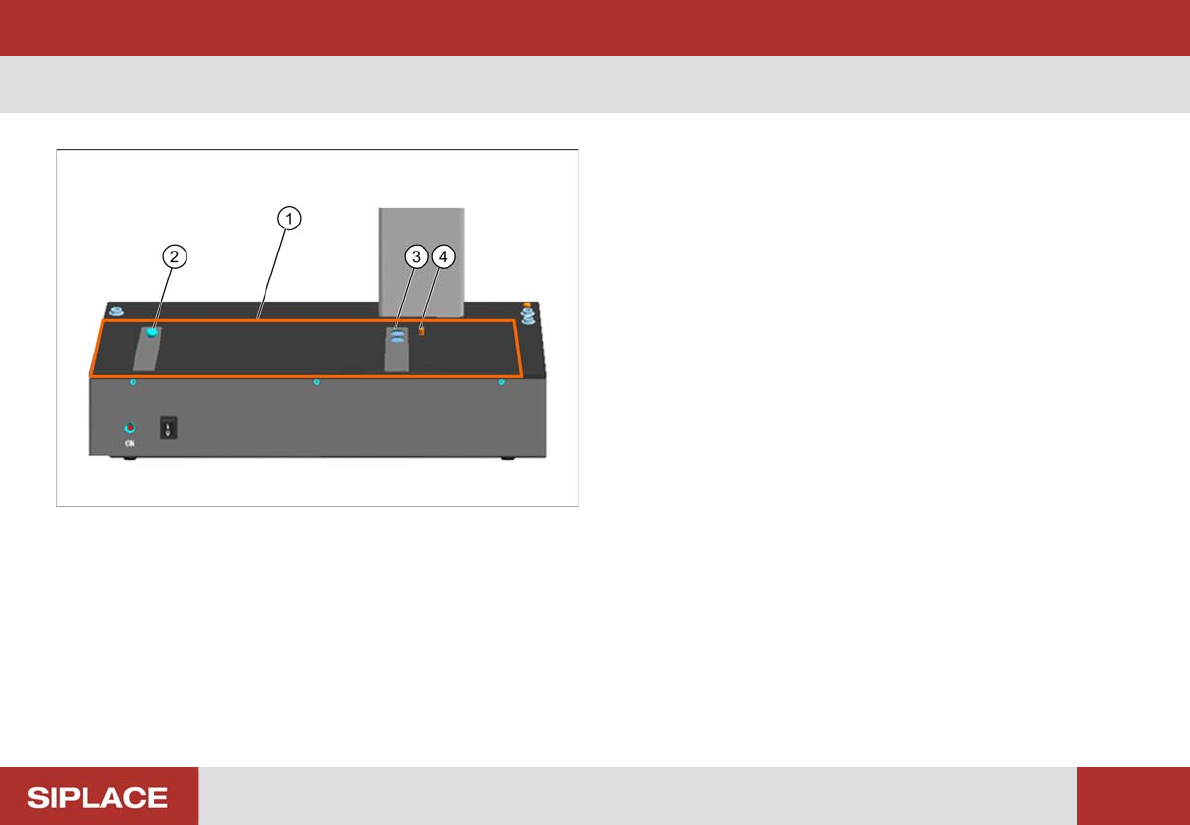
Introduction – C ontact Surface 12 – C o n t a c t S u r f a c e 1. Contac t surfa ce for feeders 2. Calotte fo r position ing and fixin g the feed er or the c ali - bration standard 3. Magnets for f ixing the feeder or …
Introduction – Overview of Devices
11
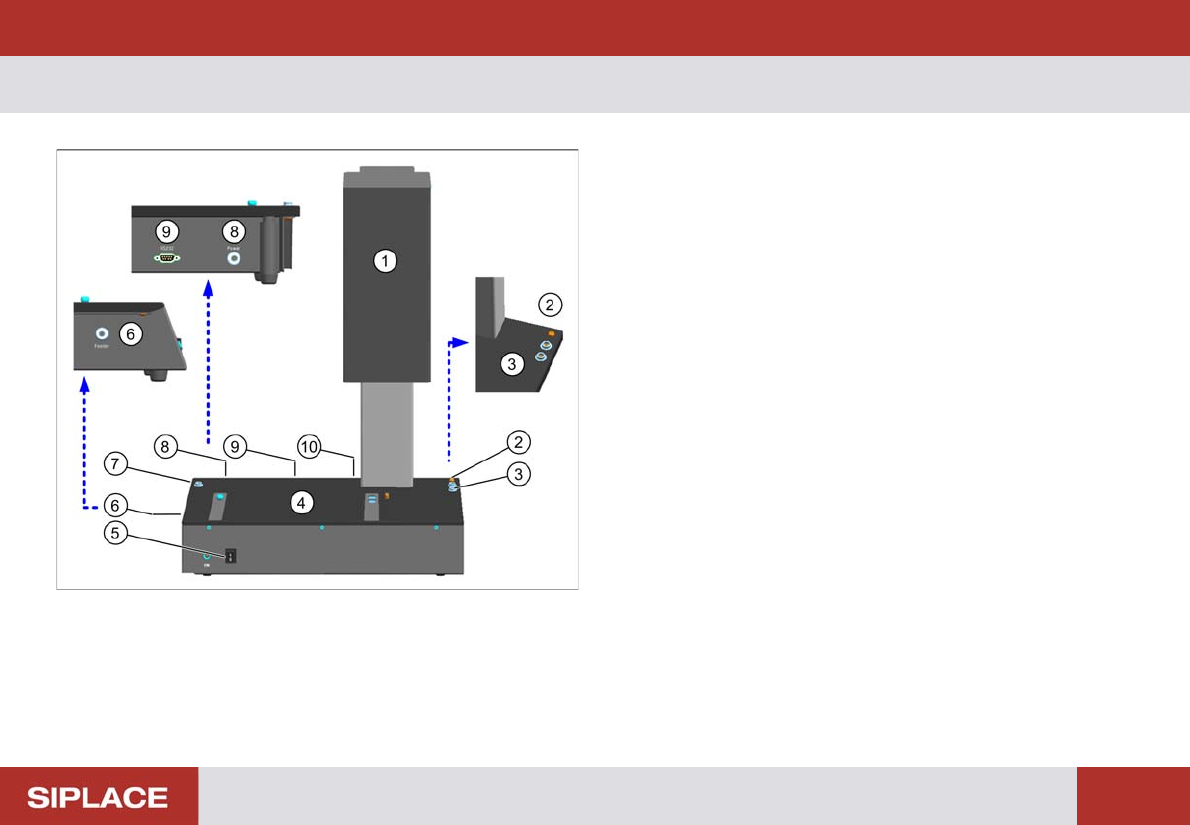
– Overview of Devices
S-Feeder Checking Device
1. Camera tower
2. Connection for device ground
3. Connection for ESD wristband
4. Contact surface for feeder
5. ON / OFF switch
6. Connection for feeder
7. Connection for ESD wristband
8. Connection for power supply
9. Serial port for communication
10. USB camera cable
Introduction – Contact Surface
12
– Contact Surface
1. Contact surface for feeders
2. Calotte for positioning and fixing the feeder or the cali-
bration standard
3. Magnets for fixing the feeder or the calibration standard
4. Centering pin for positioning the feeder or the calibration
standard
Preparations – Switching on the S Feeder Test Station
13
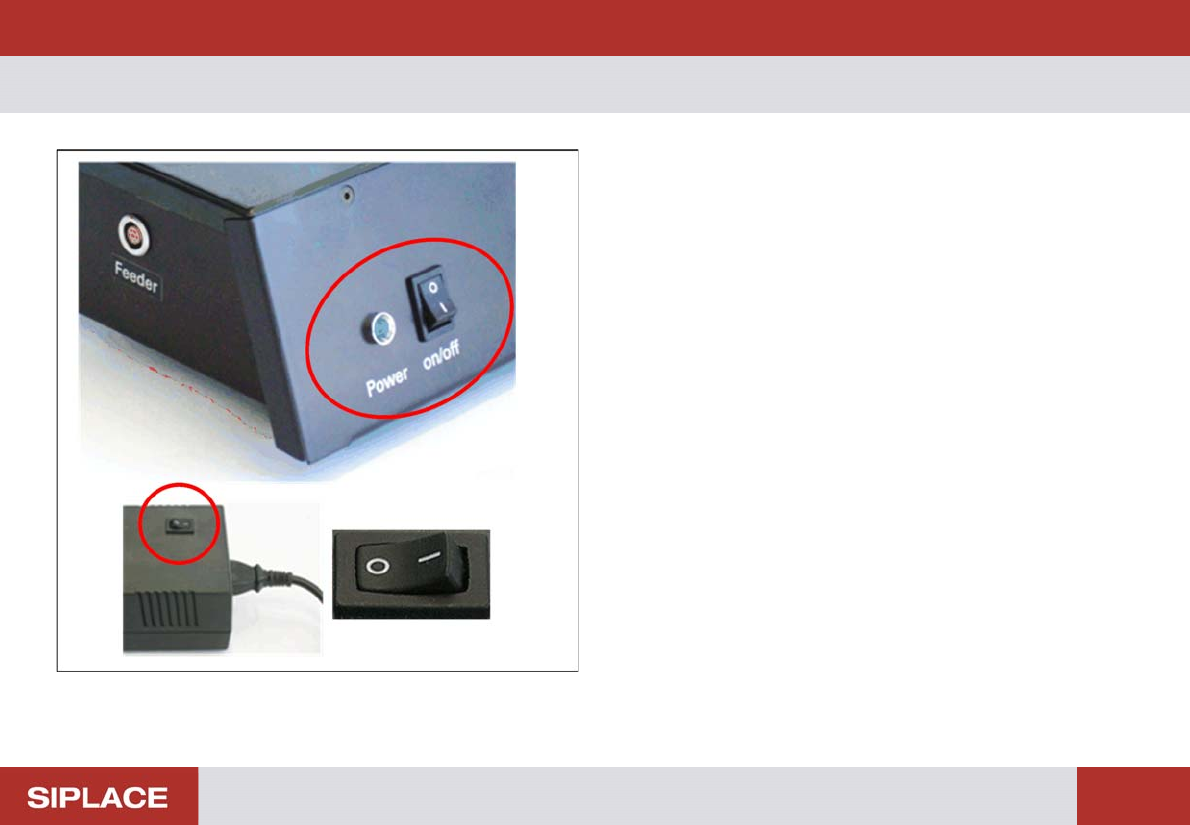
Preparations– Switching on the S Feeder Test Station
Switching the test station on
► Press the On/Off switch for the power pack.
► Press the On/Off switchfor the testing device.
The control lamp of the testing device will shine. The device
is now ready for operation.
Switching the testing device off
► Press the On/Off switch for the testing device.
The control lamp of the testing device will extinguish.
► Press the On/Off switch for the power pack.