00196577-03 JG S-Feeder Care Test Station EN.pdf - 第13页
Preparations – Switching on the S Feeder Test Station 13 P r e p a r a t io n s – S w it c h in g o n t h e S F e e d e r T e s t S t a t io n Switching the test s tation on ► Press the O n/Off switc h fo r the powe r pa…
Introduction – Contact Surface
12
– Contact Surface
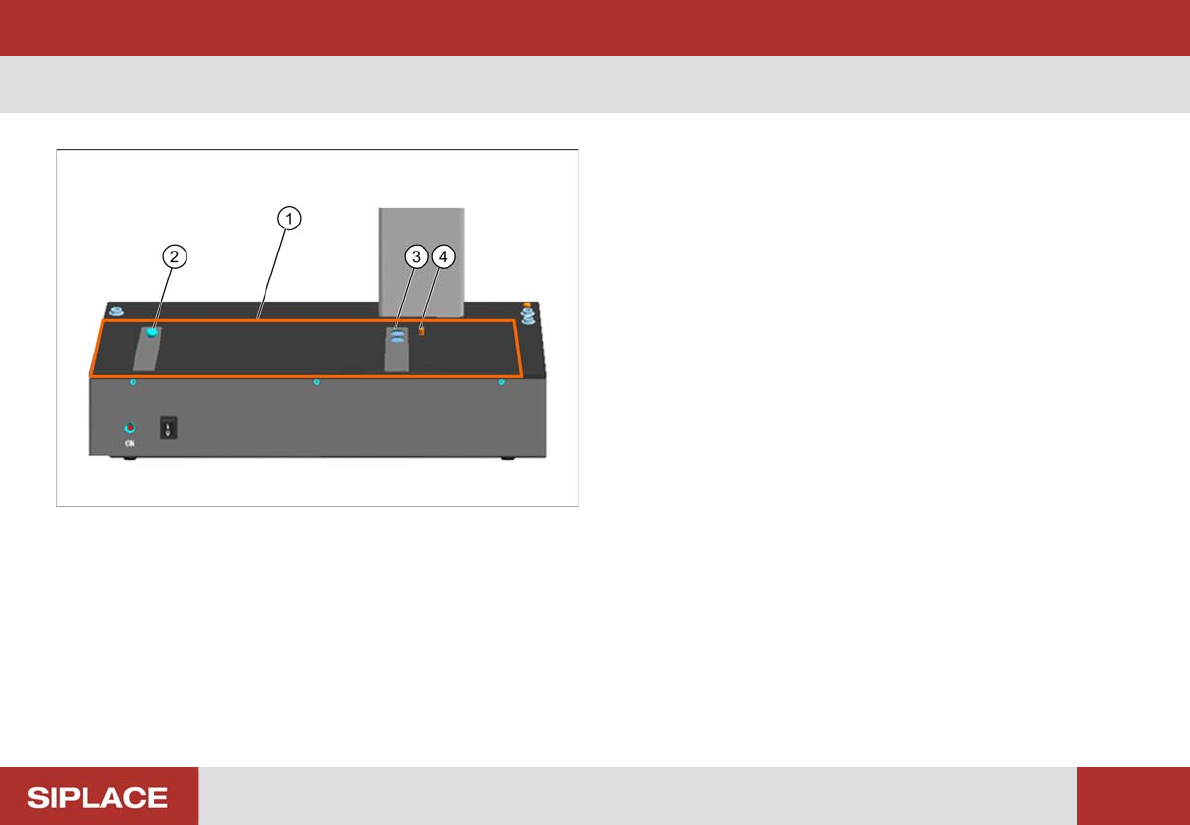
1. Contact surface for feeders
2. Calotte for positioning and fixing the feeder or the cali-
bration standard
3. Magnets for fixing the feeder or the calibration standard
4. Centering pin for positioning the feeder or the calibration
standard
Preparations – Switching on the S Feeder Test Station
13
Preparations– Switching on the S Feeder Test Station
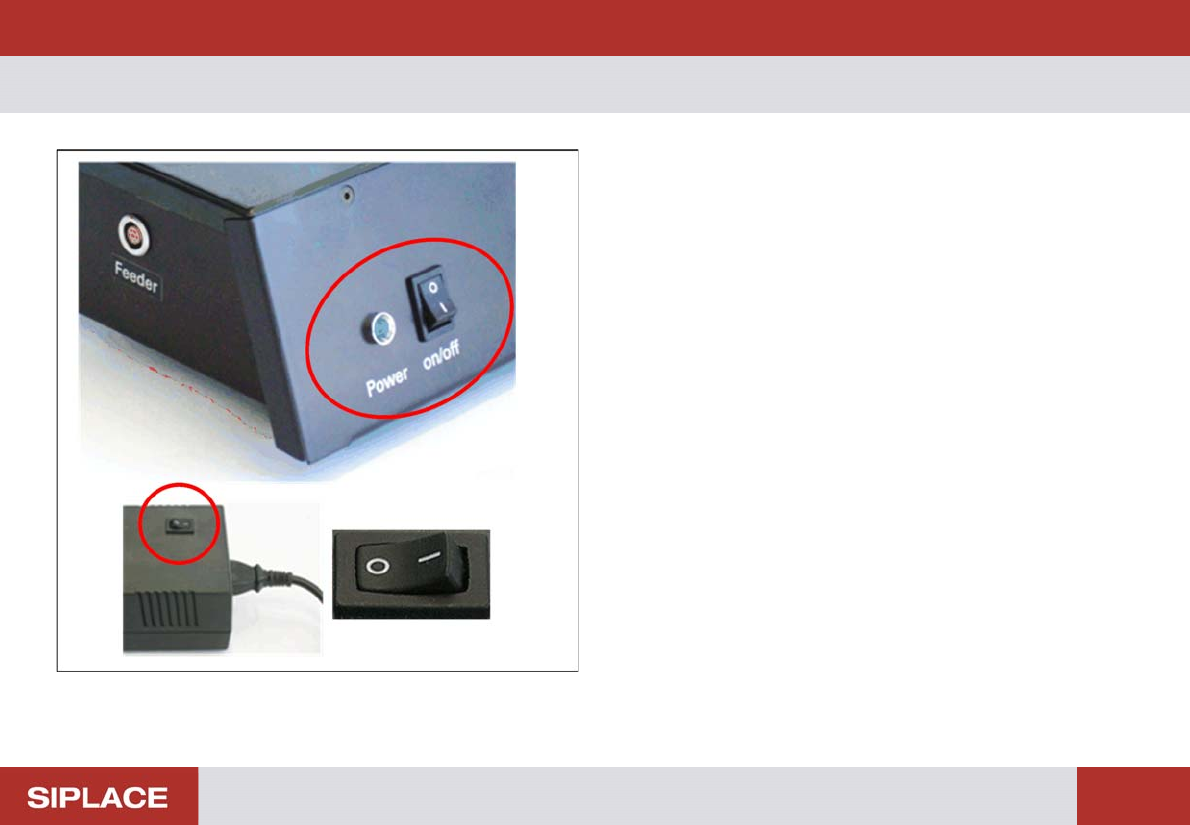
Switching the test station on
► Press the On/Off switch for the power pack.
► Press the On/Off switchfor the testing device.
The control lamp of the testing device will shine. The device
is now ready for operation.
Switching the testing device off
► Press the On/Off switch for the testing device.
The control lamp of the testing device will extinguish.
► Press the On/Off switch for the power pack.
Preparations – Starting the Program
14
– Starting the Program
NOTICE! Before you start the software, make sure
that the has been completely connected to your PC and the
power supply.
S-Feeder Checking Device
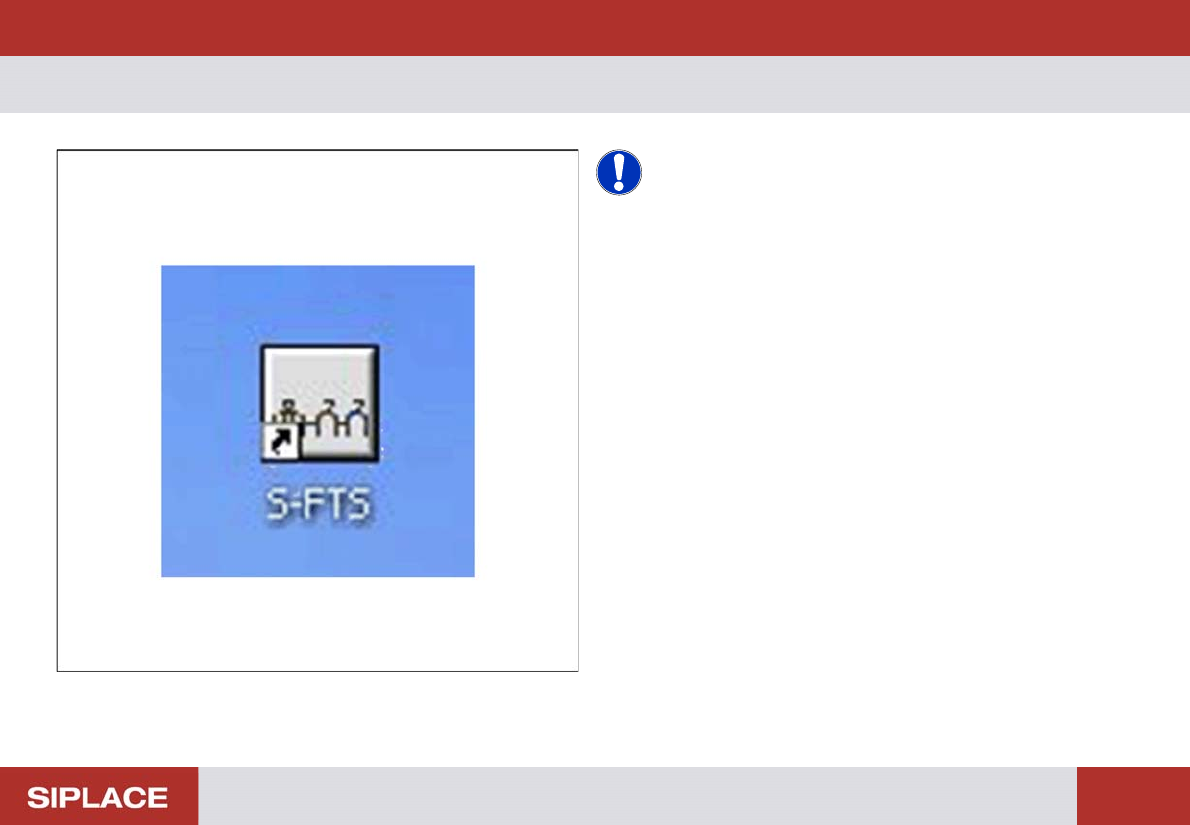
► To start the S-Feeder test software, click S-FTS icon (S-
Feeder Test Station).
You will see the main window of the test software.