00196577-03 JG S-Feeder Care Test Station EN.pdf - 第18页
Performing the Test – Fitting the Feeder 18 – F it t in g t h e F e e d e r NOTICE Before you fit the feeder: Clean the contact surfa ce of the testing device and the undersi de of the feeder with a clean , lint-free clo…
Performing the Test
17
Performing the Test
When testing the feeders, always perform the individual steps in the following order:
▪ Precondition: the computer, power pack and
S-Feeder Checking Device
are switched on; the
S-Feeder Test Station
software has started.
1. Place the feeder on the contact surface of the
S-Feeder Checking Device
and connect it.
2. Select the feeder type in the software.
3. Alter the pickup position on the feeder if necessary.
4. Set the pitch of the track(s) to be tested to 4 mm.
5. Insert the metal test tape into the track(s) to be tested.
6. Test the feeder.
7. Evaluate the test result and save if required.
8. Automatic tape ejection.
9. Remove the feeder from the contact surface of the
S-Feeder Checking Device
.
NOTICE
Test requirement
The feeders should have reached approximately ambient temperature before performing the test.
Performing the Test – Fitting the Feeder
18
– Fitting the Feeder
NOTICE
Before you fit the feeder:
Clean the contact surface of the testing device and the underside of the feeder with a clean, lint-free cloth and re-
move any foreign bodies. If necessary, clean the contact surface of the feeder with a dressing stone.
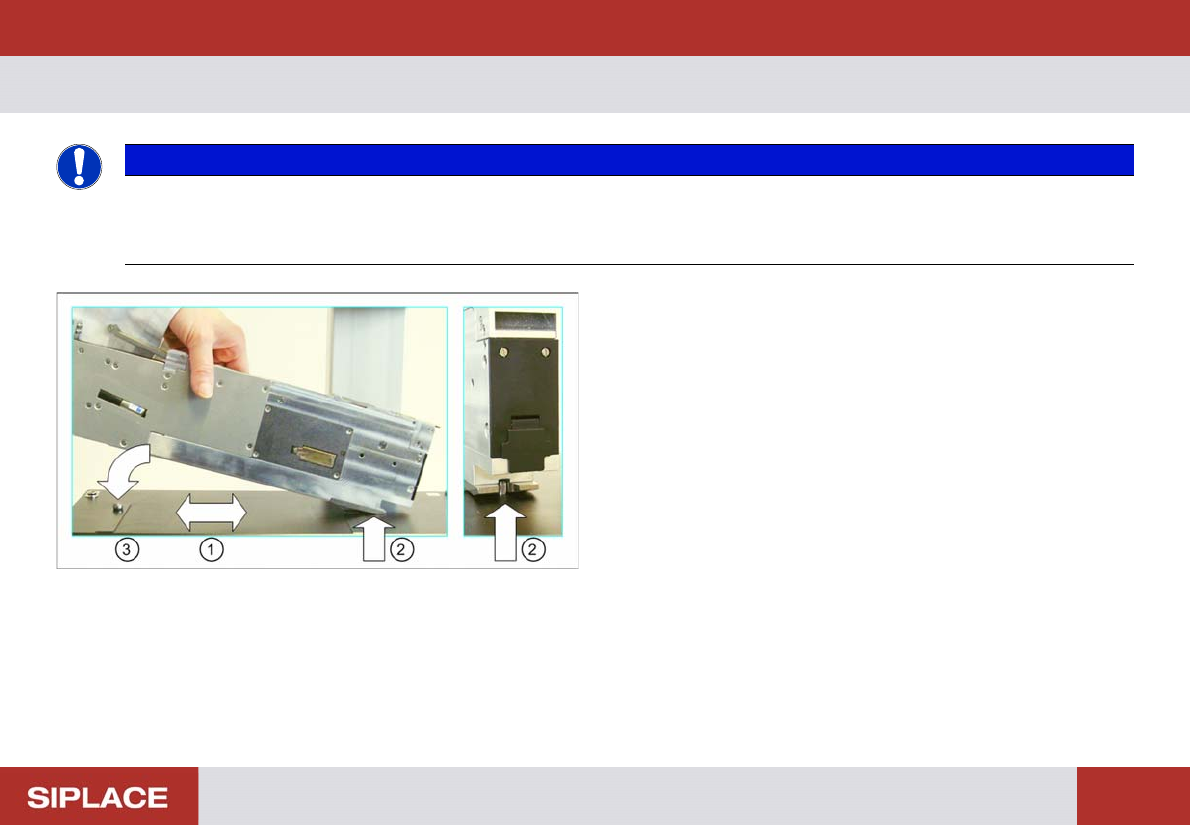
► Fit the feeder onto the contact surface (1) from the left
and make sure that it engages with the centering pin (2).
Also make sure that the feeder does not hit the camera.
► Lower the feeder at the back, over the calotte (3) and let
it engage there.
The feeder is held in its position on the contact surface by
the centering pin, the magnetic plate and the calotte.
► Check whether the feeder is positioned stably on the
contact surface.
If not, you will be unable to correctly measure the posi-
tion of the teeth.
Performing the Test – Connecting the Feeder
19
– Connecting the Feeder
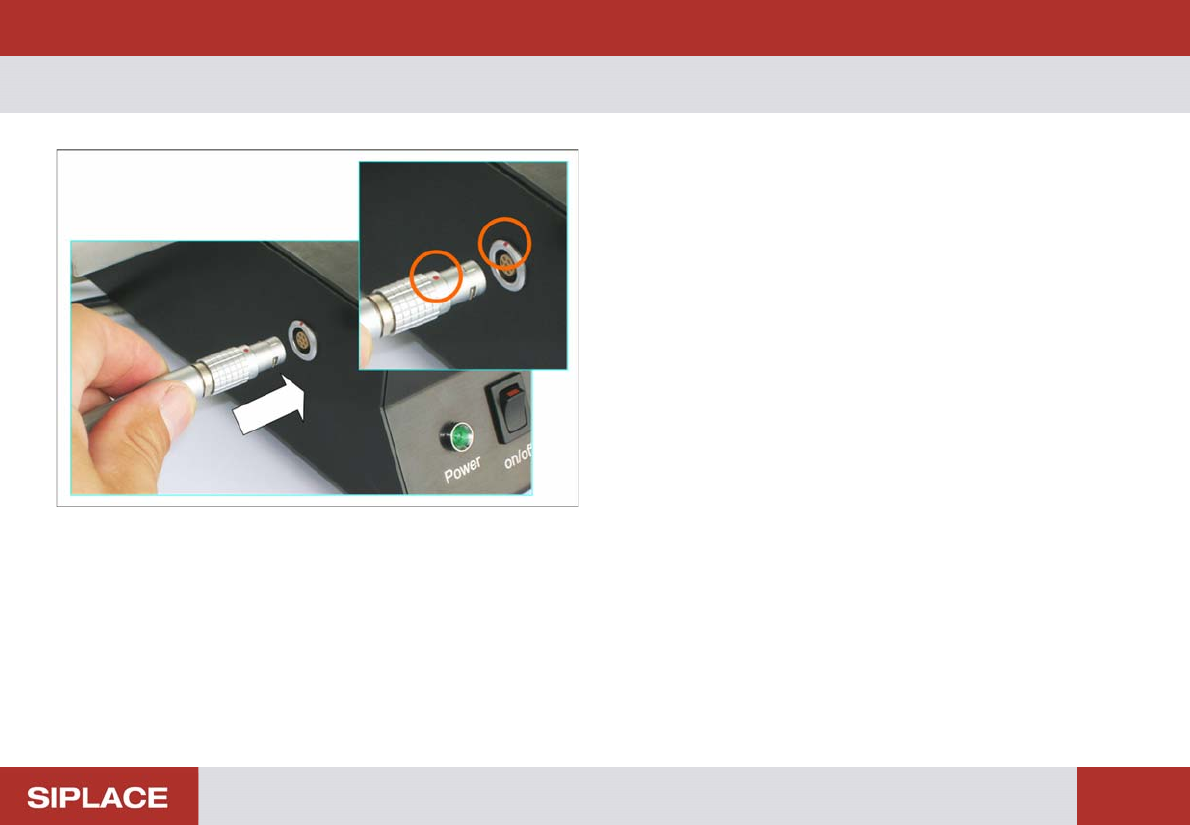
► Connect the feeder connector to the left connection on
the testing device.
Make sure that the red dot on the connector is at the top.