00196577-03 JG S-Feeder Care Test Station EN.pdf - 第20页
Performing the Test – Se lecting the Feeder T ype 20 – S e le c t in g t h e F e e d e r T y p e On the left side of the softwar e you will see a s election list for the feeder type. When yo u s elect the requ ired type,…
Performing the Test – Connecting the Feeder
19
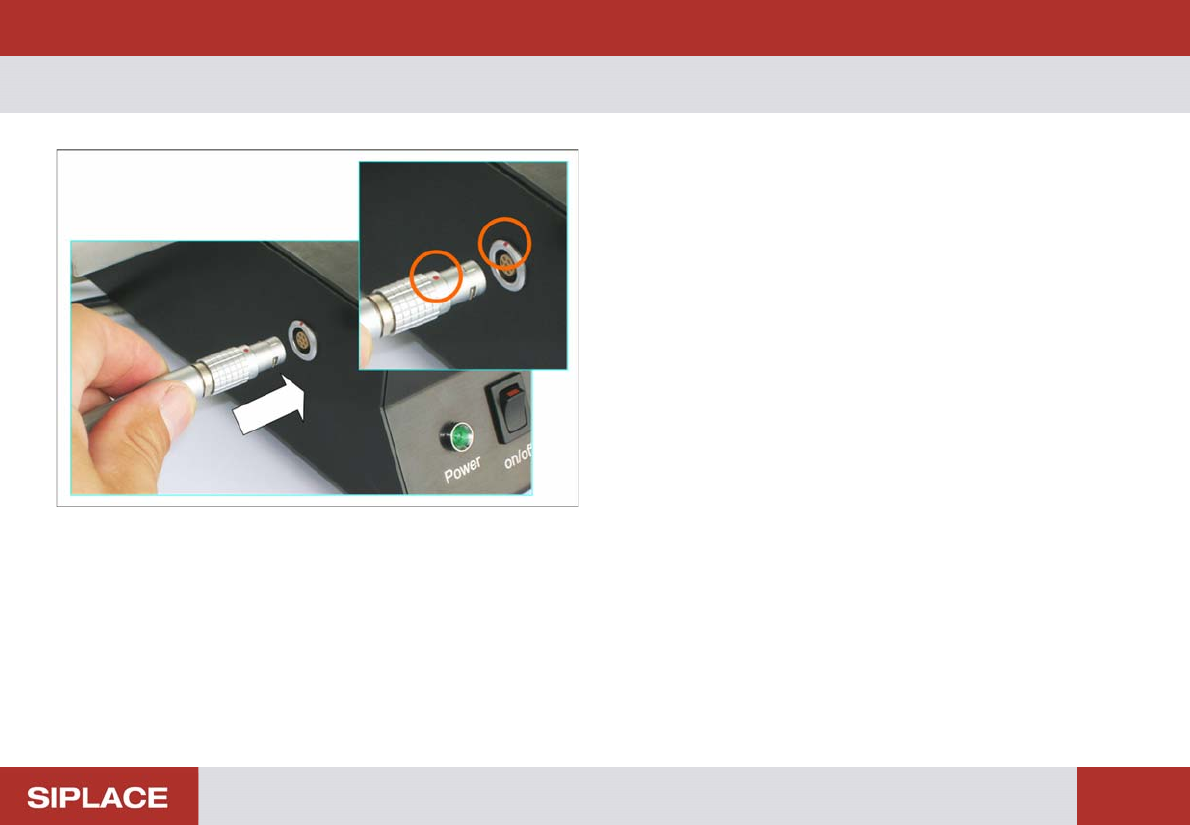
– Connecting the Feeder
► Connect the feeder connector to the left connection on
the testing device.
Make sure that the red dot on the connector is at the top.
Performing the Test – Selecting the Feeder Type
20
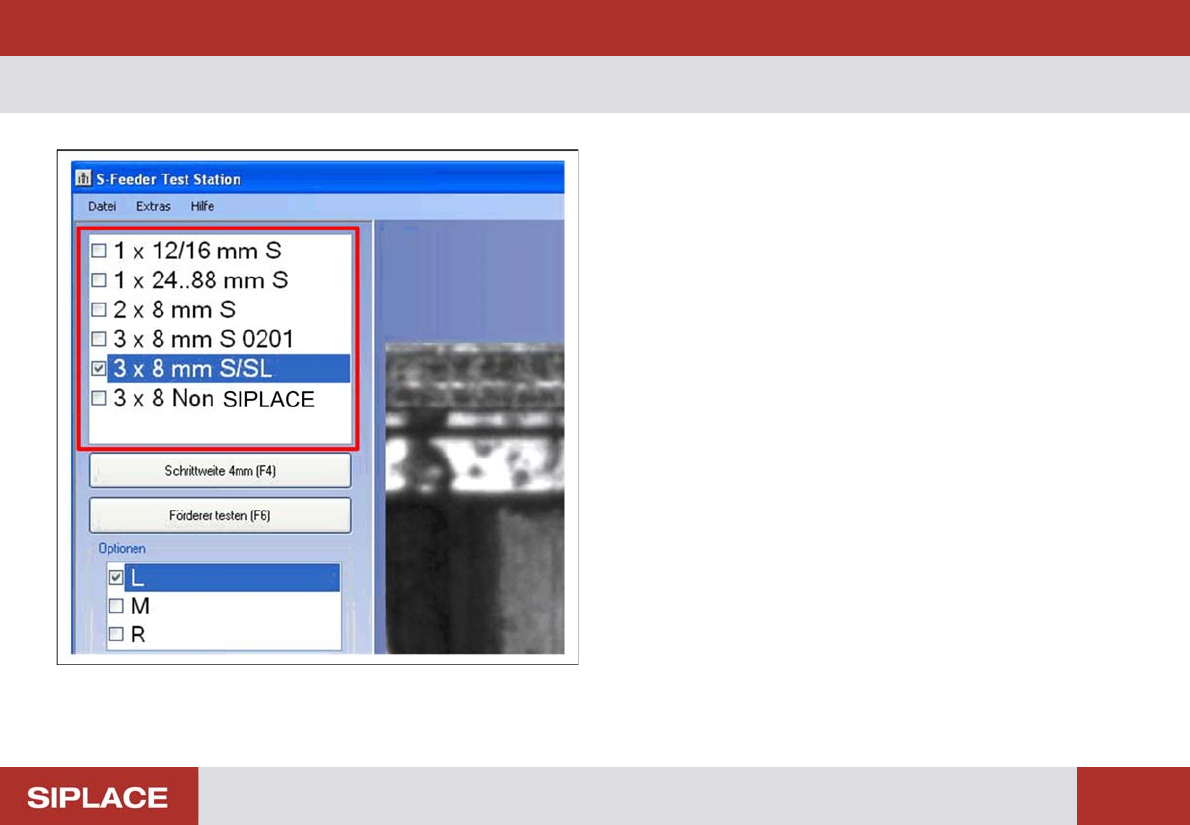
– Selecting the Feeder Type
On the left side of the software you will see a selection list
for the feeder type. When you select the required type, the
corresponding parameters for the test will automatically be
set in the software.
► Click on the feeder type to be tested in the selection list.
Performing the Test – Switching on the Live Image
21
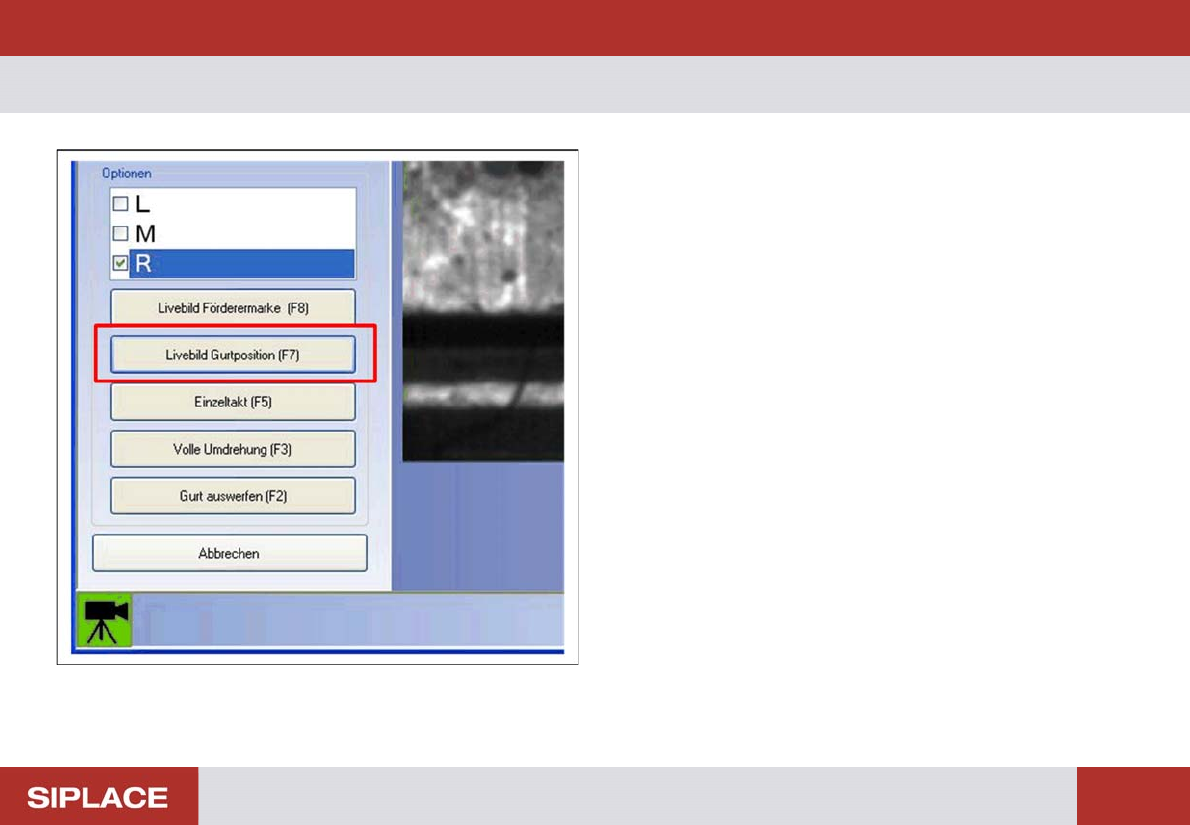
– Switching on the Live Image
The feeder to be tested can be set to one or two pickup po-
sitions. For testing purposes, you need the pickup position
in which the teeth of the toothed wheel are exactly in the
center. Use the live image function to check the correct pick-
up position.
► Click on the Live Image Tape Position (F7) button or
press the F7 button.