00196577-03 JG S-Feeder Care Test Station EN.pdf - 第21页
Performing the Test – Swit ching on the Live Image 21 – S w it c h in g o n t h e L iv e I m a g e The feeder to be tested can be set to one or two pickup po - sitions. For testing purpose s , you need the pickup positio…
Performing the Test – Selecting the Feeder Type
20
– Selecting the Feeder Type
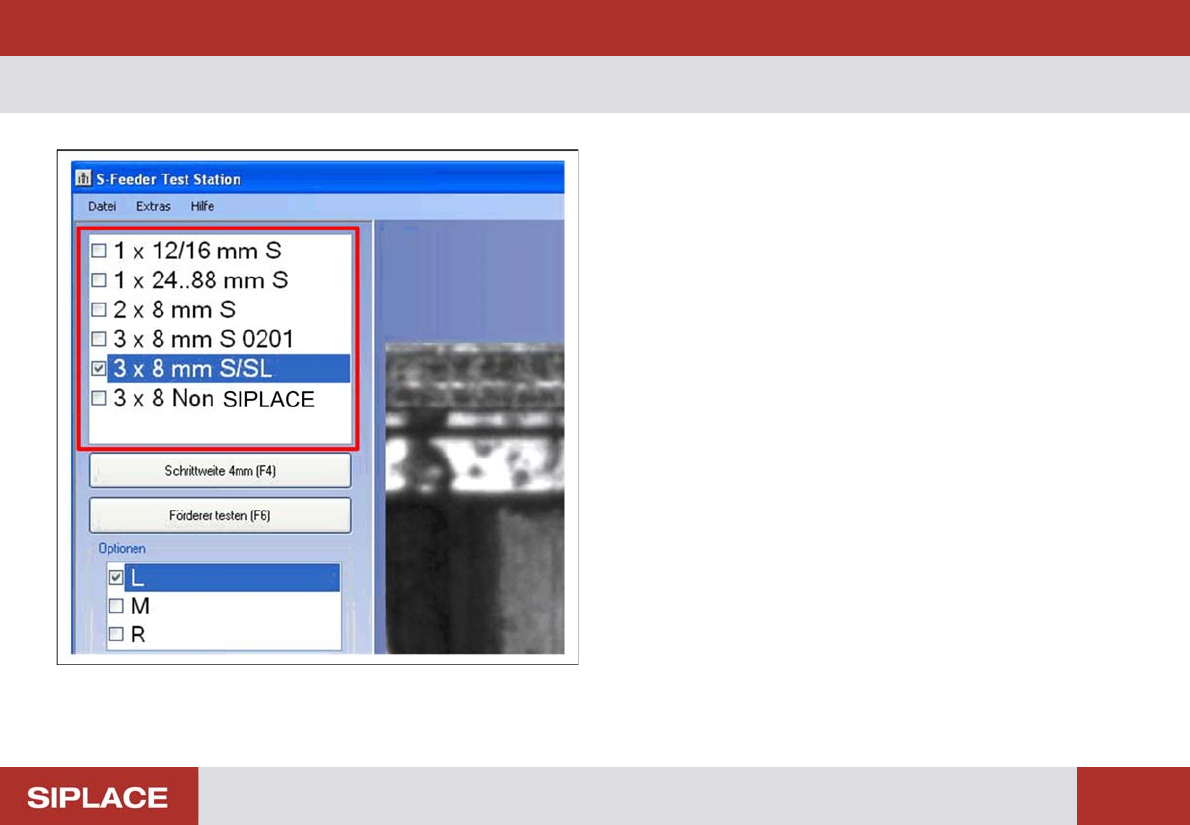
On the left side of the software you will see a selection list
for the feeder type. When you select the required type, the
corresponding parameters for the test will automatically be
set in the software.
► Click on the feeder type to be tested in the selection list.
Performing the Test – Switching on the Live Image
21
– Switching on the Live Image
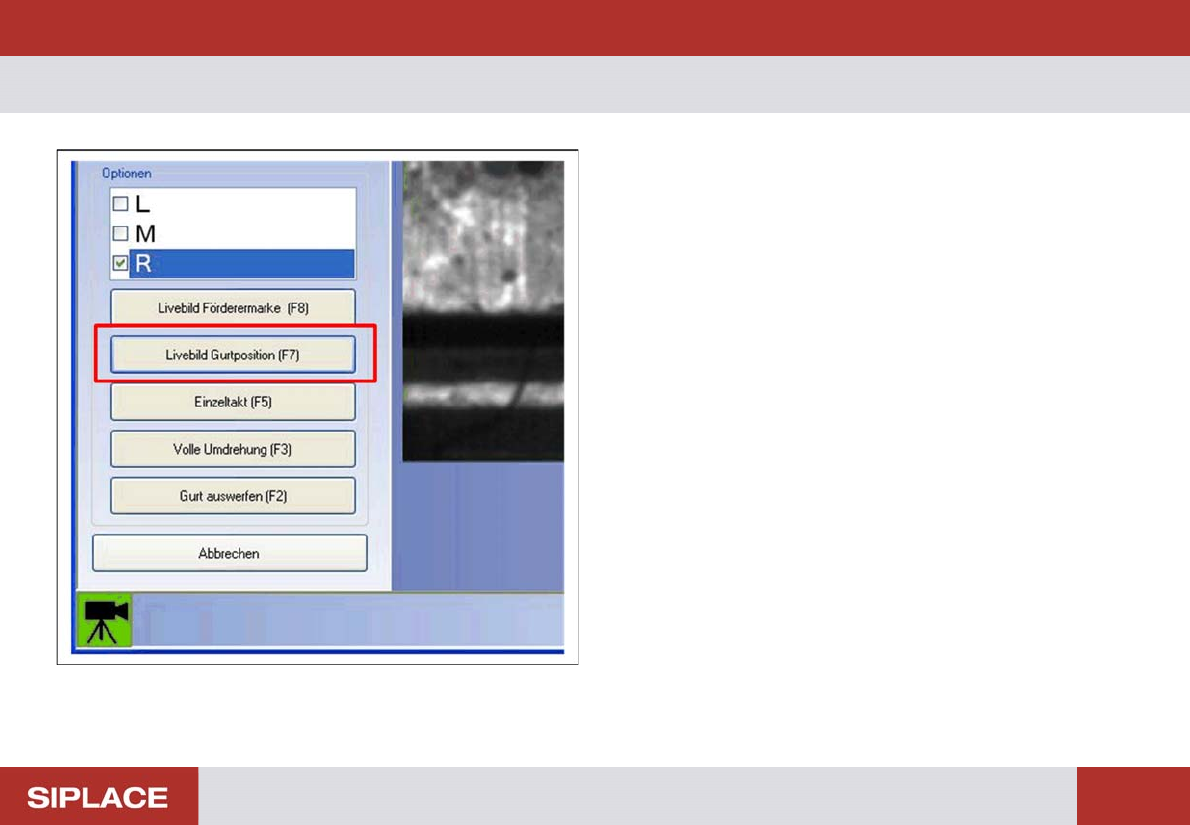
The feeder to be tested can be set to one or two pickup po-
sitions. For testing purposes, you need the pickup position
in which the teeth of the toothed wheel are exactly in the
center. Use the live image function to check the correct pick-
up position.
► Click on the Live Image Tape Position (F7) button or
press the F7 button.
Performing the Test – Checking the Pickup Position
22
– Checking the Pickup Position
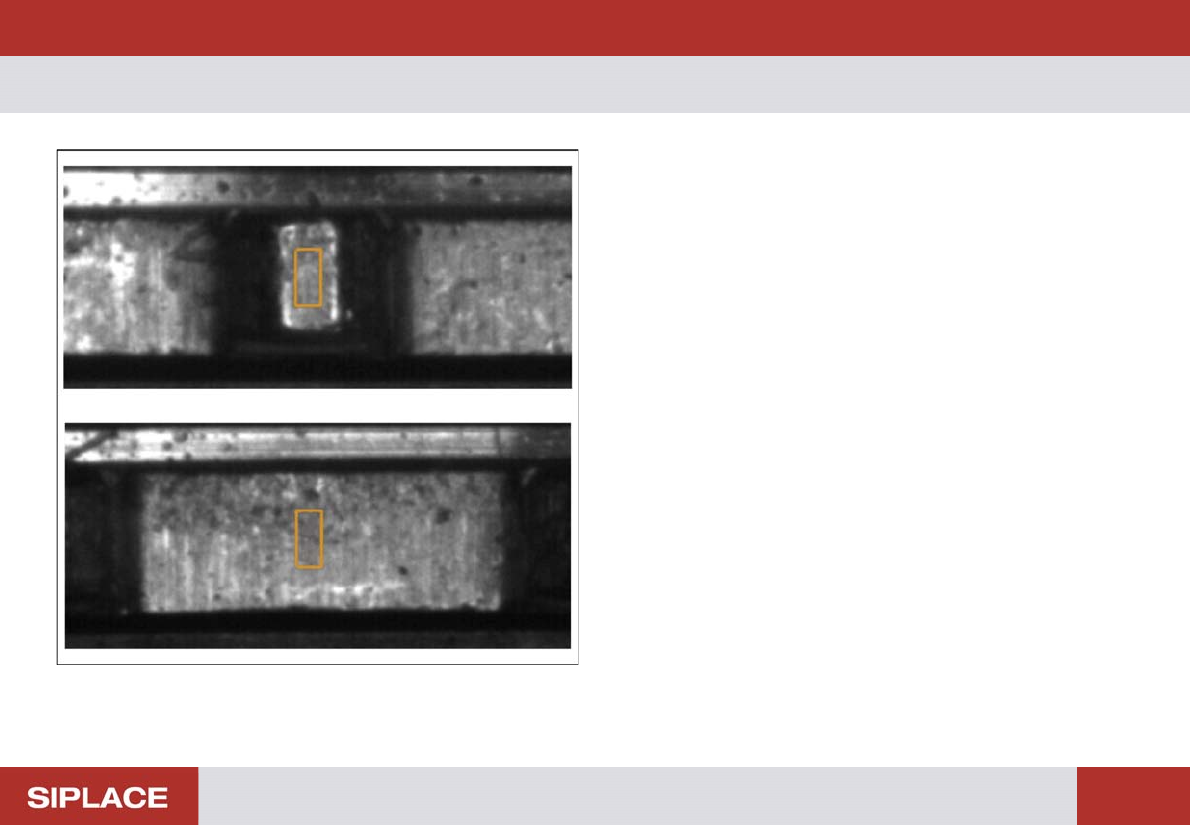
Top
The pickup position has been set correctly. The tooth is in
the center and can be easily recognized for measurement
by the camera.
Bottom
The space between the teeth can be seen. The camera is
not able to recognize the tooth. If the automatic test is start-
ed with this setting, you will see an error message and the
test will be terminated.
► Manually adjust the pickup position on the feeder to be
tested so that the tooth is positioned in the center, as
shown in the top image.