00196577-03 JG S-Feeder Care Test Station EN.pdf - 第24页
Performing the Test – Sw itching off the Live Image 24 – S w it c h in g o f f t h e L iv e I m a g e The live image can be switched off with the Live Image Tape Position O ff (F7) button. You will see the normal view ag…
Performing the Test – Switching Tracks
23
– Switching Tracks
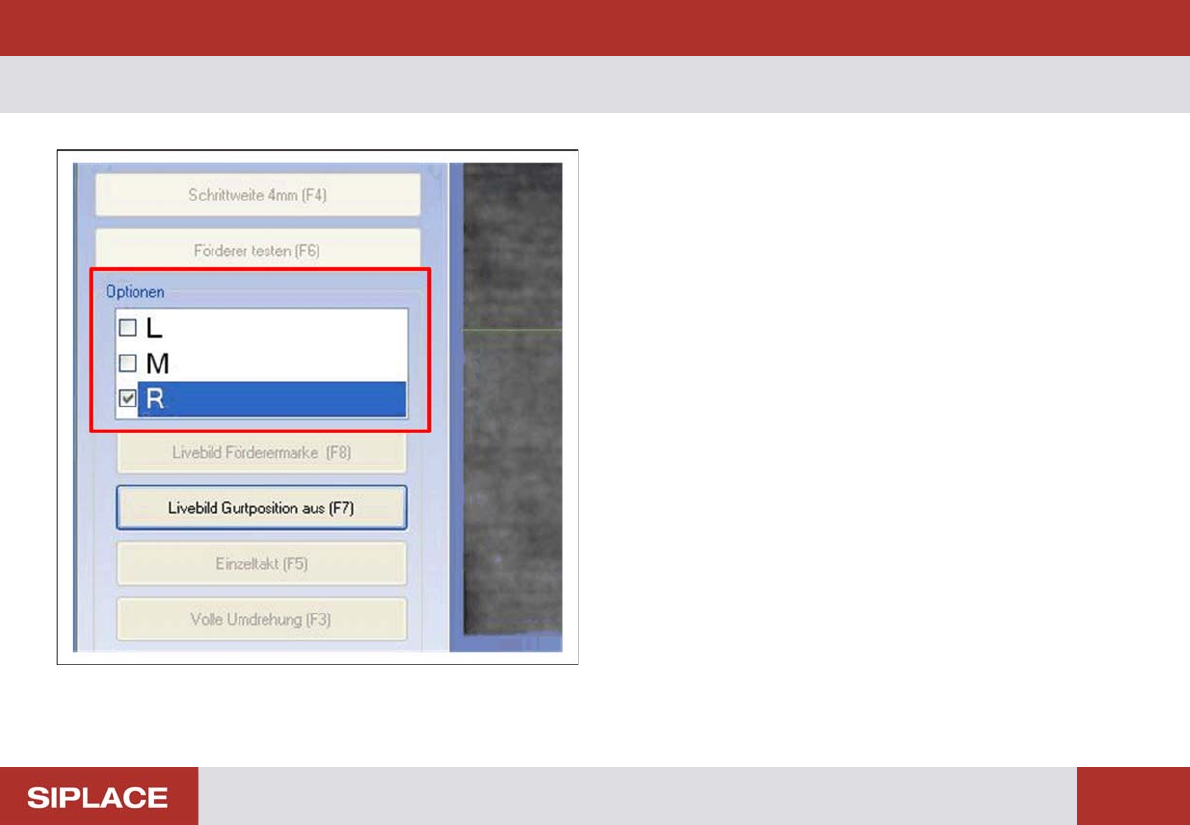
Check all the tracks to be tested, to make sure that the tooth
is always in the center of the image.
To switch over tracks while the live image is shown, use the
Options list.
L = Left track
M = Middle track
R = Right track
Performing the Test – Switching off the Live Image
24
– Switching off the Live Image
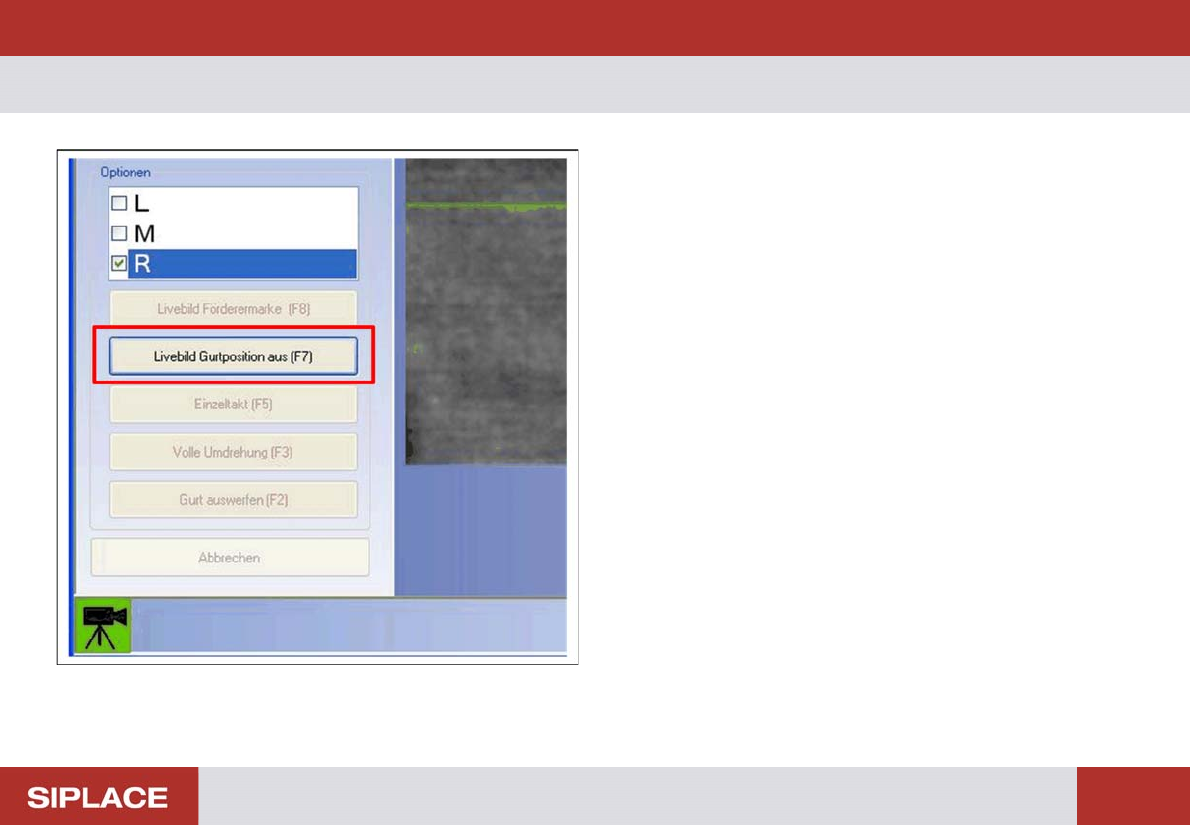
The live image can be switched off with the Live Image Tape
Position Off (F7) button. You will see the normal view again,
in which all buttons are active.
► Click on the Live Image Tape Position Off (F7) button or
press the F7 key.
TIP: To view all measuring points, click again on the select-
ed feeder type in the selection list at the top left.
Performing the Test – Setting the Pitch to 4 mm.
25
– Setting the Pitch to 4 mm.
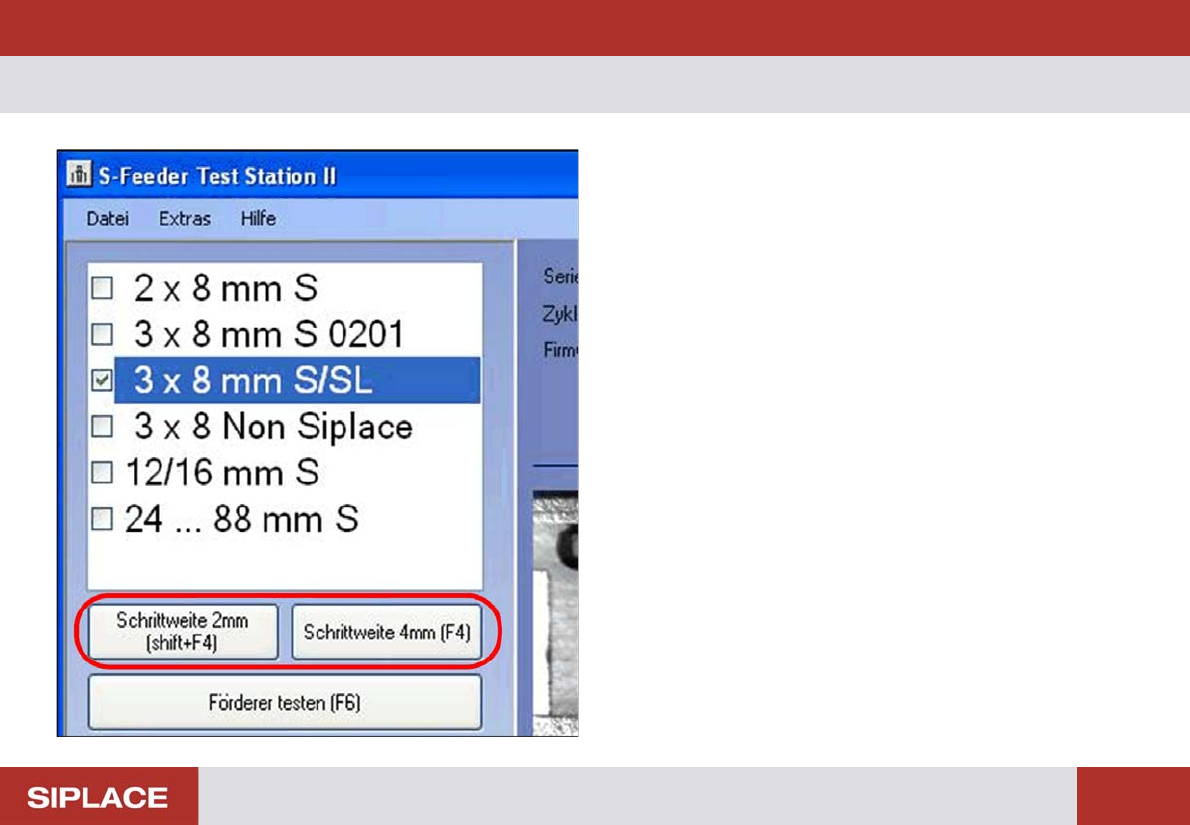
The feeder to be tested can be set to any required pitch.
However, a pitch of 4 mm is needed for testing purposes.
2x8 mm and 3x8 mm S feeders:
Underneath the feeder type selection list, you will see the
button for setting the pitch to 4 mm (F4). Click on this to set
the feeder to be tested to a pitch of 4 mm.
► Click on the Pitch 4 mm (F4) button or press the F4 key.
12/16 mm to 88 mm S feeders:
The pitch can be switched over manually on the feeder.