00196577-03 JG S-Feeder Care Test Station EN.pdf - 第29页
Performing the Test – Testing the Feeder 29 – T e s t in g t h e F e e d e r In the selection area on t he right you will see the Test Feed - er (F6) button. This button starts the standard feeder test. The toothed wheel…
Performing the Test – Inserting the Test Tape
28
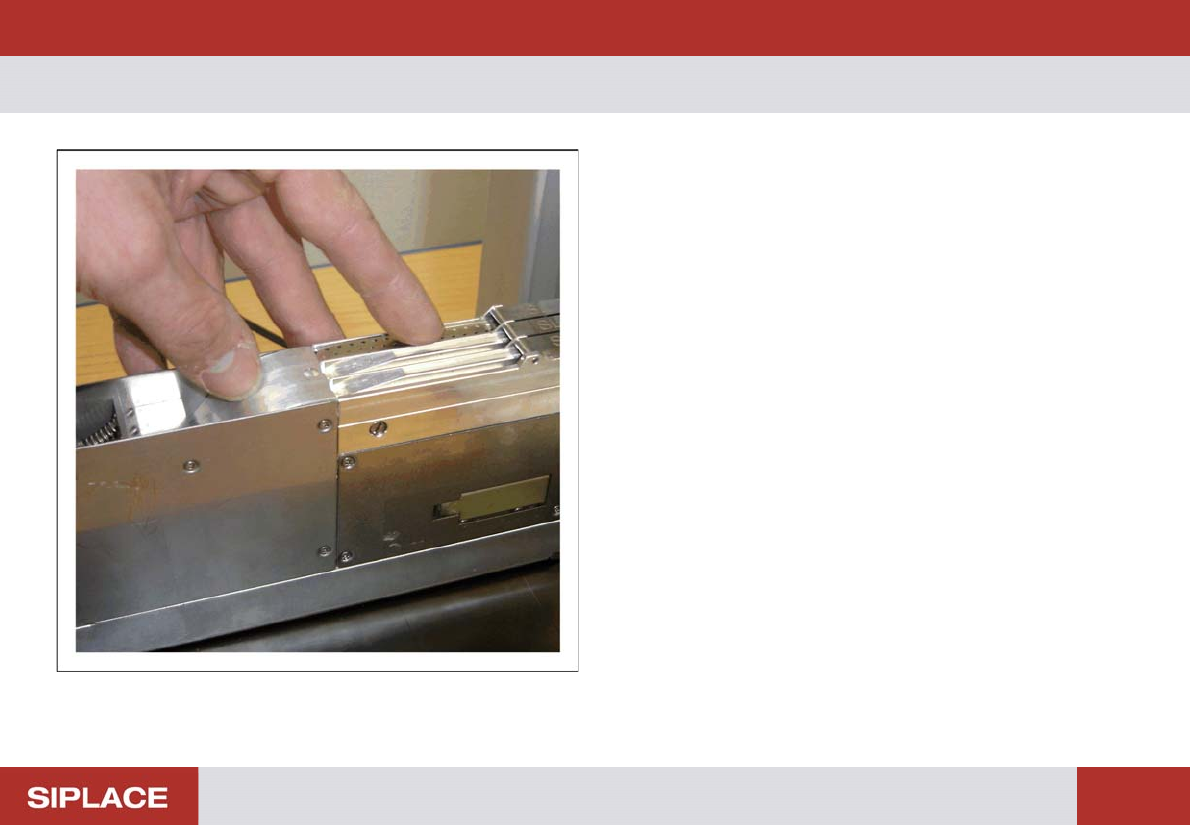
– Inserting the Test Tape
► Insert the correct test tape for the respective track width
into each of the tracks to be tested (see the "Test Tapes
for the Different Feeder Types" table).
► Open the pickup window.
► Insert the test tape into the pickup area and make sure
that the toothed wheel engages correctly with the perfo-
rations in the test tape.
► Close the pickup window.
► Step the test tape once or twice to check.
Performing the Test – Testing the Feeder
29
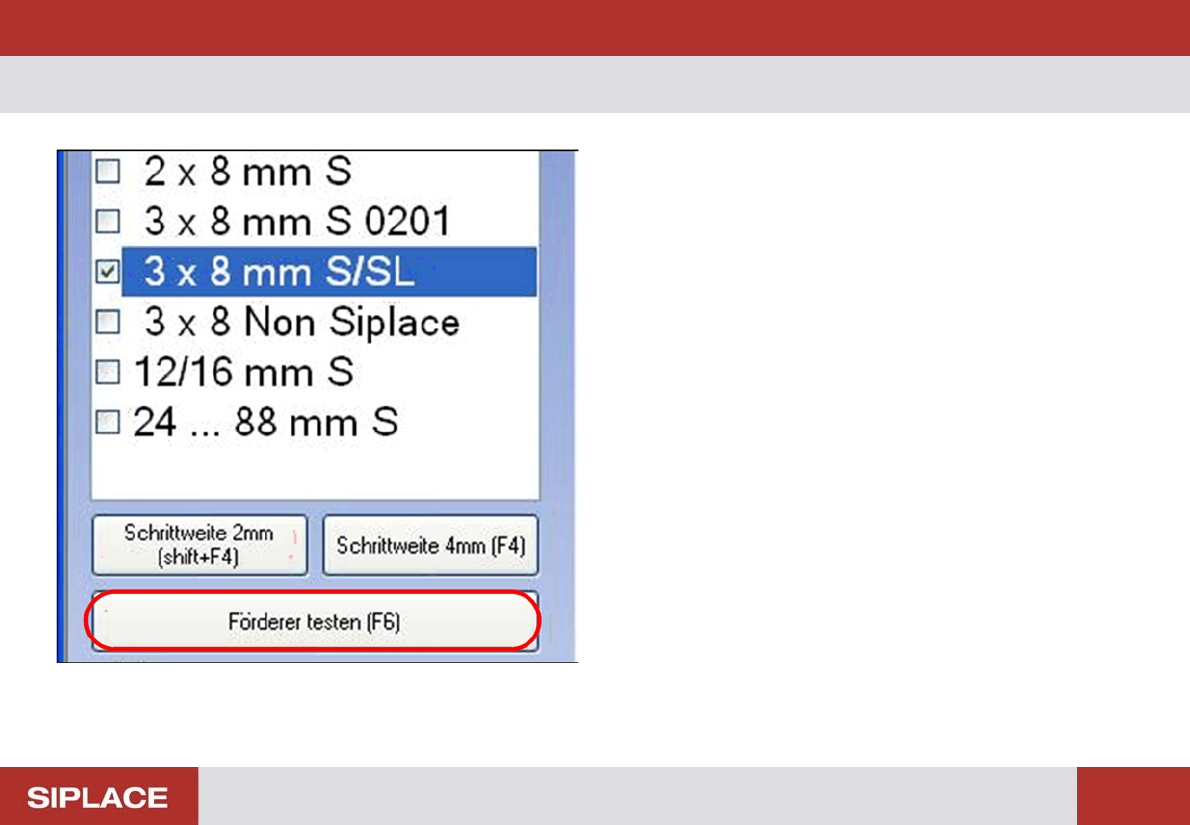
– Testing the Feeder
In the selection area on the right you will see the Test Feed-
er (F6) button. This button starts the standard feeder test.
The toothed wheels for all the tracks on the feeder will all be
tested in sequence. The result of the test will then be shown
in a separate dialog box.
► Click on the Test Feeder (F6) button or press the F6
key.
Performing the Test – Selecting the Track
30
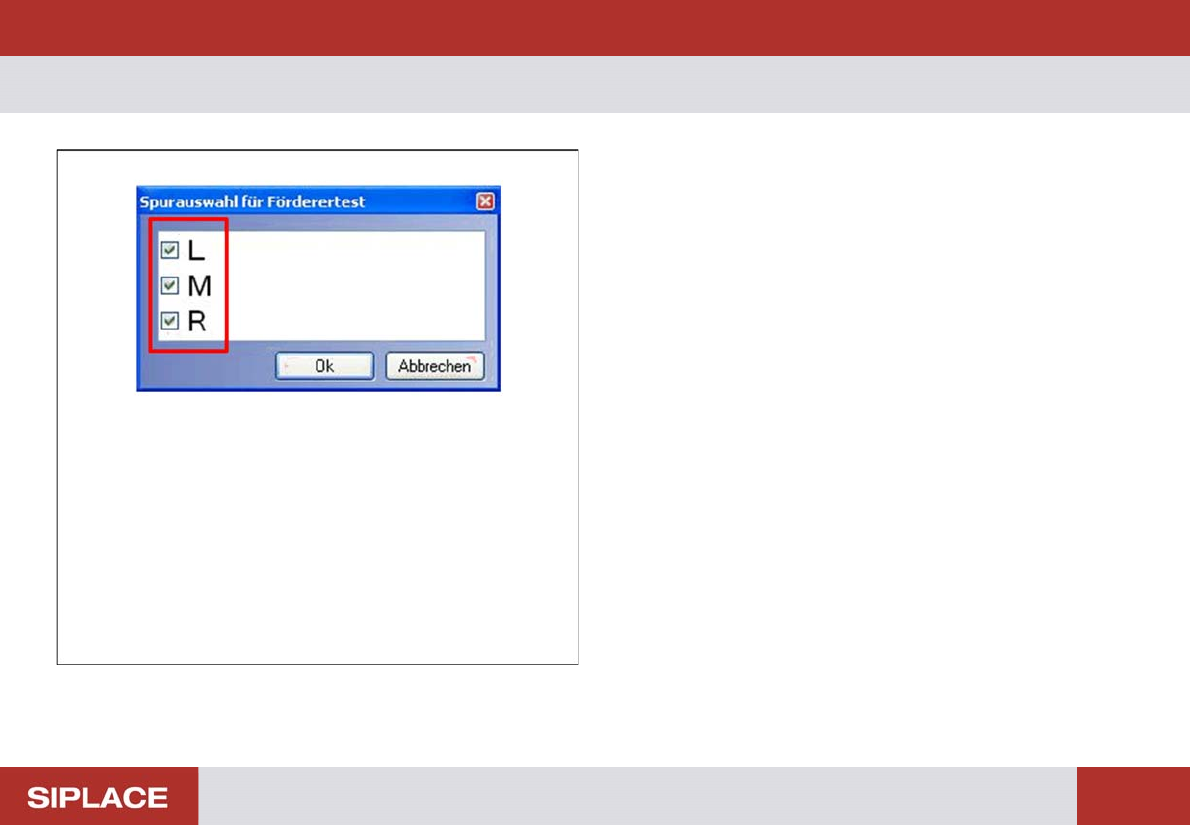
– Selecting the Track
Before the test run, you will see the Track Selection for
Feeder Test selection menu.
This is where you can deselect tracks which are not to be
tested.
► Click with the mouse on the box to select or deselect the
tracks for the test.