00196577-03 JG S-Feeder Care Test Station EN.pdf - 第30页
Performing the Test – Selecting the Track 30 – S e le c t in g t h e T r a c k Before the test run , you will see the Track Sele ction for Feeder Test selection menu. This is where you can desele ct tracks which are not …
Performing the Test – Testing the Feeder
29
– Testing the Feeder
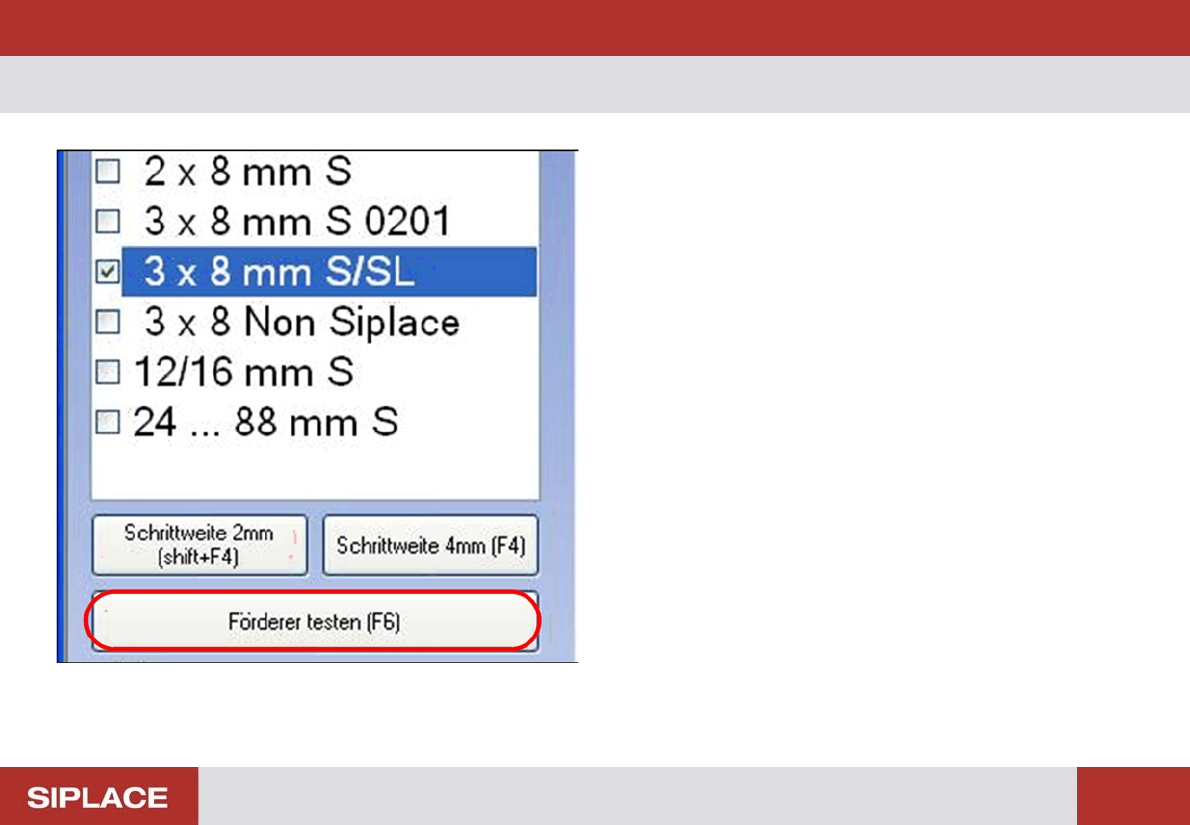
In the selection area on the right you will see the Test Feed-
er (F6) button. This button starts the standard feeder test.
The toothed wheels for all the tracks on the feeder will all be
tested in sequence. The result of the test will then be shown
in a separate dialog box.
► Click on the Test Feeder (F6) button or press the F6
key.
Performing the Test – Selecting the Track
30
– Selecting the Track
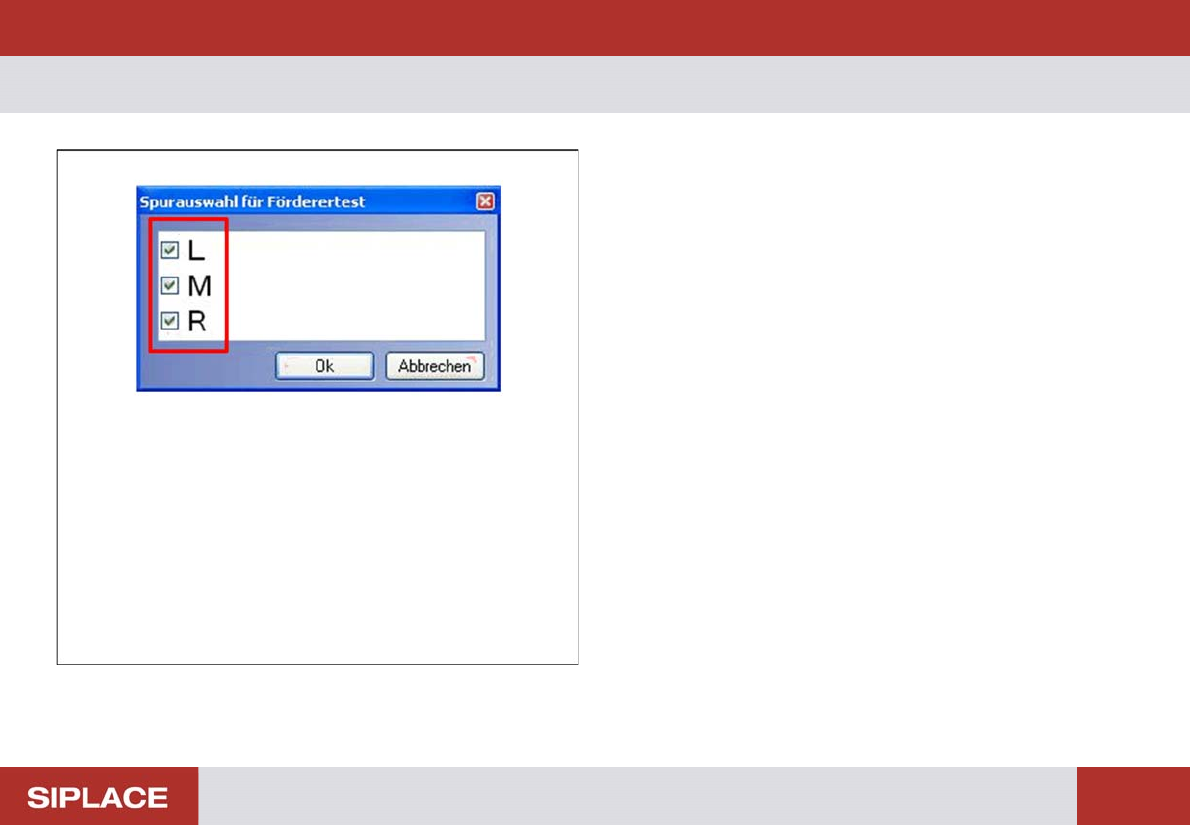
Before the test run, you will see the Track Selection for
Feeder Test selection menu.
This is where you can deselect tracks which are not to be
tested.
► Click with the mouse on the box to select or deselect the
tracks for the test.
Performing the Test – Results Display
31
– Results Display
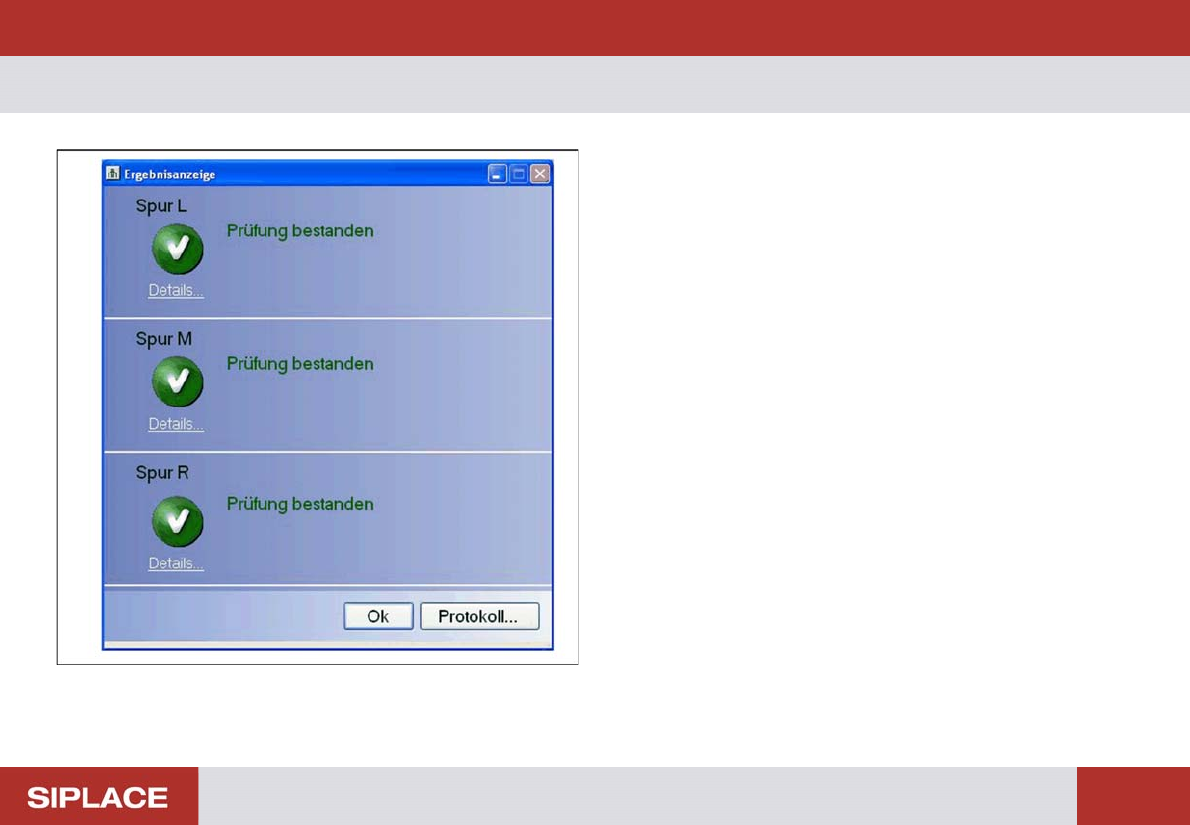
The results of the Test Feeder function will be shown in the
Result Display.
Each tested track will be shown separately.
Click on OK to close the dialog box and to automatically
eject the tape.
Click on Details to view the detailed test results for an indi-
vidual track.
Click on the Protocol… button to view the whole test result
as a PDF file which can then be saved and/or printed out.
To make sure that you are able to clearly identify or assign
the PDF file later on, enter the serial number of the tested
feeder in a dialog box before saving or printing.