00196577-03 JG S-Feeder Care Test Station EN.pdf - 第35页
Performing the Test – Result s Display: Name Protocol 35 If a different number system sh ould be used for the feeder management the standard pr in t– out can be modified re - spectively. Changes are saved to the config u…
Performing the Test – Results Display: Name Protocol
34
– Results Display: Name Protocol
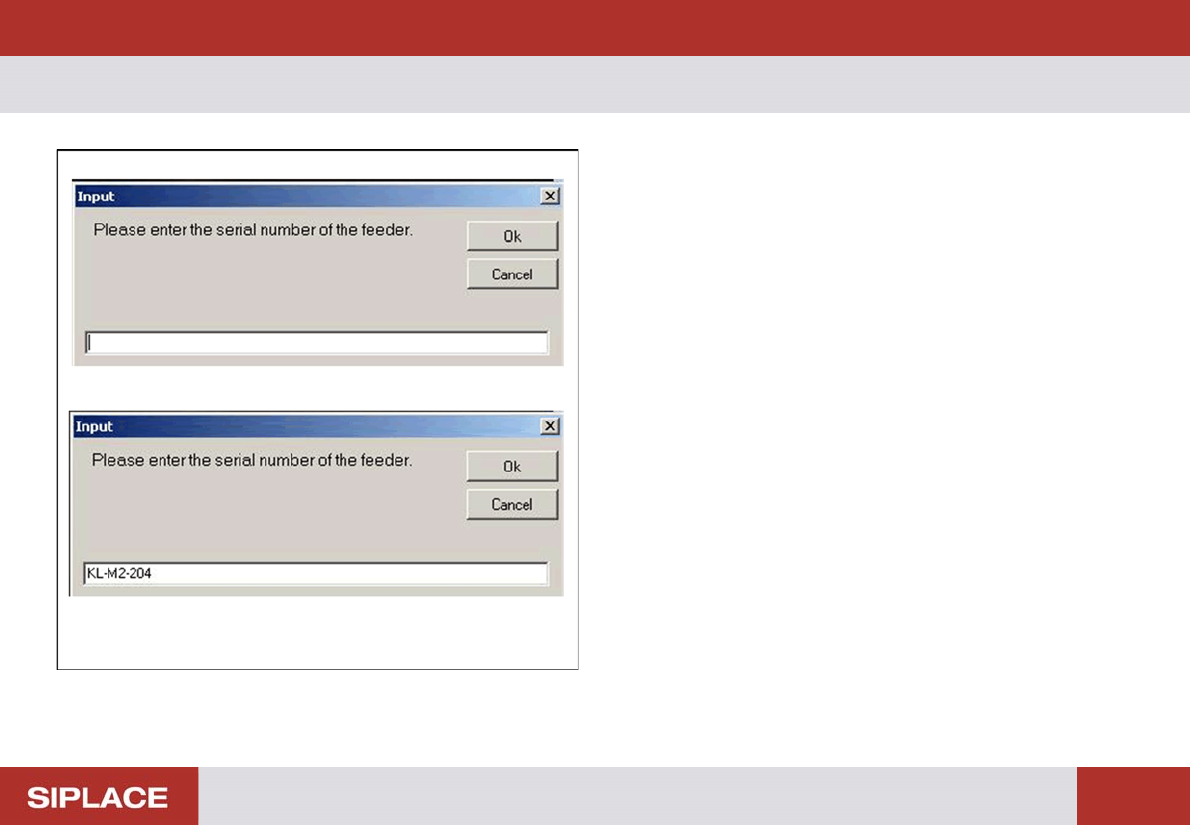
If you click on the Protocol… button in the results display,
the adjacent dialog box will be shown. To make sure that
you are able to clearly identify or assign the log file later on,
enter the serial number of the tested feeder in the dialog
box.
If installed, a BC scanner can be used as input device.
Place the cursor in the input window for that.
Scan the feeder barcode.
The name entered will be shown in the header of the log file.
Click on OK to close the dialog box and view the log file.
Performing the Test – Results Display: Name Protocol
35
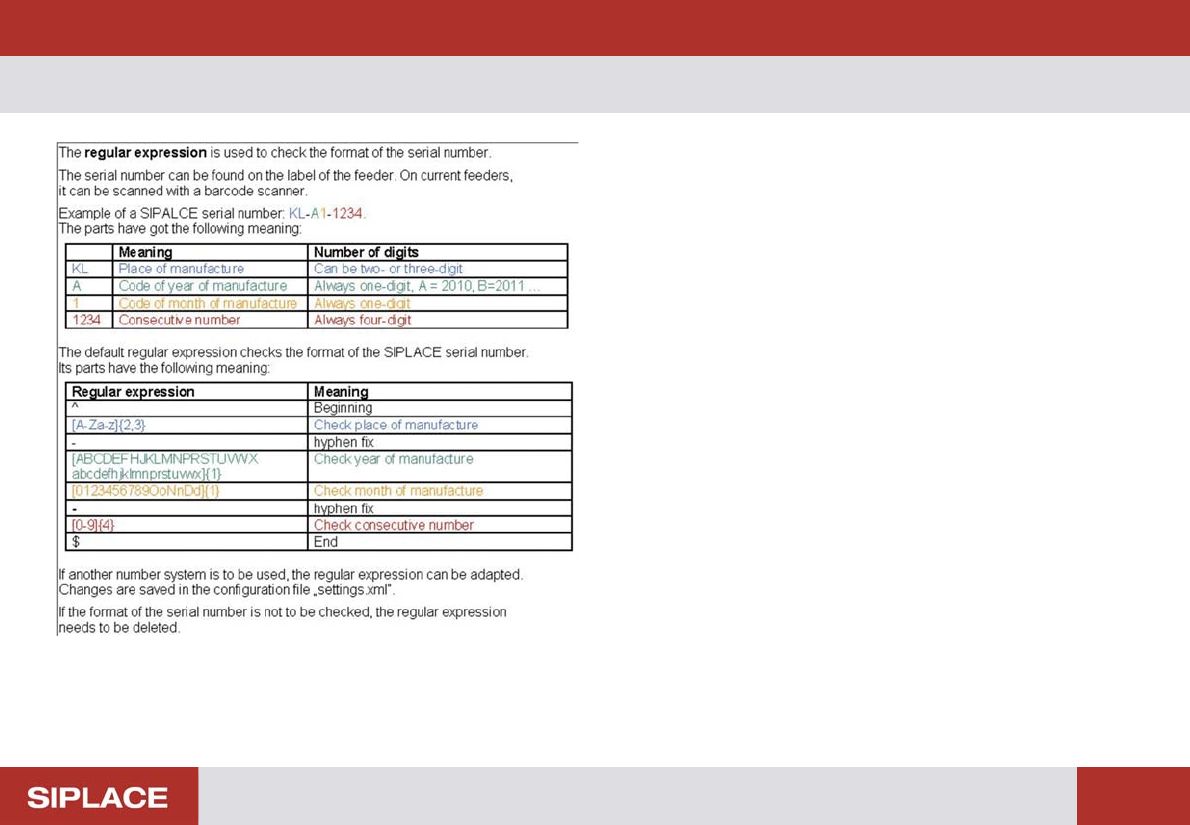
If a different number system should be used for the feeder
management the standard print–out can be modified re-
spectively.
Changes are saved to the configuration file "settings.xml".
Delete all entries in the "standard print-out for format check
of the serial number" input mask if the formatting of the se-
rial number should not to be verified and confirm this by click
on OK.
Performing the Test – Results Display: Name Protocol
36
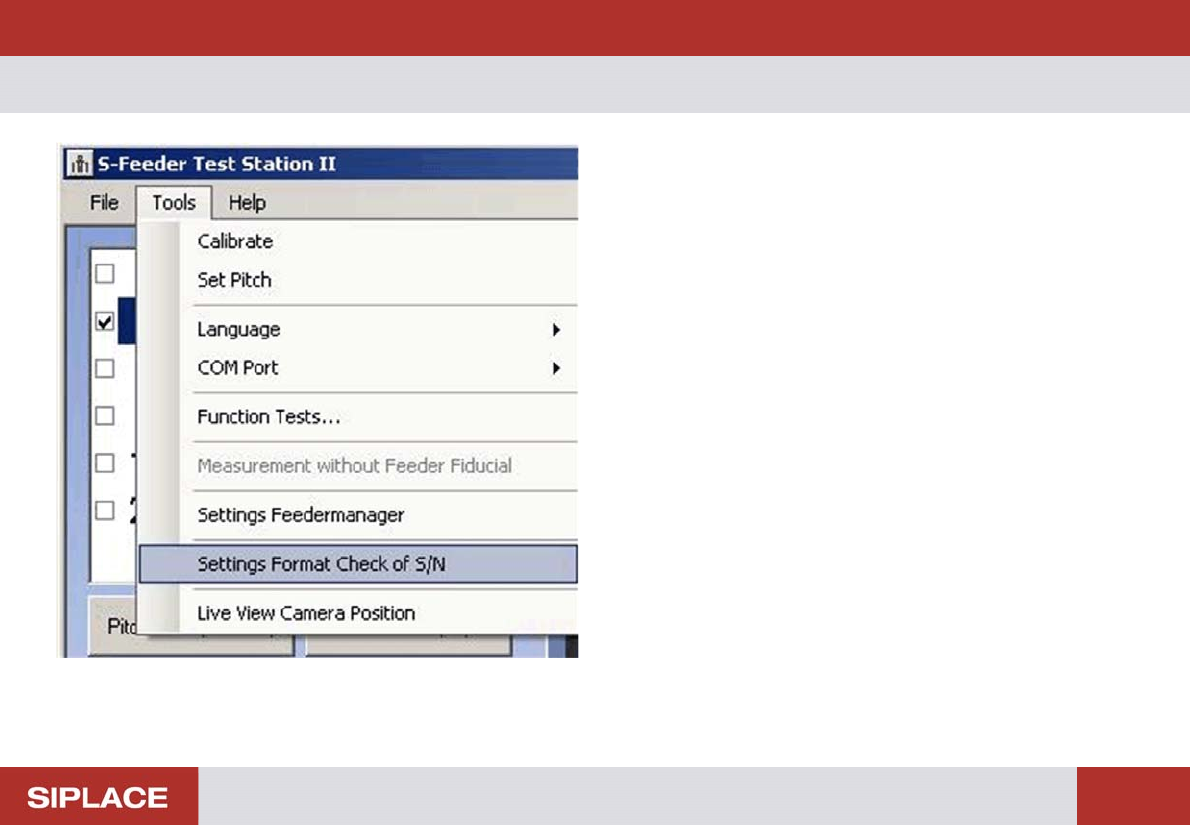
Via "Extras" you can modify the default settings for the for-
mat of the serial number.
An individual format is important for the archiving of the pro-
tocols.
Thus the protocols can also be allocated distinctively for the
"Feeder Manager".
With the "Default" button the standard format for SIPLACE
feeder is activated.
The ? button provides additional information for the format
settings and its meaning.
If you don't want a format check delete the entry in the input
field and click on "OK".