00196577-03 JG S-Feeder Care Test Station EN.pdf - 第39页
Performing the Test – Result s Display: Save Protocol 39 – R e s u lt s D is p la y : S a v e P r o t o c o l If you click on the Save as PDF button in the PDF window, the folder structure for the test computer will be s…
Performing the Test – Results Display: Display Protocol
38
– Results Display: Display Protocol
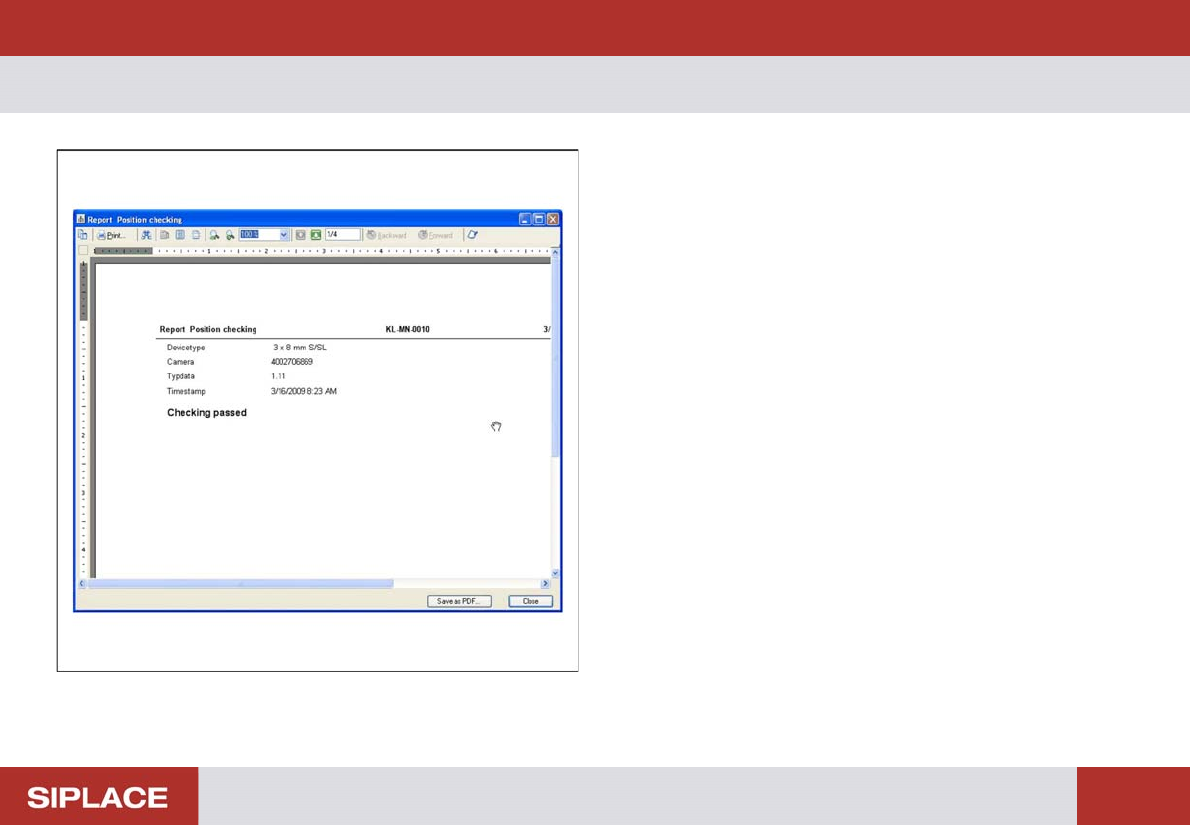
After confirming the serial number, the whole test result will
be shown as a PDF file.
This log can be saved or printed out from this PDF.
Use the two arrow buttons in the center of the menu bar to
browse through the log.
If you click on the Save as PDF button in the PDF window,
the file will be saved.
If you click on the Close button in the PDF window, the re-
sults display will be shown.
Performing the Test – Results Display: Save Protocol
39
– Results Display: Save Protocol
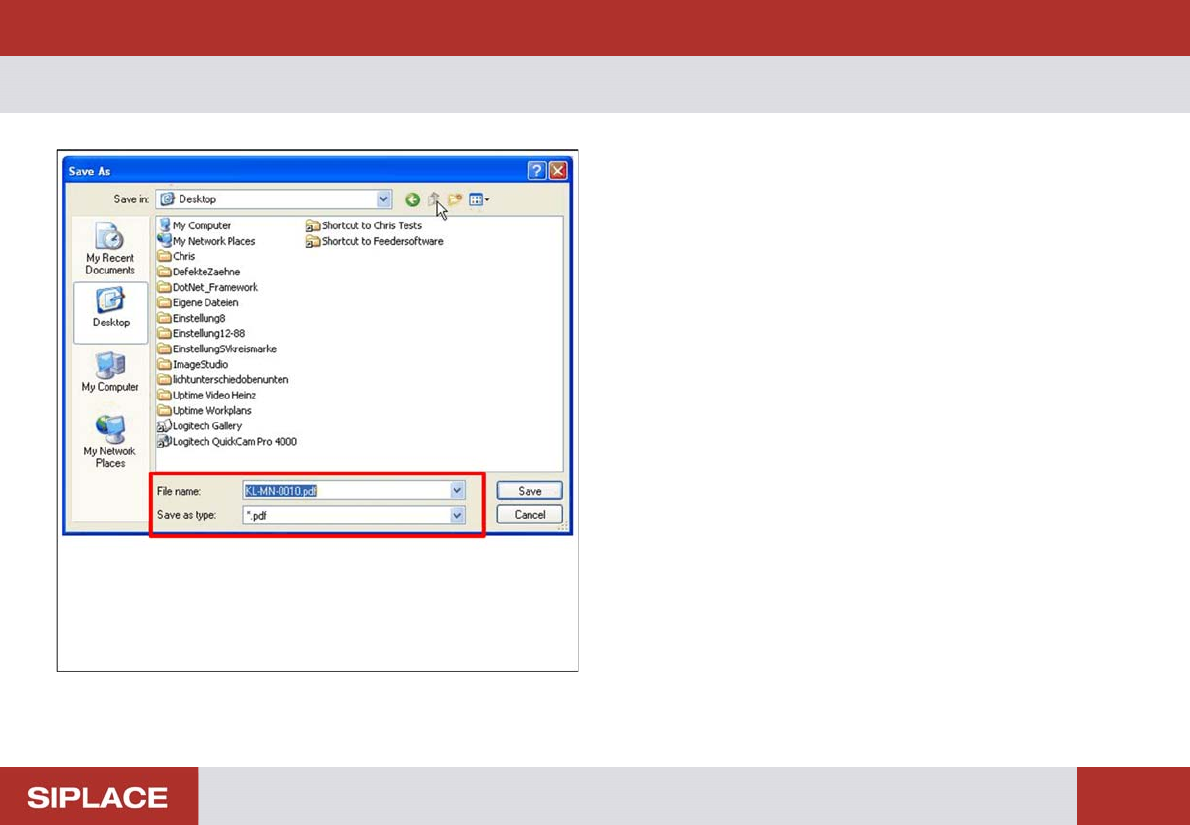
If you click on the Save as PDF button in the PDF window,
the folder structure for the test computer will be shown in the
Explorer.
Select the storage path and change the name of the log file
if required.
The feeder serial number or the name you previously en-
tered is preset as the log file name.
Performing the Test – Protocl for Feeder Manager
40
– Protocl for Feeder Manager
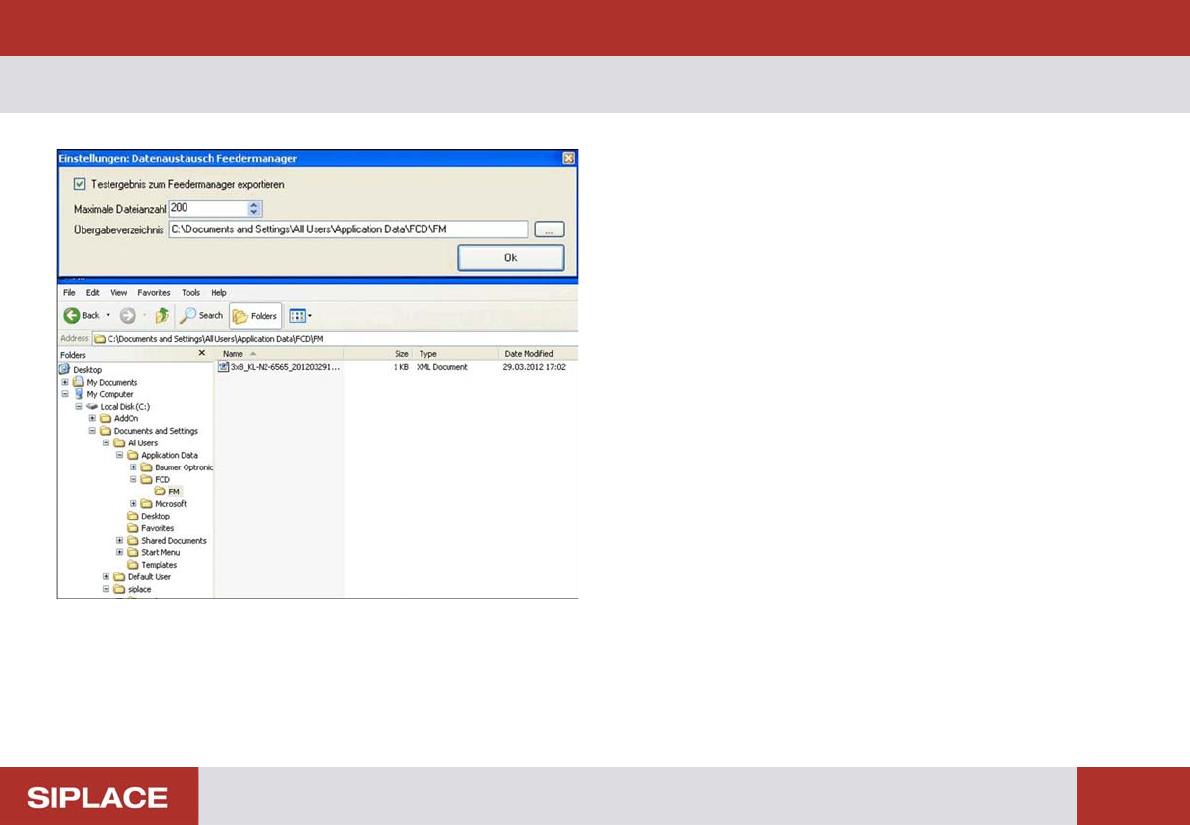
The SFTS can export the measurement result to Feeder
Manager.
The function is available in menu "Extra"
For each test an xml file will be saved in a predefined direc-
tory. To ensure the directory will not become too large a
maximum number of files can be defined. If this number will
be exceeded the system overwrites the oldest file.