00196577-03 JG S-Feeder Care Test Station EN.pdf - 第41页
Performing the Test – Disconnecting the Feeder 41 – D is c o n n e c t in g t h e F e e d e r Click on OK in the results display to finish the test and trig - ger automa tic tape ejection. You can now remove th e fe eder…
Performing the Test – Protocl for Feeder Manager
40
– Protocl for Feeder Manager
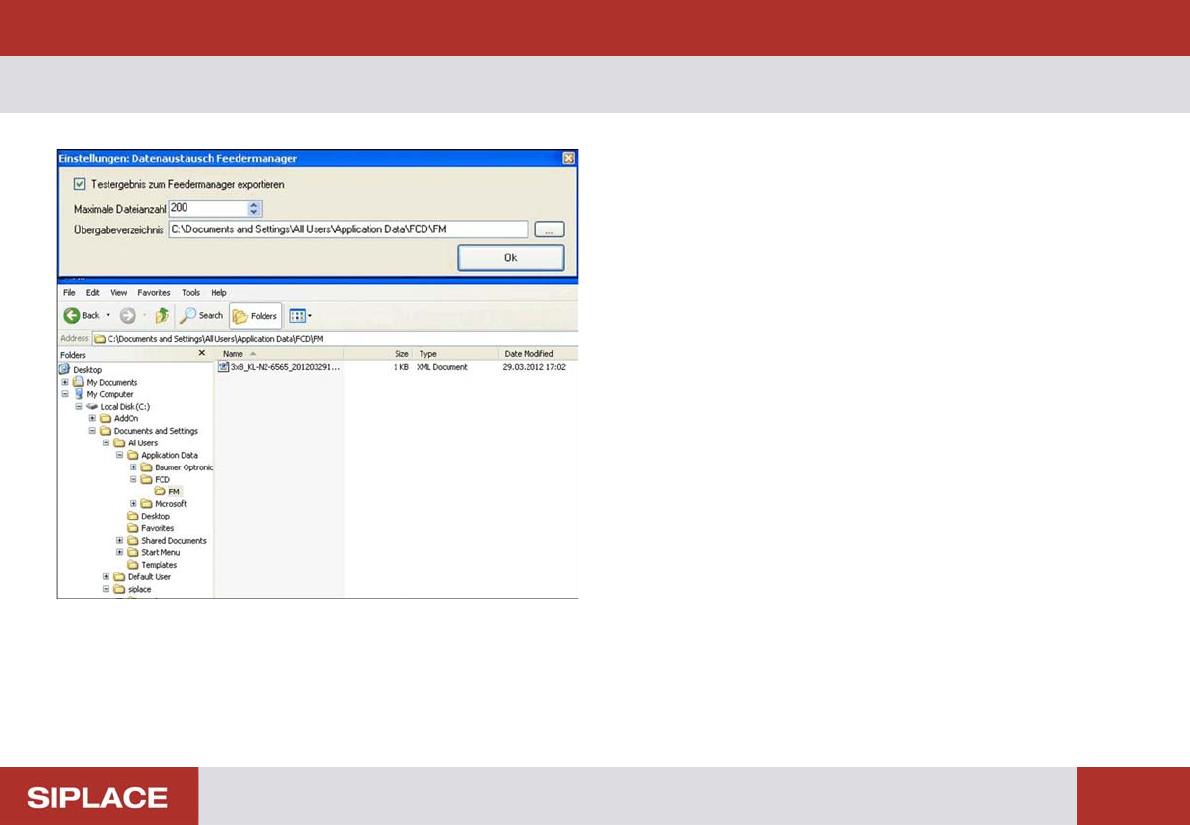
The SFTS can export the measurement result to Feeder
Manager.
The function is available in menu "Extra"
For each test an xml file will be saved in a predefined direc-
tory. To ensure the directory will not become too large a
maximum number of files can be defined. If this number will
be exceeded the system overwrites the oldest file.
Performing the Test – Disconnecting the Feeder
41
– Disconnecting the Feeder
Click on OK in the results display to finish the test and trig-
ger automatic tape ejection.
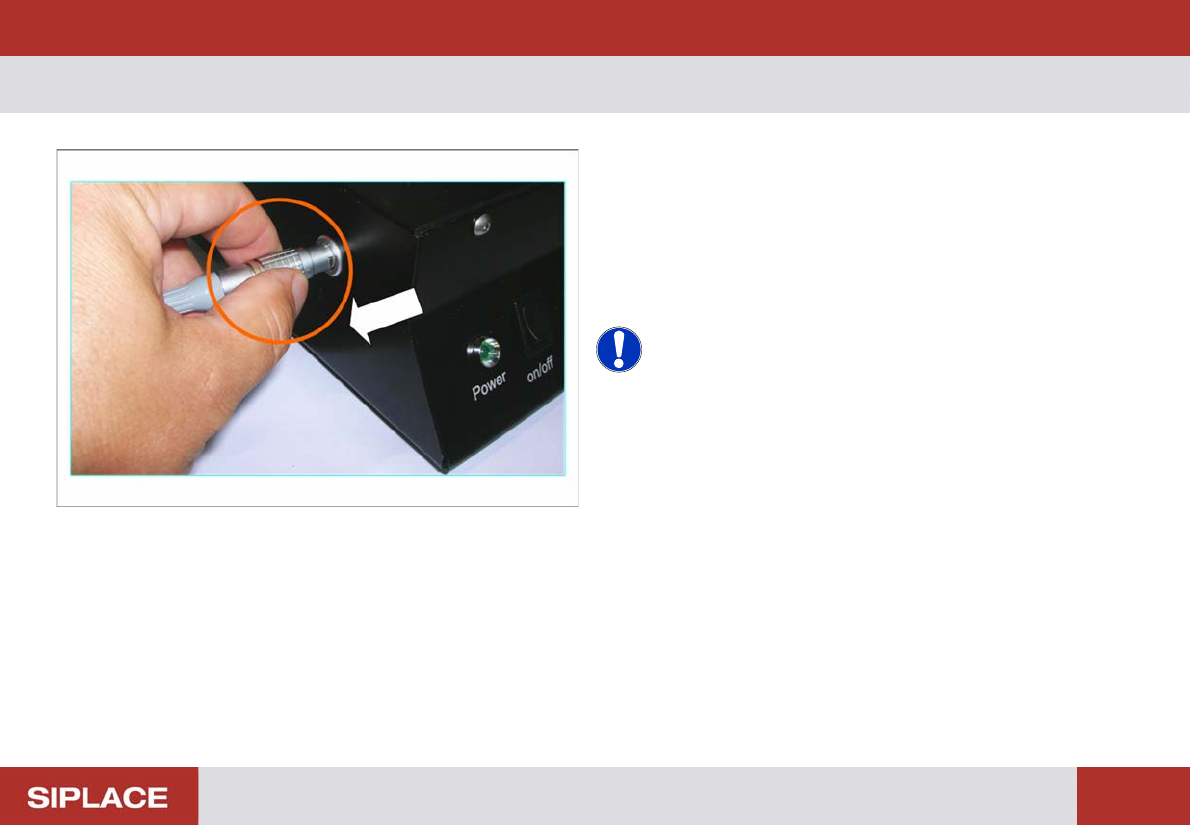
You can now remove the feeder from the test station.
► Take hold of the Lemo connector by its locking ring and
unplug the feeder cable from the testing device connec-
tion.
NOTICE! Ejecting the tape
If there are still tape strips in the feeder after measurement,
these can be manually stepped out.
Click on the Eject Tape (F2) button.
Performing the Test – Removing the Feeder
42
– Removing the Feeder
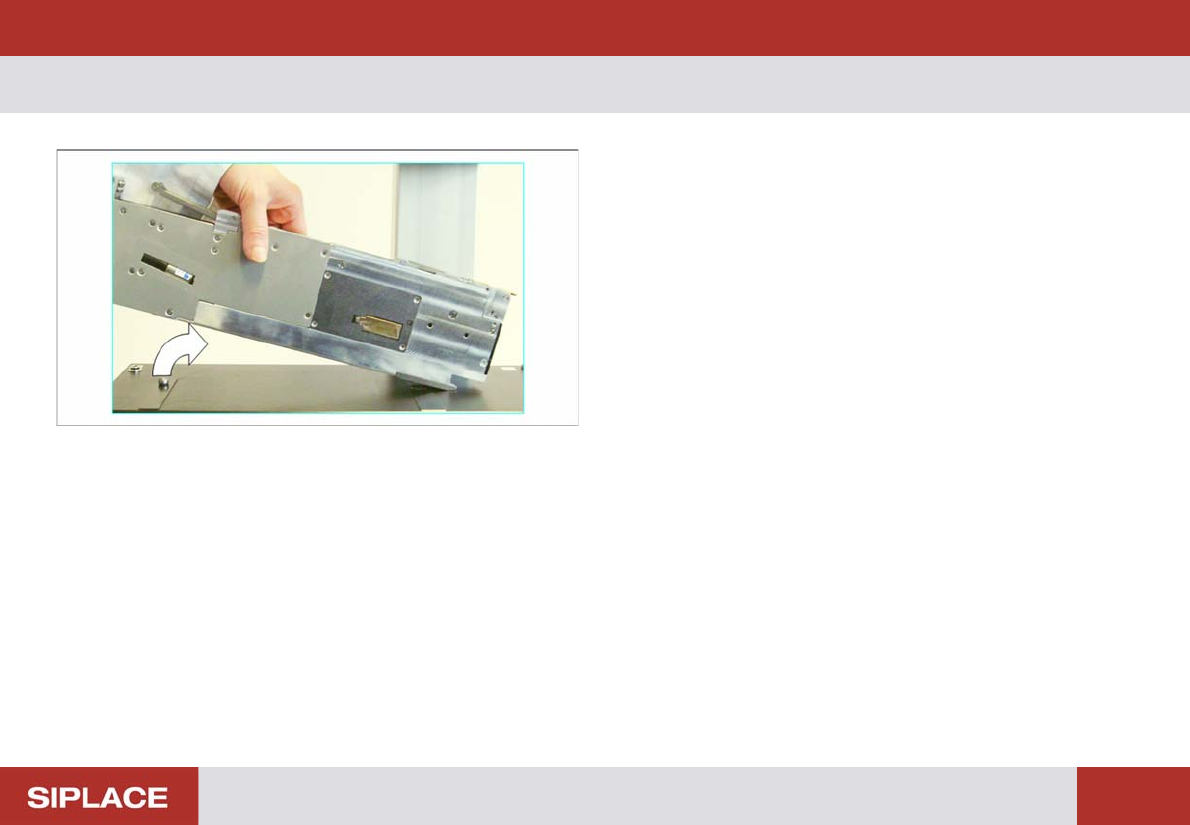
► First lift the feeder slightly at the back.
► Now lift the feeder up to the left and off the contact sur-
face.
Make sure that the feeder does not hit the camera.