00196577-03 JG S-Feeder Care Test Station EN.pdf - 第42页
Performing the Test – Removing the Feeder 42 – R e m o v in g t h e F e e d e r ► First lift the feeder s lightly at the back . ► Now lif t the feede r up to the left and off the contact sur - face. Make sure that the fe…
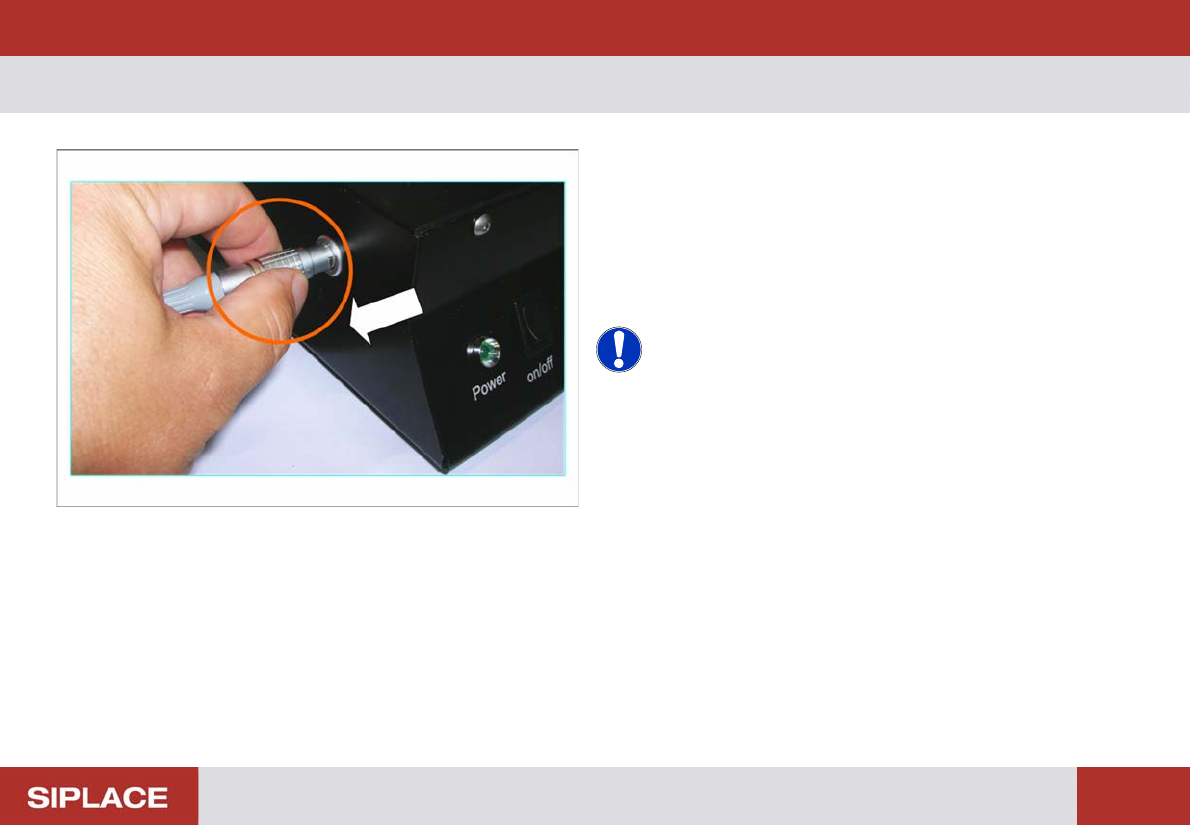
Performing the Test – Disconnecting the Feeder
41
– Disconnecting the Feeder
Click on OK in the results display to finish the test and trig-
ger automatic tape ejection.
You can now remove the feeder from the test station.
► Take hold of the Lemo connector by its locking ring and
unplug the feeder cable from the testing device connec-
tion.
NOTICE! Ejecting the tape
If there are still tape strips in the feeder after measurement,
these can be manually stepped out.
Click on the Eject Tape (F2) button.
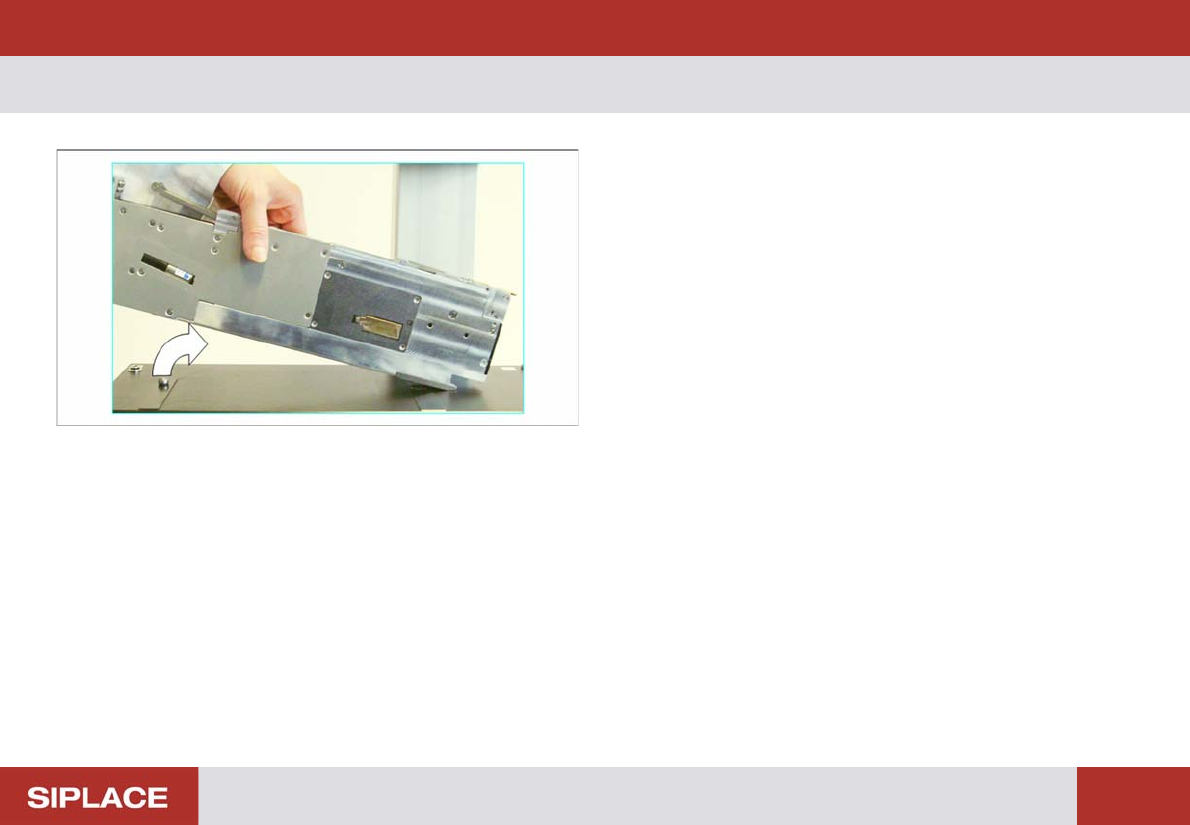
Performing the Test – Removing the Feeder
42
– Removing the Feeder
► First lift the feeder slightly at the back.
► Now lift the feeder up to the left and off the contact sur-
face.
Make sure that the feeder does not hit the camera.
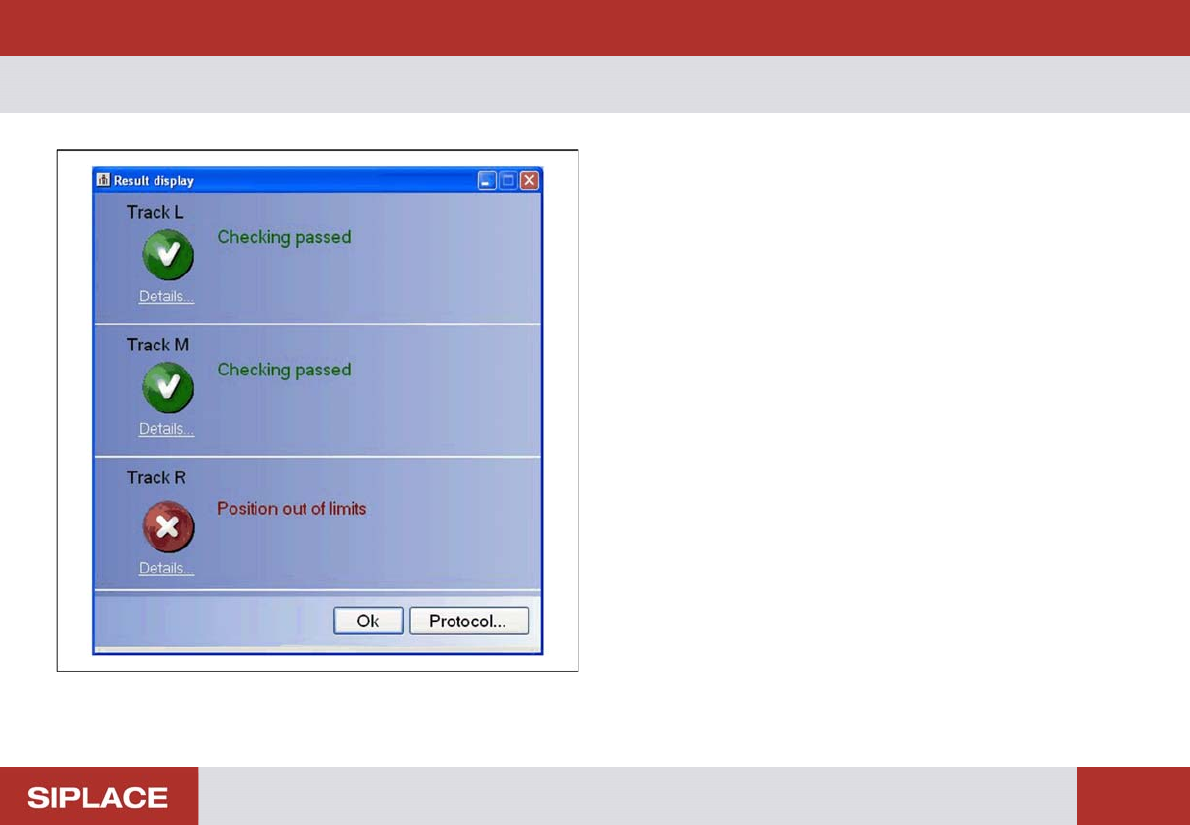
Performing the Test – Results Display (Negative)
43
– Results Display (Negative)
If one or more positions on the measured track are outside
the tolerance range, this track will be shown as faulty.
See the right-hand track as an example of this.