00196577-03 JG S-Feeder Care Test Station EN.pdf - 第44页
Performing the Test – Result s Display: Log (Negative) 44 – R e s u lt s D is p la y : L o g ( N e g a t iv e ) The upp er diagram shows all measuring po ints outside t he tolerance range.
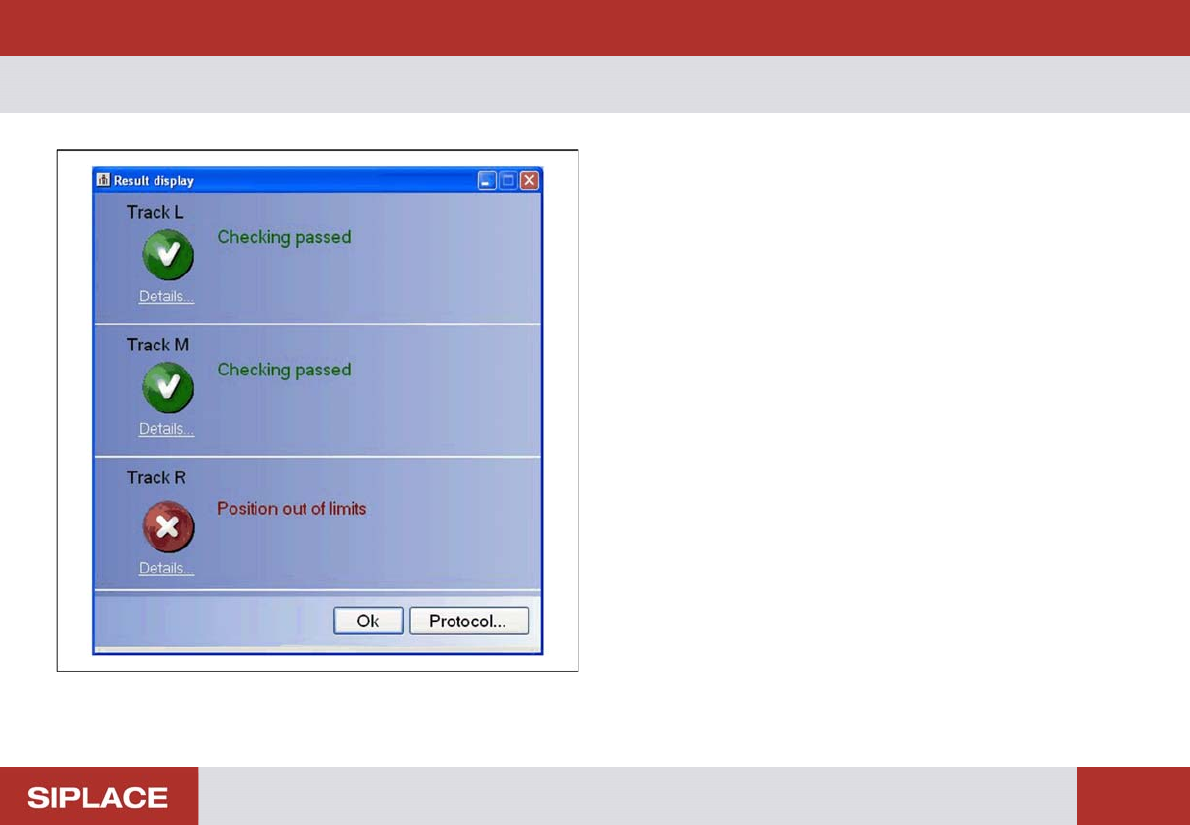
Performing the Test – Results Display (Negative)
43
– Results Display (Negative)
If one or more positions on the measured track are outside
the tolerance range, this track will be shown as faulty.
See the right-hand track as an example of this.
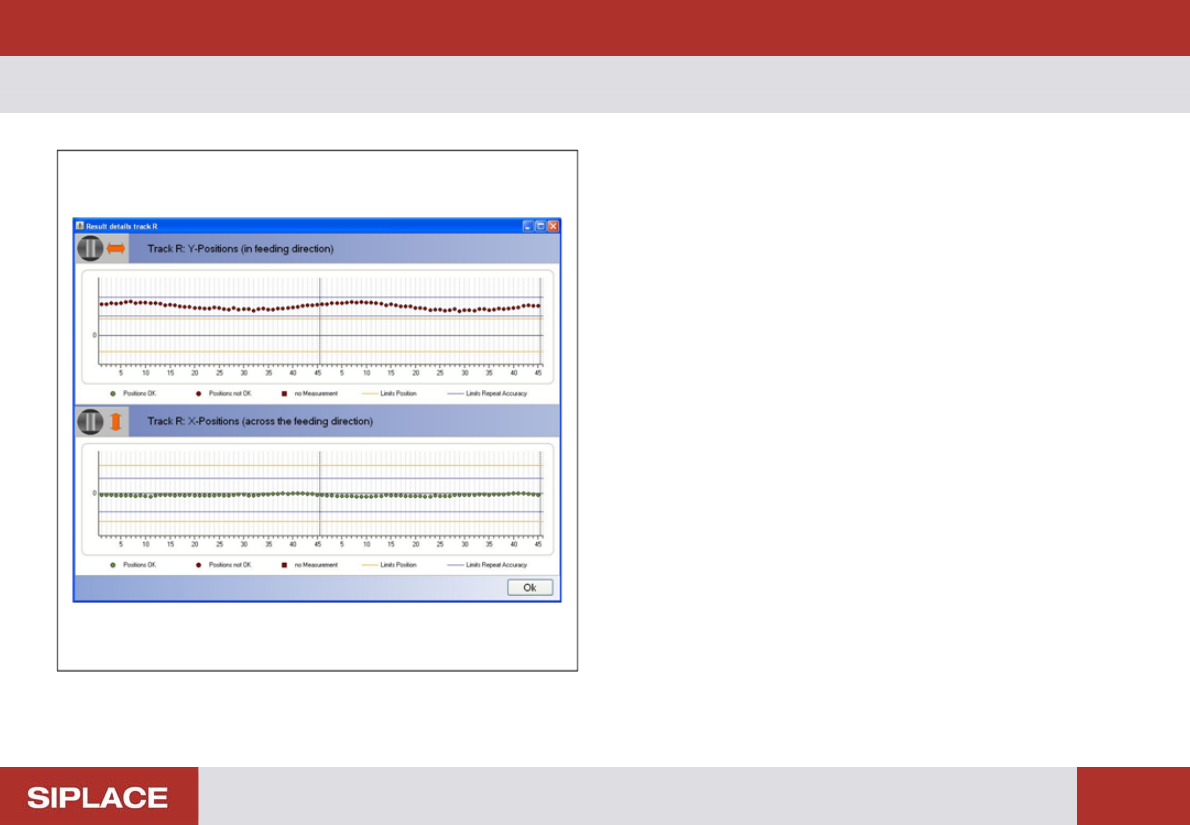
Performing the Test – Results Display: Log (Negative)
44
– Results Display: Log (Negative)
The upper diagram shows all measuring points outside the
tolerance range.
Performing the Test – Troubleshooting for Negative Measuring Results
45
– Troubleshooting for Negative Measuring Results
If the measuring result is negative, check the following points:
▪ A precondition for the automatic test run is a valid calibration of the S-Feeder Test Station.
If necessary, calibrate the S-Feeder Test Station. See the S-FTS manual.
▪ When using 2x8 mm and 3x8 mm feeders, the test station must recognize the feeder fiducials. If this is not possible, an
error message will be shown.
If necessary, check the fiducial on the feeder with the camera (F8 key)
Check whether the feeder is positioned level on the test station.
▪ Check the spaces between the teeth for components or dirt. Manually adjust the pickup position on the feeder to 2 mm,
so that you can see the spaces between the teeth in the live image. Click on the Full rotation (F3) button to rotate the
toothed wheel. Inspect the spaces between the teeth during this rotation.
Use the magnetic pin to remove any components or contaminants. Use the Single step (F5) function to help you.
▪ Clean the feeder.
▪ Make sure that the test tape is run correctly in the tape duct and that it engages properly in the toothed wheel.
▪ If the measuring result is still negative after a second test run, the feeder will need to be repaired.