00196577-03 JG S-Feeder Care Test Station EN.pdf - 第52页
Function Test – Control Panel 52 – C o n t r o l P a n e l Verifying the operational function. Start the test via the c ontrol panel button (1). Via the sof tware (2 ) you a re asked consecutive ly to op erate the availa…
Function Test – Introduction
51
Function Test– Introduction
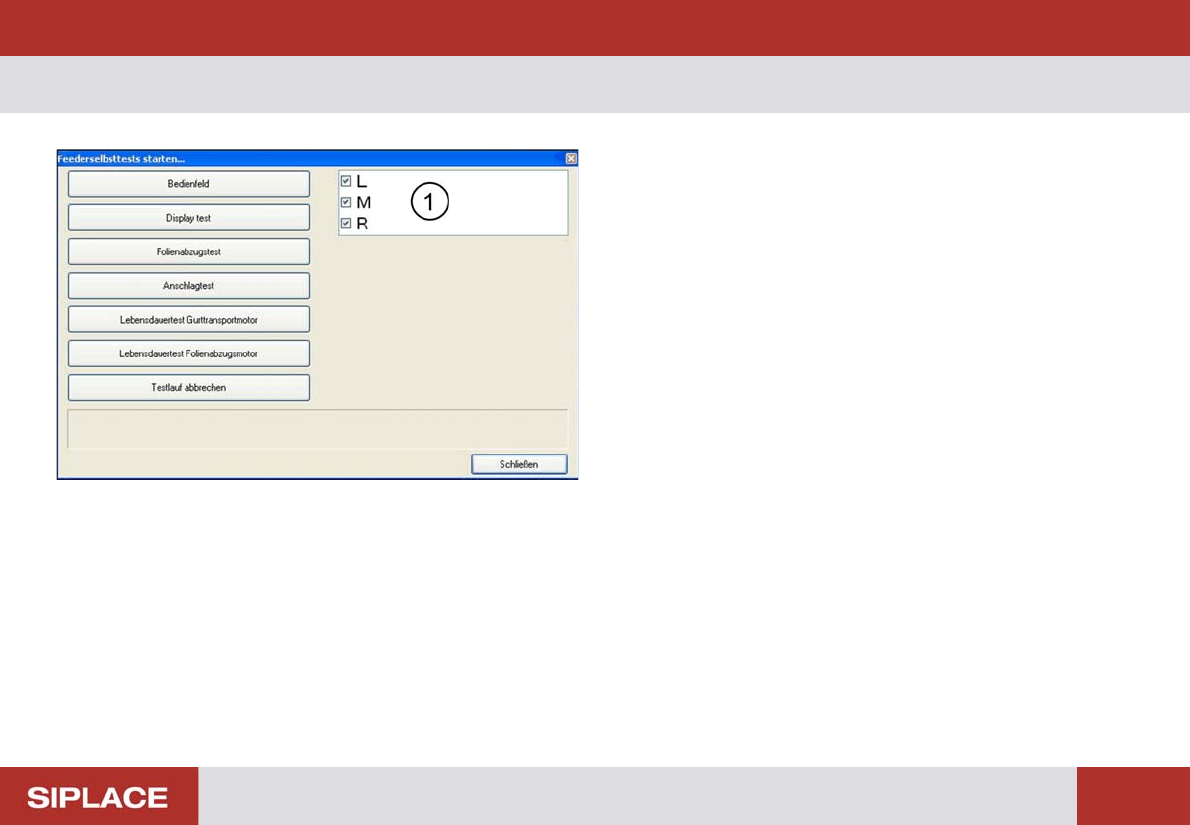
Via menu "Extras" and "function test" more feeder checks
are available.
As for the other function you need to select the right feeder
type in the basic menu.
You can select the tracks (1) to be check for the foil retrac-
tion and stop position measurement.
Each test can be canceled using the "Cancel test" button.
Function Test – Control Panel
52
– Control Panel
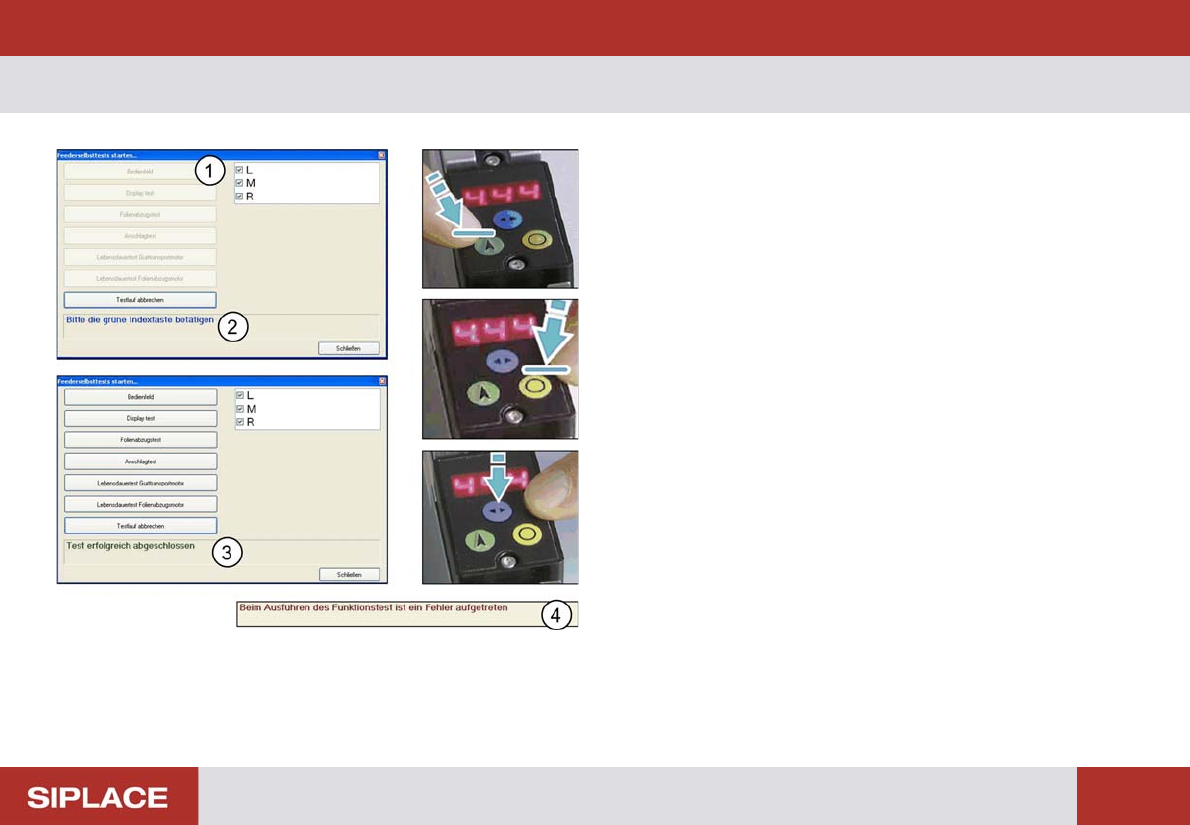
Verifying the operational function.
Start the test via the control panel button (1).
Via the software (2) you are asked consecutively to operate
the available functions at the feeder.
The test result (3) is provided after all functions have been
operated.
An error message (4) appears if the software is not recog-
nizing an operation within ~20s.
Function Test – Display Test
53
– Display Test
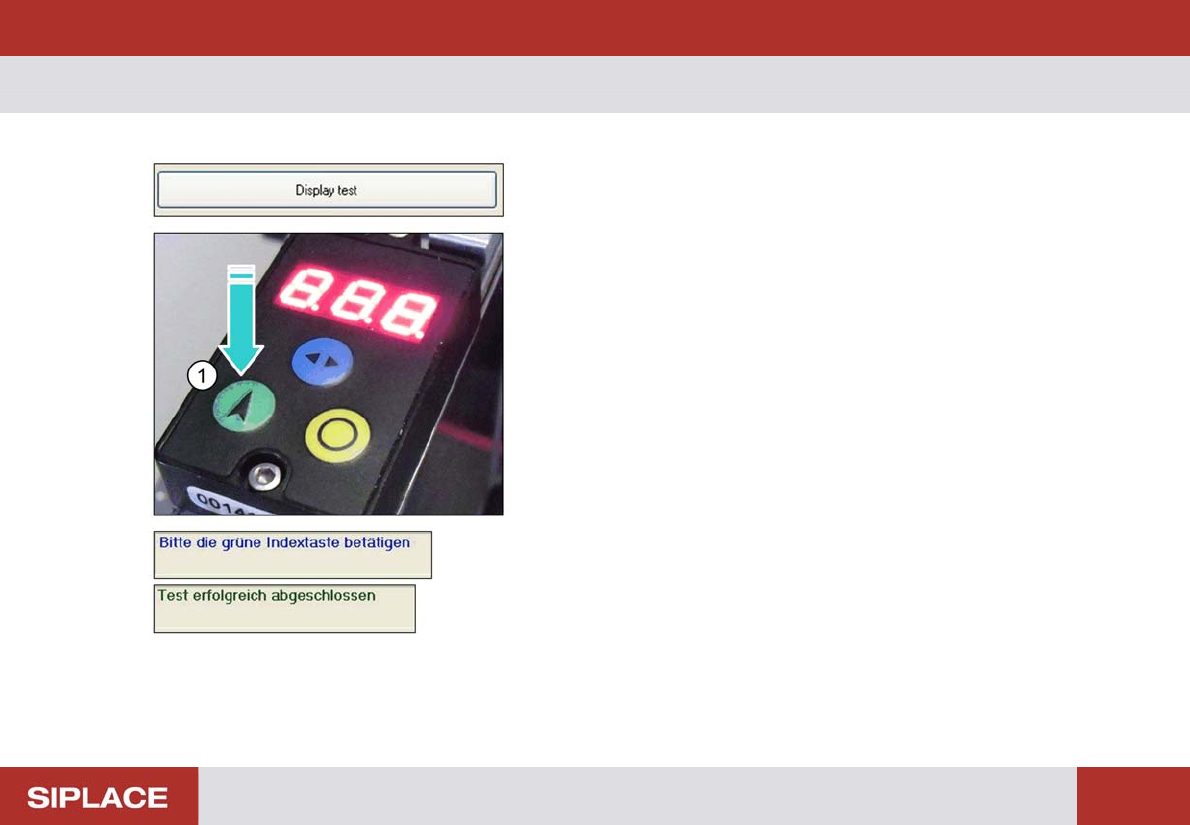
Verifying the display elements
Activate the button "Display test"
The display flashes with all display elements.
To terminate this function click on the green button (1) at the
feeder.