00196622-03_OM_WPC5_6_EN.pdf - 第53页
Operator Tasks 5.6.5 "WPC Details" view Functions at the Station Computer (SR704.xx) Operating Manual SIPLACE WPC5/WPC 6 53 5.6.5 5 . 6 . 5 " W P C D e t a ils " v ie w "WPC Details" view Ac…
Operator Tasks
Functions at the Station Computer (SR704.xx) 5.6.4 "Non-Stop" function view
52 Operating Manual SIPLACE WPC5/WPC6
5.6.4
5.6.4 "Non-Stop" function view
"Non-Stop" function view
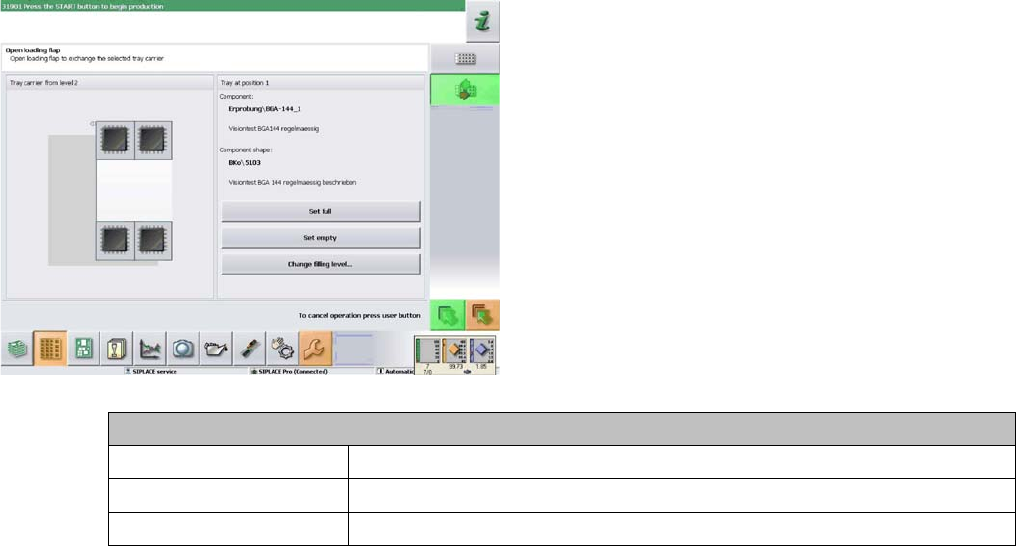
Waffle pack tray details
Set full Confirms that the waffle pack tray has been filled with components.
Set empty Confirms that the waffle pack tray has been emptied.
Change filling level... Sets the number of components in the waffle pack tray
Operator Tasks
5.6.5 "WPC Details" view Functions at the Station Computer (SR704.xx)
Operating Manual SIPLACE WPC5/WPC6 53
5.6.5
5.6.5 "WPC Details" view
"WPC Details" view
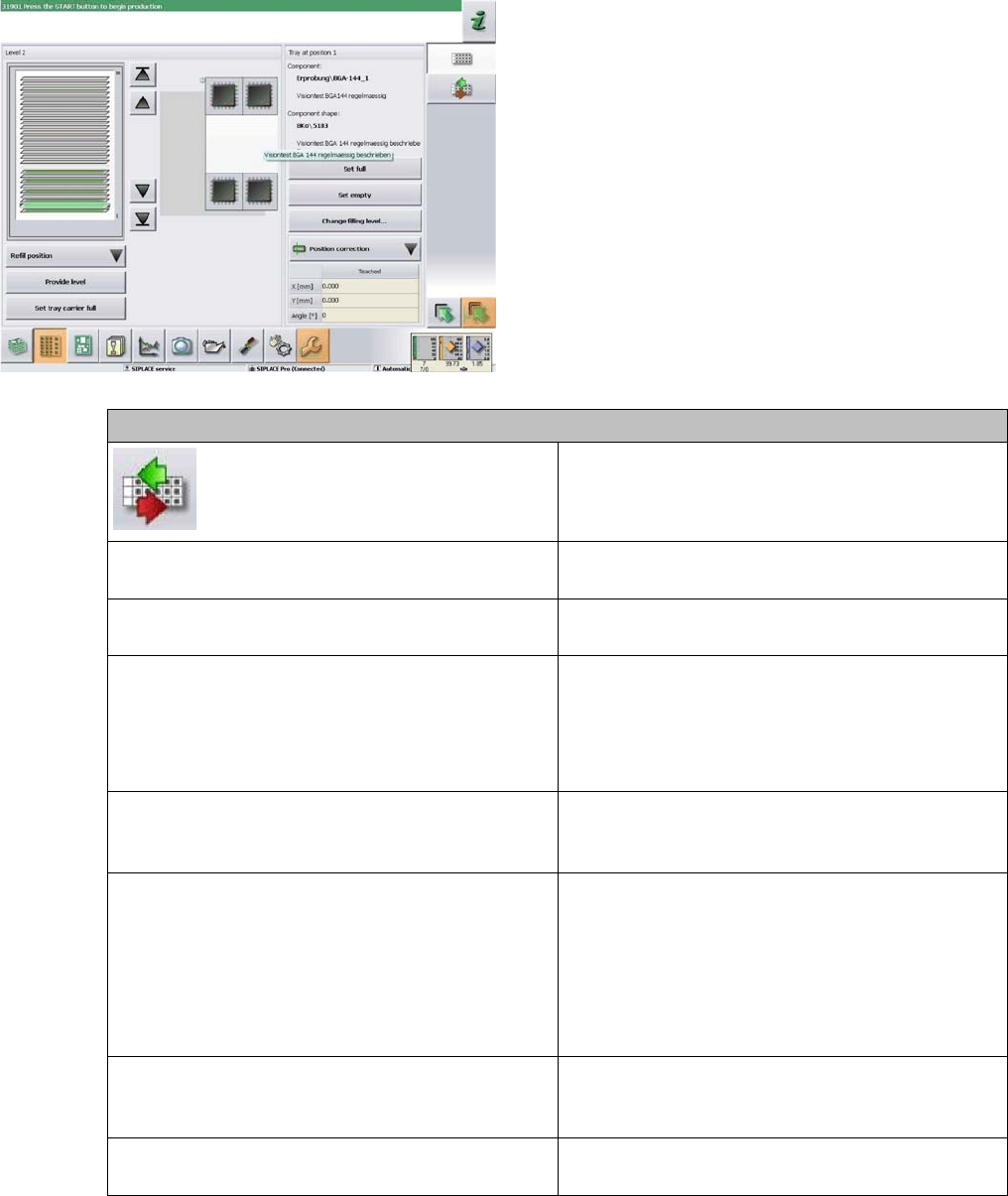
Actions - selected waffle pack tray
Opens a dialog field in which actions with the Non-
Stop Module can be carried out.
Set full Confirms that the waffle pack tray has been filled
with components.
Set empty Confirms that the waffle pack tray has been emp-
tied.
Change filling level Sets the number of components in the waffle pack
tray
First mark the component in the waffle pack tray di-
agram up to which the waffle pack tray is filled and
press the button afterwards.
Position correction... (can only be enabled from operator level "Ser-
vice"). Starts a dialog box for manual correction of
the component pickup position.
Refill position In Move to refill position: Moves to the position in
which the waffle pack tray carriers for all levels can
be replaced. Components can no longer be picked
up from the WPC.
Exit refill position: Moves the complete WPC back
to working position. Components can be picked up
again.
Prepare level The lifting axis moves the selected level to the feed
axis position and the waffle pack tray carrier will be
moved to the staging position.
Set full WTC Confirms that all waffle pack trays in the tray carri-
er have been completely filled with components.
Operator Tasks
Functions at the Station Computer (SR704.xx) 5.6.6 Single Functions
54 Operating Manual SIPLACE WPC5/WPC6
5.6.6
5.6.6 Single Functions
Single Functions
► In the main view, click on the Manual operations... icon in the toolbar.
► Select the view Manual operations > Subsystems > WPC.
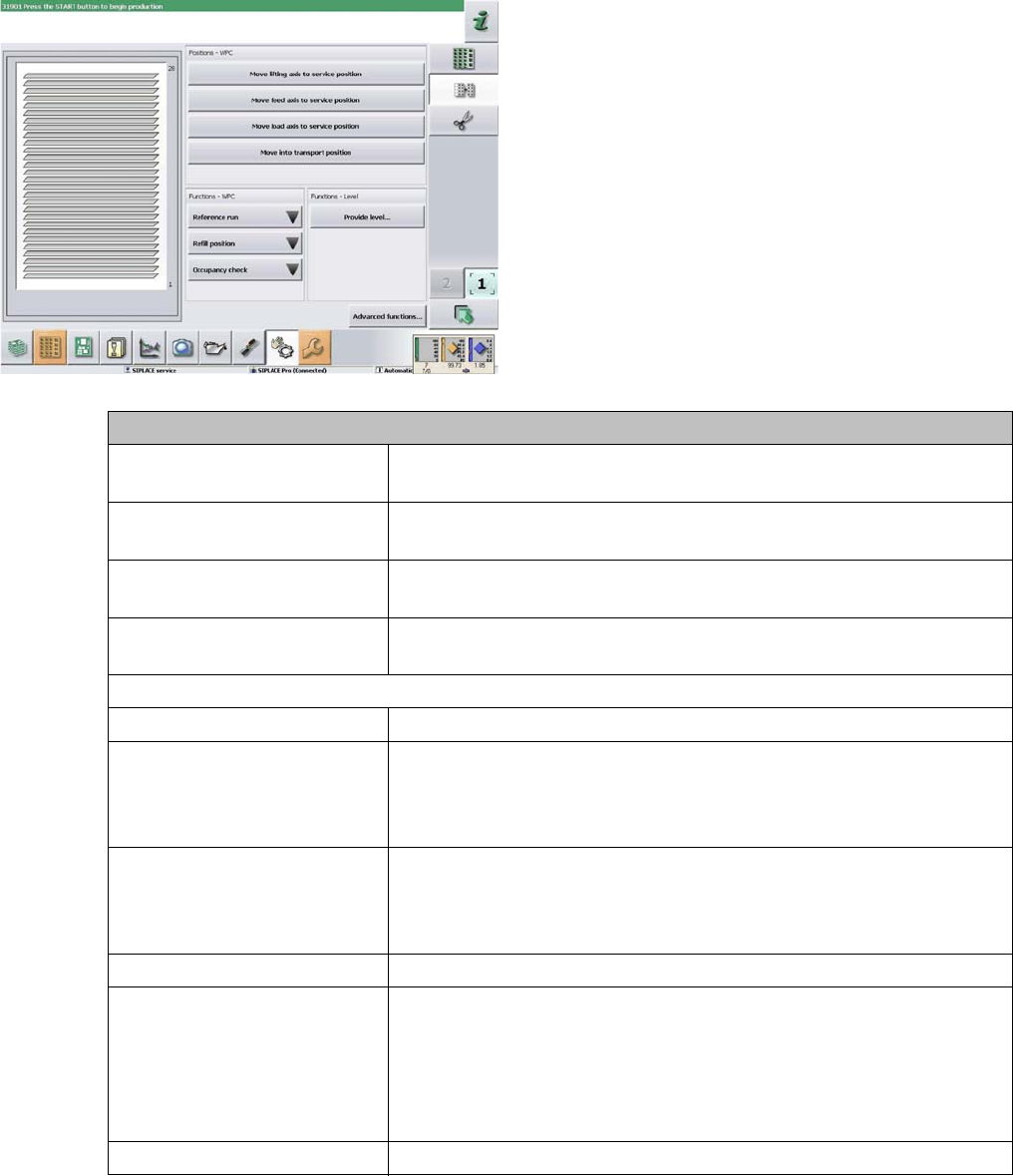
Functions
Move lifting axis to service po-
sition
Moves the lifting axis to the position at which service work can be per-
formed on the WPC.
Move feed axis to service posi-
tion
Moves the feed axis to the position at which service work can be per-
formed on the WPC.
Move loading axis to service
position
Moves the loading axis of the Non-Stop Module to the position at which
service work can be performed.
Move into transport position Moves the WPC to a defined position, from which it can be safely trans-
ported.
Functions
Reference run Moves the lifting or feed axis into a defined position, as selected.
Refill position After your selection in the submenu shown, this starts the machine
function to move the WPC to the refill position. This moves to the po-
sition in which the waffle pack tray carriers for all levels can be re-
placed.
Occupancy check Starts the machine function for checking the tray carriers. The position
of the waffle pack tray carrier (level) is then shown. If tray carriers,
which should be present according to the setup, are missing, this will
also be shown.
Functions - Level
Provide level Opens a dialog box for selection of the level on which the waffle pack
tray carrier to be changed is present. After confirming your choice with
Confirm, the machine function for provision of the level will be started.
The lifting axis moves the selected level to the feed axis position and
the waffle pack tray carrier to be changed will be moved to the staging
position.
Advanced functions... Switches the view over to the last WPC detailed view shown.