COT - Dock - 第4页
E-by SIPLACE Base Machine Stop production and move gan tr ies to setup position Operation 2/2 CAUTION! Refer to safety inst ructions in user manual before working on the machine. ESD guidelines are to be followed Tool: W…
E-by SIPLACE Base Machine Stop production and move gantries to setup position
Operation
1/2
CAUTION! Refer to safety instructions in user manual before working on the machine.
ESD guidelines are to be followed
Tool: Wear Part: Consumables:
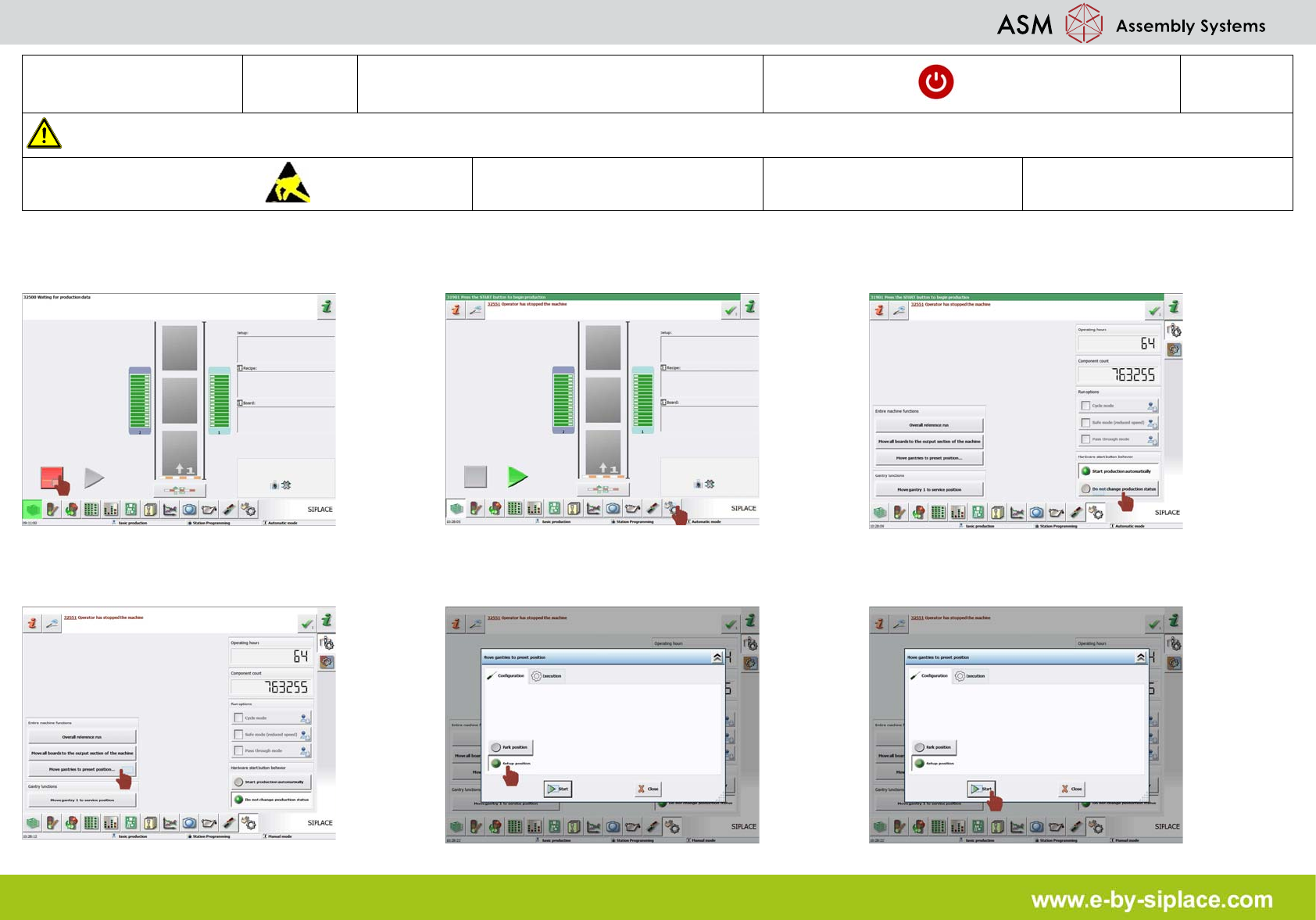
1. Stop production. 2. Click on "check sensors and functions"
icon.
3. Click on "do not change production status"
icon.
4. Click on "move gantry to preset position"
icon.
5. Click on "setup position" icon. 6. Click on "start" icon.
E-by SIPLACE Base Machine Stop production and move gantries to setup position
Operation
2/2
CAUTION! Refer to safety instructions in user manual before working on the machine.
ESD guidelines are to be followed
Tool: Wear Part: Consumables:
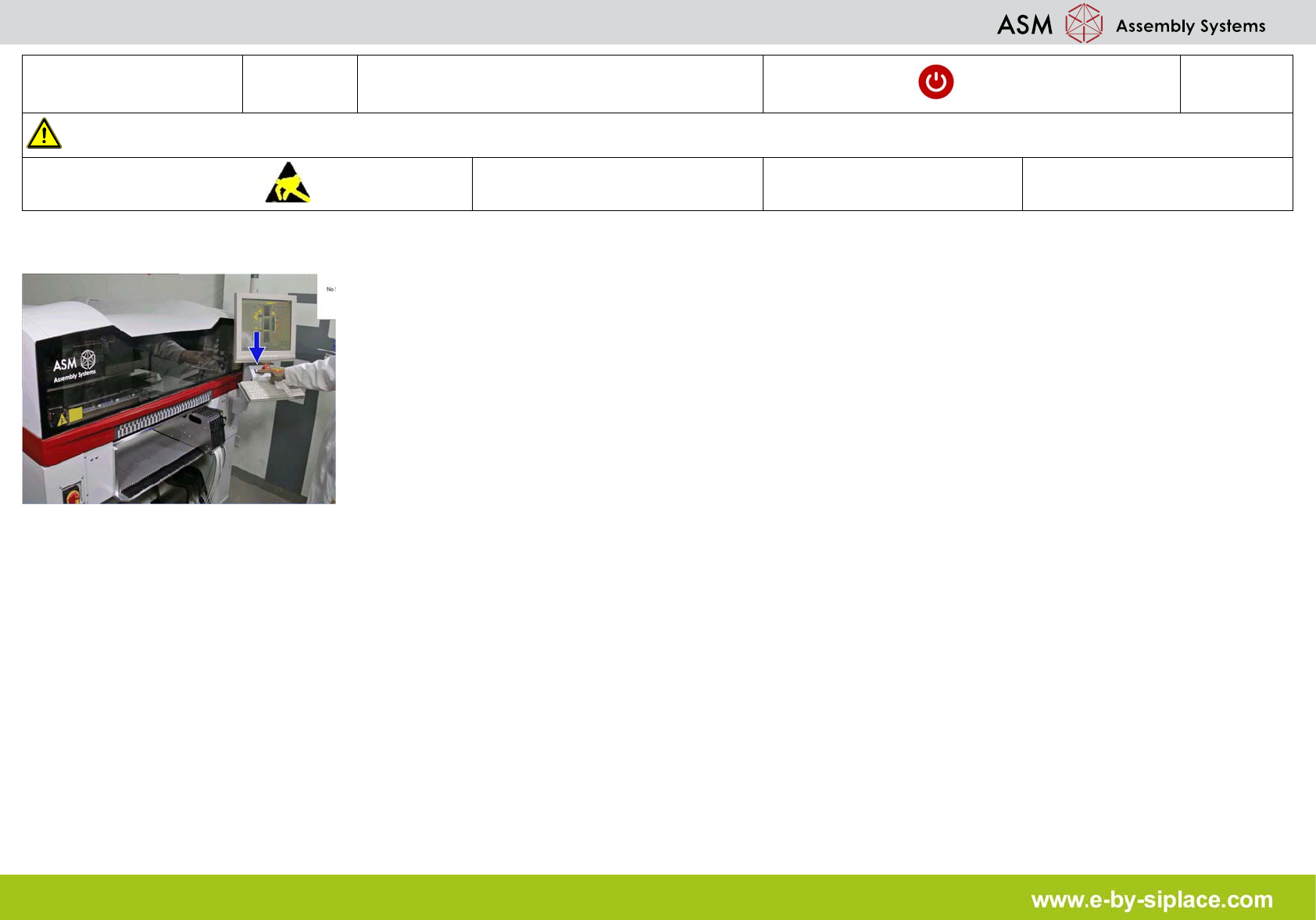
7. Press start button.
E-by SIPLACE Base Machine Undock COT from Machine
Operation
1/2
CAUTION! Refer to safety instructions in user manual before working on the machine.
ESD guidelines are to be followed
Tool: Wear Part: Consumables:
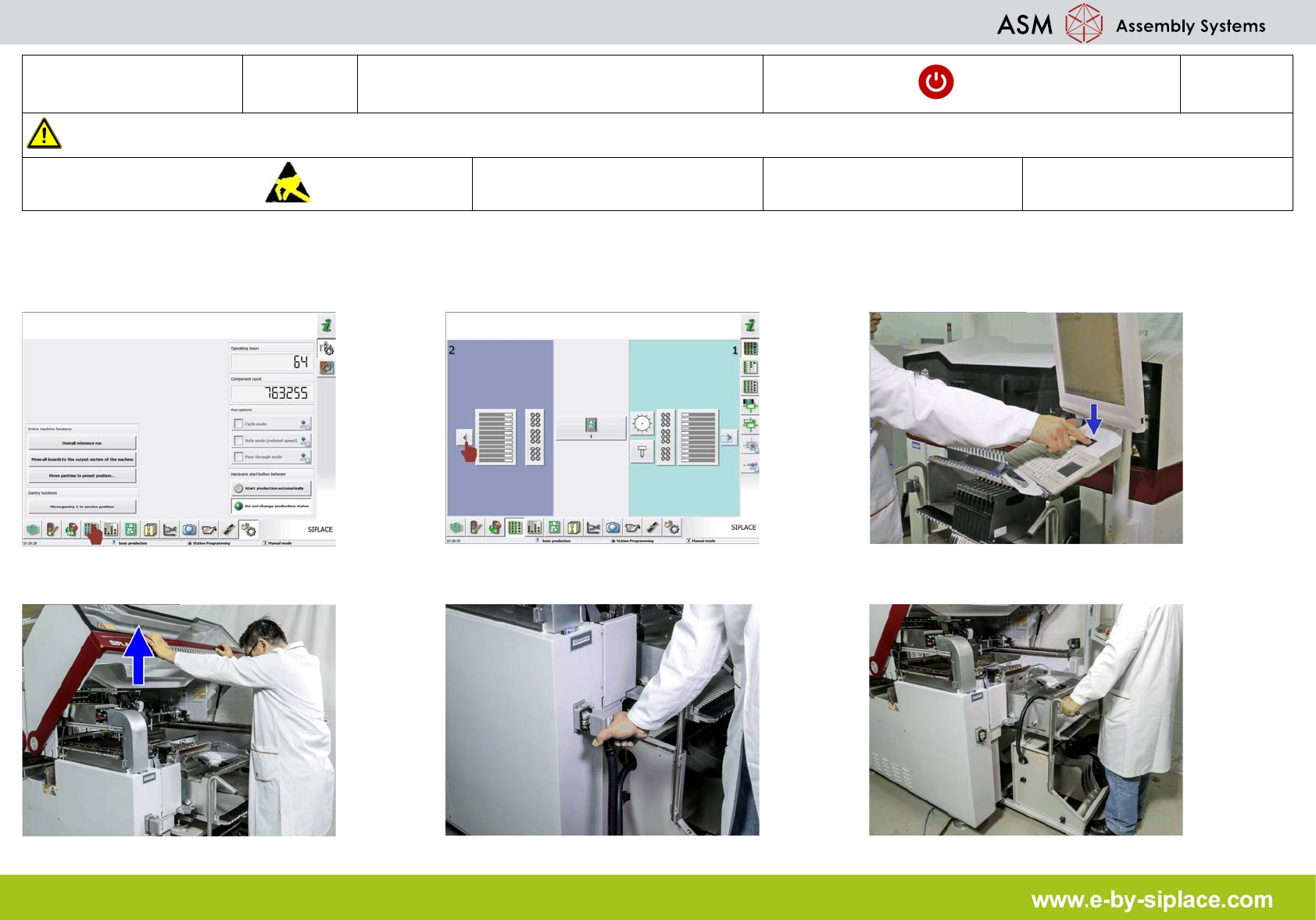
1. Click on "display feeders, components and
nozzles" icon.
2. Click on "location 2 arrow" icon to undock
the COT, the table will now undock automati-
cally.
3. Press stop button.
4. Open the safety cover. 5. Unplug the cable connections. 6. Carefully pull out the feeder tables.