D-serie LEVEL II.pdf - 第45页
Communication and Control Checking the Network Addresses Network S tude nt Guide Advanced Level 2 SIPLACE D Series EN 05/2 007 Communication and Control 4-5 4-2: Network cards in the stat ion computer Legend 1 External I…
Communication and Control
Network Checking the Network Addresses
Student Guide Advanced Level 2 SIPLACE D Series
Communication and Control EN 05/2007
4-4
4.2 Network
4.2.1 Checking the Network Addresses
4.2.1.1 Station Computer
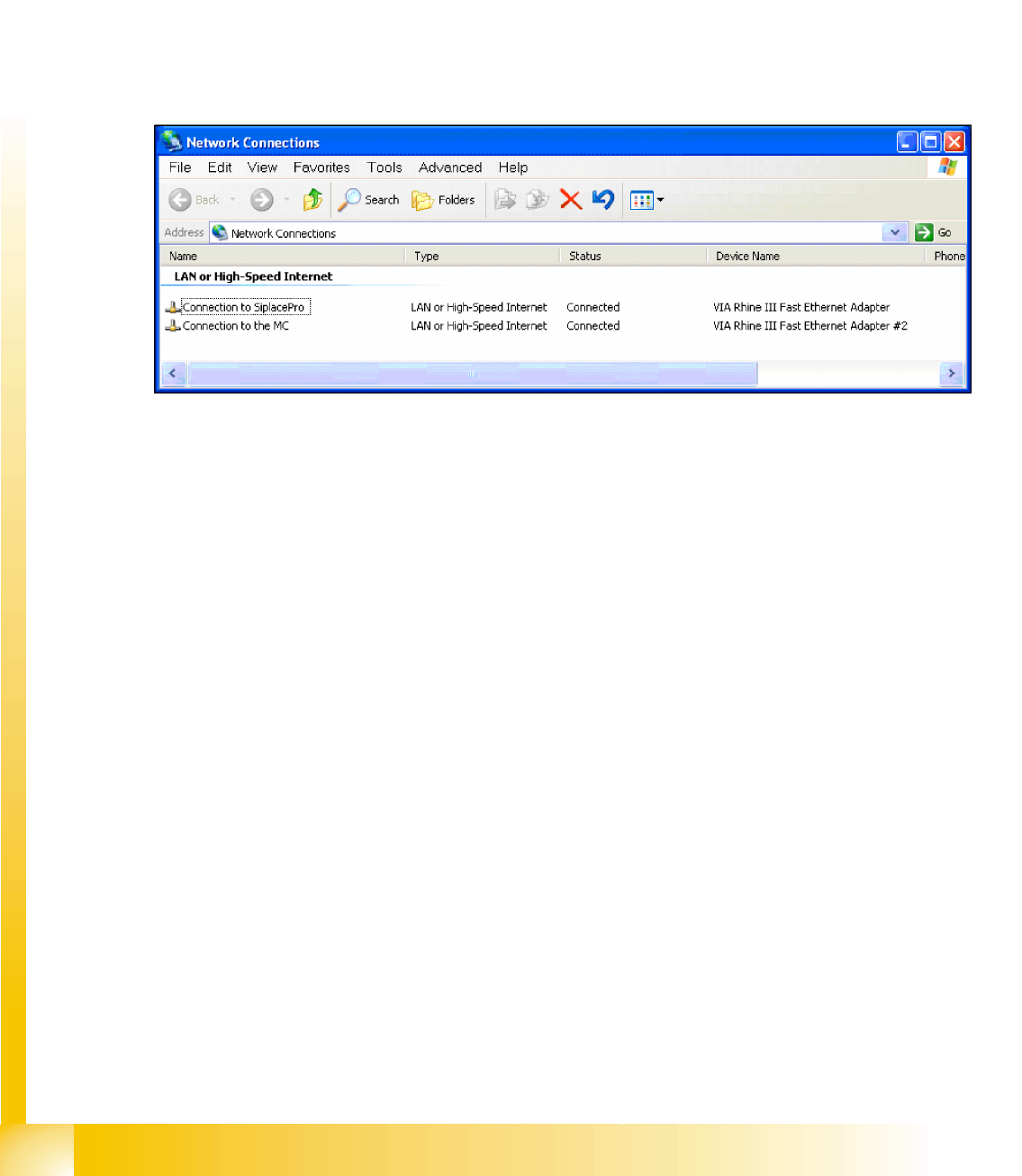
The station computer has two network cards, which can be directly set in Windows:
Windows XP main view:
Start
-->
Settings
-->
Network connections
Select one of the two network cards (see below)
Right-click
Properties
with the mouse.
, select
TCP/IP
and -->
Properties
(see below)
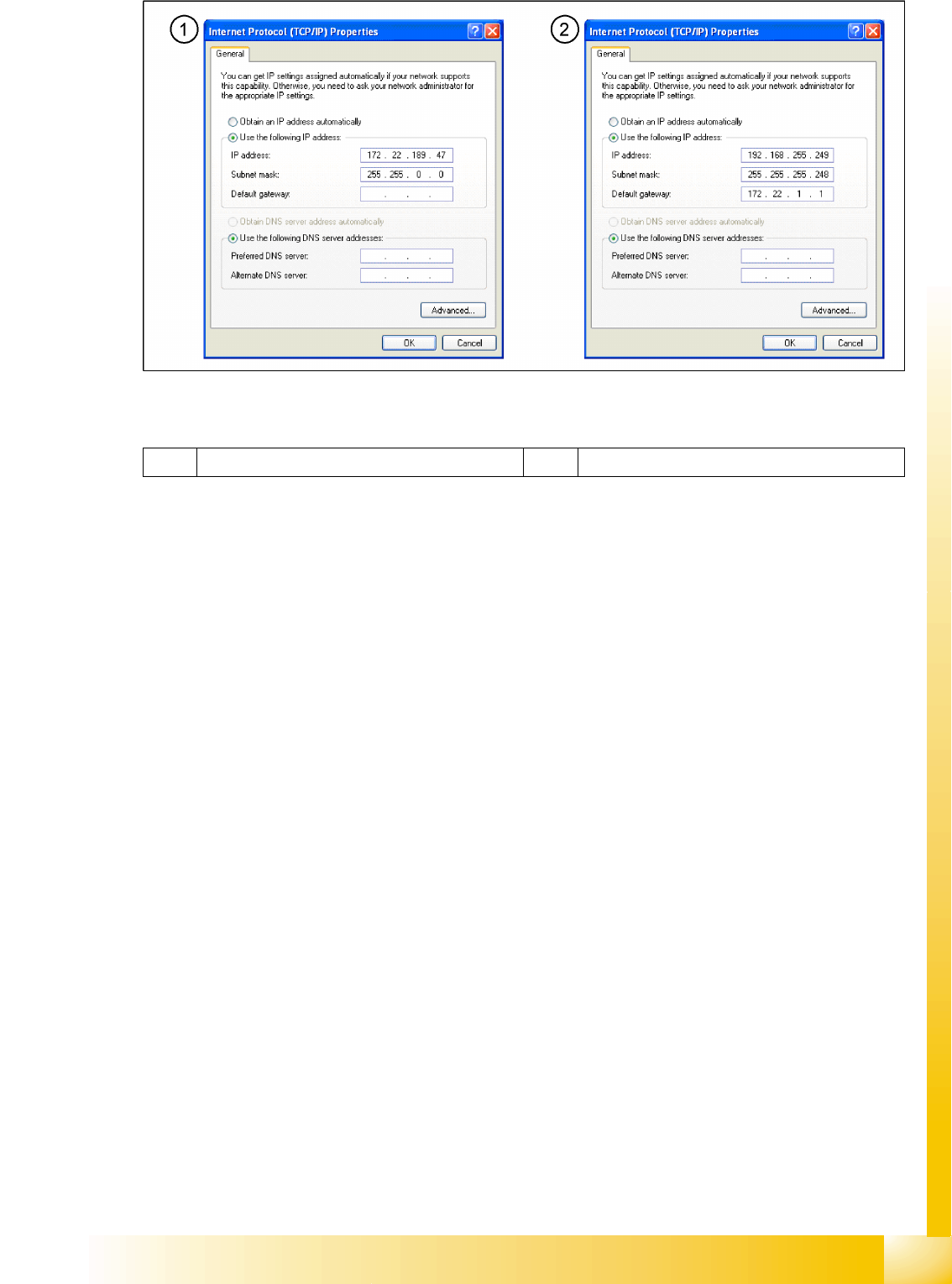
Network card 1 "connection to SIPLACE Pro":
The network connection between the station computer and SIPLACE Pro is realized via the LAN 1
connection of the dual LAN unit in the station computer. The network address is not fixed and can
defined at the customer site.
IP Address LAN Example: 172.22.208.181
This TCP/IP ADDRESS must be typed in, during the configuration of the station in Siplace Pro.
Network card 2 "connection to the MC":
The internal network address for the station computer is a fixed local area network address, which must
not be changed.
Station computer: 192.168.255.249
Communication and Control
Checking the Network Addresses Network
Student Guide Advanced Level 2 SIPLACE D Series
EN 05/2007 Communication and Control
4-5
4-2: Network cards in the station computer
Legend
1 External IP address for SR 2 Internal IP address for SR
Communication and Control
Network Data Supply Between SIPLACE Pro and the Station Computer
Student Guide Advanced Level 2 SIPLACE D Series
Communication and Control EN 05/2007
4-6
4.2.2 Data Supply Between SIPLACE Pro and the Station Computer
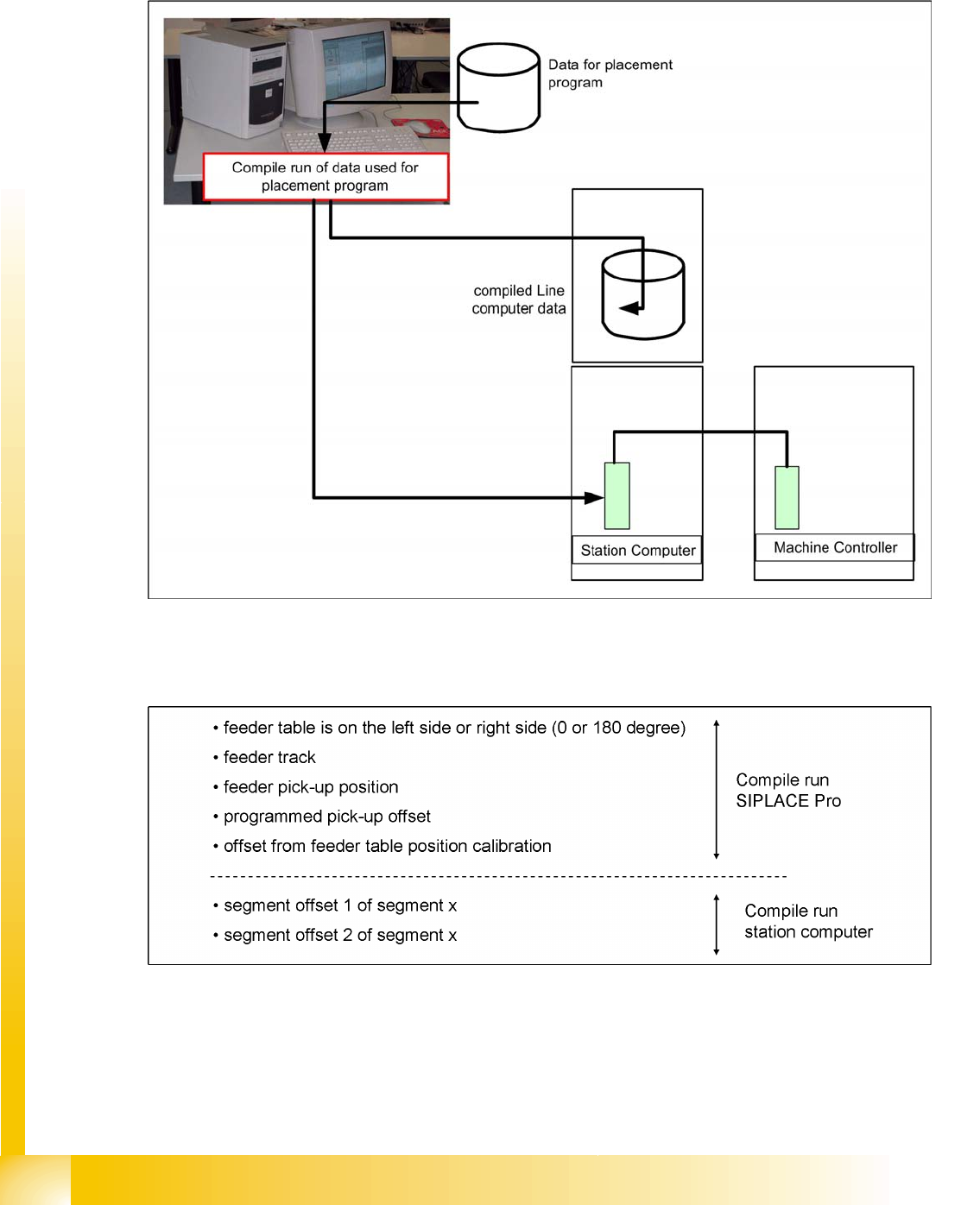
SIPLACE Pro reads the data, required for production with the SIPLACE machine, out of the database
and compiles it. This compilation run creates the required data format and sends this to the station
computer. This data is then saved in files on the hard drive of the station computer.
4-3: Computer in LAN network
4.2.2.1 Compiling the Pickup Position (X/Y Coordinates and Angles)
The following values are taken into account during the calculation of the theoretical pickup position: