JO-109-002_JG-0209.pdf - 第77页
3-25 JO-109 1005-001 6.1 Accuracy Measurement T able Description of Displayed Contents [1] [2] [3] Fig. C20 [1] Inspection Result List This is a list of inspection results that were passed by the inspection. [2] Inspecti…
3-24
JO-109
1106-002
6.1 Accuracy Measurement Table
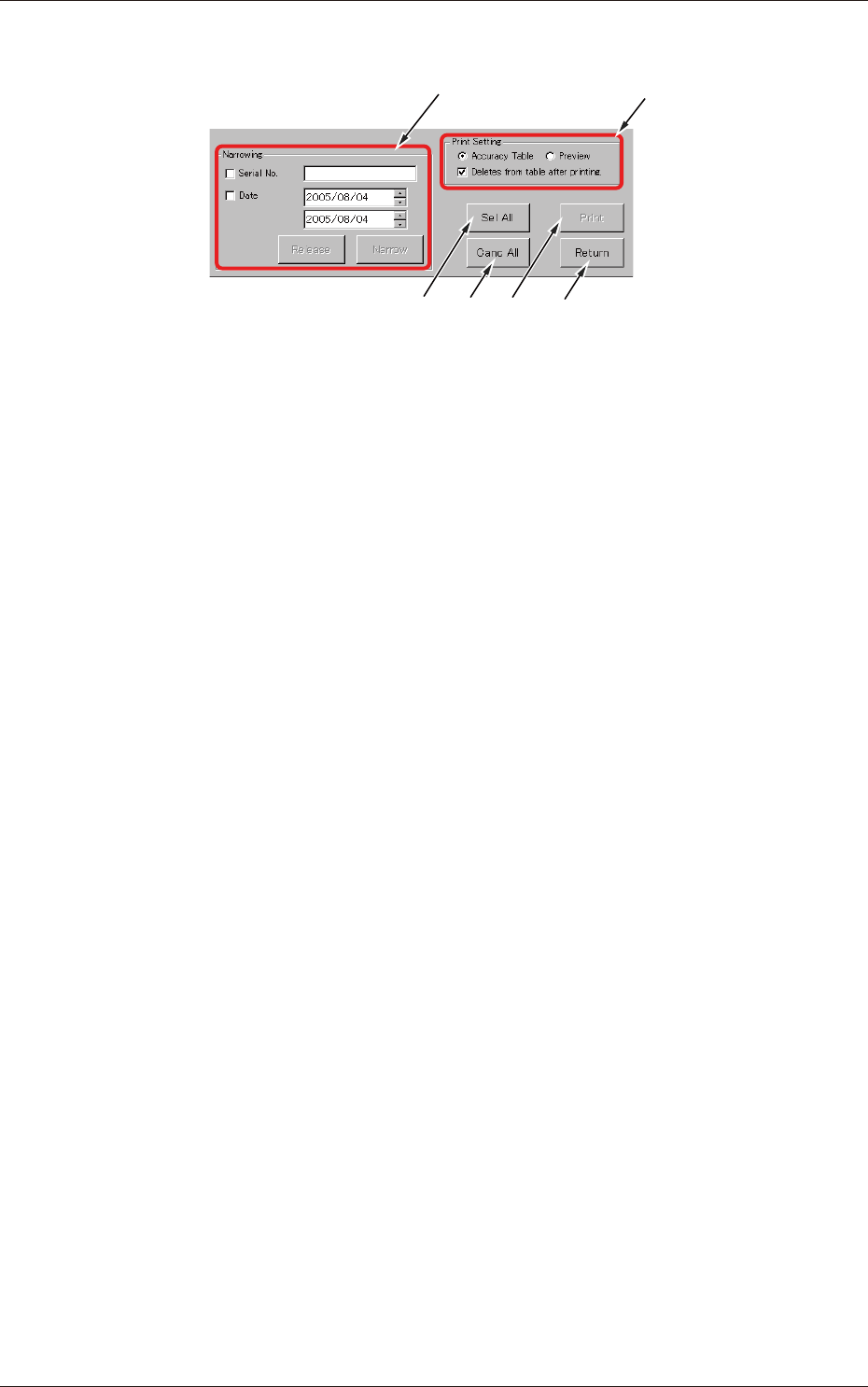
Description of Displayed Items
[1]
[6][3] [5]
[2]
[4]
Fig. C19
[1] Narrowing
Serial No. and Narrowing by Inspection Date.
[2] Print Setting
The displayed print options can be selected.
[3] [Sel All] button
When pressed, this button selects all types displayed in the table.
[4] [Canc All] button
When pressed, this button cancels the selection (all selected types).
[5] [Print] button
Printing is executed according to the print setting in [2].
[6] [Return] button
When pressed, this button opens the previous window (window for
automatic execution).
3-25
JO-109
1005-001
6.1 Accuracy Measurement Table
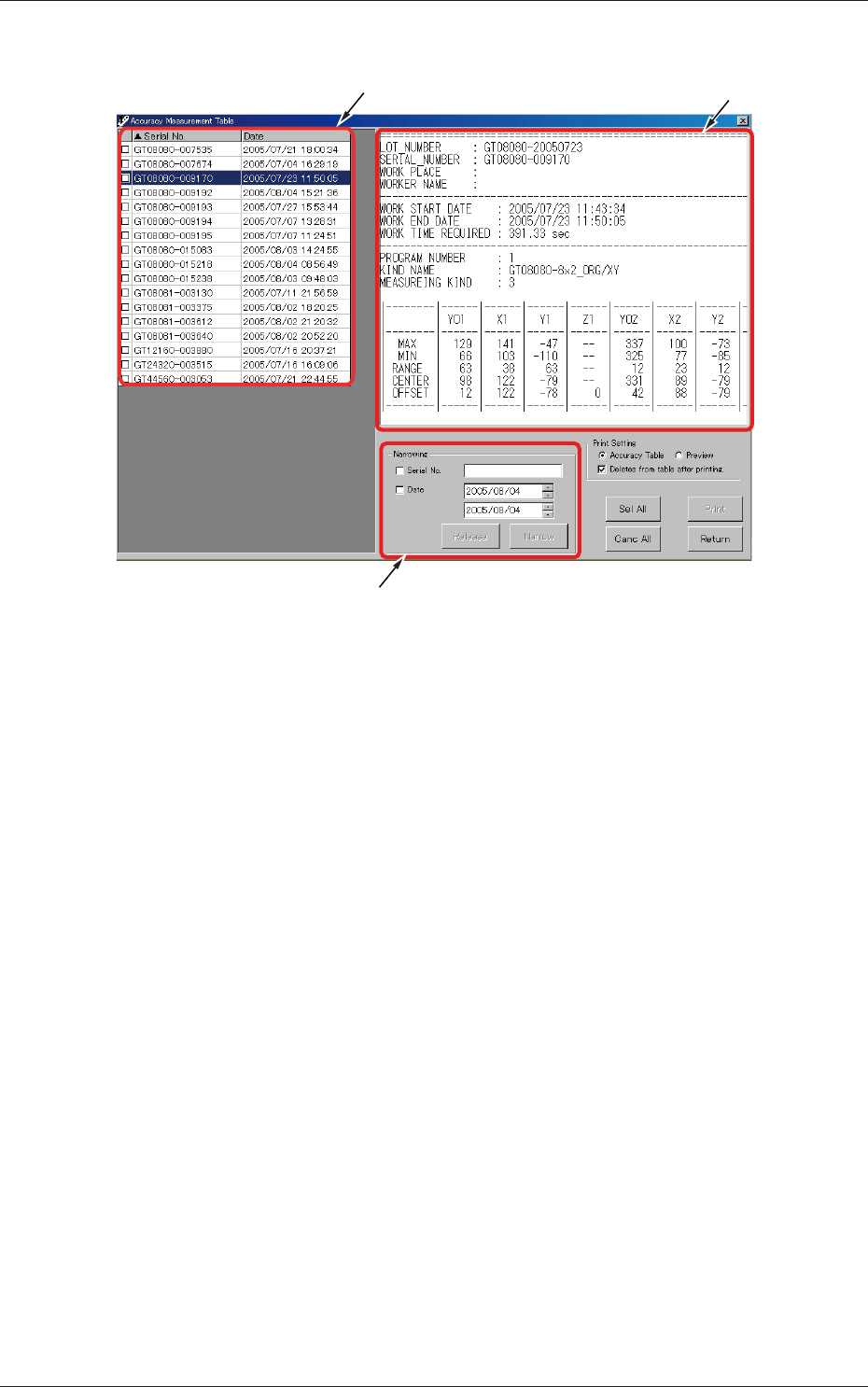
Description of Displayed Contents
[1]
[2]
[3]
Fig. C20
[1] Inspection Result List
This is a list of inspection results that were passed by the inspection.
[2] Inspection Result Preview
This is a preview window that shows the results of the feeder inspection
related to the serial No. selected by the cursor in [1].
[3] Narrowing
The results of inspection to be displayed in the list can be narrowed by
the designated condition.
Serial No.
: Serial Nos. can be narrowed (text-based narrowing).
Date
: The date of inspection can be specied and narrowing can
be made based on the specied date.
Tick either one of the check boxes and then press the [Narrow] button.
Pressing the [Release] button cancels the narrowing.
3-26
JO-109
1005-001
6.1 Accuracy Measurement Table
Selection Modes
When you tick a blank check box (
£
), a checkmark appears inside the check
box (
), indicating that the item is selected.
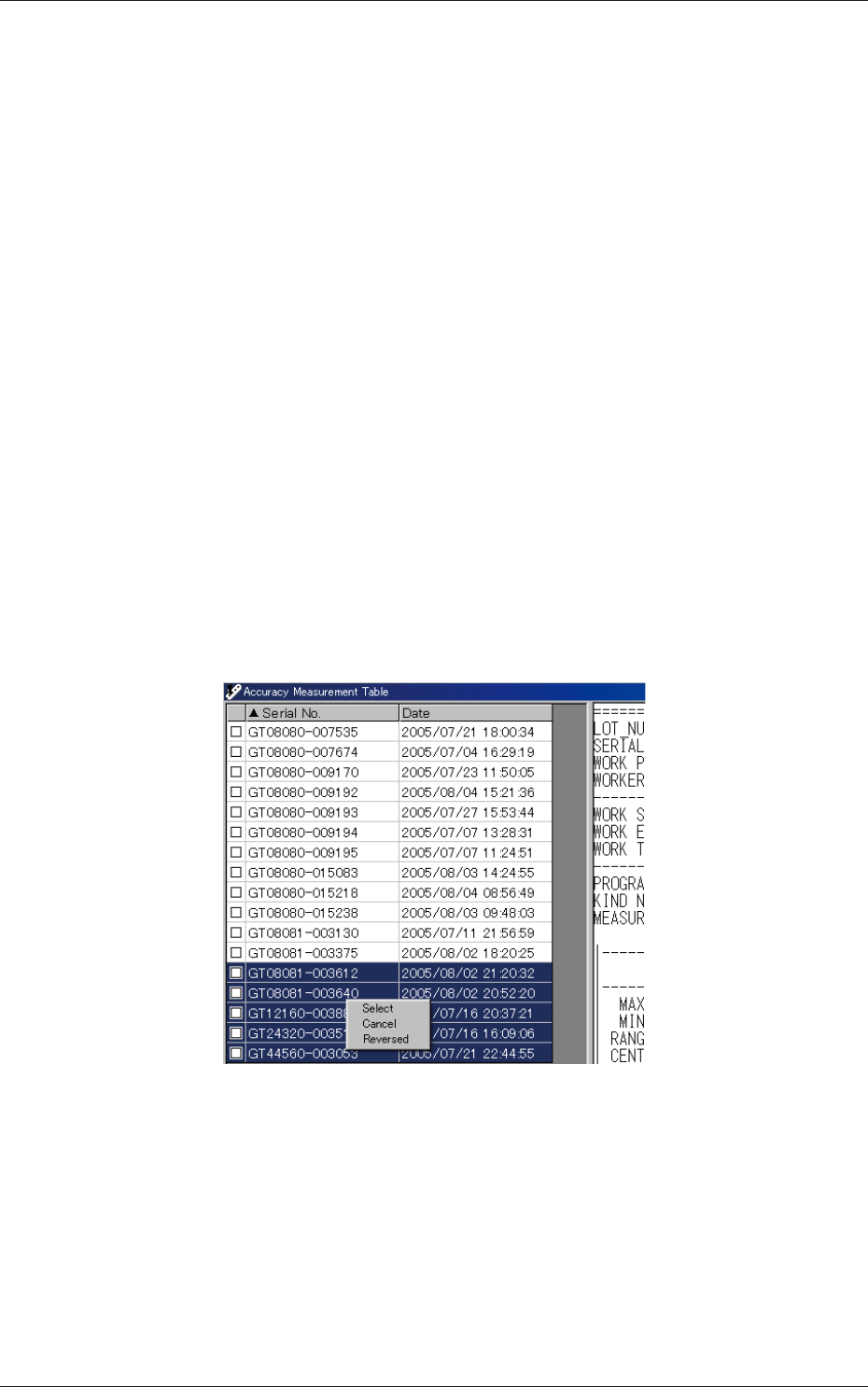
Some selection options are available.
All Selection :
Click the [Sel All] button located on the
lower right corner of the window.
Single Selection (Mouse) :
Double-click the item to be selected.
Single Selection (Keyboard) :
Move the cursor to the item to be selected
and press the [Space] key.
Multiple Selection (Mouse) :
Press the left button of the mouse and drag
the pointer to the items to be selected.
After that, click the right button of the
mouse. A pop-up window opens. Click
"Select".
When the items cannot be selected by
clicking, press the [Space] key on the
keyboard.
Multiple Selection (Keyboard) :
While pressing the [Shift] key, move the
cursor to the items to be selected and press
the [Space] key.
Fig. C21