JO-109-002_JG-0209.pdf - 第94页
4-6 JO-109 2. Feeder Measurement 1 106-002 2. Feeder Measurement Notice No feeder measurement can be performed unless the registration (jig origin adjustment) of the master position is completed. Procedure (1) When you p…
4-5
JO-109
1. Registration of Master Position (Jig Origin Adjustment)
1106-002
(6) Press the [Return] button in the "Master Setting" window.
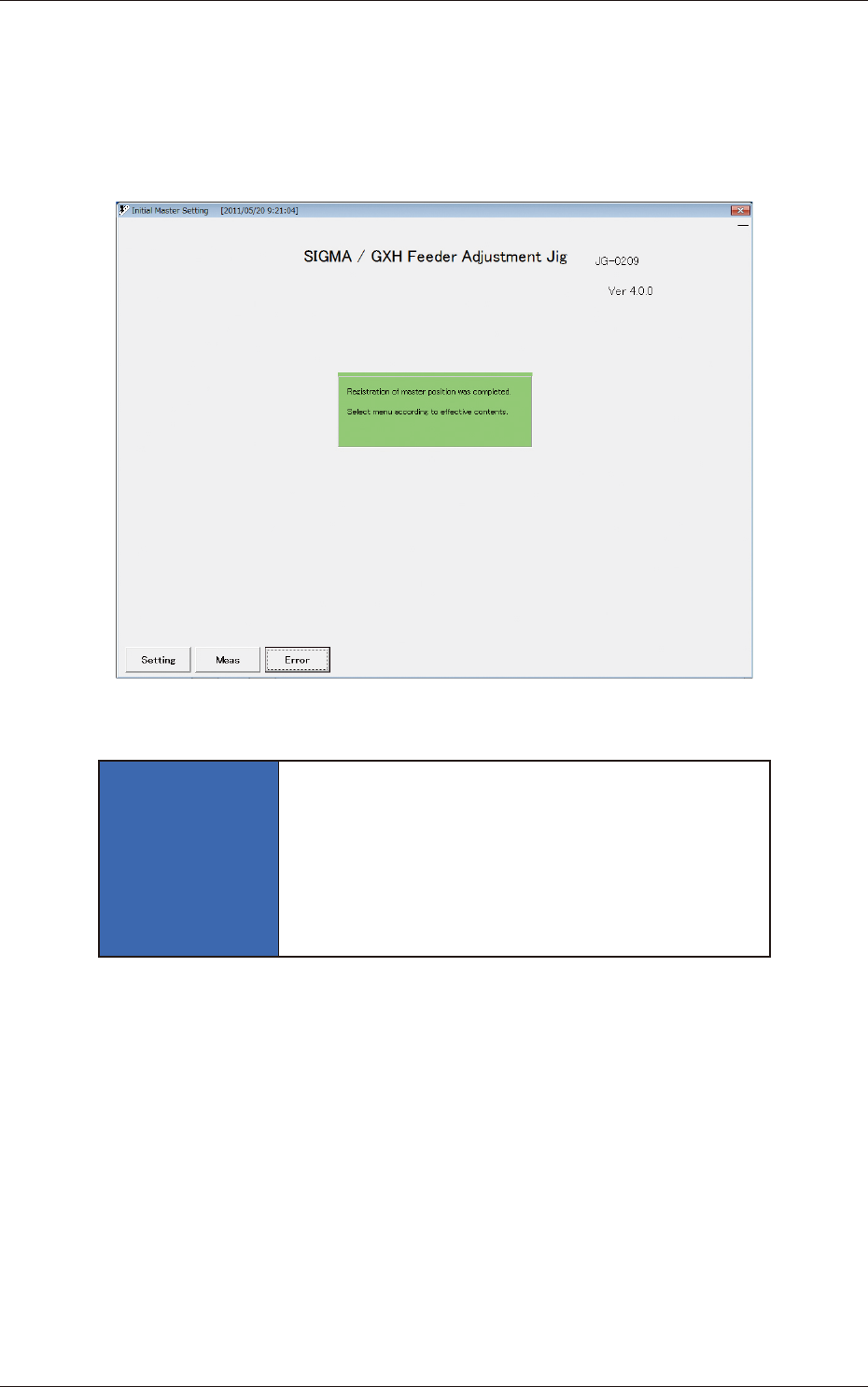
(7) The following message appears in the "Initial Master Setting"
window, indicating that the registration of the master position is
completed.
Detach the jig origin master from the jig.
Fig. D7
NOTICE
Be sure to slowly lift the jig origin master to detach
from the jig.
Otherwise, the jig origin master will come off
abruptly and collide with the camera used to
capture an image of the jig origin. The camera may
be damaged.
4-6
JO-109
2. Feeder Measurement
1106-002
2. Feeder Measurement
Notice
No feeder measurement can be performed unless the registration
(jig origin adjustment) of the master position is completed.
Procedure
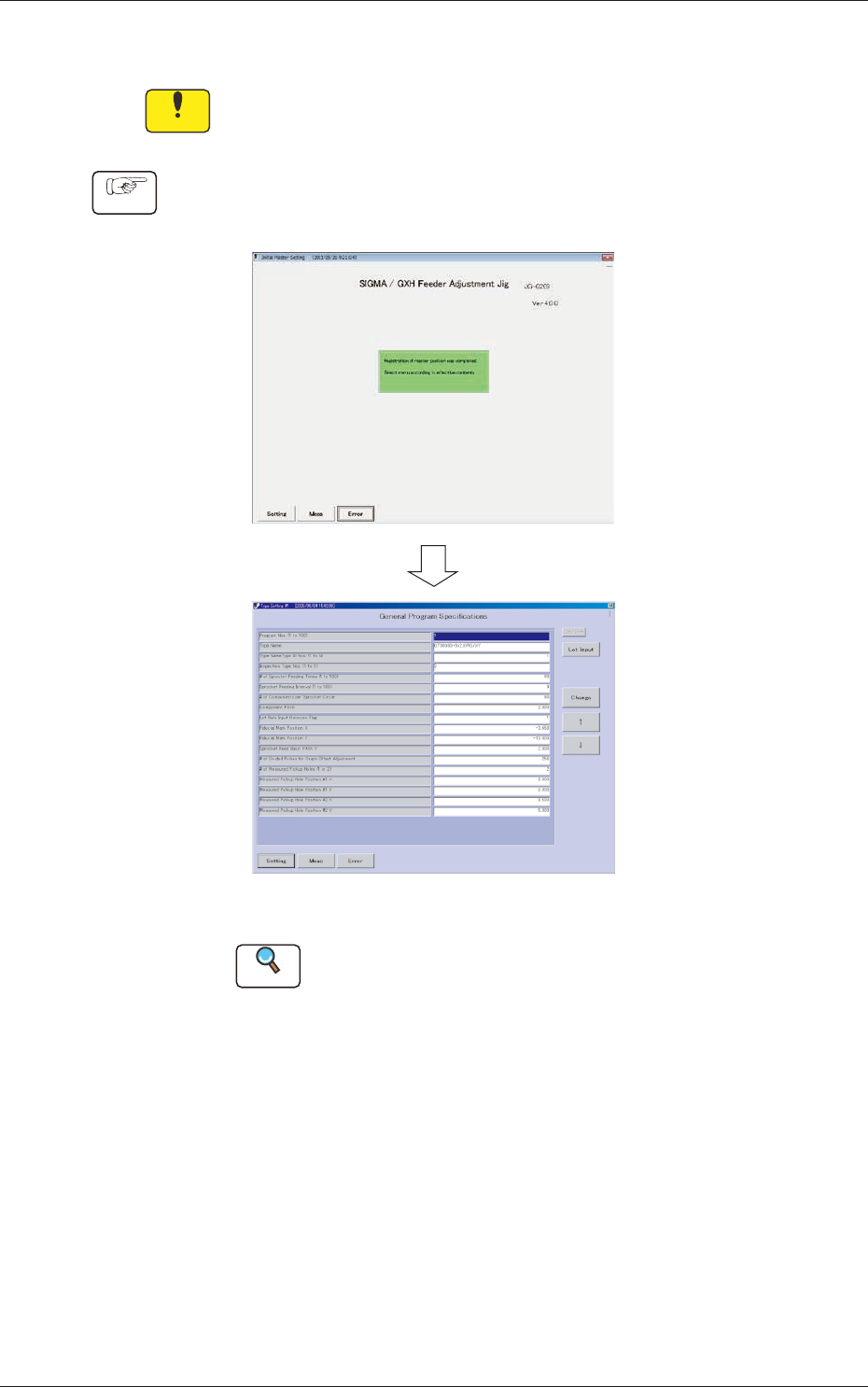
(1) When you press the [Setting] button in the "Initial Master
Setting" window, the "Type Setting #1" window opens.
Fig. D8 "Type Setting #1" Window
Reference
Refer to "4. "Type Setting" Window" in "Section 3" for
details.
(2) Press the [Setting] button in the "Type Setting #1" window.
The "Type Listup" window opens.
4-7
JO-109
2. Feeder Measurement
1005-001
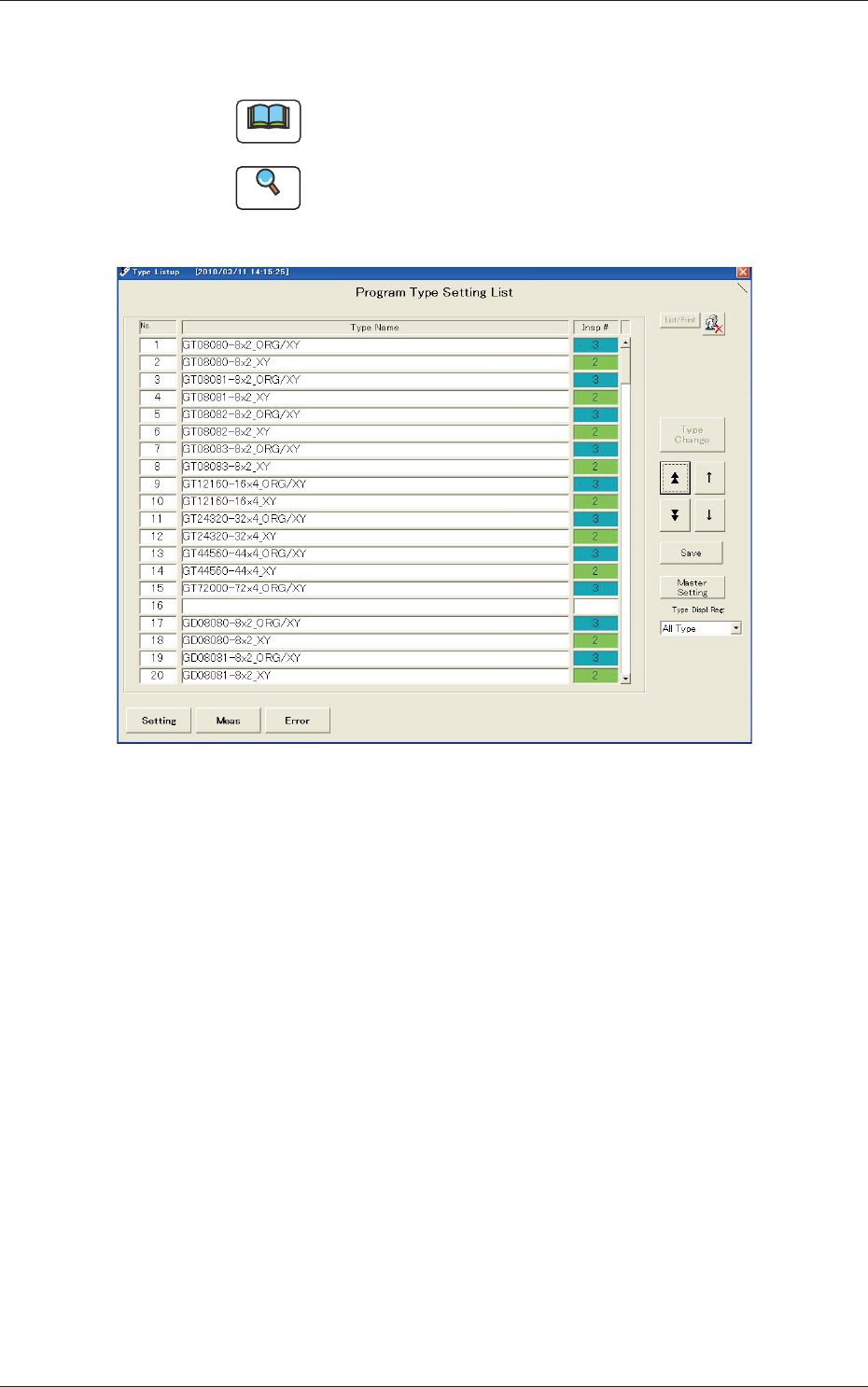
(3) Select the No. of the type name to be measured and press the
[Type Change] button to change the program.
Note
To measure both lane origin and X/Y offsets for "GT-08080",
select "GT-08080- 8
×
2_ORG/XY".
Reference
(a) See the next page for program types (defaults).
(b) Refer to "3. "Type Listup" Window" in "Section 3" for the
"Type Listup" window.
Fig. D9