Process Lens PL Service Manual_EN.pdf - 第124页
3 Replacing spare parts 12 4 Se rv ic e Ma nu al P ro ce ss L en s PL - 0 3/ 20 25 3.5.2.4 Changing the motor for the width adjustment Parts 03106082-xx BLM-4280-24 motor Equipment and tools ● Allen key size 3.0 Requirem…
3 Replacing spare parts
Service Manual Process Lens PL - 03/2025 123
Adjusting the width adjustment belt
Requirements
●
Machine is switched off.
●
Tension ring is loosened.
●
Inspection board (2 x).
Adjust
► Find out which end of the conveyor unit needs to be adjusted.
► Fixate the gear and slide the width adjustment belt further over the gear so that the width adjust-
ment belt is one position further ahead or reverse.
► Continue until the conveyor units are parallel to each other and the inspections boards move
through the conveyor units with ease.
► When the width adjustment belt is in the right position the tension must be fastened again.
Check system test
Requirements
●
Machine is switched off.
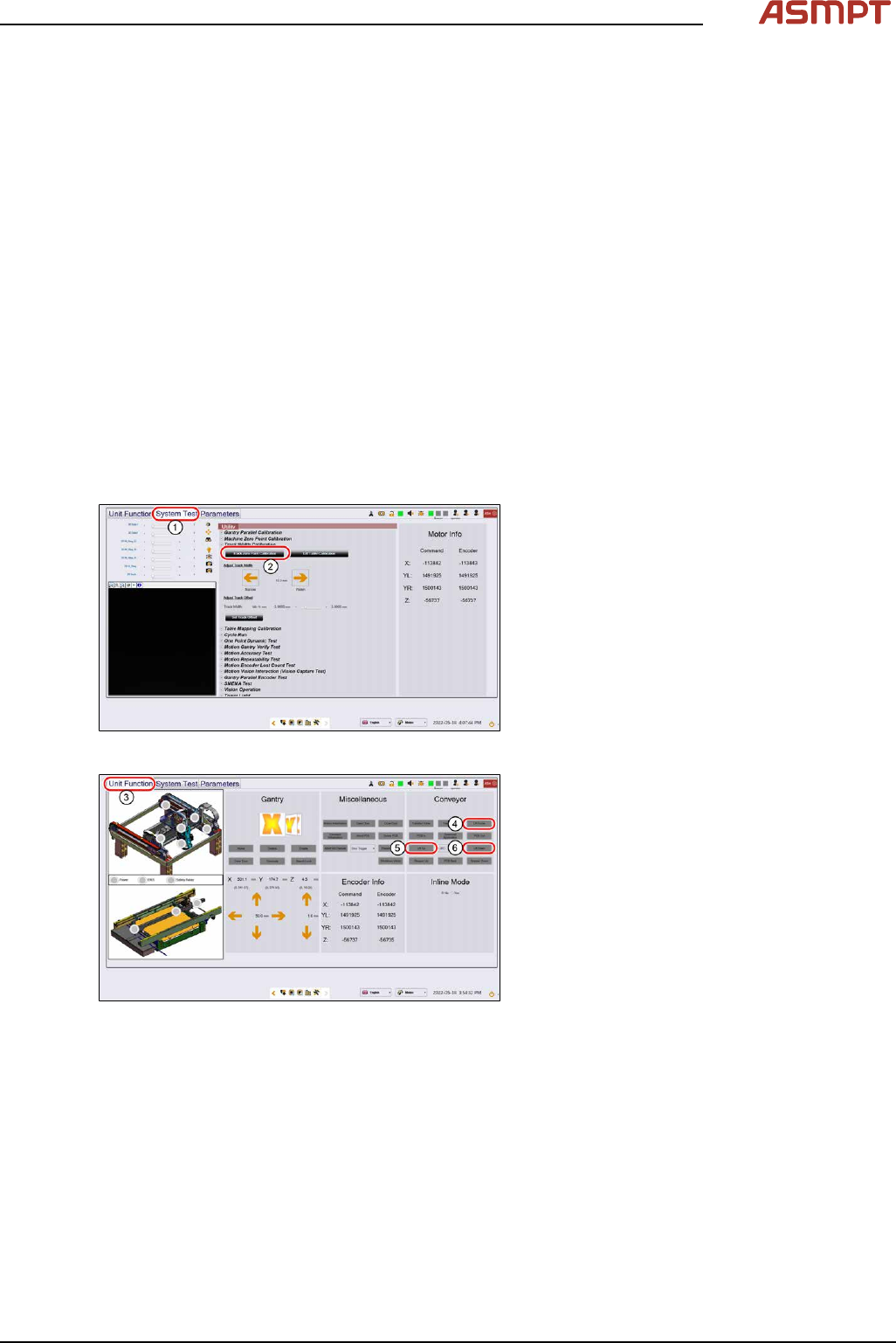
Fig.173: “System Test” tab
► Open the Diagnostic page.
► Go to the tab System Test(1).
► Click on the button Track zero point cali-
bration(2).
► A message will indicate that the calibration
was successful.
Fig.174: “Unit function” tab
► Go to the tab Unit function(3).
► Proceed to the conveyor section and press
the buttons Lift Home(4), Lift up(5) and
Lift down(6) to check the function of the
lifting table.
► On screen messages will confirm the suc-
cessful function test of the lifting table.
► If the conveyor system does not move or
any fault message occurs, the conveyor
system needs to be adjusted.
3 Replacing spare parts
124 Service Manual Process Lens PL - 03/2025
3.5.2.4 Changing the motor for the width adjustment
Parts
03106082-xx BLM-4280-24 motor
Equipment and tools
●
Allen key size 3.0
Requirements
●
Machine is switched off.
●
Lifting table plate is dismantled.
Removal
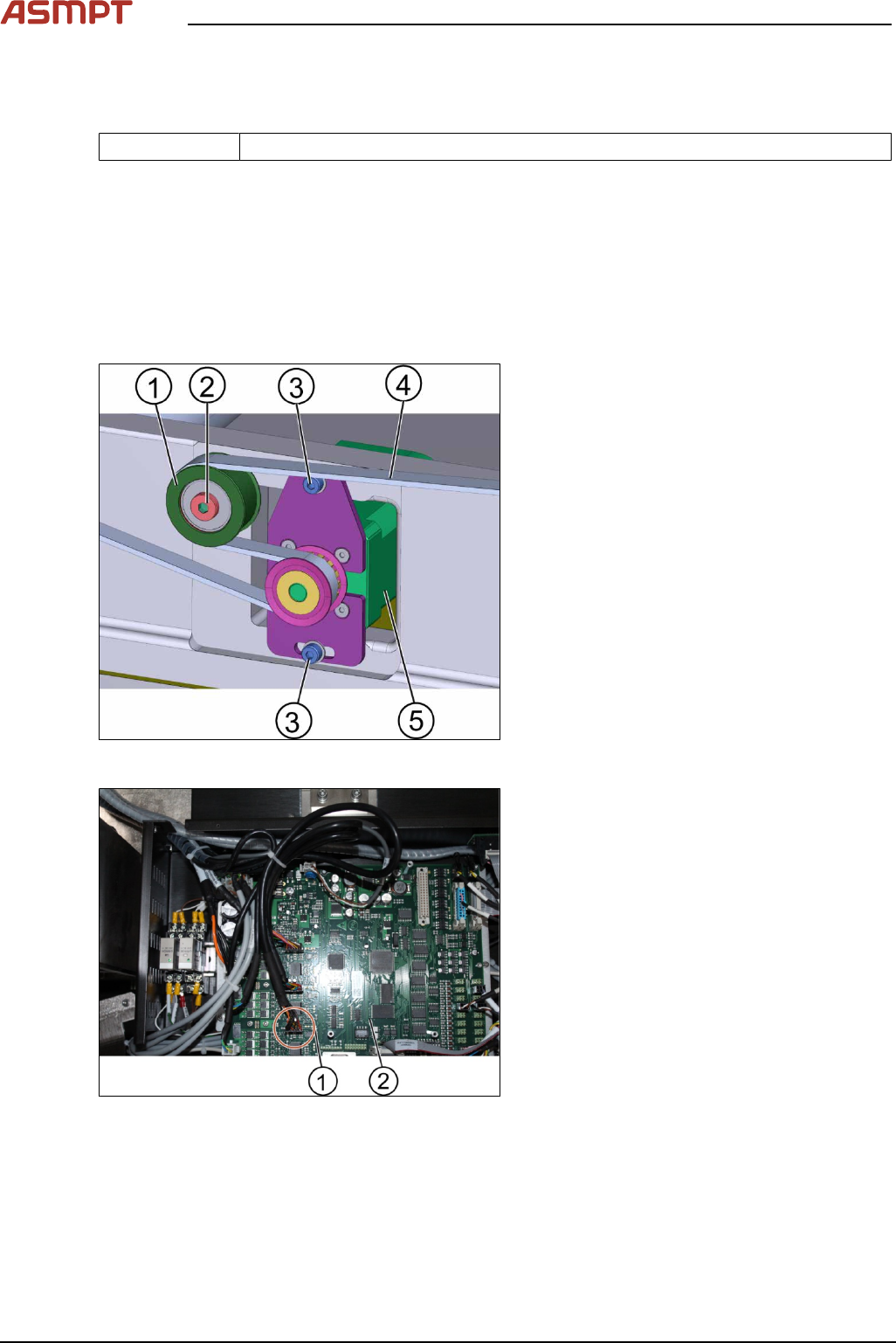
Fig.175: Motor for the width adjustment
1. Tension ring
2. Screw A
3. Screw B (2 x)
4. Belt
5. Motor
Unscrew the screw A(2) to loosen the tension
(1).
► Unscrew the 2 screws B(3) using an Allen
key size 3.0
Fig.176: TSP400
► Disconnect the connectors(1) of the
TSP400(2).
► Replace the motor.
► Connect the connectors(1) to the
TSP400(2).
► Tighten the screws.
► Go to section 3.16.1 Check system test to
check the function.
Installation
Follow the removal instructions in reverse order for installation.
Check system test
Requirements
●
Machine is switched off.
3 Replacing spare parts
Service Manual Process Lens PL - 03/2025 125
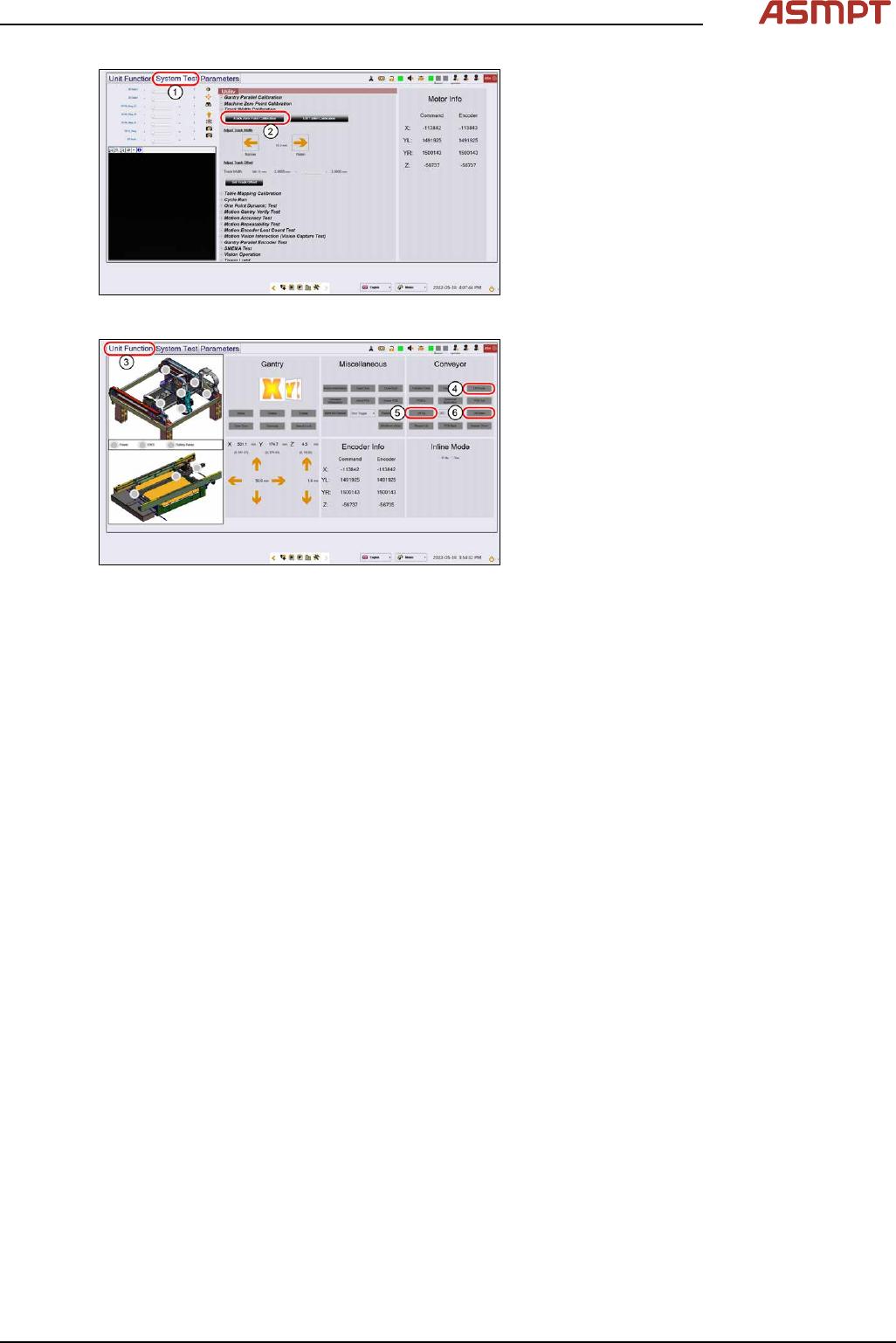
Fig.177: “System Test” tab
► Open the Diagnostic page.
► Go to the tab System Test(1).
► Click on the button Track zero point cali-
bration(2).
► A message will indicate that the calibration
was successful.
Fig.178: “Unit function” tab
► Go to the tab Unit function(3).
► Proceed to the conveyor section and press
the buttons Lift Home(4), Lift up(5) and
Lift down(6) to check the function of the
lifting table.
► On screen messages will confirm the suc-
cessful function test of the lifting table.
► If the conveyor system does not move or
any fault message occurs, the conveyor
system needs to be adjusted.