Process Lens PL Service Manual_EN.pdf - 第129页
3 Replacing spare parts Se rv ic e Ma nu al P ro ce ss L en s PL - 0 3/ 20 25 12 9 3.5.2.6 Changing the spare parts of the stopper and sensors rail The stopper and sensors rail consists of these following spare parts: ● …
3 Replacing spare parts
128 Service Manual Process Lens PL - 03/2025
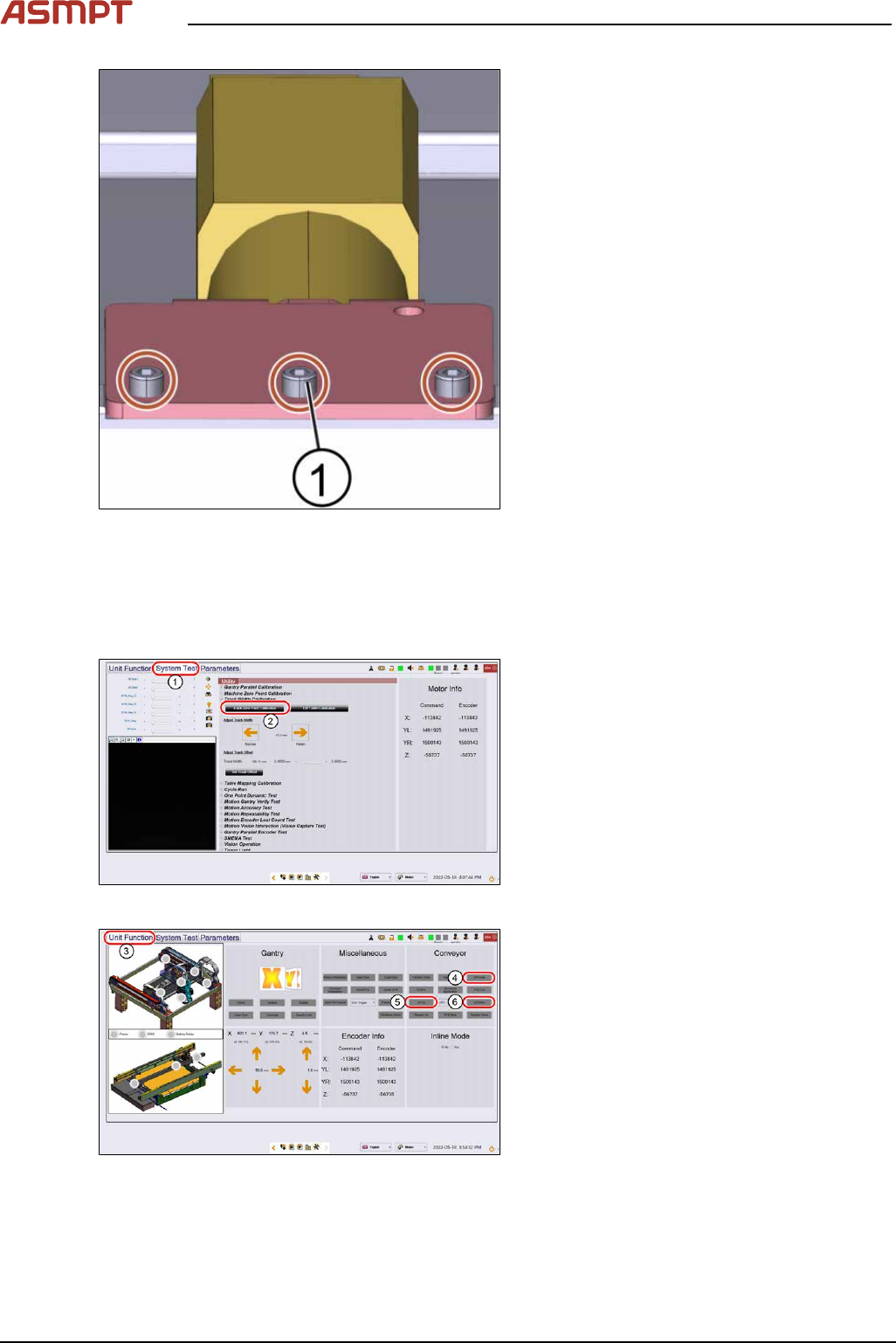
Fig.183: Lifting table motor
► Fasten the 3 screws(1) off the lifting table
motor using an Allen key size 5.0.
► Put the lifting table plate back on.
► Fasten the four screws of the lifting table
plate using an Allen key size 5.
► Check the function of the table go to sec-
tion 3.5.2.5.2 "Check the function of the
motor of the lifting table" [}128].
Check the function of the motor of the lifting table
Requirements
●
Machine is switched on.
Fig.184: “System Test” tab
► Open the Diagnostic page.
► Go to the tab System Test(1).
► Click on the button Track zero point cali-
bration(2).
► A message will indicate that the calibration
was successful.
Fig.185: “Unit function” tab
► Go to the tab Unit function(3).
► Proceed to the conveyor section and press
the buttons Lift Home(4), Lift up(5) and
Lift down(6) to check the function of the
lifting table.
► On screen messages will confirm the suc-
cessful function test of the lifting table.
► If the conveyor system does not move or
any fault message occurs, the conveyor
system needs to be adjusted.
3 Replacing spare parts
Service Manual Process Lens PL - 03/2025 129
3.5.2.6 Changing the spare parts of the stopper and sensors rail
The stopper and sensors rail consists of these following spare parts:
●
Input sensor
●
Sonar sensor
●
Stopper
●
Output sensor
Changing the stopper of the stopper and sensors rail
Parts
03106565-xx E-series conveyor stopper unit
Equipment and tools
●
Allen key size 2.0
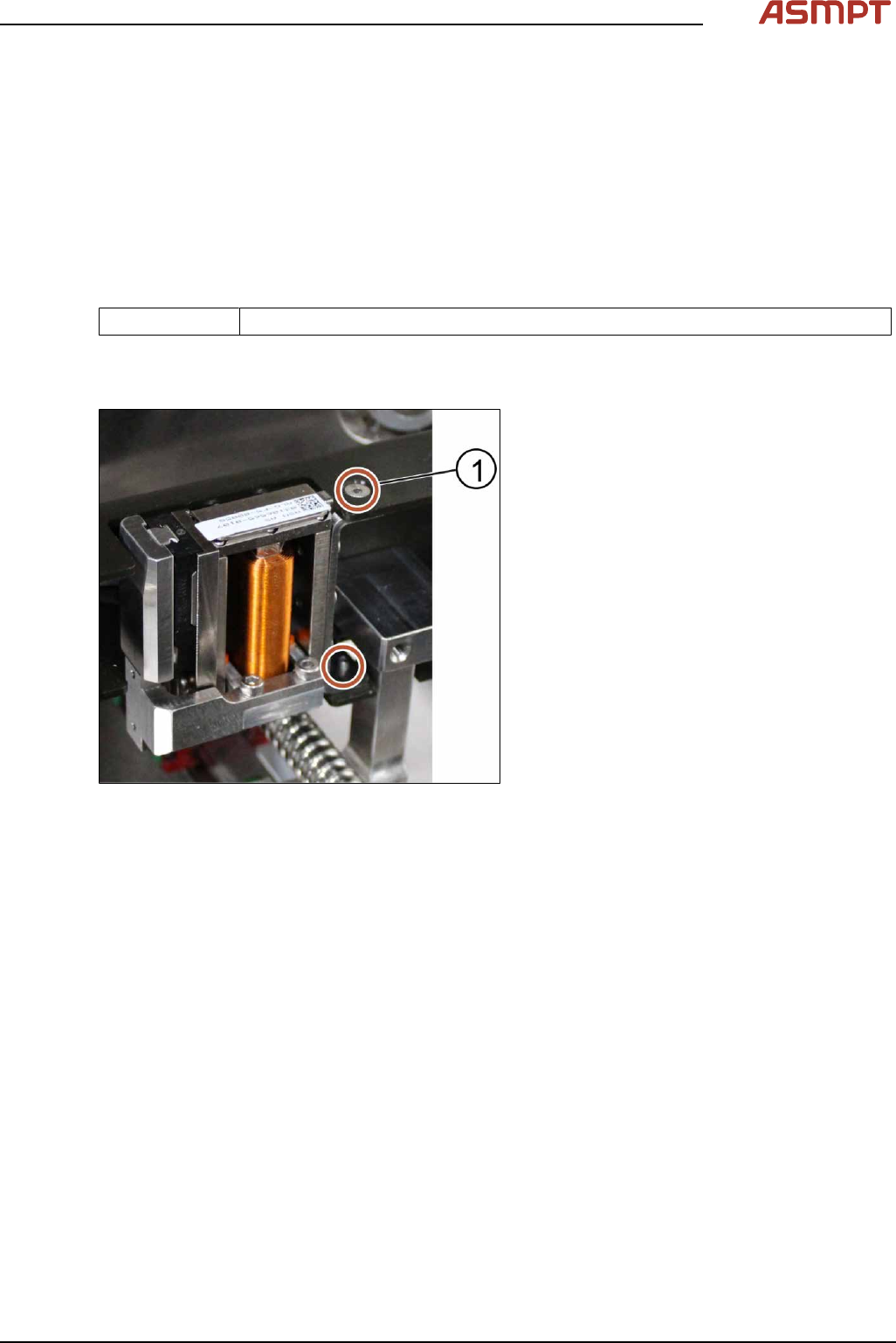
Fig.186: Stopper
1. Screw (2 x)
Requirements
●
Machine is switched off.
► Remove the cover of the stopper and sensors rail by unscrewing 10 x screws using an Allen key
size 2.0 (small screws).
► Furthermore unscrew 4 x screws using an Allen key size 2.5 (large screws).
► The cover is removed.
► Remove the stopper by unscrewing the screws (2 x) using an Allen key size 2.0.
► Put the stopper back in place and tighten the screws (2 x).
► Put the cover back onto the stopper unit and tighten the screws (14 x).
Installation
Follow the removal instructions in reverse order for installation.
3 Replacing spare parts
130 Service Manual Process Lens PL - 03/2025
Changing the sensors of the stopper and sensors rail
Parts
03122931-xx SPI conveyor input area SNR (Input sensor)
03122932-xx Conveyor sonar sensor cable (Sonar sensor)
03122933-xx SPI conveyor output area SNR cable (Output sensor)
Equipment and tools
●
Allen key size 2.0
Key:
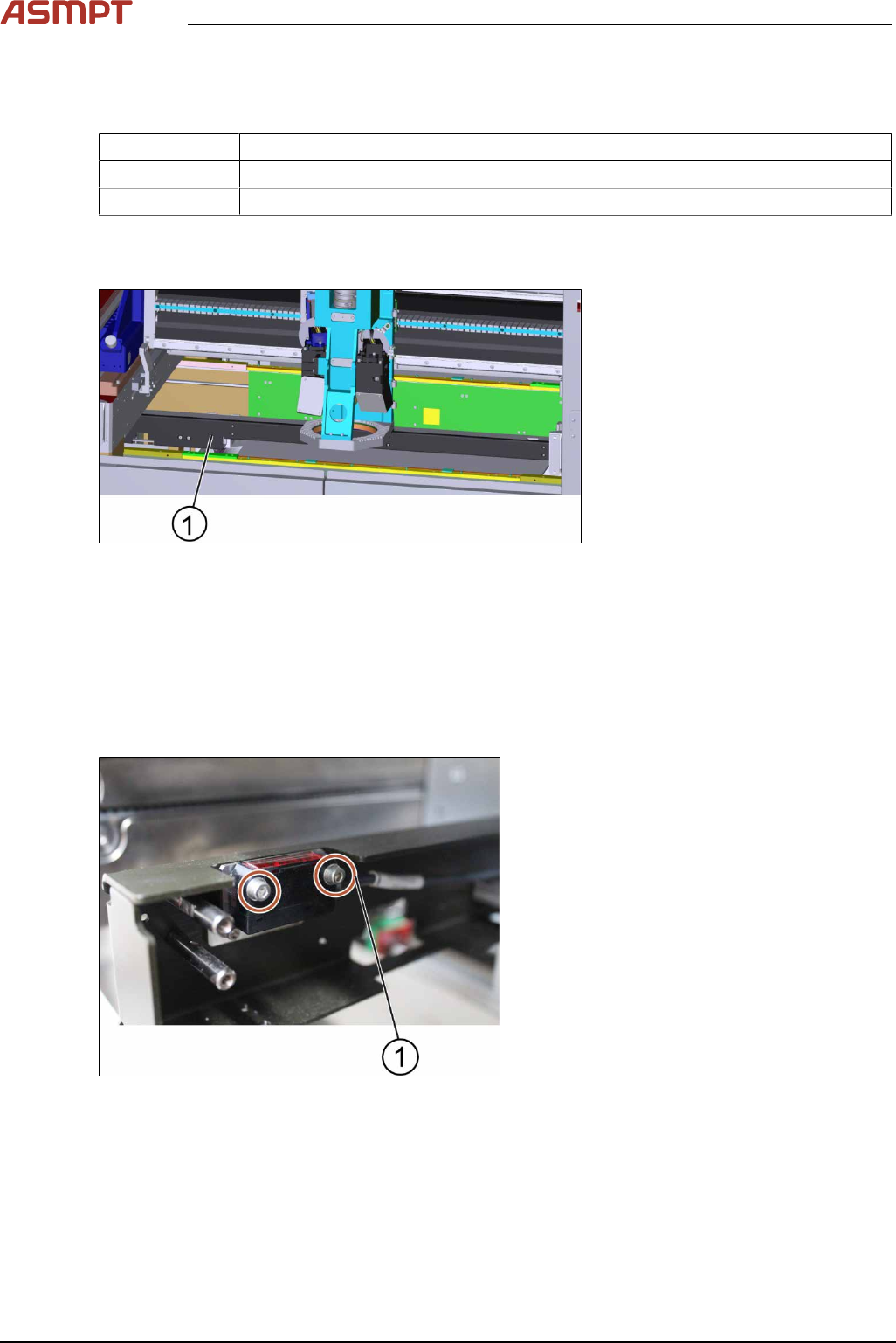
1. Stopper and sensors rail
Figure 3‑61: Stopper unit
Requirement:
●
Machine is switched off.
► Remove the cover of the stopper and sensors rail by unscrewing 10 x screws using an Allen key
size 2.0 (small screws).
► Furthermore unscrew 4 x screws using an Allen key size 2.5 (large screws).
► The cover is removed.
Key:
1. Screw (2 x)
Figure 3‑62: Sensor
► Unscrew the screws to remove the input sensor, sonar sensor or output senor using an Allen key
size 2.0.
► Change the sensors and tighten the screws (2 x).
► Put the cover back onto the stopper and sensors rail and tighten the screws (14 x).
Installation
Follow the removal instructions in reverse order for installation.