Process Lens PL Service Manual_EN.pdf - 第147页
4 Machine - Calibrations Se rv ic e Ma nu al P ro ce ss L en s PL - 0 3/ 20 25 14 7 Fig.219: Process Lens PL HD [03251137-xx] ► Prepare the coaxial light assembly. The Coaxial light consists of a lighting assembly (1) …
4 Machine - Calibrations
146 Service Manual Process Lens PL - 03/2025
Step 7
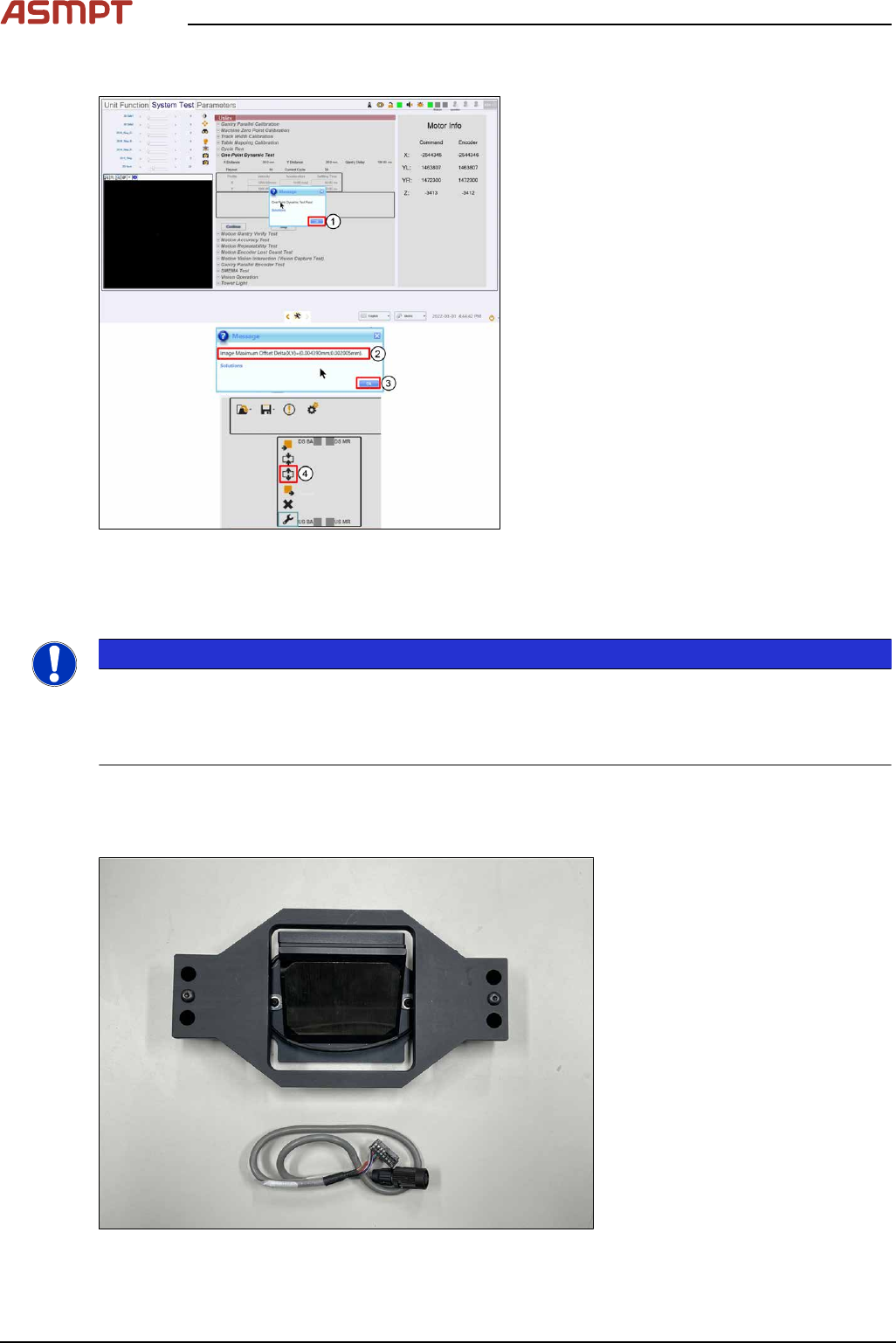
Fig.217: Results displayed
► Click Ok (1).
ð The results are displayed (2). The off-
set from the target should be ≤ 10μm in
both X and Y directions.
► Click Ok (3).
► Click Lift Down (4) to lower down lifting
table.
► Click Open Door.
► Disconnect the lighting cable and remove
the target.
4.4 Calibrations - Table Mapping
NOTICE
Mapping procedures for Single-lane Conveyor (ONLY) with option Left-Right or Right-Left has the
same procedures.
Left-Right Transport - input mapping plate from left
Right-Left Transport - input mapping plate from right
Preparation
This procedure compares the positions of the camera across the table (work area) against a target
glass plate mapped at a higher level of accuracy and compensates for the positional differences.
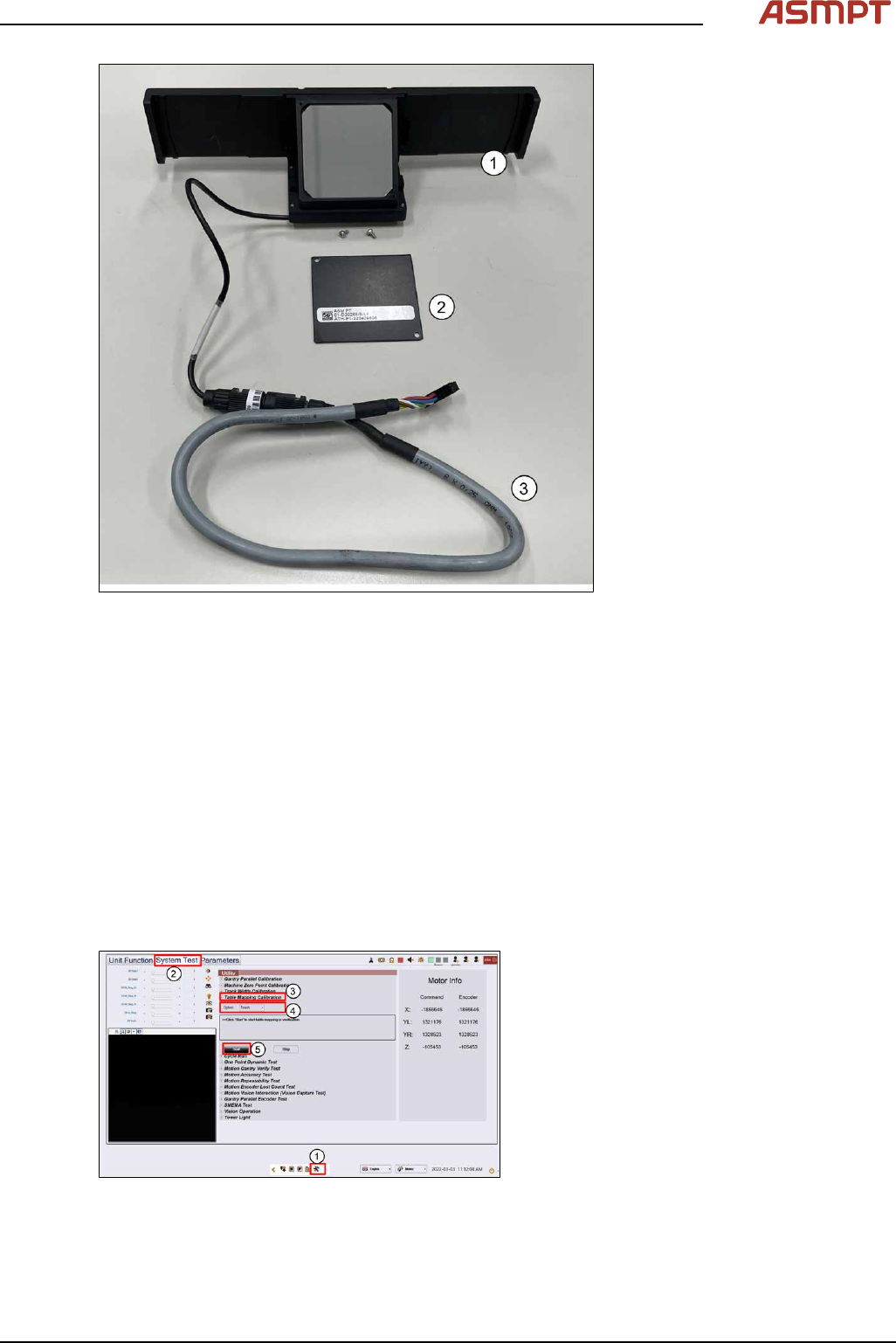
Fig.218: Process Lens PL [03139348S01]
4 Machine - Calibrations
Service Manual Process Lens PL - 03/2025 147
Fig.219: Process Lens PL HD [03251137-xx]
► Prepare the coaxial light assembly. The Coaxial light consists of a lighting assembly(1) and a
cable(3). The glass surfaces are protected by a cover(2) secure by 2 screws.
► Remove screws and the protective covers (2).
► Clean the glass surfaces of the lighting assembly if necessary with a lint free cloth.
► The Process Lens PL uses the SIPLACE SX-Series mapping plate version 5 (1). Each Mapping
glass plate has its own unique positional data map saved in a CD or in a Flash drive. The data is
in stored in a file named mp_mess.dat.
► Open the mp_mess.dat file in the mapping CD or flash drive that comes with the mapping plate.
Compare the plate reference number (2) against the number labeled on the plate. They should
be the same.
4.4.1 Table Mapping: Teach
Step 1
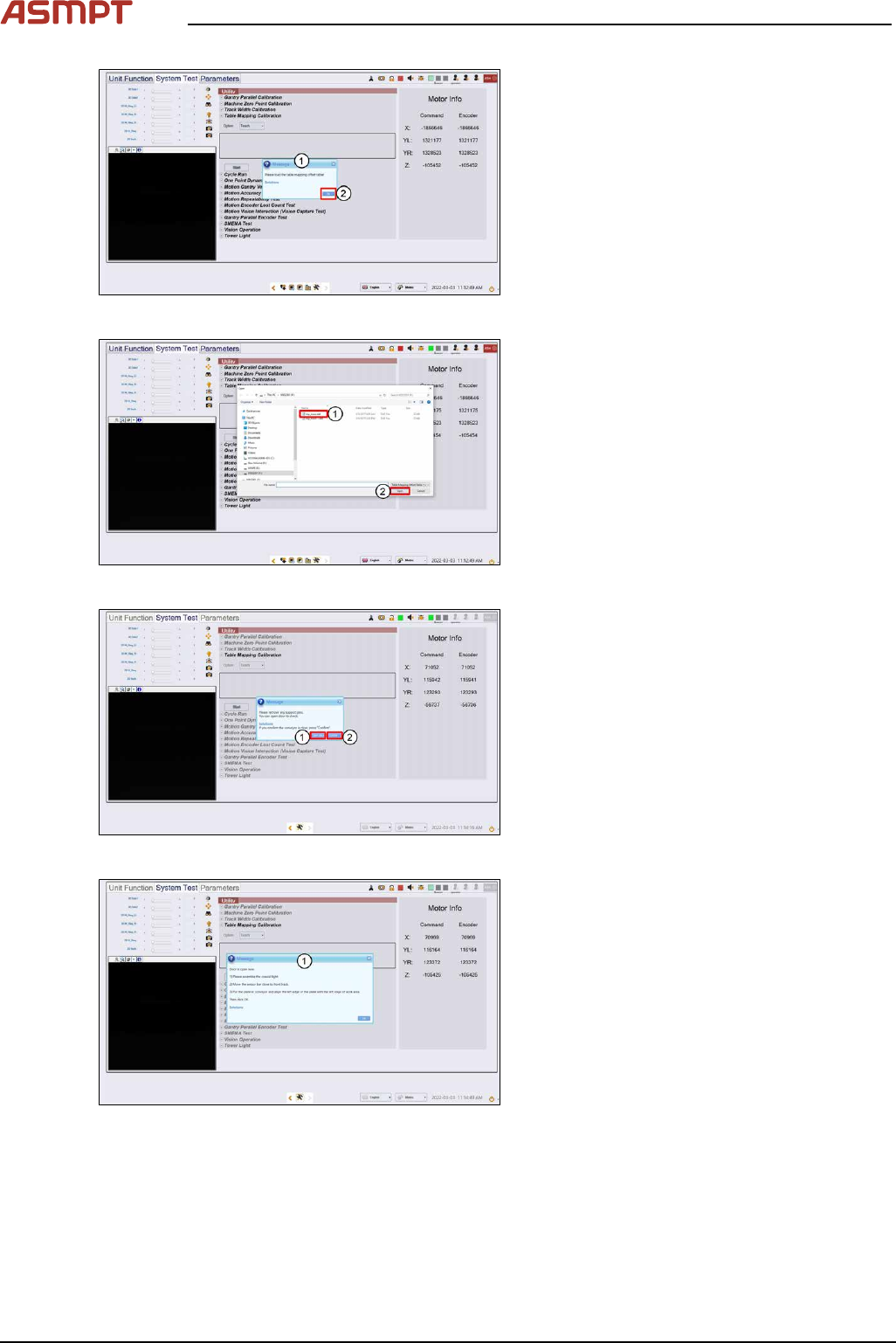
Fig.220: “System test” tab
► Go to the DiagnosticPage (1).
► Click System Test (2).
► Go to Utility, Table Mapping Calibration
(3).
► Under Option, select Teach (4).
► Click Start (5).
4 Machine - Calibrations
148 Service Manual Process Lens PL - 03/2025
Fig.221: message
► A message asking for the mapping data
file pops up. (1)
► Click Ok. (2)
Fig.222: Choosing file
► Choose mp_mess.dat file (1).
► Click Open (2), data loading.
Fig.223: Opening the door
► A message asking to remove any support
pins. Click Open door (1).
► Click Confirm (2).
► Wait while the conveyor adjust to a width
of 560mm.
Fig.224: Opening the door
► Open door, assemble coaxial light as
shown in next step.