Process Lens PL Service Manual_EN.pdf - 第149页
4 Machine - Calibrations Se rv ic e Ma nu al P ro ce ss L en s PL - 0 3/ 20 25 14 9 Step 2 ► Attach the coaxial lighting assembly from below the camera ring frame with the 2 wing nuts on each side (1). ► Gently remove Lo…
4 Machine - Calibrations
148 Service Manual Process Lens PL - 03/2025
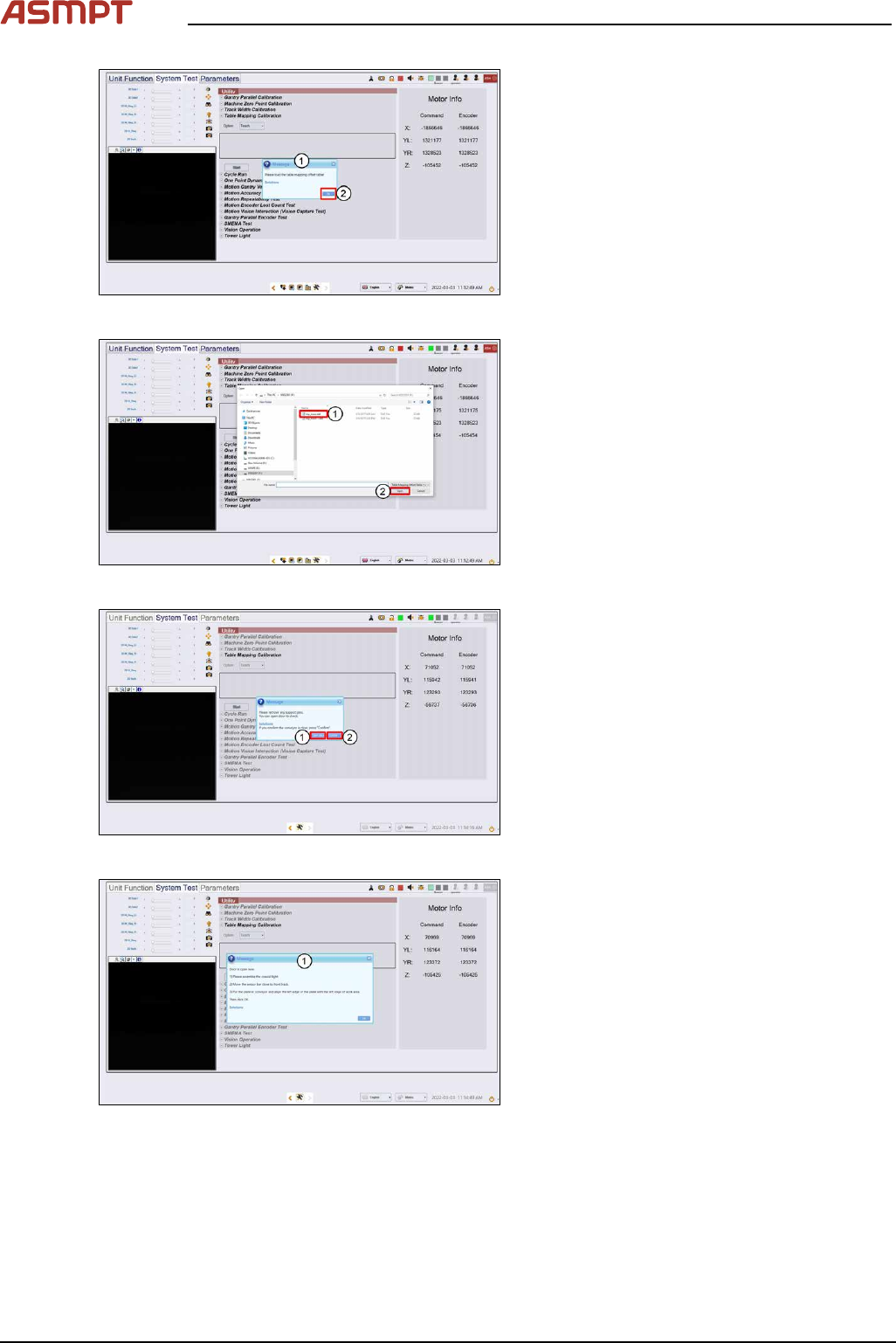
Fig.221: message
► A message asking for the mapping data
file pops up. (1)
► Click Ok. (2)
Fig.222: Choosing file
► Choose mp_mess.dat file (1).
► Click Open (2), data loading.
Fig.223: Opening the door
► A message asking to remove any support
pins. Click Open door (1).
► Click Confirm (2).
► Wait while the conveyor adjust to a width
of 560mm.
Fig.224: Opening the door
► Open door, assemble coaxial light as
shown in next step.
4 Machine - Calibrations
Service Manual Process Lens PL - 03/2025 149
Step 2
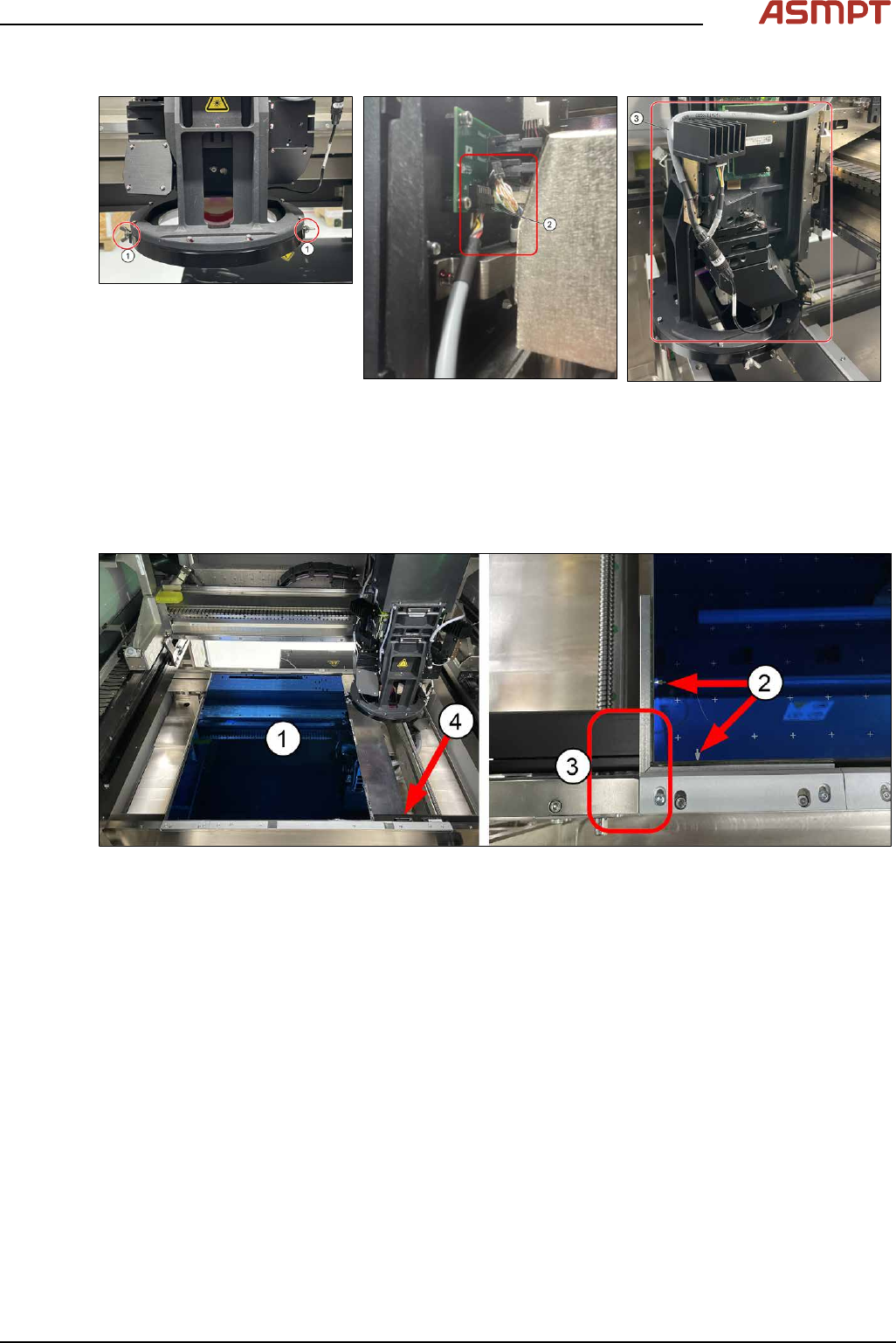
► Attach the coaxial lighting assembly from below the camera ring frame with the 2 wing nuts on
each side (1).
► Gently remove Low Ring connector (2) by holding onto the connector´s body (DO NOT pull
wire). Use a flat fead screwdrive to pry if necessary. Plug in coaxial lighting cable.
► (3) Ensure cable is laid as shown to avoid any interference during calibration.
Step 3
Fig.225: Single-Lane Mapping Plate position
► Put in the mapping plate (1).
(picture shows Single-Lane Mapping plate position)
► Refer to bottom left hand corner of the plate. The arrows on the long side is pointing towards the
left and the arrows on the short side of the plate is pointing towards the front. (2)
► Leading edge (3).
► Pull the sensor bar to the front and position under the leading aluminium edge of the plate. (4)
4 Machine - Calibrations
150 Service Manual Process Lens PL - 03/2025
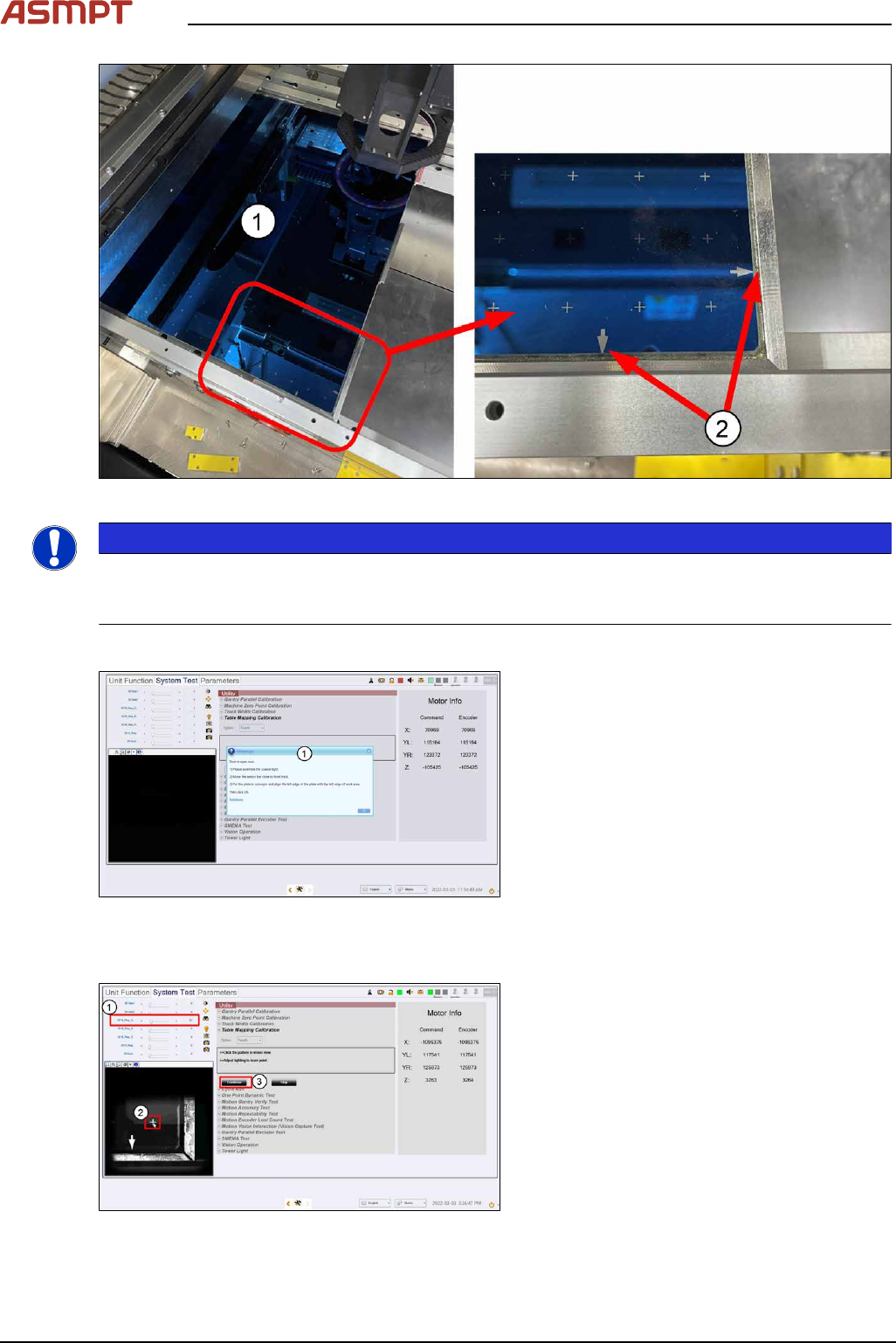
Fig.226: Dual-Lane Mapping Plate position
NOTICE
Clean the mapping plate
Clean the mapping plate using a piece of lint free cloth and alcohol. Dust and fingerprints can distort
images and cause the mapping to fail.
Step 4
Fig.227: Closing the cover
► Close the machine cover. (1)
► Click Ok.
ð The machine locks the cover, the table
raises to clamp the plate, and the cam-
era starts to move to the bottom right
corner of the plate.
Step 5
Fig.228: Setting the light
► Set 2D M-Ring_G light (1) about 10 and
all other lighting values to 0.
► The plate´s bottom right hand cross fidu-
cial comes into view. Click on the cross (2)
to centre the cross to the FOV.