Process Lens PL Service Manual_EN.pdf - 第35页
3 Replacing spare parts Se rv ic e Ma nu al P ro ce ss L en s PL - 0 3/ 20 25 35 Fig.31: Jig ► Insert the jig and loosen the screw (1) . ► Turn the jig (2) to move the lens up or down and check the B/A values in the *…
3 Replacing spare parts
34 Service Manual Process Lens PL - 03/2025
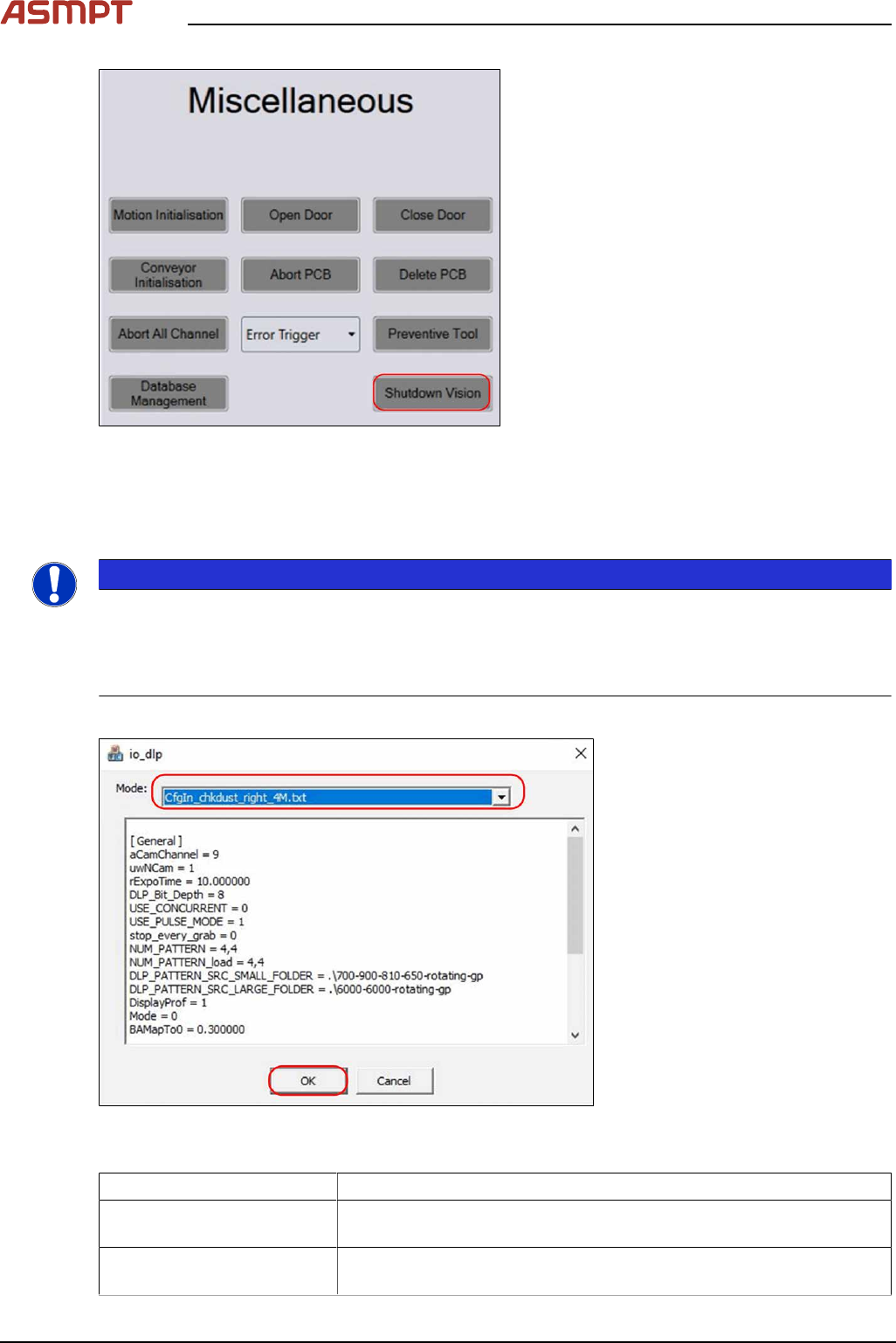
Fig.29:
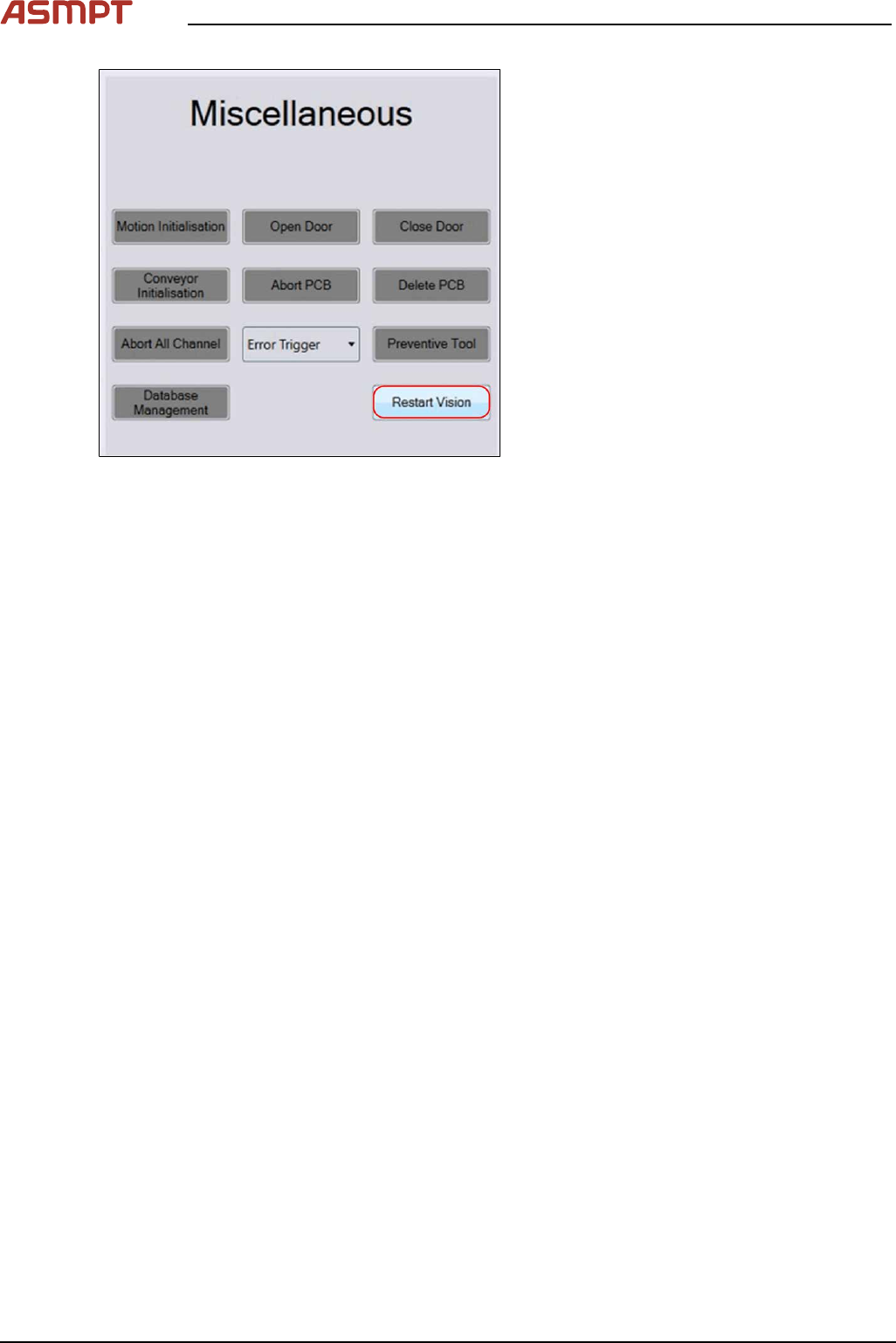
► On the Diagnostic page go to the Unit-
Function tab.
► Select Shutdown Vision in the Miscel-
laneous field.
► Open the file c:\wineagle\utilities\tools\DLP\DLP_Test on the station computer.
► Execute the dlp_test – x64.bat file
ð An *.exe file is executed.
NOTICE
If the dlp_test – x64.bat file cannot be started:
If the *.bat file cannot be started due to the missing Icconfig.txt file in the \config folder:
► Execute the UpdateConfig.bat
► Repeat executing the dlp_test – x64.bat file again.
The io_dlp window appears.
Fig.30: Selecting files for io_dlp
► Select the mode (file for io_dlp). The file is named in the following way:
File Name CfgIn_chkdust_xx_yy.txt
Meaning of Placeholder xx Placeholder xx for the projector side: “left” (left projector) or “right”
(right projector)
Meaning of Placeholder yy Placeholder yy for the Vision Module Configuration: “4M – H15” or
“25M – HD10/20”
► Confirm by clicking on OK.
3 Replacing spare parts
Service Manual Process Lens PL - 03/2025 35
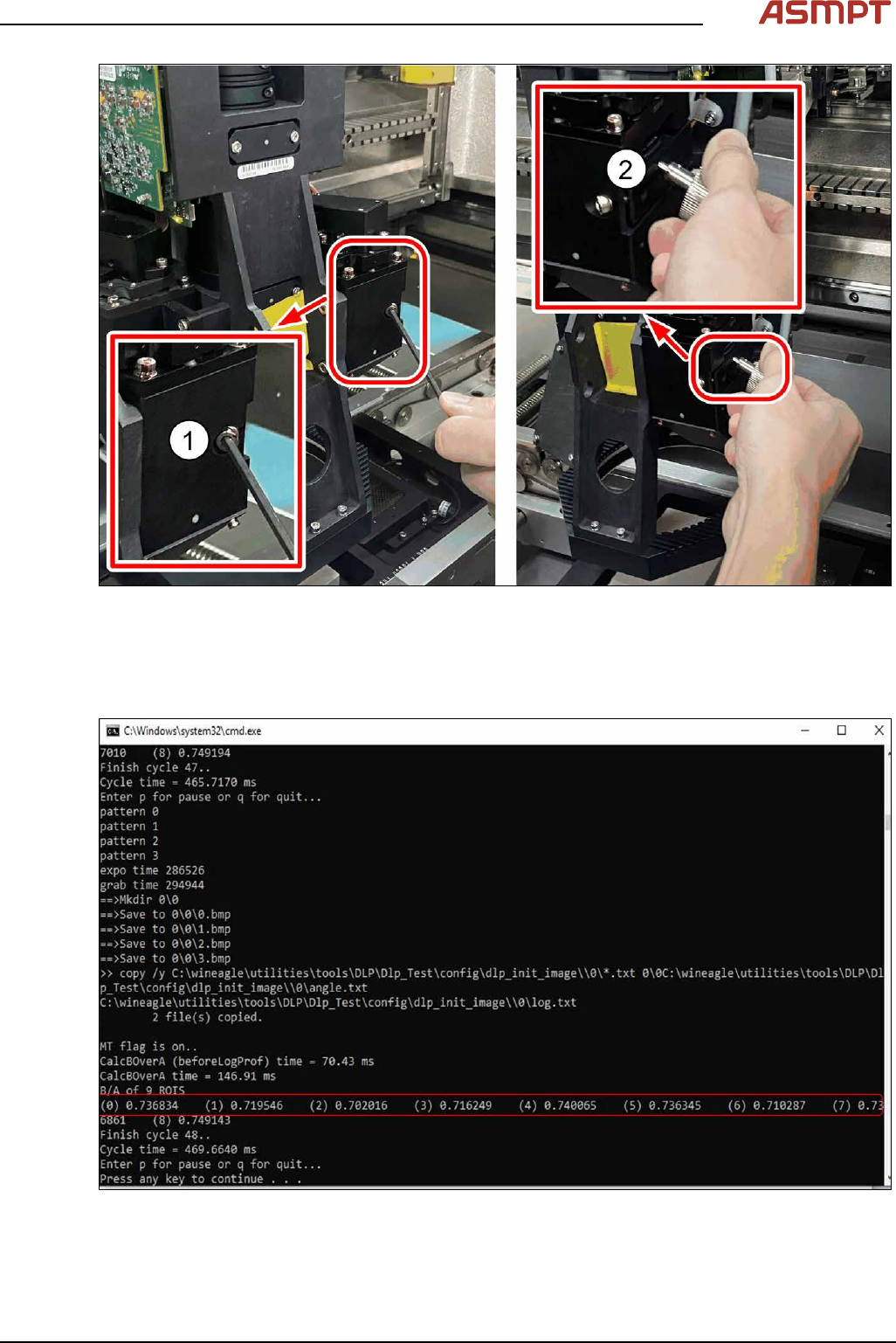
Fig.31: Jig
► Insert the jig and loosen the screw(1).
► Turn the jig(2) to move the lens up or down and check the B/A values in the *.exe file by press-
ing Enter or P on the keyboard (see figure below). Stop when the right B/A values (0.6 - 0.7) are
achieved.
Fig.32: B/A Value
► Lock the screw(1) again.
► Press Q on the keyboard to quit the DPL test software.
► Close the window.