Process Lens PL Service Manual_EN.pdf - 第47页
3 Replacing spare parts Se rv ic e Ma nu al P ro ce ss L en s PL - 0 3/ 20 25 47 Fig.53: Removing cables and board ► Remove cables (1) and (2) . ► Remove the four screw (3) with Allen Key size 2.5. ► Remove the circuit …
3 Replacing spare parts
46 Service Manual Process Lens PL - 03/2025
3.2.2 DLP
3.2.2.1 Replacing the DLP left and right controller
Parts
03264112-xx DLP controller HD (L)
03264113-xx DLP controller HD (R)
Equipment and tools
●
Allen key size 1.5
●
Allen key size 2.0
●
Philips screwdriver
Requirements
●
Machine is switched off.
Removal
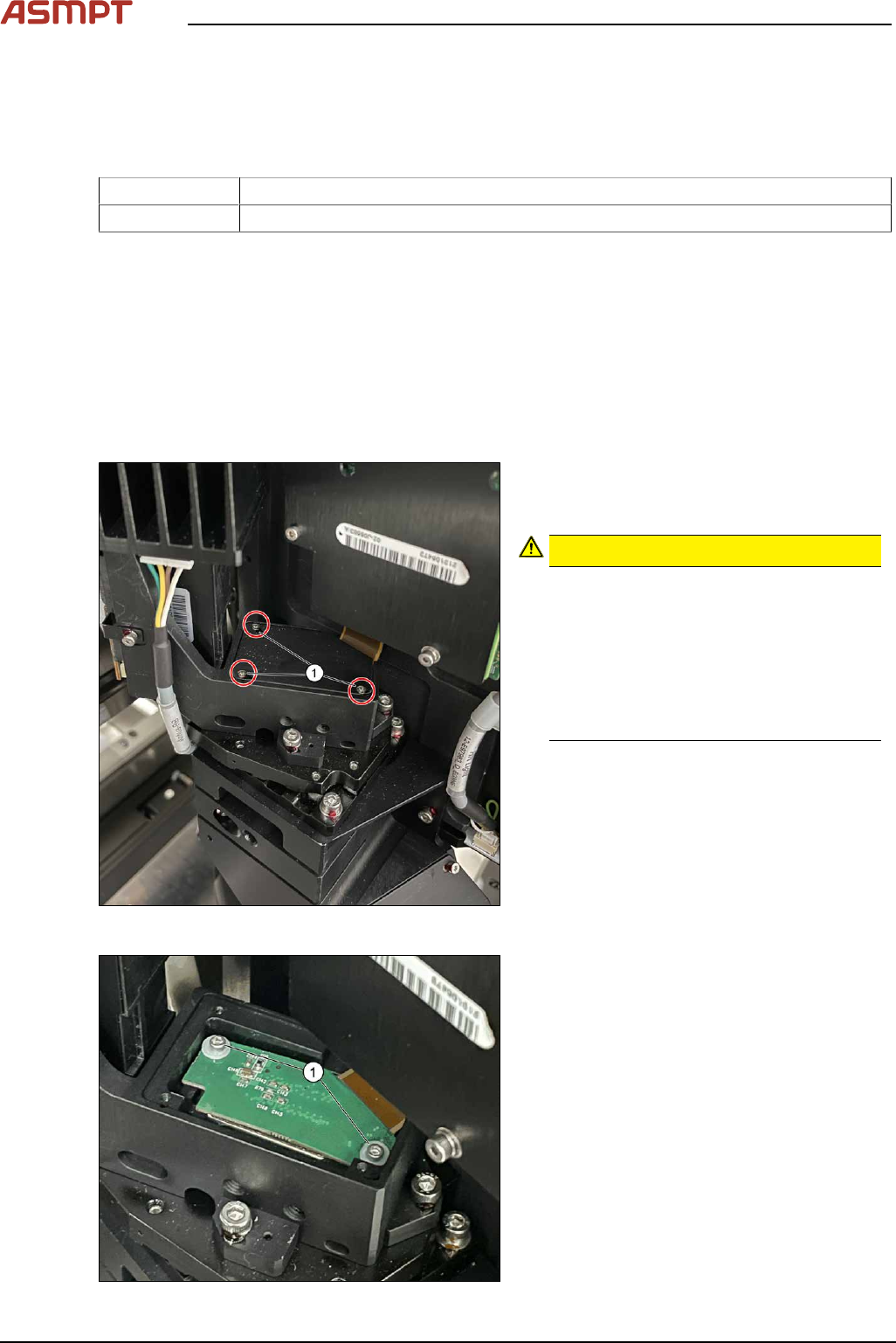
Fig.51: Removing the small screws
► Remove the screws (1) using a Philips
screwdriver to remove the cover of the
DMD module (connector).
CAUTION!
Small screws
The screws are very small. When the
screws fall into the machine they may
damage it.
Make sure the screws don’t fall into the
machine.
Make sure no screw is left behind inside
the machine.
.
Fig.52: Removing the screws
► Remove the screws and washers (1) by
using an Allen key size 1.5.
► Carefully lift the connector of the DMD
module.
3 Replacing spare parts
Service Manual Process Lens PL - 03/2025 47
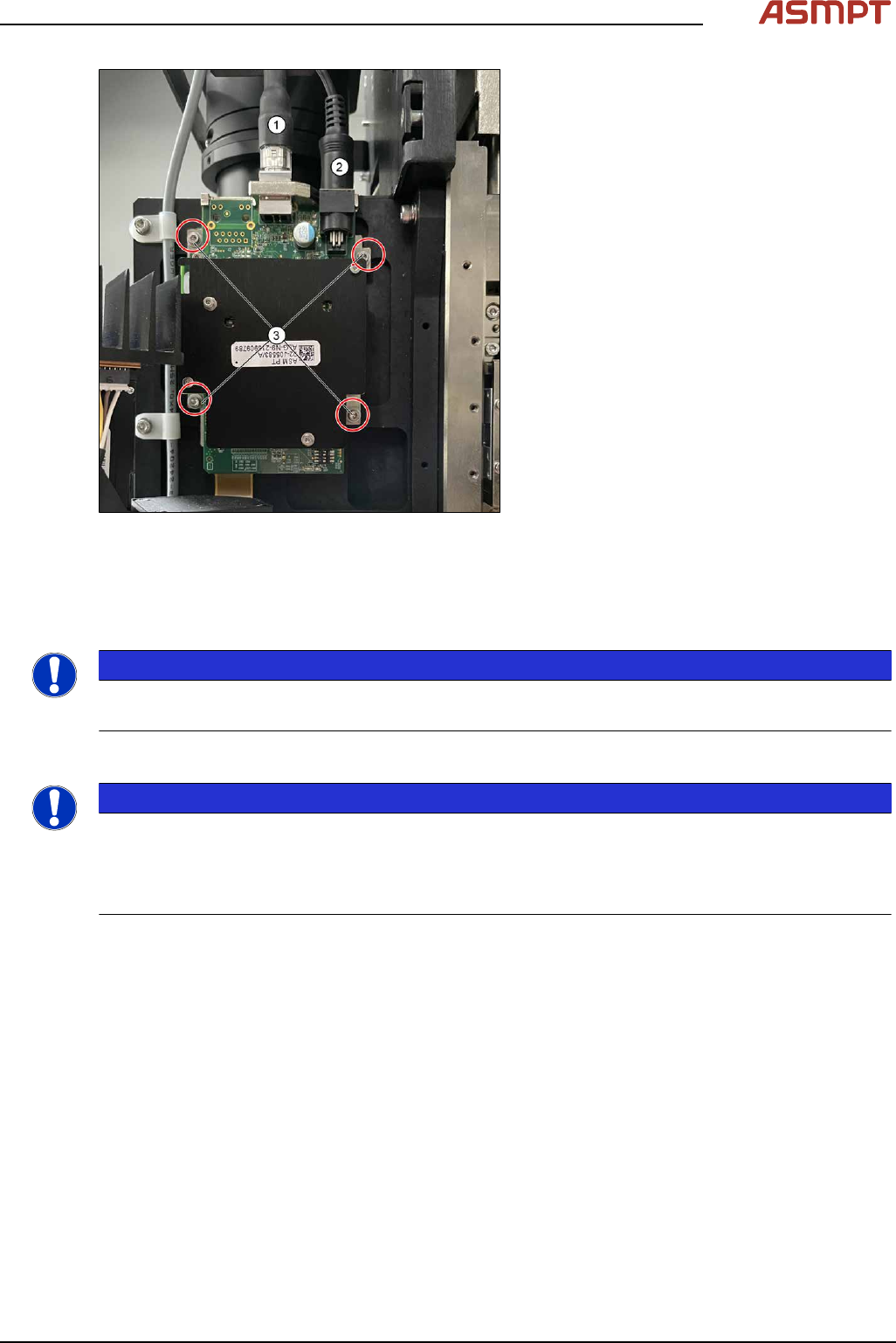
Fig.53: Removing cables and board
► Remove cables (1) and (2).
► Remove the four screw (3) with Allen Key
size 2.5.
► Remove the circuit board and replace it.
► The steps for the left and the right module
are identical.
Installation
► Follow the removal instructions in reverse order for installation. Also observe the following
instructions:
NOTICE
Modules are not interchangeable
Be aware that the two modules are not interchangeable.
DLP Controller ID Setting
NOTICE
Modules Identical
The two modules are identical, user has to ensure ID setting has to set accordingly.
Left side DLP Controller – 0
Right Side DLP Controller - 1
3 Replacing spare parts
48 Service Manual Process Lens PL - 03/2025
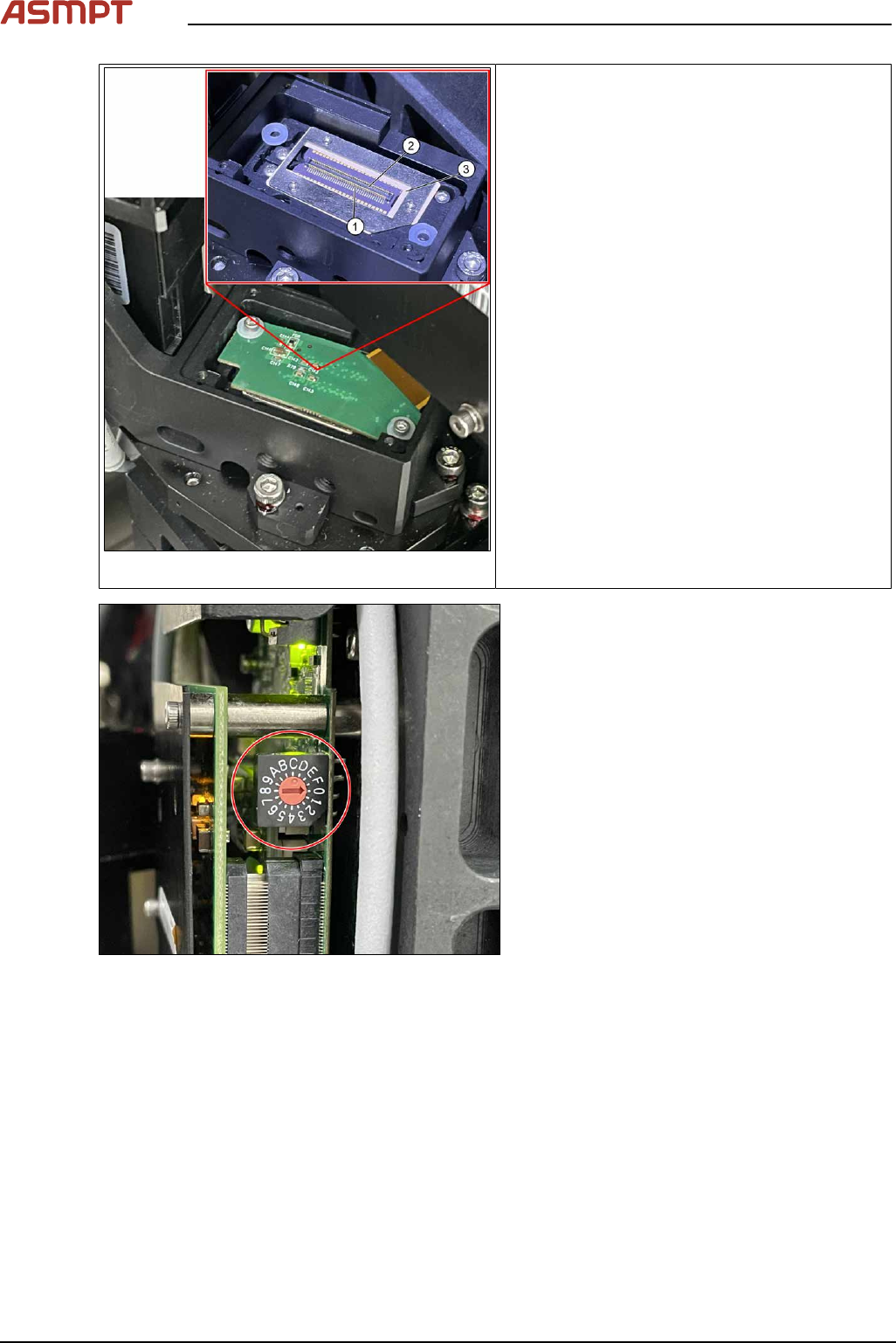
Fig.54: Alignment
1. Pin
2. Connector
3. DMD to DLP Controller
ü DLP module is dismantled.
► Put the DLP module in its position.
► Make sure that the connector is in the right
position and doesn’t bend the pin. Use an
external light to check that the holes of the
connector and the drilling holes for the
screws are in line.
Fig.55: Setting controller ID
► Set DLP controller ID.
Left side DLP controller should be configured
as 0, right side DLP controller should be con-
figured as 1.
Check the calibration of the optical head
When the DLP Controller is removed from the optical head, calibration is to be calibrated again. Refer
to chapter "4 Machine - Calibrations".