Process Lens PL Service Manual_EN.pdf - 第67页
3 Replacing spare parts Se rv ic e Ma nu al P ro ce ss L en s PL - 0 3/ 20 25 67 Overview Fig.87: Overview of the conveyor drives 1 Conveyer Track 1 2 Conveyer Track 2 3 Conveyor drive input conveyor track 2 4 Conveyor …
3 Replacing spare parts
66 Service Manual Process Lens PL - 03/2025
► In the Track Width Calibration area(4) select the right track.
► Click on the Lift Table Calibration button(5) to calibrate right track of the lifting table.
► Repeat the calibration the same way for the left track.
3.5.1.3 Conveyor drive
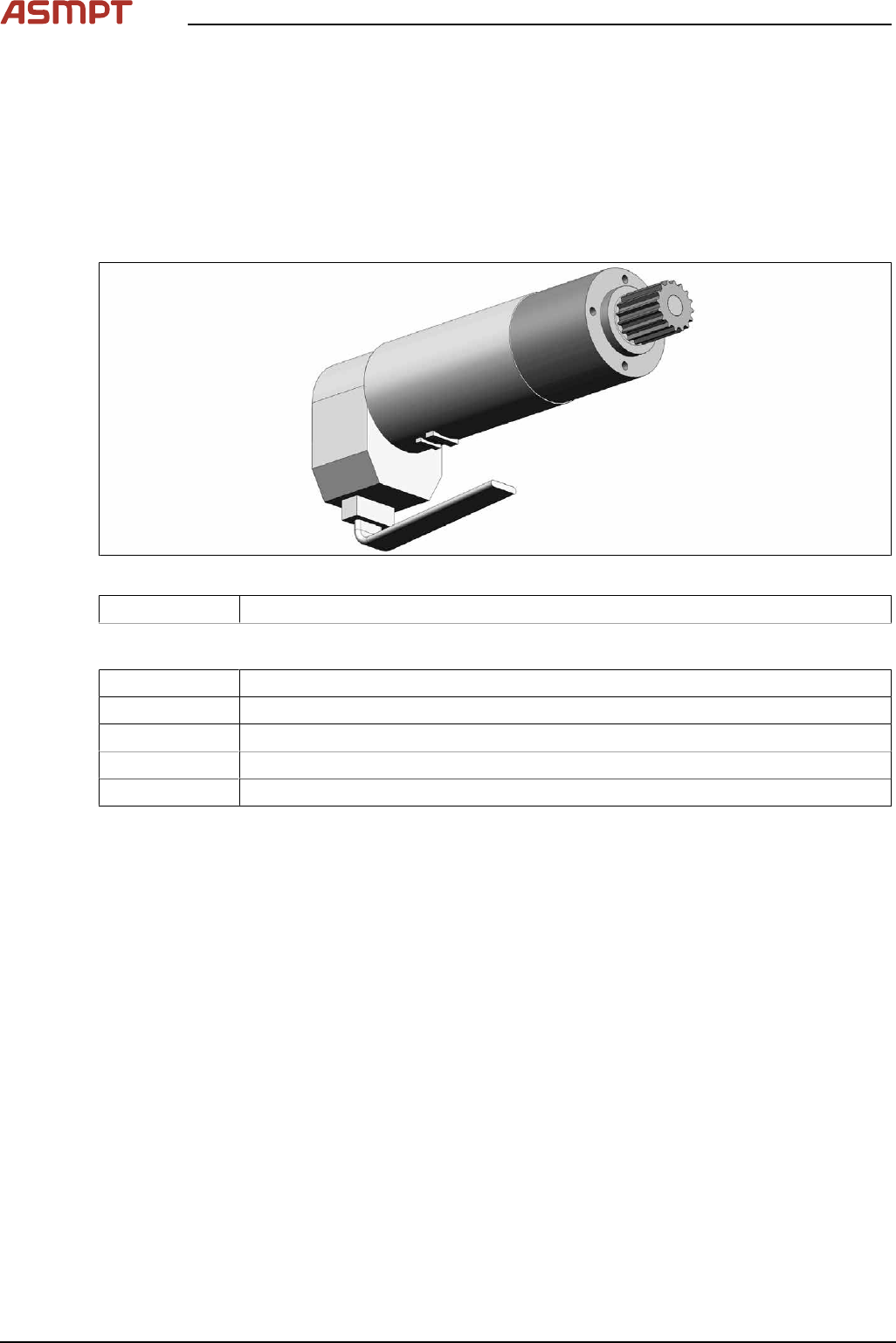
Replacing the conveyor drive
Parts
Fig.86: Conveyor drive
03093387‑xx DC drive motor with synchronizing disk SXa
Equipment and tools
00326015‑xx Belt tension measuring device
00353832-xx Allen key set
00096290-xx Fork wrench set
Side cutter
Cable tie
3 Replacing spare parts
Service Manual Process Lens PL - 03/2025 67
Overview
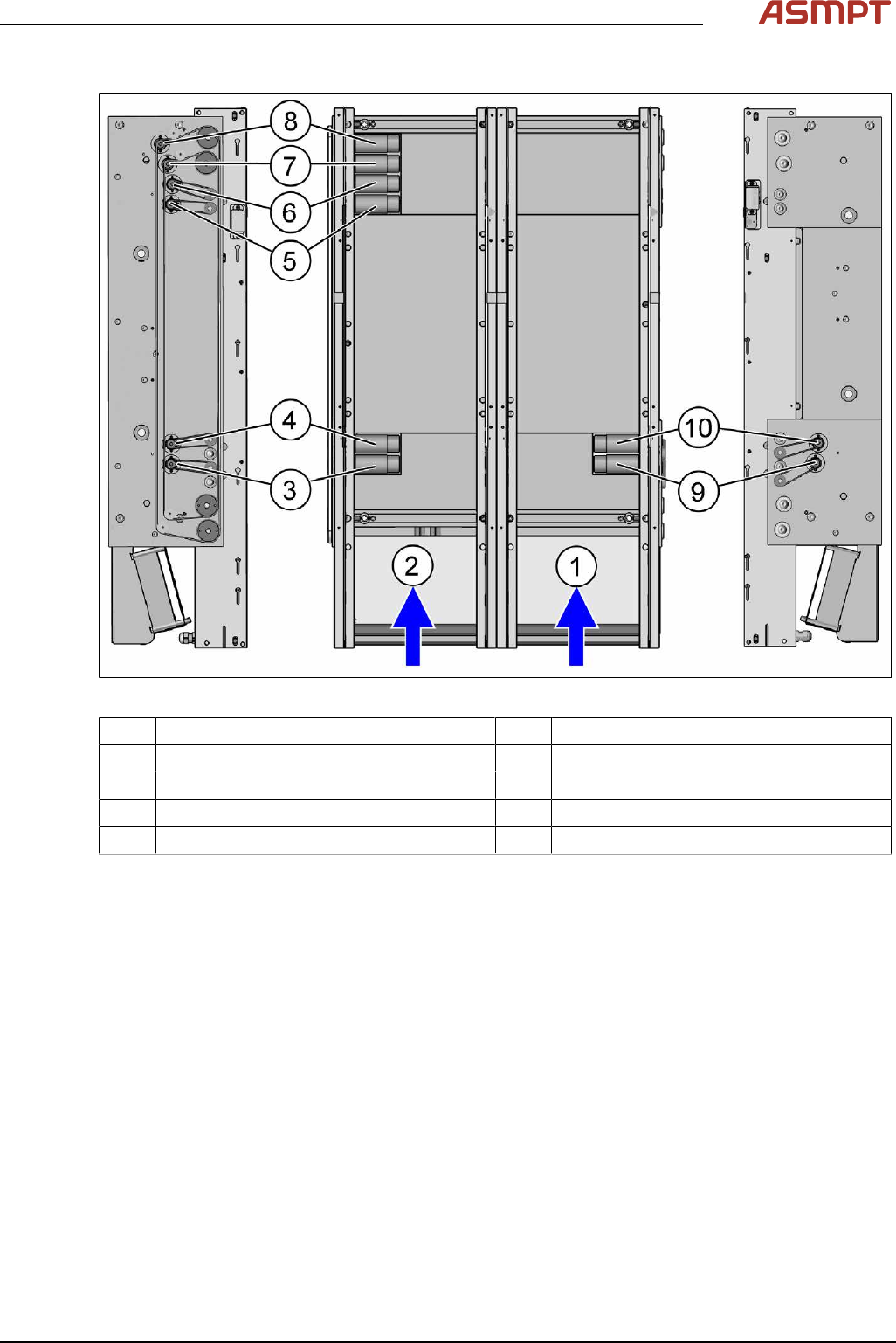
Fig.87: Overview of the conveyor drives
1 Conveyer Track 1 2 Conveyer Track 2
3 Conveyor drive input conveyor track 2 4 Conveyor drive placement area track 2
5 Conveyor drive output conveyor track 1 6 Conveyor drive output conveyor track 2
7 Width adjustment motor track 1 8 Width adjustment motor track 2
9 Conveyor drive input track 1 10 Conveyor drive placement area track 1
Removal
► Use the software or manually move the conveyor rail into a position which allows you best
access.
To move the conveyor side wall manually, pull the toothed belt of the width adjustment unit.
► Switch off the machine, disconnect it from the power supply and secure it to prevent unauthorized
reactivation.
► The fastening screws of the conveyor drives are on the outer side of the conveyor.
3 Replacing spare parts
68 Service Manual Process Lens PL - 03/2025
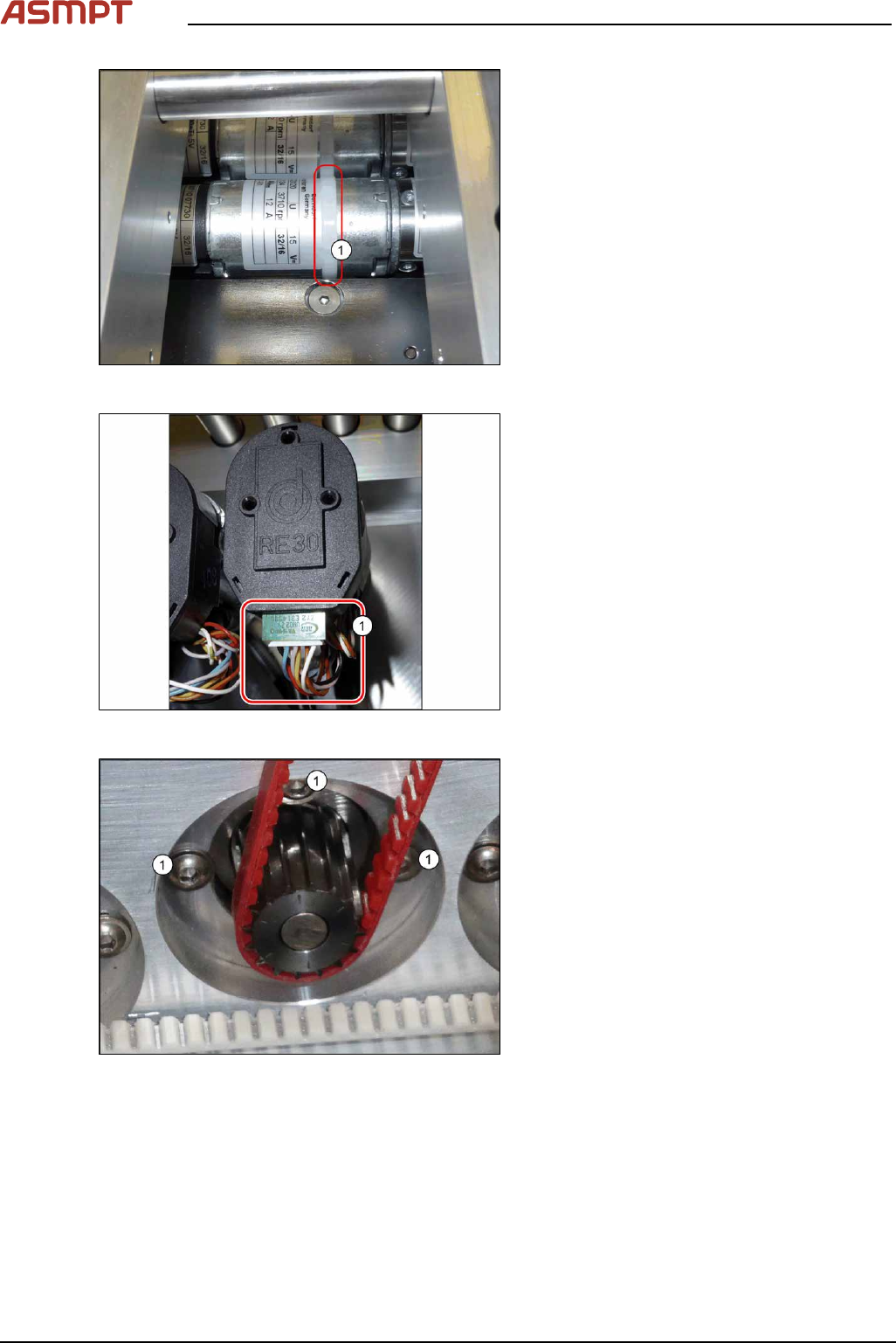
Fig.88: Cable tie
► Remove the cable tie(1) around the con-
veyor drive.
Fig.89: Electrical connections
► Unplug all electrical connections from the
conveyor drive(1). You may want to mark
their positions for easier exact replace-
ment later on.
Fig.90: Fastening screws
► Remove the three screws(1) fastening the
conveyor drive.
► Carefully unthread the motor from the
toothed belt and remove the motor from
the machine.