Process Lens PL Service Manual_EN.pdf - 第73页
3 Replacing spare parts Se rv ic e Ma nu al P ro ce ss L en s PL - 0 3/ 20 25 73 3.5.1.4 Width adjustment Replacing the toothed belt (width adjustment) Parts Fig.96: Toothed belt (width adjustment) 1 Track 1 (shorter) 0…
3 Replacing spare parts
72 Service Manual Process Lens PL - 03/2025
Removal
CAUTION
Do not loosen the wrong screws
Make sure that you do not loosen any other screws except those ones explicitly mentioned. Loosen-
ing other screws could lead to irreparable misalignment or damage to the conveyor.
► Use the software or manually move the conveyor rail into a position which allows you best
access.
To move the conveyor side wall manually, pull the toothed belt of the width adjustment unit.
► Switch off the machine, disconnect it from the power supply and secure it to prevent unauthorized
reactivation.
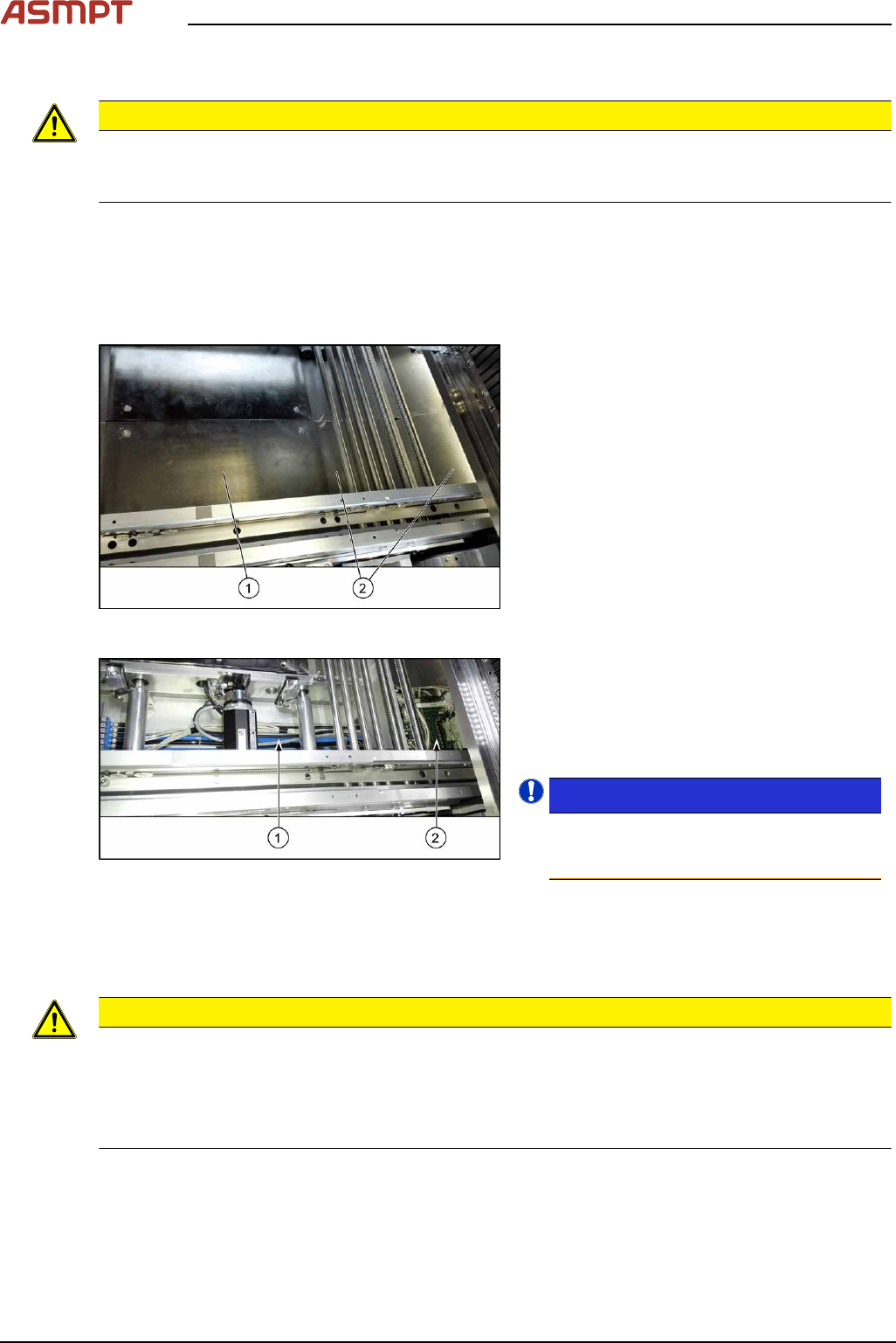
Fig.94: Table plate and covers
► Remove the four screws fastening the lift-
ing table plate(1) (see also Replacing the
Lifting Table Plate [03114873-xx]).
► Remove the fixing spacer bolts of the cov-
ers(2) above the conveyor control (two
screws each cover) and remove the cov-
ers.
Fig.95: Cables
The cables(1) run from the respective motor
over the floor of the conveyor to the conveyor
control(2).
► Carefully unthread the cables
Remove any cable ties.
NOTICE!
To have an overview of the cables refer to
Process Lens Circuit Diagram
[00900370‑xx].
.
Installation
► Follow the removal instructions in reverse order for installation. Also observe the following
instructions:
CAUTION
Installation instructions
► Observe the installation instructions for the conveyor drive where necessary.
► Replace any open cable ties.
Make sure that the cable ties and the heads of the cable ties do not rub against any parts when
you do this.
3 Replacing spare parts
Service Manual Process Lens PL - 03/2025 73
3.5.1.4 Width adjustment
Replacing the toothed belt (width adjustment)
Parts
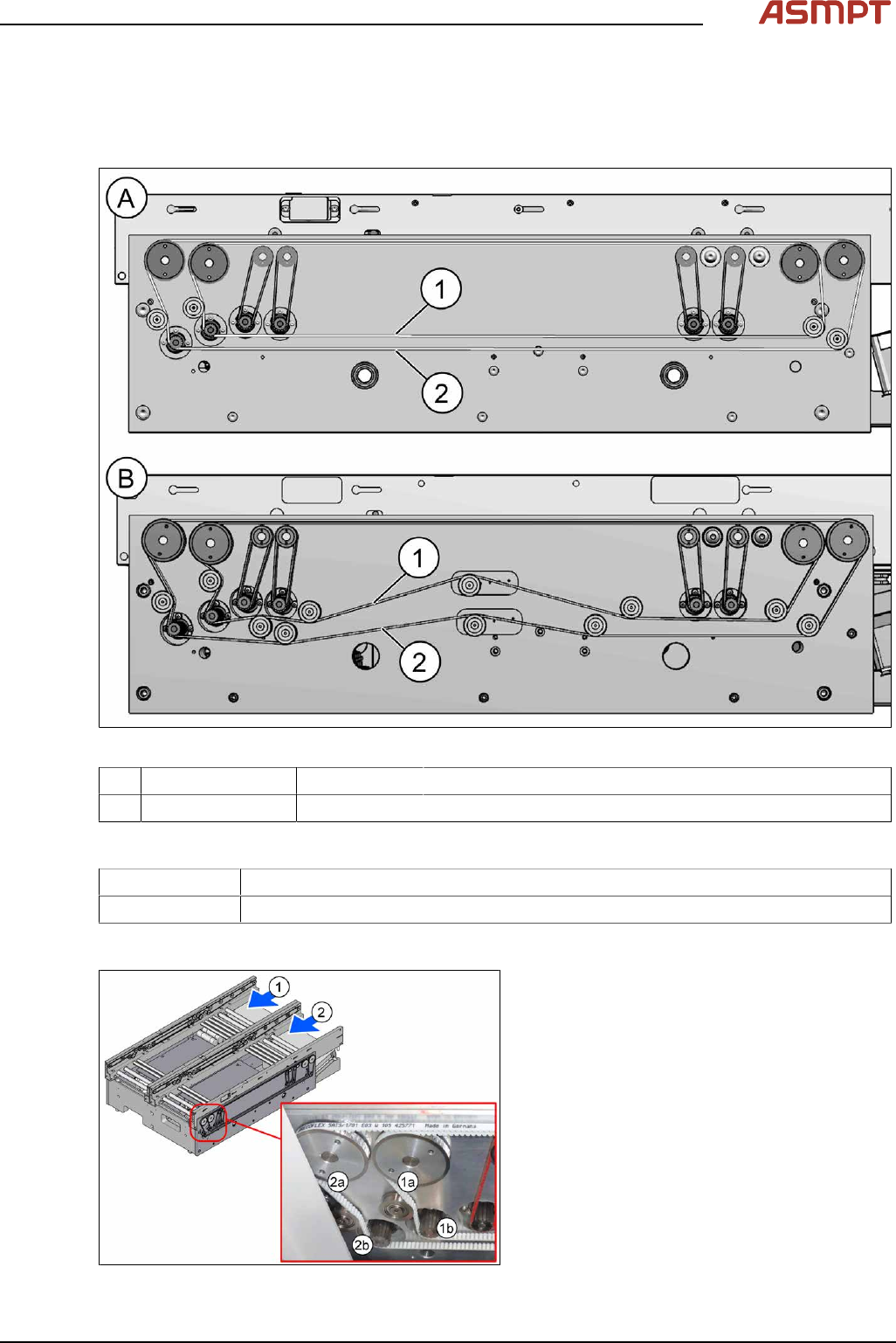
Fig.96: Toothed belt (width adjustment)
1 Track 1 (shorter) 03121586‑xx Toothed belt BRECOFLEX 5+-0.1 AT3/1509
2 Track 2 (longer) 03121584‑xx Toothed belt BRECOFLEX 5+-0.1 AT3/1701
Equipment and tools
00326015‑xx Belt tension measuring device
00353832-xx Allen key set
Overview
Fig.97: Toothed belt (width adjustment)
1) Conveyor track 1
1a) Toothed belt for width adjustment
1b) Width adjustment motor
2) Conveyor track 2
2a) Toothed belt for width adjustment
2b) Width adjustment motor
3 Replacing spare parts
74 Service Manual Process Lens PL - 03/2025
Removal
► Use the software or manually move the conveyor rail into a position which allows you best
access.
To move the conveyor side wall manually, pull the toothed belt of the width adjustment unit.
► Switch off the machine, disconnect it from the power supply and secure it to prevent unauthorized
reactivation.
► Unthread the toothed belt. If necessary loosen the three screws fastening the width adjustment
motor.
Installation
► Follow the removal instructions in reverse order for installation. Also observe the following
instructions:
CAUTION
Installation instructions
► Make sure that the toothed belt is not folded or otherwise damaged.
► Carefully thread in the toothed belt. To do this, carefully lift the toothed belt a little (e.g. with the
shorter end of an Allen key).
► Make sure that the relevant conveyor rail is not moved, to keep parallelism of the conveyor rails.
► Set the correct belt tension (see below).
Toothed belt (width adjustment) Belt tension
03121586‑xx Track 1 (shorter): Toothed belt Brecoflex 5+-0.1 AT3/1509 25 +/- 2 Hz
03121584‑xx Track 2 (longer): Toothed belt Brecoflex 5+-0.1 AT3/1701 21 +/- 2 Hz
Replacing the idler pulley (width adjustment)
Parts
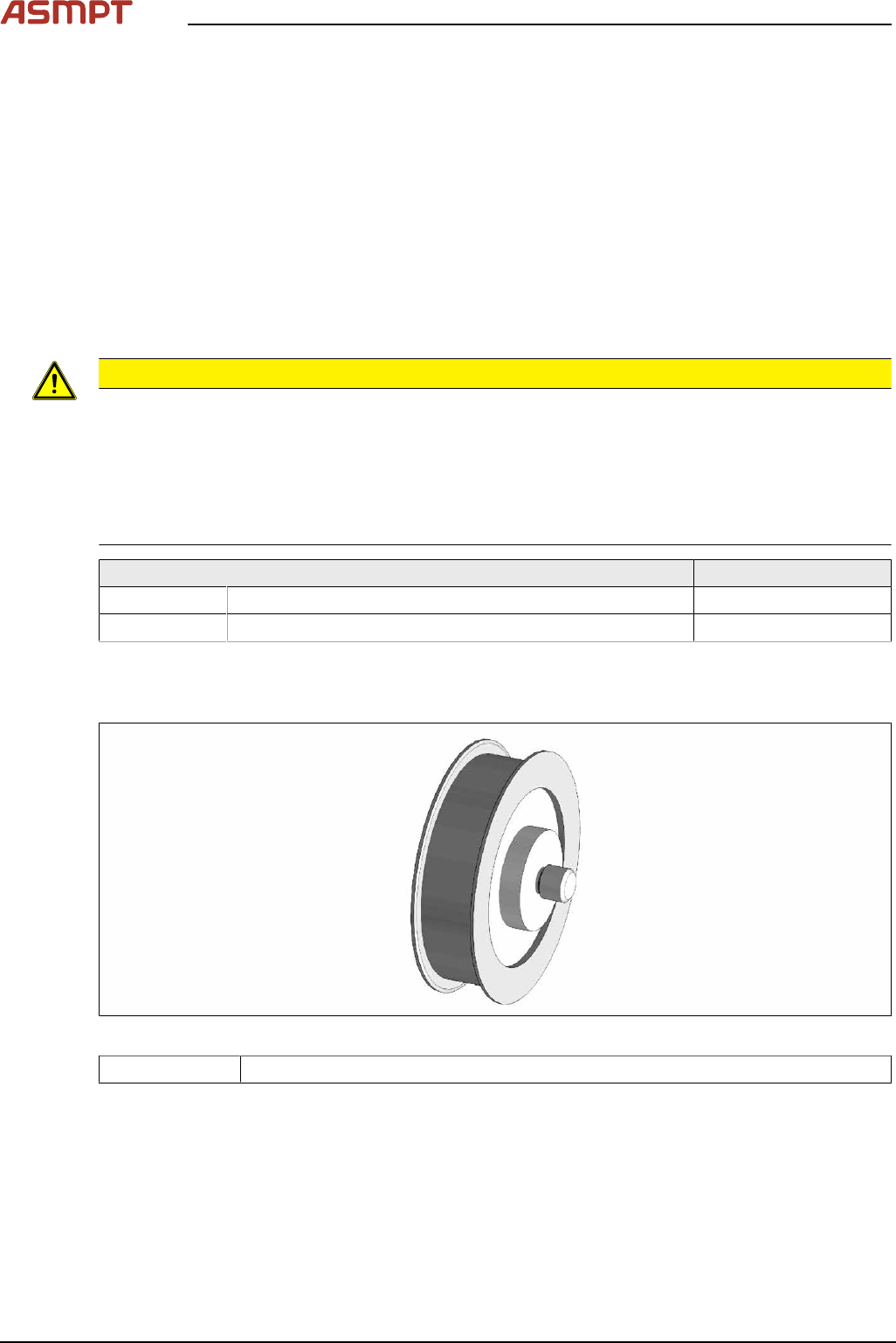
Fig.98: Idler pulley
03121206‑xx Idler pulley 20x5 M-C complete
See also Replacing the pinion gear drive