Process Lens PL Service Manual_EN.pdf - 第85页
3 Replacing spare parts Se rv ic e Ma nu al P ro ce ss L en s PL - 0 3/ 20 25 85 Fig.111: Input side(1) and output side(2) ► Glue the sheet metal plate to the conveyor rail. Observe the following points: ● On the inpu…
3 Replacing spare parts
84 Service Manual Process Lens PL - 03/2025
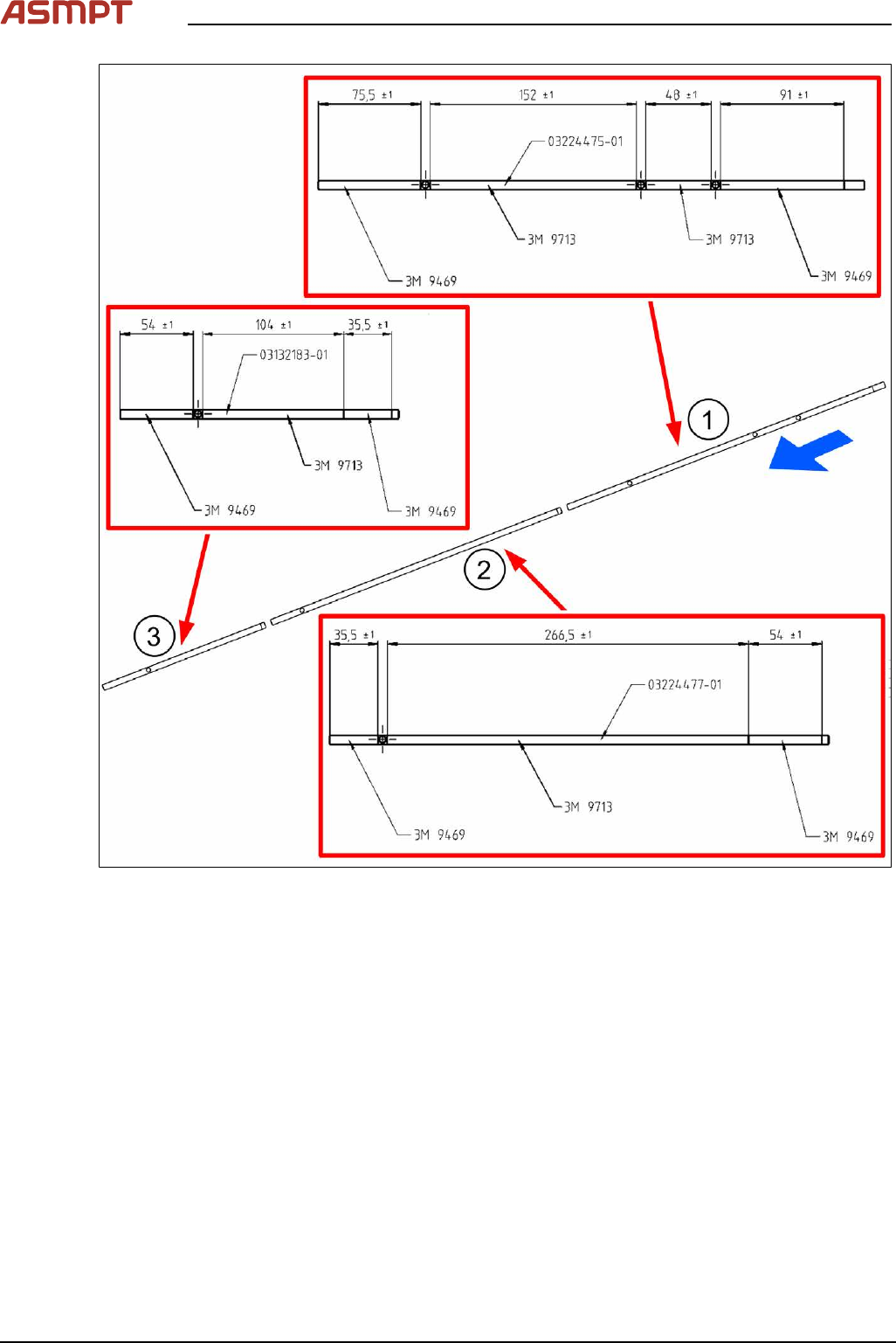
Fig.110: Attaching the adhesive tapes
► Attach the adhesive tapes to the side sheet metal plates as described in the figure. Observe the
following points:
●
In the input area(1) towards the outside of the machine, electrically conductive adhesive tape
3M-9469 [03154790-xx] is applied on a 91mm wide stripe.
●
In the placement area(2), the electrically conductive adhesive tape is not used.
●
In the output area(3) towards the outside of the machine, a 54mm wide stripe is applied with
electrically conductive adhesive tape 3M-9469 [03154790-xx].
●
The other surfaces of the sheet metal plates are not applied with electrically conductive tape
3M-9713 [03154789‑xx]. Make sure to keep the holes for the light barriers free.
3 Replacing spare parts
Service Manual Process Lens PL - 03/2025 85
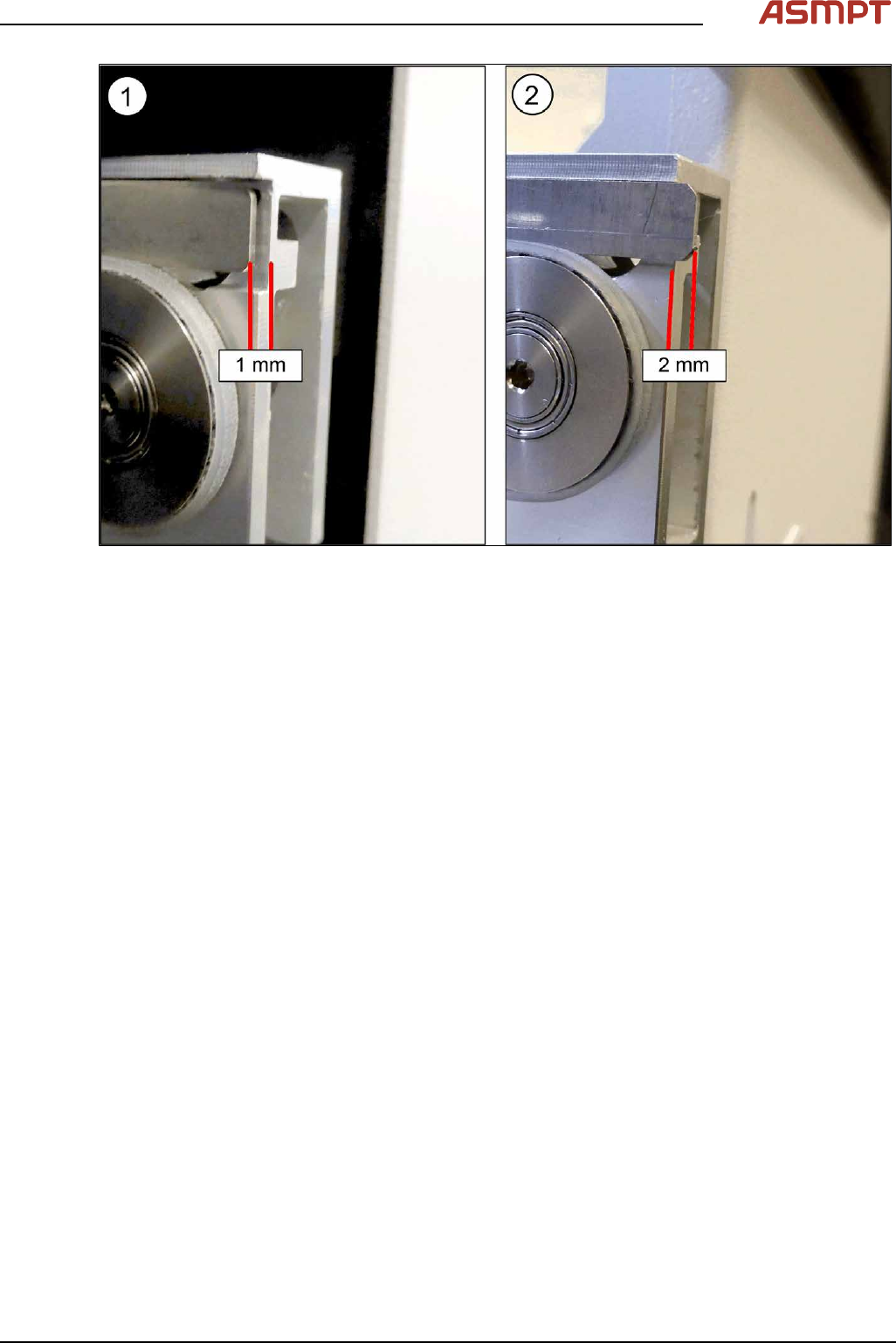
Fig.111: Input side(1) and output side(2)
► Glue the sheet metal plate to the conveyor rail. Observe the following points:
●
On the input side(1), the side metal sheet plate is attached 1mm towards the inside.
●
On the output side(2), the side metal sheet plate protrudes the rail by 2mm.
► Fit the toothed belt.
Replacing the toothed belt (conveyor belt)
3 Replacing spare parts
86 Service Manual Process Lens PL - 03/2025
Replacing the idler pulley (conveyor belt)
Parts
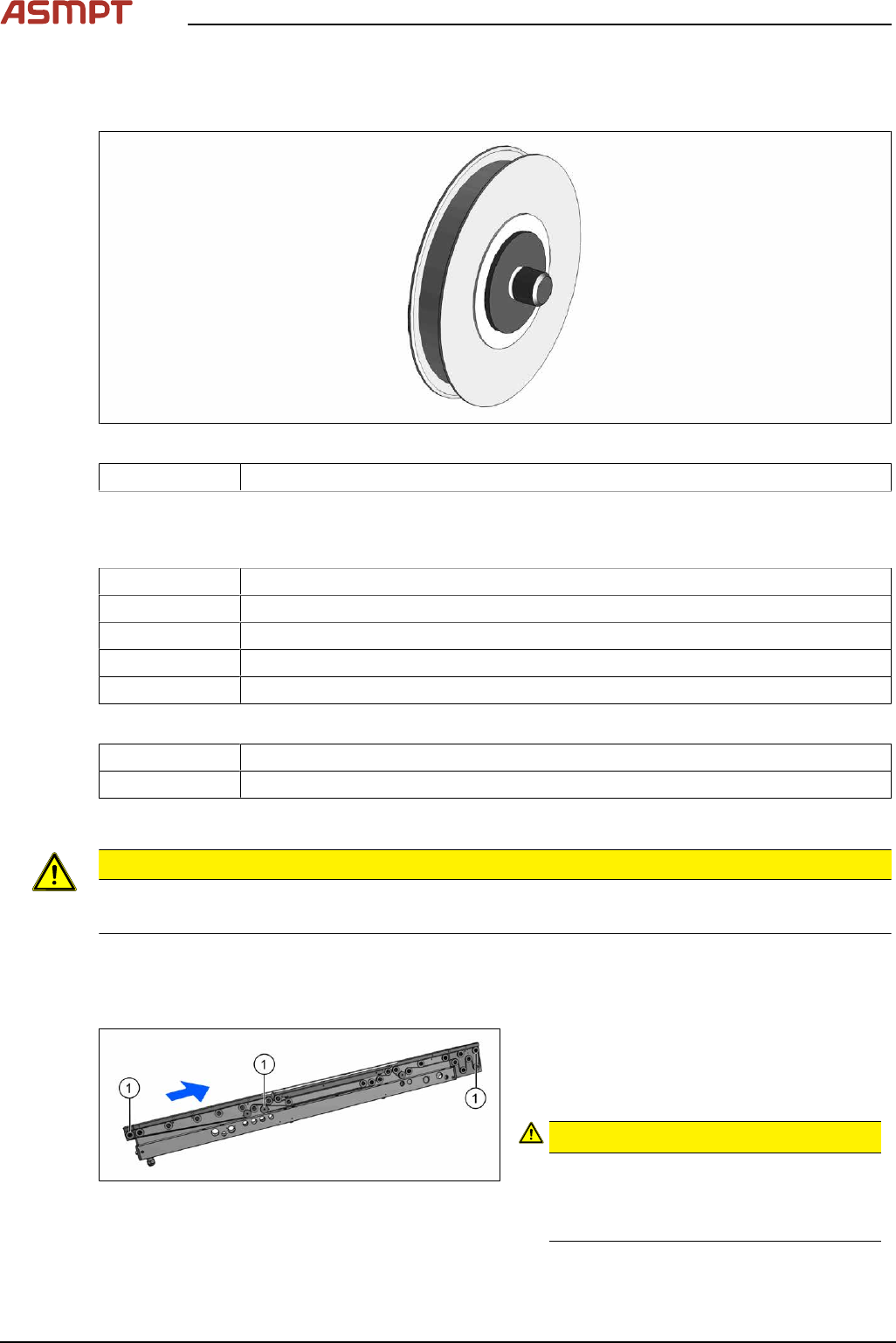
Fig.112: Idler pulley
03121201‑xx Idler pulley 20x2.5 M-C complete
See also Replacing the pinion gear drive
Equipment and tools
00386253‑xx Torque screwdriver ESD 0.4 - 1.0Nm
03078706‑xx Bit holder for screwdriver TorqueVario
00326015‑xx Belt tension measuring device
00353832-xx Allen key set
Bit, size 4
If required:
Magnet lifter or tweezers and adhesive tape
Measuring scale
Removal
CAUTION
Toothed belt
► Make sure that the toothed belt is not folded or otherwise damaged.
► Use the software or manually move the conveyor rail into a position which allows you best
access.
To move the conveyor side wall manually, pull the toothed belt of the width adjustment unit.
Fig.113: Movable idler pulleys
► If you are replacing a movable idler pul-
ley(1), you will have to move the conveyor
rail to get access to the T-slot nut (see
below).
CAUTION!
Fix the T slot nut!
When replacing a movable idler pulley, fix
the T slot nut to the inner side of the con-
veyor rail (see description below).
.
► Switch off the machine, disconnect it from the power supply and secure it to prevent unauthorized
reactivation.