MPM125中文操作说明书(编程) - 第55页
Frequency Stroke Graphic Add Profile Remove Profile Change Profile Edit Selected Profile 频率 擦拭步骤图 示 增加擦拭子 程式 删除擦拭子 程式 更换擦拭子 程式 编辑当前擦 拭子程式 Paper Feed Mode 送纸模式 Adjust Stroke Length Hop Over Continuous Index 连续 定量 调整擦拭行 程 …
27/61
Frequency
Stroke Graphic
Add Profile
Remove Profile
Change Profile
Edit Selected Profile
频率
擦拭步骤图示
增加擦拭子程式
删除擦拭子程式
更换擦拭子程式
编辑当前擦拭子程式
Paper Feed Mode
送纸模式
Adjust Stroke Length
Hop Over
Continuous
Index
连续
定量
调整擦拭行程
跳跃式擦拭
表-4.5
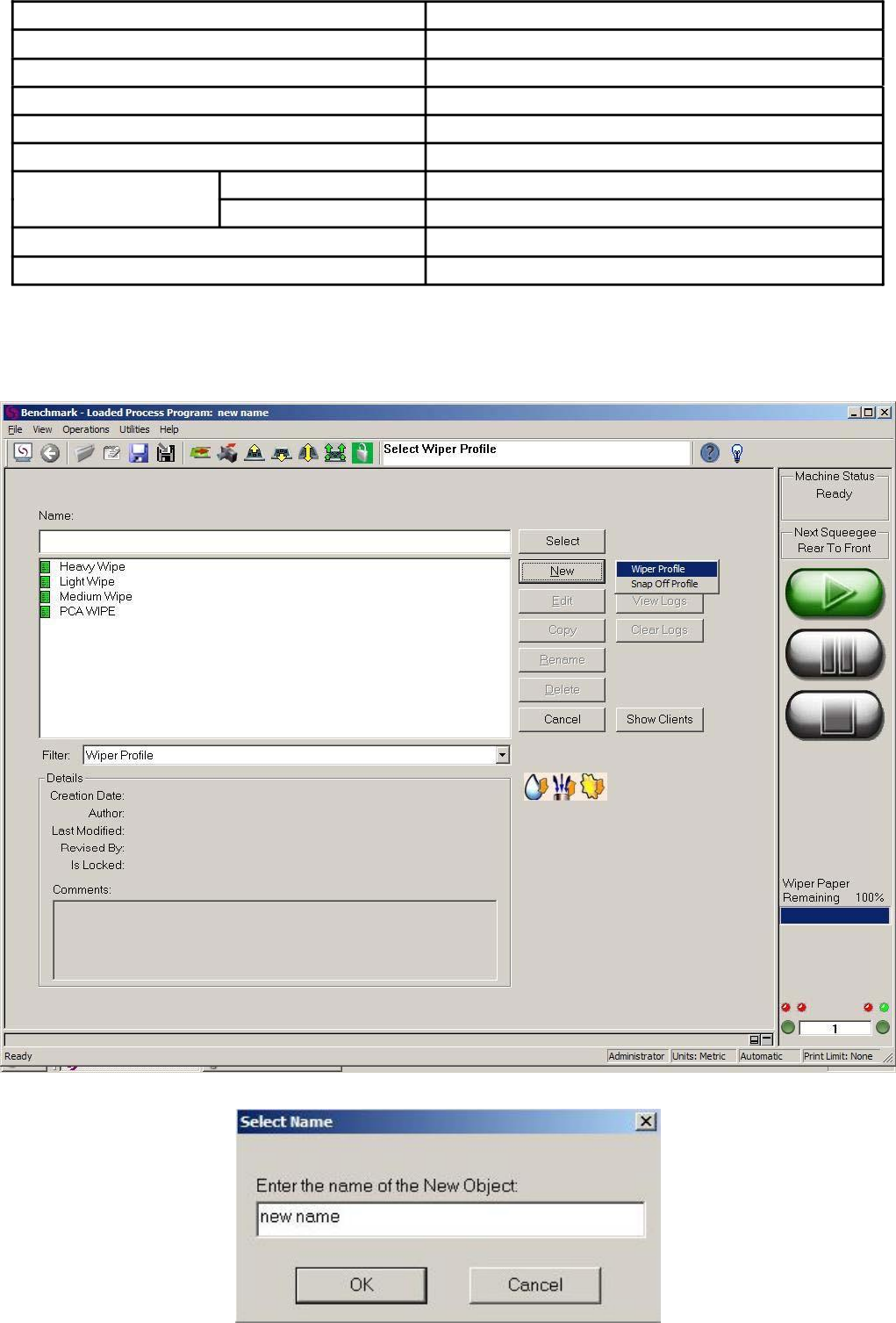
4.9.1.1 Wiper Profile: 擦拭子程式,在 Wiper 页面或在 Benchmark 主画面菜单栏依次选择
“File→Profile”在 Profile
页面的“Filter”栏内选中“Wiper Profile”后均可进行慢速脱模子程式的新建与编辑,即图-4.18。点击“New”
选择“Wiper Profile”出现图-4.19 输入擦拭子程式名后点击“OK”至 Creation Info(图-4.20)。
图-4.18
图-4.19
4.9.1.2 Creation Info:在 Creation Info 页面可以输入一些与该子程式相关的备注信息,与 Setup Info 页面相同也
与机台动作无关。点击“Next”至 Wiper 页面(图-4.21)。
Momentum 中文操作说明
28/61